1. المقدمة
Thank you for choosing the MOFII SK-09BT Ultra-Slim Bluetooth Wireless Keyboard. This manual provides essential information for setting up, operating, and maintaining your new keyboard. Please read it thoroughly before use to ensure optimal performance and longevity of your device.
The MOFII SK-09BT is designed for versatility and portability, offering seamless connectivity across various operating systems including iOS, Mac OS, Android, and Windows. Its compact and lightweight design makes it an ideal companion for your tablet, laptop, or smartphone, enhancing your typing experience on the go.

الصورة: أكثر منview of the MOFII Bluetooth Wireless Keyboard highlighting its key attributes.
2. الإعداد
2.1 محتويات الصندوق
- MOFII SK-09BT Bluetooth Wireless Keyboard
- USB Cable (for charging, if applicable, or for wired connection if supported)
- دليل المستخدم (هذا المستند)
2.2 تركيب البطارية
The keyboard requires two AAA batteries for operation. To install the batteries:
- Locate the battery compartment on the back of the keyboard.
- افتح غطاء حجرة البطارية برفق.
- قم بإدخال بطاريتين AAA، مع التأكد من القطبية الصحيحة (+/-).
- أغلق غطاء حجرة البطارية جيدًا.

الصورة: الخلفية view of the keyboard, indicating the power switch, connect button, and battery slot.
2.3 تشغيل/إيقاف التشغيل
To power on the keyboard, slide the ON/OFF switch located on the back of the keyboard to the 'ON' position. To power off, slide the switch to the 'OFF' position.
2.4 اقتران بلوتوث
Follow these steps to pair your MOFII SK-09BT keyboard with your device:
- تأكد من تشغيل لوحة المفاتيح.
- Press the 'Connect' button on the back of the keyboard. The Bluetooth indicator light (usually blue) will start flashing, indicating it's in pairing mode.
- On your device (tablet, smartphone, laptop), navigate to the Bluetooth settings.
- قم بتشغيل البلوتوث والبحث عن الأجهزة المتاحة.
- Select 'Bluetooth Keyboard' or 'SK-09BT' from the list of found devices.
- If prompted, enter the pairing code displayed on your device's screen using the MOFII keyboard, then press Enter.
- Once connected, the Bluetooth indicator light on the keyboard will stop flashing and remain solid or turn off, depending on the model.

Image: Visual guide demonstrating the Bluetooth connection process.
2.5 توافق النظام
The keyboard is compatible with multiple operating systems. To optimize key functions for your specific system, use the following key combinations:
- الجبهة الوطنية + س: For iOS / Mac OS devices
- الجبهة الوطنية + ث: لأجهزة الأندرويد
- الجبهة الوطنية + E: لأجهزة ويندوز

Image: Keys Q, W, and E showing their respective system compatibility labels (Apple, Android, Windows).
3. تشغيل لوحة المفاتيح
3.1 تجربة الكتابة
The MOFII SK-09BT features scissor-switch keys, providing a smooth and responsive typing experience. The ultra-slim design ensures comfortable use and portability.

الصورة: مفصلة view of the scissor switch key mechanism for enhanced typing comfort.
3.2 Multi-Function Keys
The keyboard includes 12 multimedia key combinations (F1-F12) that allow quick access to various functions such as home page, brightness control, search, media playback, volume control, and lock screen. These functions are typically accessed by pressing the 'Fn' key in combination with the desired F-key.

Image: Layout of the multi-function keys and their assigned actions.
3.3 تصميم مريح
The keyboard is designed with a built-in kickstand that provides a comfortable 7-degree typing angle, reducing wrist strain during extended use. It also features silicone non-slip pads for stability.
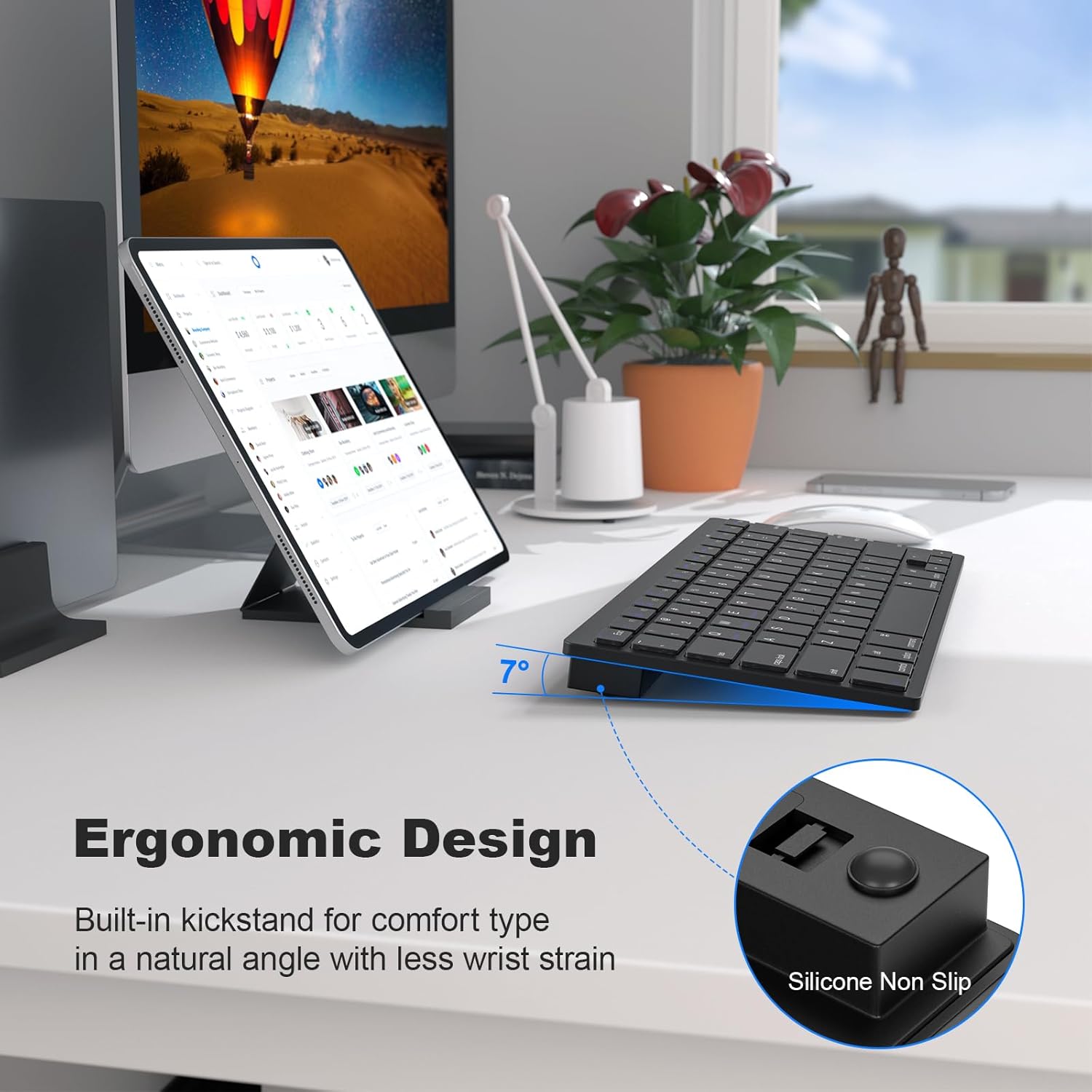
Image: Ergonomic design with a 7-degree tilt and non-slip features for comfortable typing.
4. الصيانة
4.1 التنظيف
To clean your keyboard, power it off and use a soft, lint-free cloth. For stubborn dirt, slightly dampen the cloth with water or a mild, non-abrasive cleaner. Avoid excessive moisture and do not spray liquids directly onto the keyboard.
4.2 استبدال البطارية
When the keyboard's performance diminishes or the low battery indicator illuminates, it's time to replace the two AAA batteries. Refer to section 2.2 for battery installation instructions.
4.3 التخزين
When not in use for extended periods, power off the keyboard to conserve battery life. Store it in a cool, dry place away from direct sunlight and extreme temperatures.
5. استكشاف الأخطاء وإصلاحها
5.1 لوحة المفاتيح غير متصلة
- تأكد من تشغيل لوحة المفاتيح وأنها مزودة ببطاريات جديدة.
- تأكد من تمكين البلوتوث على جهازك.
- Press the 'Connect' button on the back of the keyboard to enter pairing mode.
- حاول إلغاء إقران لوحة المفاتيح وإعادة إقرانها من إعدادات البلوتوث في جهازك.
- Ensure your device is within the Bluetooth range (typically 10 meters or 33 feet).
5.2 المفاتيح لا تستجيب
- تحقق من مستويات البطارية واستبدلها إذا لزم الأمر.
- تأكد من توصيل لوحة المفاتيح بشكل صحيح عبر البلوتوث.
- أعد تشغيل كل من لوحة المفاتيح والجهاز المتصل بها.
- Verify that the correct system mode (iOS/Mac, Android, Windows) is selected using Fn + Q/W/E.
5.3 Frequent Disconnections
- Move closer to your device to ensure a strong Bluetooth signal.
- تجنب التداخل من الأجهزة اللاسلكية الأخرى التي تعمل على نفس التردد.
- تأكد من تحديث برامج تشغيل البلوتوث الخاصة بجهازك.
- The keyboard features an auto-sleep function after 30 minutes of inactivity to save battery life. Press any key to wake it up.
6. المواصفات
| رقم الموديل | إس كيه-09 بي تي |
| أبعاد المنتج | 11.26 × 4.68 × 0.2 بوصة (28.6 × 11.9 × 0.5 سم) |
| وزن العنصر | 12.3 أونصة (348.7 جرام) |
| تكنولوجيا الاتصال | بلوتوث |
| وصف لوحة المفاتيح | Membrane, Scissor Switch Keys |
| الأجهزة المتوافقة | Laptop, PC, Smartphone, Tablet, iPad (iOS, Mac OS, Android, Windows) |
| المميزات الخاصة | Ergonomic, Hotkeys and Media Keys, Lightweight, Portable, Auto-sleep |
| لون | أسود |
| مادة | بلاستيك |
| مصدر الطاقة | 2 بطاريات AAA |
7. انتهى المنتجview فيديو
فيديو: نبذة مختصرةview of the MOFII Bluetooth Keyboard, demonstrating its features and compact design.
8. الضمان والدعم
8.1 معلومات الضمان
Specific warranty details for the MOFII SK-09BT keyboard are not provided in this manual. Please refer to the product packaging or contact the retailer/manufacturer for warranty terms and conditions.
8.2 دعم العملاء
For technical assistance, troubleshooting, or product inquiries, please contact MOFII customer support through the contact information provided on the product packaging or the official MOFII webموقع.


