1. المقدمة
Thank you for choosing the AOBOCAM Mini 1080p HD Wireless WiFi Hidden Security Camera A12. This manual provides essential information for setting up, operating, and maintaining your camera. Please read it thoroughly before use to ensure optimal performance and safety.
The AOBOCAM A12 is a compact and discreet security solution designed for indoor surveillance. It features 1080p HD video, a 120° wide-angle lens, night vision capabilities, and intelligent motion detection. With dual WiFi and Bluetooth connectivity, setup is quick and easy, allowing remote monitoring via a dedicated mobile application.
2. انتهى المنتجview
2.1 محتويات العبوة
- Mini Camera (A12)
- كابل يو اس بي
- دليل التعليمات
- Mounting Bracket / Support
2.2 الميزات الرئيسية
- الاتصال المزدوج: Supports both WiFi and Bluetooth for faster and simpler pairing.
- فيديو عالي الدقة 1080 بكسل: Crystal-clear 1080p resolution with an upgraded high-resolution sensor and premium lenses.
- 120° Ultra Wide-Angle Lens: يلتقط نطاقًا واسعًا view من بيئتك.
- رؤية ليلية محسنة: Integrated infrared LEDs provide clear footage in low-light conditions up to 10 meters.
- كشف الحركة الذكية: Identifies changes in the scene and sends instant notifications to your mobile device.
- خيارات تخزين مرنة: Supports local storage via SD card (8-256GB, not included) and optional cloud storage. Loop recording ensures continuous coverage.
- مراقبة على مدار 24 ساعة: Built-in battery provides up to 90 minutes of continuous operation, or connect directly to a power source for uninterrupted surveillance.
- تصميم مضغوط: Miniature size (30x30x30mm) for discreet placement.

Figure 1: AOBOCAM A12 Mini Camera and its compact size, demonstrating remote viewقدرات التطوير.
3. دليل الإعداد
3.1 شحن الكاميرا
Before initial use, fully charge the camera using the provided USB cable. Connect the USB cable to the camera's charging port and a standard USB power adapter (not included). The charging indicator light will typically show the charging status.
3.2 إدخال بطاقة ذاكرة مايكرو إس دي (اختياري)
If you plan to use local storage, insert a compatible Micro SD card (8GB to 256GB, Class 10 or higher recommended) into the designated slot on the camera. Ensure the camera is powered off before inserting or removing the SD card.
3.3 Downloading the Mobile Application
بحث عن the official AOBOCAM application on your smartphone's app store (iOS App Store or Google Play Store). Download and install the application.
3.4 Pairing the Camera with Your Smartphone
- Power on the AOBOCAM A12 camera.
- افتح تطبيق الهاتف المحمول المثبت على هاتفك الذكي.
- Follow the in-app instructions to add a new device. The camera supports both WiFi and Bluetooth for a faster connection process.
- Select your 2.4 GHz WiFi network and enter the password when prompted. (Note: 5 GHz WiFi networks are not supported).
- Once connected, the camera's indicator light will confirm successful pairing.

Figure 2: The compact design of the AOBOCAM A12 allows for discreet placement in various indoor settings.
4. تعليمات التشغيل
4.1 مباشر View والتسجيل
After successful pairing, open the mobile application to access the live video feed from your camera. You can initiate manual recordings, take snapshots, and view الوقت الحقيقيtage.
4.2 اكتشاف الحركة والتنبيهات
The AOBOCAM A12 features intelligent motion detection. When movement is detected, the camera will automatically begin recording and send a notification to your smartphone.
- تمكين/تعطيل: Adjust motion detection sensitivity and enable/disable alerts within the app settings.
- Event Playback: Access recorded motion events through the app's event log or playback feature.

Figure 3: The camera's motion detection feature alerts you to activity in the monitored area.
4.3 الرؤية الليلية
The camera automatically switches to night vision mode in low-light conditions, utilizing its infrared LEDs to provide clear black-and-white video footage.
4.4 Two-Way Talk (if supported by app)
If the mobile application supports two-way audio, you can use this feature to communicate through the camera. Press and hold the microphone icon in the app to speak, and release to listen.
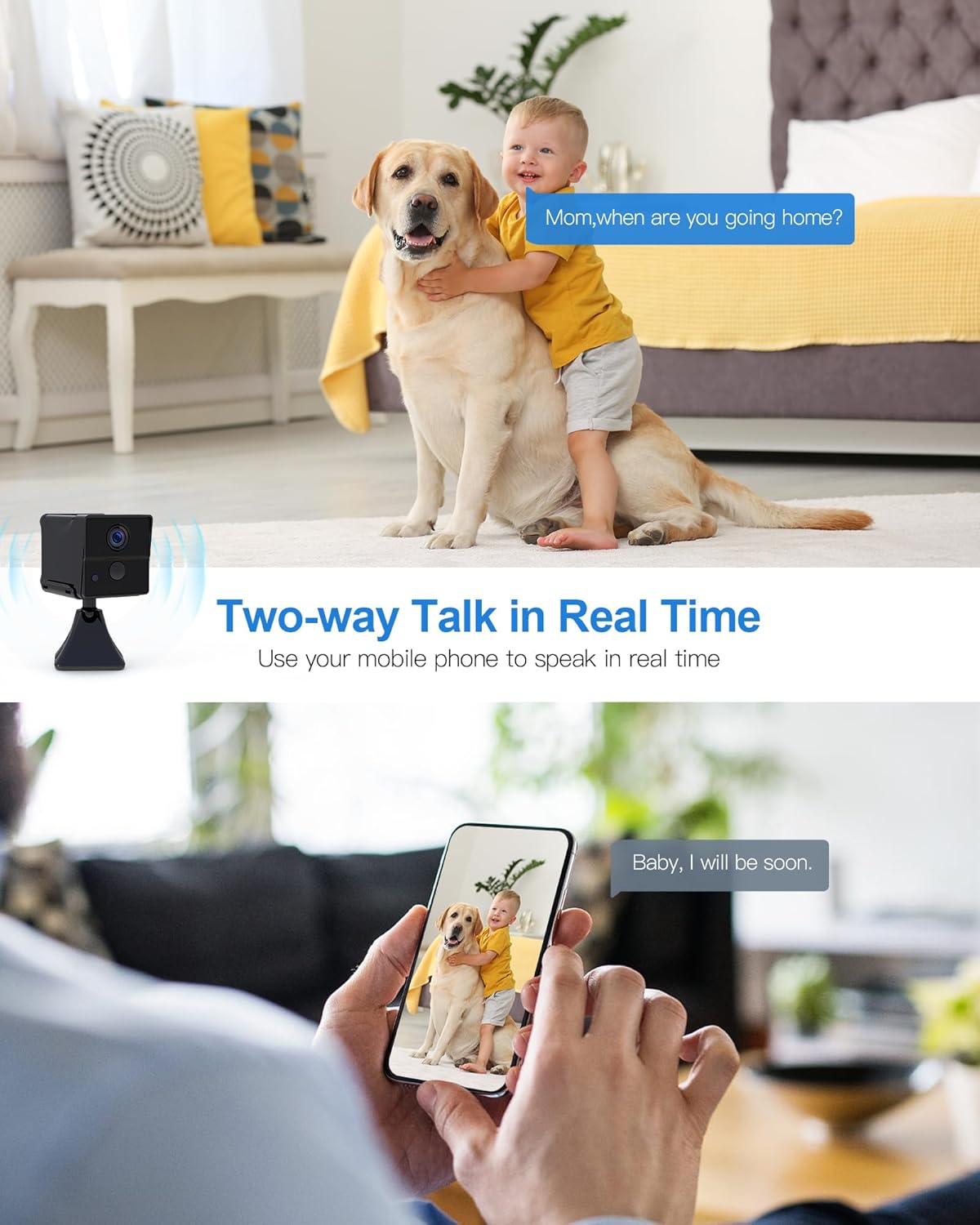
Figure 4: Two-way talk allows real-time communication through the camera.
4.5 إدارة الطاقة
The camera can operate on its internal battery for up to 90 minutes. For continuous 24/7 surveillance, connect the camera to a power source using the USB cable and a power adapter. The app may also offer remote power ON/OFF functionality.

Figure 5: The camera offers extended standby time and remote power control for flexible use.
5. الصيانة
- تنظيف: استخدم قطعة قماش ناعمة وجافة لتنظيف عدسة الكاميرا وجسمها. تجنب استخدام المنظفات الكاشطة أو المذيبات.
- الموقع: Ensure the camera is placed in a stable, dry indoor environment, away from direct sunlight, extreme temperatures, and moisture.
- تحديثات البرامج الثابتة: Regularly check the mobile application for any available firmware updates for your camera to ensure optimal performance and security.
- إدارة بطاقة SD: If using an SD card, periodically back up important recordings and format the card through the app to maintain performance.
6. استكشاف الأخطاء وإصلاحها
- الكاميرا غير متصلة بشبكة WiFi:
- Ensure your WiFi network is 2.4 GHz. The camera does not support 5 GHz networks.
- Check that the WiFi password is entered correctly.
- Move the camera closer to your WiFi router.
- أعد تشغيل الكاميرا وجهاز التوجيه الخاص بك.
- جودة الفيديو رديئة:
- Check your internet connection speed. A stable connection is required for HD streaming.
- تأكد من أن عدسة الكاميرا نظيفة وخالية من الغبار والبقع.
- Motion detection alerts not received:
- تأكد من تفعيل خاصية كشف الحركة في إعدادات التطبيق.
- Check app notification settings on your smartphone to ensure they are not blocked.
- Adjust motion detection sensitivity if alerts are too frequent or too few.
- بطاقة الذاكرة لا تسجل:
- تأكد من إدخال بطاقة الذاكرة بشكل صحيح وأنها ليست ممتلئة.
- قم بتهيئة بطاقة الذاكرة الخارجية (SD) من خلال التطبيق.
- Check if the SD card is damaged or incompatible (use Class 10 or higher).
- الكاميرا لا تعمل:
- Ensure the camera is fully charged or connected to a working power source.
- جرب كابل USB أو محول طاقة مختلفًا.
7. المواصفات
| اسم الموديل | أ12 |
| ماركة | أوبوكام |
| دقة تسجيل الفيديو | 1080 بكسل |
| Viewزاوية جي | 120 درجة |
| نطاق الرؤية الليلية | 10 مترا |
| معدل الإطارات | 30 إطارًا في الثانية |
| تكنولوجيا الاتصالات اللاسلكية | واي فاي (2.4 جيجاهرتز)، بلوتوث |
| مصدر الطاقة | Battery Powered (Lithium-polymer, 1 A included) |
| عمر البطارية (مستمر) | حتى 90 دقيقة |
| مادة | بلاستيك |
| الأبعاد (الطول × العرض × الارتفاع) | 30 x 30 x 30 millimeters (3 x 3 x 3 cm) |
| وزن | 200 جرام |
| دعم التخزين | بطاقة ذاكرة مايكرو إس دي (8-256 جيجابايت، غير مرفقة)، تخزين سحابي (اختياري) |
| المميزات الخاصة | Motion Detector, Portable, HD Resolution, Night Vision |
| الاستخدام | Indoor Surveillance, Home Security |
8. الضمان والدعم
For warranty information and technical support, please refer to the contact details provided with your product packaging or visit the official AOBOCAM webالموقع. احتفظ بإيصال الشراء الخاص بك كإثبات للشراء في حالة مطالبات الضمان.
If you encounter any issues not covered in this manual, please contact AOBOCAM customer service for assistance.


