1. المقدمة
Welcome to the CrossBeats Sonic 3 TWS Ear Buds user manual. This guide provides comprehensive instructions for setting up, operating, maintaining, and troubleshooting your new ear buds. Please read this manual carefully to ensure optimal performance and longevity of your device.

Image: The CrossBeats Sonic 3 TWS Ear Buds in their open charging case, showcasinتصميم أسود أنيق.
فيديو: أكثر منview of the CrossBeats Sonic 3 TWS Ear Buds, highlighting key features such as lightweight design, Hybrid ANC, MEMSensing Mic, 13mm Graphene Drivers, IPX5 water resistance, colored LED lights, Hall Switch enabled instant pairing, 40ms low latency, and 60 hours playtime.
2. ماذا يوجد في الصندوق
Upon opening your CrossBeats Sonic 3 package, you should find the following items:
- 1x Charging Station (Charging Case)
- 1 × كابل شحن USB Type-C
- 1 × دليل المستخدم
- 1 × بطاقة الضمان
- Multiple pairs of Ear Cushions (various sizes)
Video: An unboxing demonstration of the CrossBeats Sonic 3 TWS Ear Buds, showing the contents of the retail package including the ear buds, charging case, charging cable, warranty card, and ear cushions.
3. الإعداد
3.1 الرسوم الأولية
- ضع كلتا سماعتي الأذن في علبة الشحن.
- قم بتوصيل كابل الشحن من النوع C USB بمنفذ الشحن الموجود على العلبة وبمصدر الطاقة.
- The LED indicator on the charging case will illuminate to show charging status. Allow approximately 2 hours for a full charge.
3.2 الاقتران بجهاز
The CrossBeats Sonic 3 features Hall Switch Enabled instant pairing for convenience.
- Ensure the ear buds are charged.
- Open the charging case. The ear buds will automatically enter pairing mode.
- على جهازك (الهاتف الذكي، الجهاز اللوحي، الكمبيوتر المحمول)، انتقل إلى إعدادات البلوتوث.
- بحث عن available devices and select "CB-Sonic" or "CrossBeats Sonic 3" from the list.
- Once connected, a confirmation sound will play, and the LED indicator on the ear buds may change.

Image: A smartphone displaying Bluetooth settings, connected to the CrossBeats Sonic 3 TWS Ear Buds, illustrating the instant pairing feature.
4. تعليمات التشغيل
The CrossBeats Sonic 3 TWS Ear Buds feature intuitive touch controls for various functions.
4.1 تشغيل/إيقاف التشغيل
- تشغيل الطاقة: Open the charging case, and the ear buds will power on automatically. Alternatively, press and hold the touch area on both ear buds for 3 seconds.
- إيقاف التشغيل: Place the ear buds back into the charging case and close the lid. Alternatively, press and hold the touch area on both ear buds for 5 seconds.
4.2 تشغيل الموسيقى
- تشغيل/إيقاف مؤقت: Single tap on either ear bud.
- المسار التالي: Double tap on the right ear bud.
- المسار السابق: Double tap on the left ear bud.
- رفع الصوت: Triple tap on the right ear bud.
- اخفض الصوت: Triple tap on the left ear bud.
4.3 إدارة المكالمات
- الرد/إنهاء المكالمة: Single tap on either ear bud.
- رفض المكالمة: Press and hold the touch area on either ear bud for 2 seconds.
4.4 مساعد صوتي
- تنشيط مساعد الصوت: Press and hold the touch area on either ear bud for 2 seconds (when not on a call).
4.5 Active Noise Cancellation (ANC) Control
The CrossBeats Sonic 3 features Hybrid ANC up to 30dB.
- تبديل أوضاع إلغاء الضوضاء النشط: Press and hold the touch area on the left ear bud for 2 seconds to cycle through ANC On, Transparency Mode, and ANC Off.
4.6 وضع الألعاب
Activate Gaming Mode for ultra-low 40ms latency, ideal for gaming and video synchronization.
- Activate/Deactivate Gaming Mode: Press and hold the touch area on the right ear bud for 2 seconds.
5. المميزات
The CrossBeats Sonic 3 TWS Ear Buds are designed with advanced features for an enhanced audio experience:
- إلغاء الضوضاء النشط الهجين (ANC): Blocks up to 30dB of ambient noise, allowing for focused listening.
- 13mm Graphene Drivers: Delivers rich, powerful bass, vibrant mids, and clear highs for a cinematic audio experience.
- 360° Spatial Audio (3D Sonic Realm): Provides an immersive soundstage.
- وقت اللعب الممتد: ما يصل إلى 60 ساعات من إجمالي وقت اللعب مع علبة الشحن.
- الشحن السريع: شحن سريع لمدة 10 دقائق يوفر ما يصل إلى 200 دقيقة من وقت اللعب.
- تصميم خفيف الوزن: Each ear bud weighs under 4 grams for comfortable, extended wear.
- Hall Switch Enabled: Ensures instant and seamless pairing with your devices.
- وقت استجابة منخفض جدًا: 40ms latency for lag-free gaming and video synchronization.
- مقاومة الماء IPX5: Protects against sweat, light splashes, and dust, making them suitable for workouts and outdoor activities.
- MEMSensing Microphone: Ensures clear call quality by reducing environmental noise.

الصورة: عرض الكولاجasing various features including Hybrid ANC, 13mm Graphene Drivers, 60+ hours playtime, MEMSensing Microphone, Hall Switch Enabled, and Gaming Mode.

Image: A detailed collage highlighting Hybrid ANC, 13mm Graphene Drivers, LED lights, IPX5 resistance, MEMSensing Mic, Hall Switch, Gaming Mode, and the compact design.

Image: A close-up of an ear bud illustrating the Hybrid ANC technology, capable of blocking up to 30dB of noise.

Image: A diagram showing how the MEMSensing Microphone filters out wind noise, crowd noise, traffic, and loudspeaker sounds for clear communication.
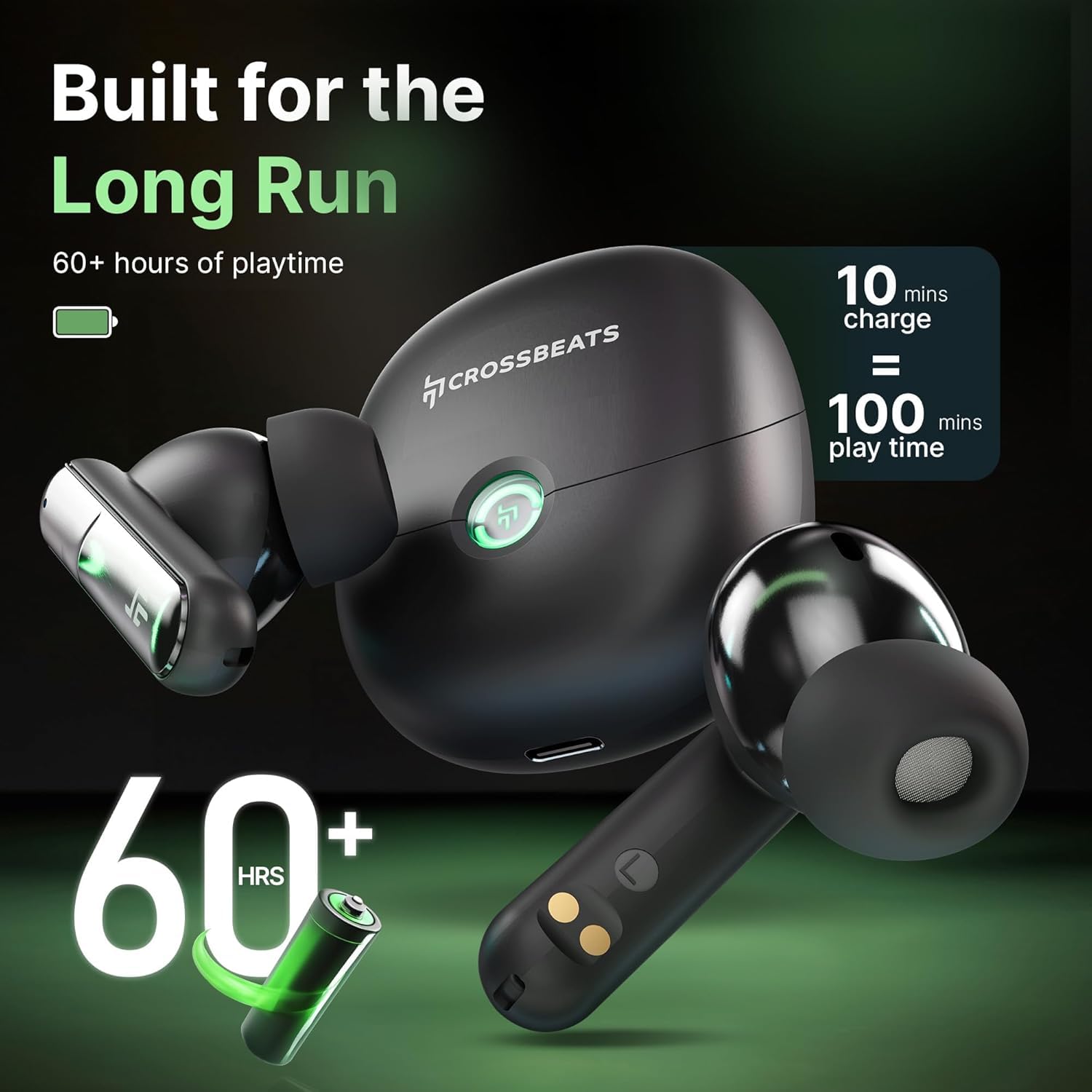
Image: The ear buds and charging case highlighting the 60+ hours of playtime and the fast charging capability (10 mins charge = 100 mins play time).

Image: A man with ear buds, surrounded by a visual representation of 3D Sonic Realm audio, indicating an immersive sound experience.

Image: A visual representation of the 13mm Graphene Drivers within the ear buds, emphasizing enhanced bass and reduced noise for a concert-like experience.
6. الصيانة
To ensure the longevity and optimal performance of your CrossBeats Sonic 3 TWS Ear Buds, follow these maintenance guidelines:
- تنظيف: Regularly clean the ear buds and charging case with a soft, dry, lint-free cloth. Do not use harsh chemicals or abrasive materials.
- وسائد الأذن: Remove and clean the ear cushions periodically with mild soap and water. Ensure they are completely dry before reattaching.
- شحن جهات الاتصال: Keep the charging contacts on both the ear buds and the case clean and free of debris to ensure proper charging.
- تخزين: When not in use, store the ear buds in their charging case to protect them from dust, damage, and to keep them charged.
- التعرض للماء: While the ear buds are IPX5 water-resistant, avoid prolonged exposure to water or submersion. Dry them thoroughly if they get wet.
- درجة حرارة: Avoid exposing the ear buds to extreme temperatures (hot or cold) as this can affect battery life and overall performance.
7. استكشاف الأخطاء وإصلاحها
If you encounter any issues with your CrossBeats Sonic 3 TWS Ear Buds, refer to the following common problems and solutions:
| مشكلة | الحل المحتمل |
|---|---|
| Ear buds not pairing |
|
| لا يوجد صوت أو مستوى صوت منخفض |
|
| قضايا الشحن |
|
| المؤتمر الوطني الأفريقي لا يعمل بشكل فعال |
|
| Lag in gaming mode |
|
8. المواصفات
| ميزة | التفاصيل |
|---|---|
| اسم الموديل | Sonic 3 (CB-Sonic) |
| تكنولوجيا الاتصال | لاسلكي (بلوتوث 5.3) |
| التحكم في الضوضاء | إلغاء الضوضاء النشط الهجين (حتى 30 ديسيبل) |
| حجم برنامج تشغيل الصوت | 13mm Graphene Drivers |
| الكمون الصوتي | 40 ميلي ثانية (وضع الألعاب) |
| عمر البطارية | حتى 60 ساعة (مع علبة الشحن) |
| وقت الشحن | Approx. 2 Hours (ear buds + case) |
| الشحن السريع | 10 minutes charge = 200 minutes playtime |
| مستوى مقاومة الماء | IPX5 |
| نوع التحكم | التحكم باللمس |
| ميكروفون | MEMSensing Mic |
| Item Weight (Ear buds) | Under 4 grams per ear bud |
| أبعاد حقيبة الحمل | 62 × 53.8 × 30 ملم |
| وزن حقيبة الحمل | 38.2 جرام |
| الأجهزة المتوافقة | الهواتف المحمولة، أجهزة الكمبيوتر المكتبية، أجهزة الكمبيوتر المحمولة، الأجهزة اللوحية، التلفزيون |
9. الضمان والدعم
Your CrossBeats Sonic 3 TWS Ear Buds come with a standard brand warranty. For detailed information regarding warranty coverage, replacement policies, and customer support, please refer to the included Warranty Card or visit the official CrossBeats webموقع.
For additional assistance, you may also refer to the product detail page on Amazon.in or contact CrossBeats customer service directly.


