1. المقدمة
This manual provides instructions for the Baseus 100W 5A USB-C Fast Charging Cable. This cable is designed for efficient power delivery and data transfer between compatible USB-C devices. Please read this manual thoroughly before use to ensure proper operation and longevity of the product.
2. الميزات الرئيسية
- توصيل عالي الطاقة: Supports up to 100W (20V/5A) fast charging for laptops, tablets, and smartphones.
- شاشة عرض الطاقة الرقمية: Integrated display shows real-time charging wattage.
- متانة محسنة: Features a double-layer anti-bend design, reinforced cable ends, and a long-lasting zinc alloy port for increased resilience.
- Embedded E-Marker Chip: Ensures safe and stable charging by regulating current and voltage.
- نقل البيانات: Supports data transfer speeds up to 480 Mbps (USB 2.0 standard).
- التوافق الواسع: Compatible with various USB-C devices including phones, tablets, and laptops.

Image 1: Baseus 100W USB-C Cable demonstrating full speed charging.

Image 2: Digital display on the USB-C connector showing real-time charging wattage.
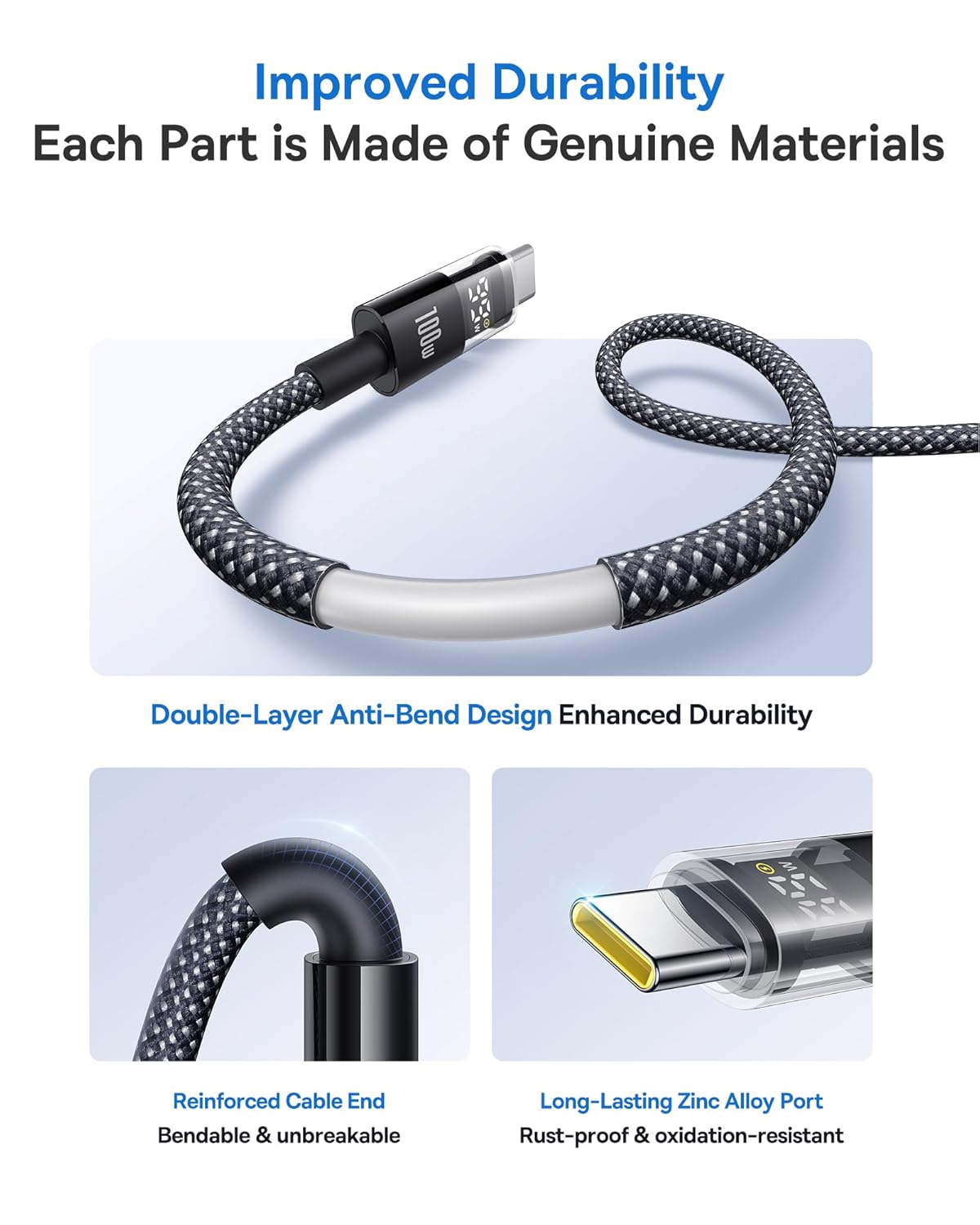
Image 3: Illustration of the cable's improved durability features.

Image 4: Explanation of the embedded E-Marker chip for reliable and safe charging.
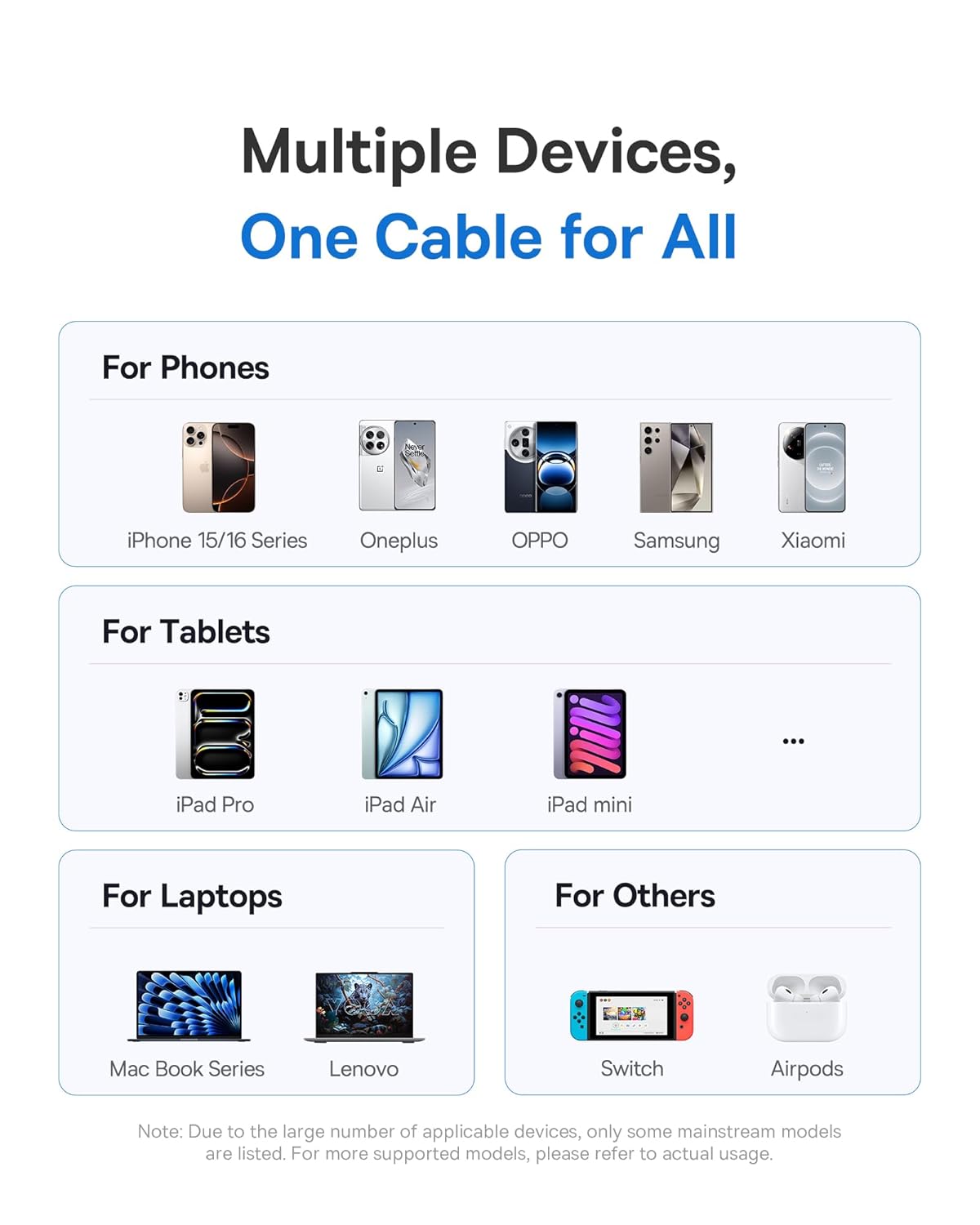
الصورة 5: انتهىview of the wide compatibility with multiple devices.
3. الإعداد
The Baseus USB-C Fast Charging Cable is designed for plug-and-play functionality. No specific software or driver installation is required.
- Identify the USB-C port on your charging adapter or host device (e.g., computer, power bank).
- Identify the USB-C port on your target device (e.g., smartphone, tablet, laptop).
- Insert one end of the Baseus USB-C cable into the charging adapter/host device.
- Insert the other end of the Baseus USB-C cable into your target device.
- Ensure both connections are firm.
4. تعليمات التشغيل
4.1. أجهزة الشحن
لشحن جهازك:
- قم بتوصيل الكابل كما هو موضح في قسم "الإعداد".
- Once connected, the digital display on the cable's connector will illuminate, showing the current charging wattage. This indicates that power is being delivered to your device.
- For optimal fast charging, ensure both your charging adapter and device support Power Delivery (PD) and the required wattag(حتى 100 واط).
4.2. نقل البيانات
لنقل البيانات بين الأجهزة:
- Connect the cable between two compatible USB-C devices (e.g., computer and external hard drive).
- Your devices should recognize each other automatically.
- ابدأ عملية نقل البيانات من خلال نظام تشغيل جهازك أو file برامج إدارة.
- The cable supports data transfer speeds up to 480 Mbps (USB 2.0).
5. الصيانة
Proper care will extend the life of your Baseus USB-C cable.
- تخزين: Store the cable in a clean, dry place away from extreme temperatures. Avoid tightly coiling or kinking the cable.
- تنظيف: Use a soft, dry cloth to wipe the cable and connectors. Do not use liquid cleaners or abrasive materials.
- التعامل: Always grasp the connector head when plugging or unplugging the cable. Avoid pulling directly on the cable itself to prevent damage to the internal wires and connectors.
- تجنب الانحناء: While the cable features an anti-bend design, excessive or sharp bending, especially near the connectors, should be avoided.
6. استكشاف الأخطاء وإصلاحها
| مشكلة | السبب المحتمل | حل |
|---|---|---|
| الجهاز لا يشحن. |
|
|
| سرعة شحن بطيئة. |
|
|
| العرض الرقمي لا يعمل. |
|
|
| مشاكل في نقل البيانات. |
|
|
7. المواصفات
| ماركة | باسيس |
| رقم الموديل | 850060076763 |
| نوع الموصل | منفذ USB من النوع C (ذكر إلى ذكر) |
| لون | رمادي |
| واتtage | تصل إلى 100 واط |
| حاضِر | حتى 5 Amps |
| معدل نقل البيانات | 480 ميجابايت في الثانية (USB 2.0) |
| وزن العنصر | 91 جرام |
| أبعاد الحزمة | 15.29 × 9.09 × 2.39 سم |
8. الضمان والدعم
For warranty information and customer support, please refer to the documentation provided with your purchase or contact the seller/manufacturer directly. Keep your proof of purchase for any warranty claims.
Manufacturer: Baseus


