مقدمة
Thank you for choosing the Hama Freedom Run II Bluetooth In-Ear Headphones. This manual provides essential information for the safe and efficient operation of your device. Please read it carefully before use and keep it for future reference.
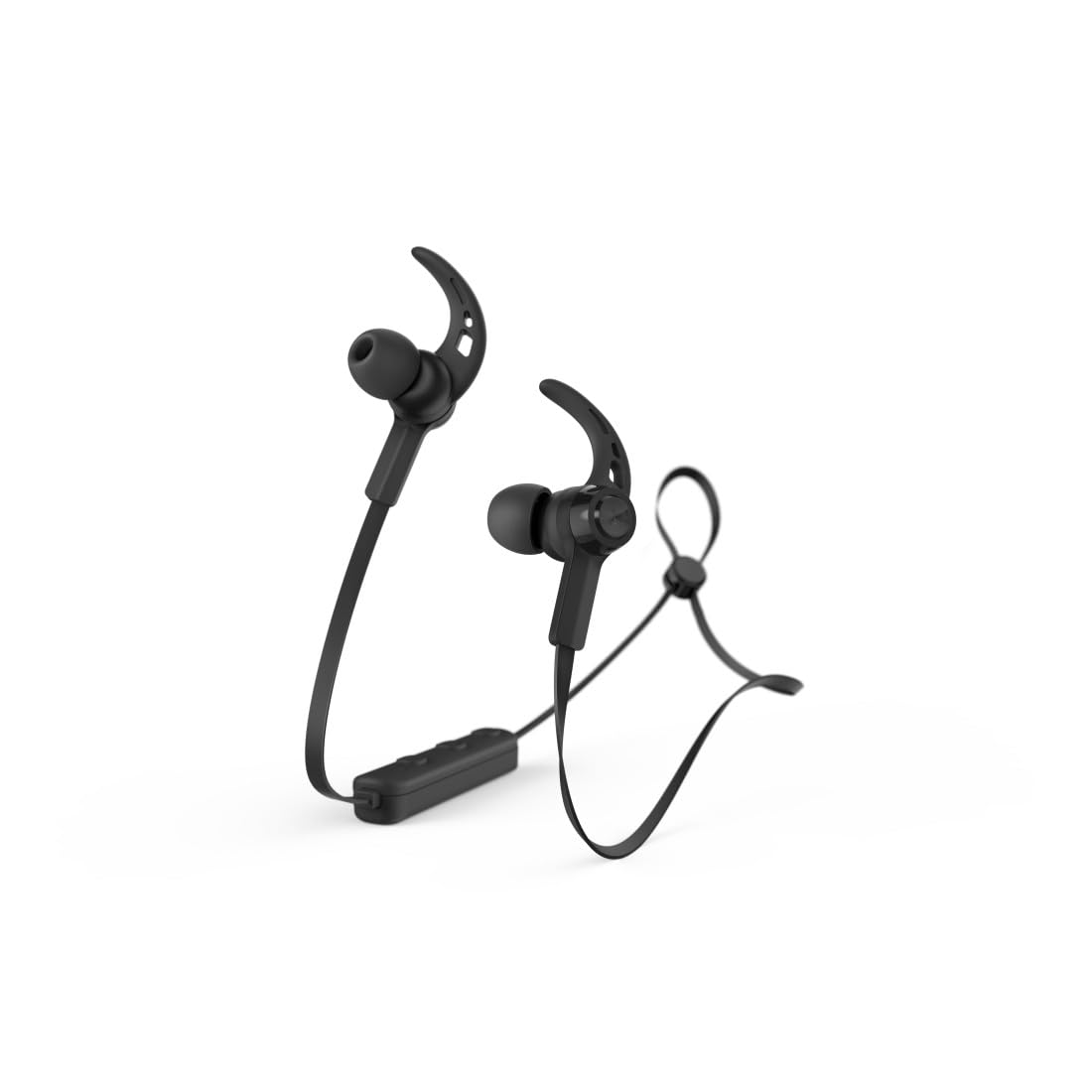
Image: Hama Freedom Run II Bluetooth In-Ear Headphones in black, showcasing the magnetic earbuds and flat, tangle-free cable design.
يثبت
1. شحن سماعات الرأس
Before first use, ensure the headphones are fully charged. Connect the charging cable to the charging port on the headphones and to a suitable USB power source. The LED indicator will show the charging status.
2. الاقتران بجهاز بلوتوث
- تأكد من إيقاف تشغيل سماعات الرأس.
- Press and hold the multi-function button until the LED indicator flashes alternately blue and red, indicating pairing mode.
- Activate Bluetooth on your device (smartphone, tablet, etc.) and search for available devices.
- Select "Hama Freedom Run II" from the list of found devices.
- بمجرد الاتصال ، سيومض مؤشر LED باللون الأزرق ببطء.
These headphones support simultaneous connection to multiple Bluetooth devices.
3. ارتداء سماعات الرأس
- اختيار أطراف الأذن: Choose the silicone ear tips (S, M, L) that provide the most comfortable and secure fit for optimal sound isolation.
- تعديل الكابل: The neck cable can be adjusted to your personal preference for comfort and stability.
- تأمين الكابل: Use the included clip to attach the cable to your clothing (e.g., T-shirt) for additional support during movement.
التشغيل
1. تشغيل/إيقاف التشغيل
- تشغيل الطاقة: Press and hold the multi-function button until the LED indicator flashes blue.
- إيقاف التشغيل: Press and hold the multi-function button until the LED indicator flashes red and then turns off.
2. تشغيل الموسيقى
- تشغيل/إيقاف مؤقت: اضغط على الزر متعدد الوظائف مرة واحدة.
3. إدارة المكالمات
The integrated microphone allows seamless switching between music and calls.
- الرد على المكالمة: اضغط على الزر متعدد الوظائف مرة واحدة أثناء المكالمة الواردة.
- إنهاء المكالمة: اضغط على زر الوظائف المتعددة مرة واحدة أثناء المكالمة.
- رفض المكالمة: اضغط مع الاستمرار على زر الوظائف المتعددة أثناء المكالمة الواردة.
- إعادة الاتصال بالرقم الأخير: اضغط مرتين على زر الوظائف المتعددة.
4. التحكم في مستوى الصوت
Volume can be controlled via the integrated remote on the neckband or through your device's voice assistant.
5. التحقق من حالة البطارية
The battery charge status can be checked on compatible iOS and Android devices.
صيانة
1. التنظيف
Clean the headphones with a soft, dry cloth. Do not use harsh cleaning agents or solvents. Remove ear tips for separate cleaning if necessary.
2. التخزين
When not in use, the earbuds can be conveniently joined together magnetically to prevent tangling and for easy storage.
3. مقاومة العرق
The headphones feature sweat-resistant materials, making them suitable for sports and active use. However, avoid submerging them in water.
استكشاف الأخطاء وإصلاحها
- لا يوجد طاقة: تأكد من شحن سماعات الرأس بالكامل.
- لا يمكن الاقتران: Make sure the headphones are in pairing mode (flashing blue/red). Ensure Bluetooth is enabled on your device and it is within range. Try restarting both devices.
- لا يوجد صوت: Check the volume level on both the headphones and your connected device. Ensure the headphones are correctly paired and connected.
- ضعف جودة الصوت: Ensure the headphones are within range of your device and there are no obstructions. Try adjusting the ear tips for a better seal.
- مشاكل الاتصال: Ensure the microphone is not obstructed. Check that the headphones are selected as the audio output device during calls on your smartphone.
تحديد
| اسم الموديل | Freedom Run II |
| رقم الموديل | 00184189 |
| ماركة | حماه |
| تكنولوجيا الاتصال | لاسلكي (بلوتوث) |
| وضع الأذن | داخل الأذن |
| عامل الشكل | داخل الأذن |
| مادة | سيليكون |
| مستوى مقاومة الماء | Waterproof (Sweat-resistant) |
| المميزات الخاصة | Lightweight, Integrated Microphone, Magnetic Earbuds |
| الأجهزة المتوافقة | الهواتف الذكية، والأجهزة اللوحية، وأجهزة الكمبيوتر المحمولة، وأجهزة الكمبيوتر المكتبية، ومكبرات الصوت الذكية |
| المكونات المضمنة | نصائح الأذن |
الضمان والدعم
Information regarding specific warranty terms and customer support contacts is not available in the provided product data. Please refer to the product packaging or the manufacturer's official webالموقع للحصول على معلومات مفصلة حول الضمان وخيارات الدعم.


