1. المقدمة
The ProtoArc XKM03 is an ergonomic, foldable Bluetooth keyboard and mouse combo designed for portability and comfortable use across various devices. This manual provides instructions for setup, operation, maintenance, and troubleshooting to ensure optimal performance.

Image: The ProtoArc XKM03 foldable keyboard, ergonomic mouse, and protective carrying case.
المميزات الرئيسية:
- تصميم مريح قابل للطي: The keyboard features a V-shape with a 166-degree angle and split keyset to promote a natural typing posture and reduce wrist strain.
- Ultra-Slim and Foldable: The keyboard folds for compact storage and portability, with automatic power on/off upon unfolding/folding.
- Ergonomic Mouse: The wireless mouse is designed with a contoured shape for palm and thumb support, reducing wrist discomfort. It offers adjustable DPI settings up to 2400.
- الاتصال بأجهزة متعددة: Connects to up to three Bluetooth devices simultaneously, allowing for easy switching between them.
- التوافق الواسع: Compatible with Mac OS, iOS, Android, and Windows operating systems on iPads, iPhones, tablets, cellphones, and laptops.
2. محتويات العبوة
- ProtoArc XKM03 Foldable Bluetooth Keyboard
- ProtoArc Ergonomic Bluetooth Mouse
- كابل شحن USB-C
- دليل المستخدم
- حقيبة الحمل
3. الإعداد والاتصال
3.1 شحن الأجهزة
Before initial use, fully charge both the keyboard and the mouse using the provided USB-C charging cable. The charging port for the keyboard is typically located on the side or back edge. The mouse charging port is usually on the front edge.
- تستغرق الشحنة الكاملة حوالي 2 ساعات.
- The keyboard has a standby time of up to 250 hours on a full charge.
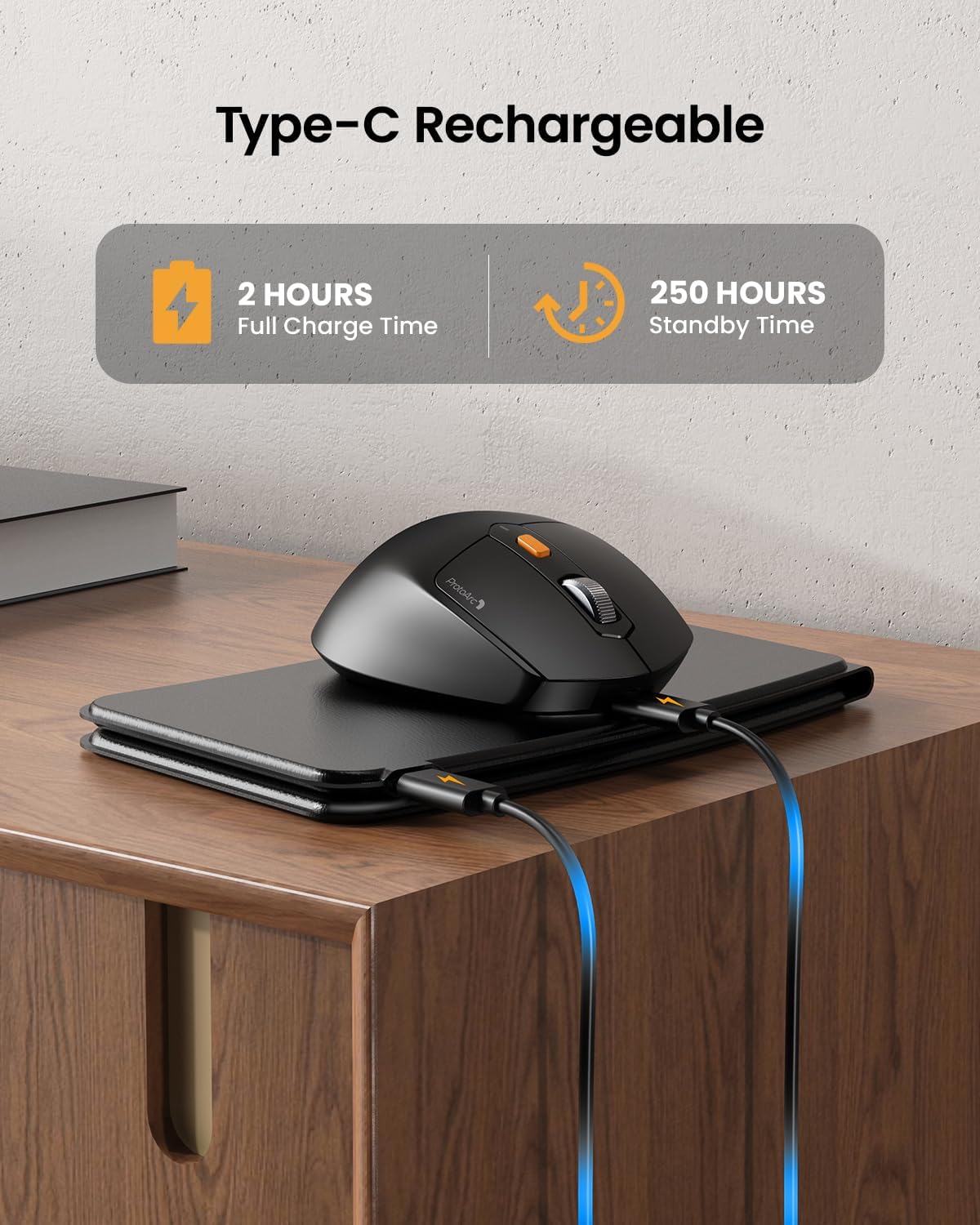
Image: The keyboard and mouse connected to power via USB-C cables for charging.
3.2 Keyboard Bluetooth Pairing
- Unfold the keyboard. This action automatically powers on the keyboard.
- اضغط مع الاستمرار على Fn المفتاح وأحد مفاتيح قناة البلوتوث (بي تي 1, بي تي 2، أو بي تي 3) لمدة ٣-٥ ثوانٍ حتى يومض مؤشر الضوء المقابل بسرعة. هذا يشير إلى أن لوحة المفاتيح في وضع الاقتران.
- On your device (iPad, tablet, iPhone, laptop), go to Bluetooth settings and search for available devices.
- يختار "ProtoArc XKM03 Keyboard" من القائمة.
- بمجرد الاتصال، سيتوقف ضوء المؤشر عن الوميض وسيظل ثابتًا لعدة ثوانٍ قبل إيقاف تشغيله.
3.3 Mouse Bluetooth Pairing
- قم بتشغيل الماوس باستخدام مفتاح الطاقة الموجود في أسفله.
- Press the Bluetooth pairing button (usually on the underside or top near the scroll wheel) for 3-5 seconds until the indicator light flashes rapidly.
- على جهازك، انتقل إلى إعدادات Bluetooth وابحث عن الأجهزة المتاحة.
- يختار "ProtoArc XKM03 Mouse" من القائمة.
- بمجرد الاتصال، سيتوقف مؤشر الضوء عن الوميض.

Image: The keyboard and mouse wirelessly connected to a laptop, tablet, and smartphone, illustrating multi-device capability.
4. تعليمات التشغيل
4.1 استخدام لوحة المفاتيح
The XKM03 keyboard features an ergonomic split design for comfortable typing. An initial adaptation period may be required to become accustomed to the layout.

Image: A user's hands positioned on the V-shaped split keyboard, demonstrating the ergonomic design.
تشغيل / إيقاف تشغيل تلقائي:
- افتح لوحة المفاتيح لتشغيلها.
- Fold the keyboard to power it off.
- The keyboard also features magnetic closure to prevent accidental unfolding.
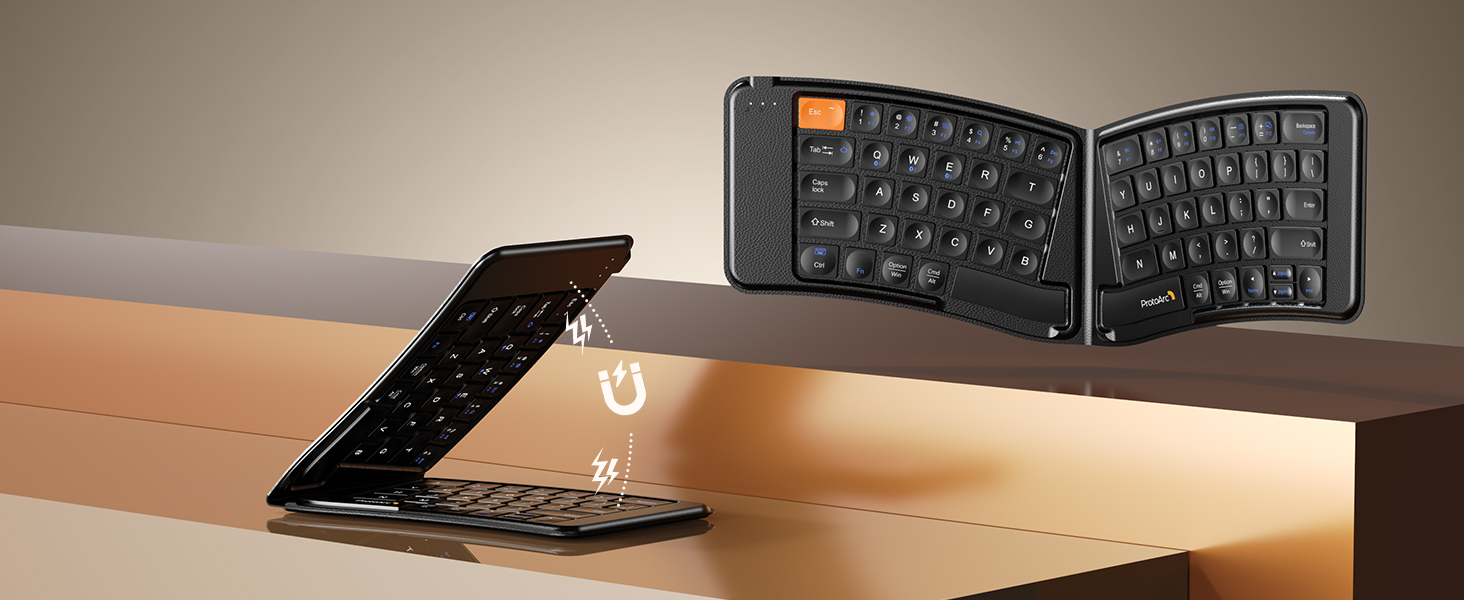
Image: The keyboard shown in both folded and unfolded states, highlighting its magnetic closure mechanism.
4.2 التبديل بين الأجهزة
To switch between paired Bluetooth devices, simply press the Fn المفتاح بالإضافة إلى مفتاح قناة البلوتوث المقابل (بي تي 1, بي تي 2، أو بي تي 3) that your desired device is paired to.
4.3 مفاتيح وظائف الوسائط المتعددة
The keyboard includes multimedia function keys. Refer to the keycap legends for specific functions (e.g., volume control, media playback).
- يضعط F1-F10 directly to access number 1-0.
- يضعط الجبهة الوطنية + F1-F12 to activate multimedia functions.
- يضعط Shift + F1-F12 to input symbols like !, @, #.
- يضعط Fn + Shift + F1-F12 to access F1-F12 functions.
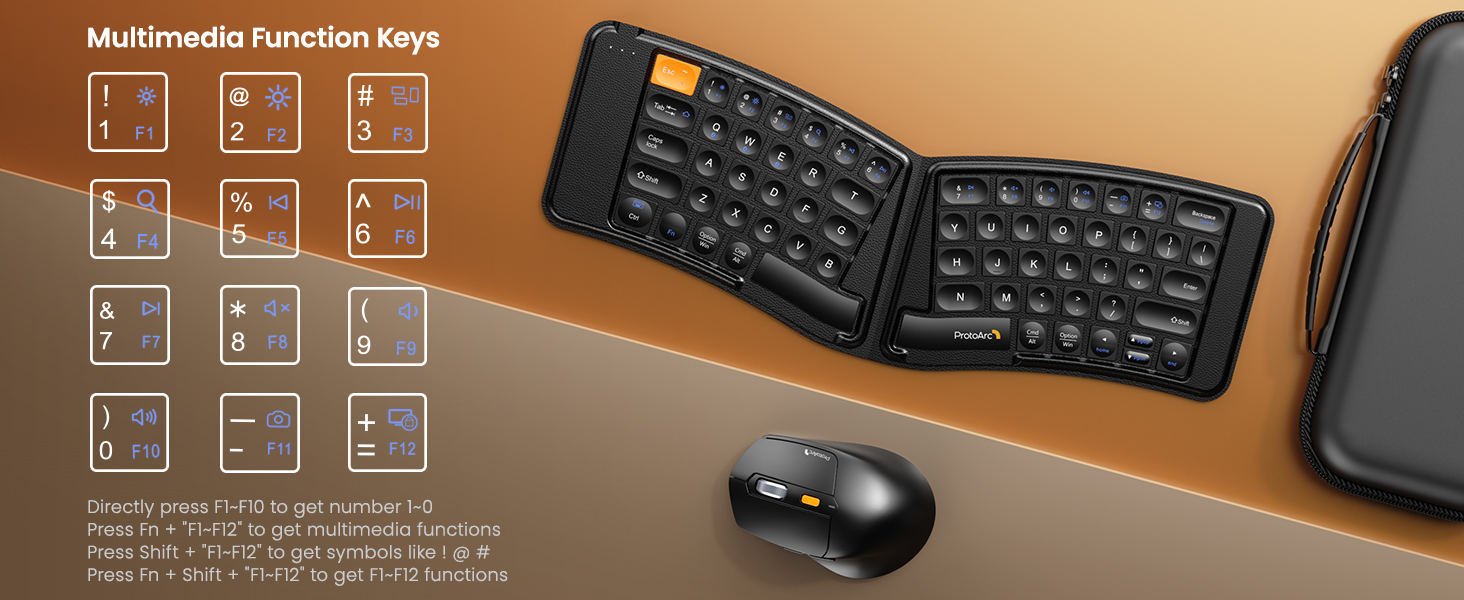
Image: A visual guide to the multimedia function keys and their combinations on the keyboard.
4.4 استخدام الماوس
The ergonomic mouse provides comfortable navigation. It features adjustable DPI settings and additional navigation buttons.
- تعديل DPI: Press the DPI button (usually located behind the scroll wheel) to cycle through different sensitivity levels (e.g., 800, 1200, 1600, 2400 DPI).
- أزرار التقدم/التراجع: استخدم الأزرار الجانبية للتنقل السريع في web المتصفحات أو file المستكشفون.

Image: Diagram illustrating the adjustable DPI settings of the mouse.

Image: Diagram showing the location of the forward and backward buttons on the mouse.
5. الصيانة والعناية
- تنظيف: استخدم قطعة قماش ناعمة وجافة لتنظيف لوحة المفاتيح والفأرة. لإزالة الأوساخ العنيدة، امسحها برفق بقطعة قماش جافة.amp يمكن استخدام قطعة قماش مع صابون خفيف، لضمان عدم دخول السوائل إلى الأجهزة.
- تخزين: When not in use, fold the keyboard and store both devices in the provided carrying case to protect them from dust and damage.
- الشحن: Recharge the devices when the battery indicator light shows low power. Avoid prolonged exposure to extreme temperatures.
- مادة: The keyboard features a wear-resistant PU leather exterior.

الصورة: لقطة مقربة view of the keyboard's surface, highlighting the PU leather material.
6. استكشاف الأخطاء وإصلاحها
| مشكلة | السبب المحتمل | حل |
|---|---|---|
| Keyboard/Mouse not connecting via Bluetooth. | Low battery; not in pairing mode; device's Bluetooth is off; interference. |
|
| Keyboard/Mouse frequently disconnects. | Low battery; too far from host device; interference. |
|
| مؤشر الماوس غير منتظم أو لا يستجيب. | Low battery; dirty sensor; unsuitable surface; incorrect DPI setting. |
|
| Keyboard keys are not responding. | Low battery; keyboard not powered on; connection issue. |
|
7. المواصفات
| ميزة | التفاصيل |
|---|---|
| رقم الموديل | XKM03 |
| ماركة | بروتوآرك |
| الاتصال | Bluetooth (up to 3 devices) |
| تصميم لوحة المفاتيح | Ergonomic Split, Foldable |
| إعدادات الماوس DPI | 800، 1200، 1600، 2400 |
| منفذ الشحن | يو اس بي-سي |
| وقت الشحن الكامل | حوالي 2 ساعات |
| وقت الاستعداد | حوالي 250 ساعات |
| نظام التشغيل المتوافق | Mac OS, iOS, Android, Windows |
| Dimensions (Folded Keyboard) | تقريبا. 7.68 × 5.62 × 0.5 بوصة |
| وزن العنصر | 1.96 رطل (كومبو) |

Image: Diagram showing the folded dimensions of the keyboard.
8. الضمان والدعم
للحصول على معلومات الضمان والدعم الفني، يرجى الرجوع إلى موقع ProtoArc الرسمي webيمكنك زيارة موقعهم الإلكتروني أو الاتصال بخدمة العملاء مباشرةً. عادةً ما توجد معلومات الاتصال على عبوة المنتج أو على موقع الشركة المصنعة. webموقع.
الشركة المصنعة: بروتوآرك


