مقدمة
This manual provides essential instructions for the setup, operation, and maintenance of your Arcade1Up Star Wars Digital Pinball machine and Arcade1Up 32-inch Screen Infinity Game Table. Please read this manual thoroughly before assembly and use to ensure proper function and longevity of your products.
المنتج انتهىview: Arcade1Up Star Wars Digital Pinball
The Arcade1Up Star Wars Digital Pinball machine offers a 3/4 scale pinball experience with digital gameplay. It features a dedicated LCD playfield and score screen, providing an authentic pinball feel with modern digital advantagإِسْ
المميزات الرئيسية:
- 23.8-inch LCD playfield for immersive gameplay.
- 7.5-inch LCD score screen for clear score tracking.
- Haptic touch flippers with real-feel feedback for responsive control.
- Two playfield knock-overs utilizing solenoid modules for realistic ball feedback.
الألعاب المضمنة:
The digital pinball machine includes 10 Star Wars-themed pinball tables:
- Boba Fett
- A New Hope
- Ahch-To Island
- Battle of Mimban
- Darth Vader
- Masters of the Force
- Star Wars: Rebels
- هان سولو
- The Force Awakens
- The Empire Strikes Back

الصورة: الجبهة view of the Arcade1Up Star Wars Digital Pinball Machine.
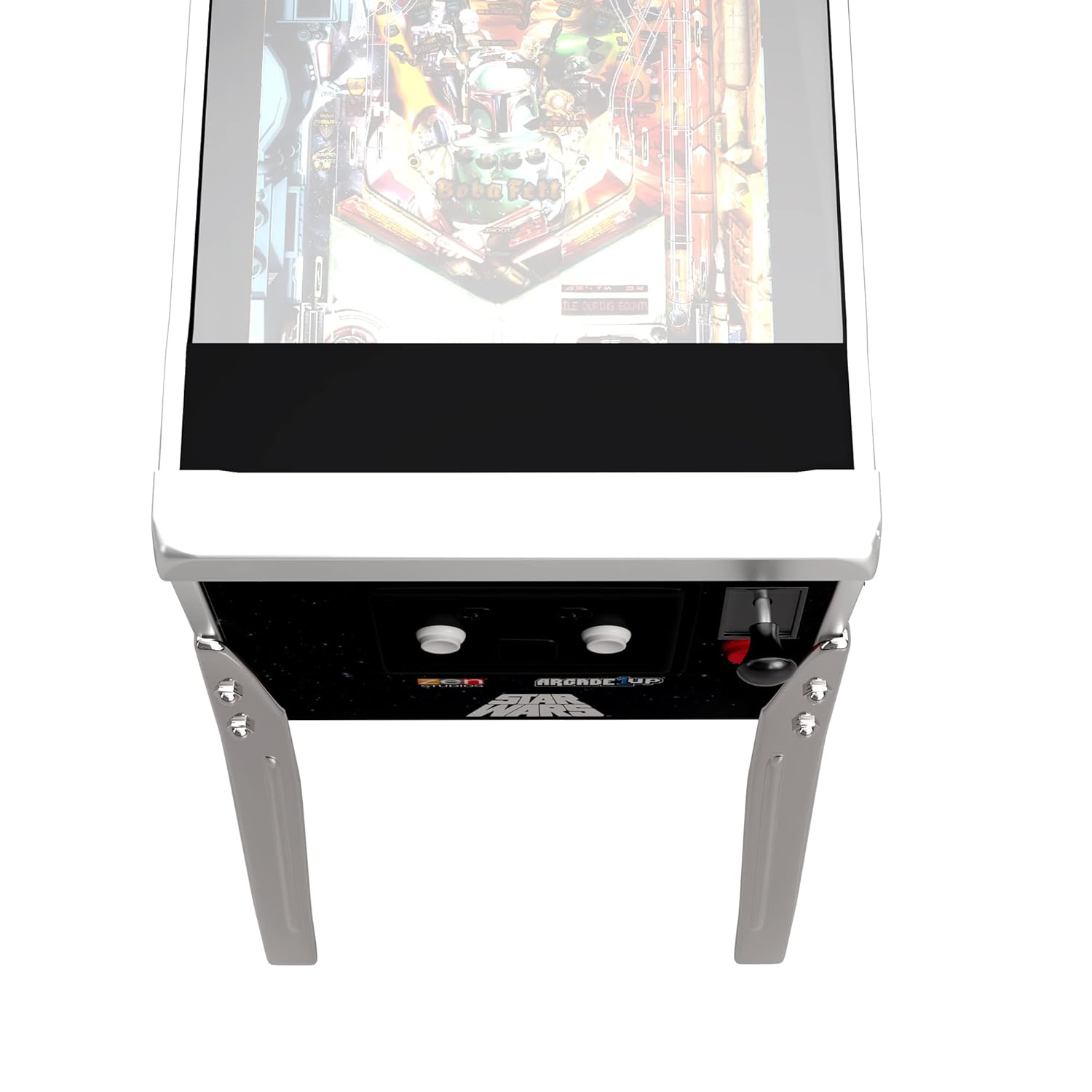
Image: Close-up of the control panel on the Arcade1Up Star Wars Digital Pinball Machine, showing power, volume, and launch buttons.
المنتج انتهىview: Arcade1Up 32" Screen Infinity Game Table
The Arcade1Up 32-inch Screen Infinity Game Table offers a modernized gaming experience with a large, high-resolution digital screen. It provides access to a vast library of digital games and activities, supporting both local and remote multiplayer interactions.
المميزات الرئيسية:
- Hi-Resolution Screen for detailed and vibrant game visuals.
- Social Play+ for connecting with other players worldwide, featuring Safe Connect for up to six players.
- Tactile Feedback and Dynamic Zoom with haptic sensors for immersive gameplay.
- Impact and Water Resistant surface, designed to withstand spills and everyday impacts.
- Removable legs for flexible tabletop play options.
مكتبة الألعاب:
The Infinity Game Table provides access to a continuously expanding library of digital versions of classic games, including:
- Hasbro’s Monopoly
- سكرابل
- مطاردة تافهة
- Chutes and Ladders
- Candy Land
- Yahtzee
- الألغاز
- Card games
- Coloring books
- العاب صغيرة

الصورة: بزاوية view of the Arcade1Up 32-inch Screen Infinity Game Table.

Image: Four individuals gathered around the Arcade1Up Infinity Game Table, engaged in gameplay.
تعليمات الإعداد
General Assembly Notes:
- Ensure all components are present before beginning assembly. Refer to the packing list provided with your product.
- Assembly may require two adults.
- Use appropriate tools as indicated in the product-specific assembly guide.
Arcade1Up Star Wars Digital Pinball Setup:
- Carefully unpack all components, including the main cabinet, legs, and backbox.
- Attach the legs to the main cabinet using the provided hardware. Ensure they are securely fastened.
- Mount the backbox to the main cabinet according to the specific instructions in your product's assembly guide.
- Connect any internal cables as directed.
- Plug the power adapter into the machine and then into a wall outlet.
Arcade1Up 32" Screen Infinity Game Table Setup:
- Unpack the Infinity Game Table and its legs.
- Attach the legs to the table base. The legs are removable for tabletop play, so ensure they are firmly attached if using as a standalone table.
- Connect the power adapter to the table and then to a wall outlet.
- Follow on-screen prompts for initial setup, including Wi-Fi connection and software updates.
تعليمات التشغيل
Arcade1Up Star Wars Digital Pinball Operation:
- تشغيل الطاقة: Locate the power button (often labeled ON/OFF) on the control panel and press it to turn on the machine.
- التحكم في مستوى الصوت: Use the volume buttons (usually labeled VOL+ and VOL-) to adjust the audio level.
- اختيار اللعبة: Use the left and right flipper buttons or dedicated navigation buttons to browse through the 10 available Star Wars pinball tables.
- ابدأ اللعبة: Once a game is selected, press the 'Launch' or 'Start' button to begin.
- Launching Ball: Pull back and release the spring-loaded plunger or press the dedicated launch button to send the ball into play.
- Flipper Control: Use the left and right flipper buttons on the side of the cabinet to control the in-game flippers.
- الدفع: Gently nudge the cabinet to influence ball movement, but avoid excessive force to prevent tilt warnings or damage.
- إعدادات: Hold both flipper buttons pressed simultaneously to access game settings.
Arcade1Up 32" Screen Infinity Game Table Operation:
- تشغيل الطاقة: Press the power button to activate the table.
- ملاحة: Use the touch screen interface to navigate menus, select games, and interact with applications.
- Game Access: Access the online store to download new games and activities.
- متعدد اللاعبين: Utilize Social Play+ to connect with other players. Ensure a stable internet connection for remote play.
- Tactile Feedback: Experience haptic feedback during gameplay for enhanced immersion.
- التكبير الديناميكي: Games may feature automatic zoom for optimal viewأثناء اللعب.
صيانة
- Cleaning Screens: Use a soft, lint-free cloth and a screen-safe cleaner to wipe down the LCD screens. Avoid abrasive materials or harsh chemicals.
- تنظيف الأسطح: Wipe down the cabinet and table surfaces with a damp cloth. For the Infinity Game Table, its water-resistant surface allows for easy cleaning of spills.
- الغبار: قم بتنظيف جميع الأسطح بانتظام لمنع تراكم الغبار.
- فحص سلك الطاقة: Periodically check power cords for any signs of damage.
- تحديثات البرامج: For the Infinity Game Table, ensure software is kept up-to-date for optimal performance and access to new features.
استكشاف الأخطاء وإصلاحها
المشاكل الشائعة والحلول:
- لا يوجد طاقة:
- تأكد من توصيل سلك الطاقة بشكل آمن بالوحدة ومأخذ الحائط العامل.
- تأكد من أن المنفذ يستقبل الطاقة عن طريق توصيل جهاز آخر.
- لا يوجد عرض/صوت:
- Verify the unit is powered on.
- Check volume settings.
- For pinball, ensure internal display cables are properly connected (refer to assembly guide).
- Game Freezes/Crashes (Infinity Game Table):
- Restart the table.
- تأكد من تحديث البرنامج إلى أحدث إصدار.
- Check internet connection if issues occur during online play or downloads.
- Flippers Unresponsive (Digital Pinball):
- تحقق من وجود أي عوائق مادية.
- Ensure all internal connections related to controls are secure.
If issues persist after attempting these solutions, please contact Arcade1Up customer support.
تحديد
Arcade1Up Star Wars Digital Pinball:
- Playfield Screen: شاشة LCD مقاس 23.8 بوصة
- Score Screen: شاشة LCD مقاس 7.5 بوصة
- الأبعاد (تقريبية): 59.5 inches (Height) x 36 inches (Length) x 20.5 inches (Width)
- Flipper Height: 35 inches (at front of waist)
- تعليق: Haptic touch flippers, solenoid modules for playfield knock-overs
Arcade1Up 32" Screen Infinity Game Table:
- حجم الشاشة: 32-inch Hi-Resolution Touch Screen
- الاتصال: Social Play+ for online multiplayer
- تعليق: Tactile feedback sensors
- متانة: Impact and water-resistant surface
- قابلية النقل: Removable legs for tabletop use
الضمان والدعم
For detailed warranty information and customer support, please refer to the documentation included with your product or visit the official Arcade1Up webالموقع. احتفظ بإثبات الشراء الخاص بك لتقديم مطالبات الضمان.


