1. المقدمة
This manual provides detailed instructions for the installation, operation, and maintenance of your Alpine INE-W970HD Audio/Video/Navigation System and Alpine PXE-C80-88 OPTIM8 8-Channel Hi-Res DSP Amplifier. Please read this manual thoroughly before using the product to ensure proper and safe operation.
The Alpine INE-W970HD is an advanced in-dash unit compatible with Apple CarPlay and Android Auto, offering comprehensive audio, video, and navigation functionalities. The Alpine PXE-C80-88 OPTIM8 is a high-resolution digital sound processor amplifier designed to enhance your vehicle's audio system with precise sound tuning capabilities.
2. معلومات السلامة
يجب عليك دائمًا مراعاة احتياطات السلامة التالية لمنع الإصابة أو إتلاف الوحدة:
- لا تقم بتشغيل النظام بطريقة تشتت انتباهك عن القيادة.
- Ensure proper wiring and connections to avoid electrical shorts or fire hazards.
- استشر متخصصًا للتثبيت إذا لم تكن متأكدًا من أي خطوات.
- احتفظ بالوحدة بعيدًا عن الرطوبة ودرجات الحرارة العالية.
3. محتويات العبوة
تأكد من وجود جميع العناصر في الحزمة الخاصة بك:
- Alpine INE-W970HD Audio/Video/Nav System
- Alpine PXE-C80-88 OPTIM8 8-Channel Hi-Res DSP Ampالقمامة
- التوصيلات الكهربائية
- معدات التركيب
- GPS Antenna (for INE-W970HD)
- تمديد كابل USB
- أدلة المستخدم (هذه الوثيقة)

Image: The Alpine INE-W970HD head unit and the Alpine PXE-C80-88 DSP amplifier, showing both main components of the bundle.
4. الإعداد والتثبيت
Professional installation is highly recommended for these components. Incorrect wiring can cause damage to the units or your vehicle's electrical system.
4.1. INE-W970HD Installation
The INE-W970HD is designed for in-dash mounting. Ensure adequate space and proper ventilation.
- تحضير: افصل الطرف السالب للبطارية في السيارة قبل البدء بأي عمل كهربائي.
- التركيب: Securely mount the INE-W970HD into the vehicle's double-DIN opening using the provided mounting brackets.
- التوصيلات الكهربائية: Connect the main power harness, speaker wires, and other input/output cables (RCA, USB, HDMI, GPS antenna) as per the wiring diagram provided in the separate installation guide.
- اتصال الهوائي: Connect the GPS antenna and radio antenna. Position the GPS antenna in a location with a clear view من السماء.

Image: The Alpine INE-W970HD head unit displaying the Apple CarPlay interface, showing various app icons.
4.2. PXE-C80-88 OPTIM8 Installation
The PXE-C80-88 OPTIM8 should be mounted in a dry, well-ventilated area, such as under a seat or in the trunk.
- مكان التركيب: Choose a location that is protected from moisture and excessive heat, and allows for proper cable routing.
- توصيل الطاقة: Connect the power and ground wires directly to the vehicle's battery, ensuring proper fusing.
- توصيلات الإدخال: Connect the audio input signals from the INE-W970HD (or other source) to the PXE-C80-88. This can be done via RCA or speaker-level inputs.
- اتصالات الإخراج: Connect the speaker outputs from the PXE-C80-88 to your vehicle's speakers.

الصورة: تفصيلية view of the Alpine PXE-C80-88 OPTIM8 DSP amplifier, highlighting its compact design and connection ports.
5. تعليمات التشغيل
5.1. INE-W970HD Basic Operation
- تشغيل/إيقاف التشغيل: اضغط مع الاستمرار على زر الطاقة (الموجود عادةً على اللوحة الأمامية) لتشغيل الوحدة أو إيقاف تشغيلها.
- التحكم في مستوى الصوت: Use the rotary encoder or on-screen controls to adjust the volume.
- اختيار المصدر: Tap the "Source" icon on the touchscreen or use the physical buttons to select between Radio, USB, Bluetooth Audio, HDMI, Apple CarPlay, Android Auto, and other inputs.
- ملاحة: Access the built-in navigation system by tapping the "NAV" button. Enter destinations, view استخدم الخرائط، واتبع التعليمات خطوة بخطوة.
- Apple CarPlay / Android Auto: Connect your compatible smartphone via USB. The system will automatically launch the respective interface, allowing access to phone functions, messaging, music, and navigation apps.

Image: The Alpine INE-W970HD head unit displaying the Android Auto interface, showing various app icons like Maps, Spotify, and YouTube Music.
5.2. PXE-C80-88 OPTIM8 Sound Tuning
The OPTIM8 offers advanced sound tuning capabilities. It can be configured via a PC application or an iOS app.
- اتصال التطبيق: Connect your PC or iOS device to the PXE-C80-88 via USB or Bluetooth (if applicable).
- الضبط التلقائي: Utilize the "5 Minute Self-Tuning" feature for quick and optimized sound calibration. This process uses a microphone (sold separately) to analyze your vehicle's acoustics.
- ضبط يدوي: For advanced users, the PC App provides comprehensive control over equalization, crossovers, time correction, and level adjustments for each of the 8 channels.
- إدارة الإعداد المسبق: Save and recall custom sound presets for different music genres or listening preferences.

الصورة: من أعلى إلى أسفل view of the Alpine PXE-C80-88 OPTIM8 DSP ampمُلَفِّتُ، مُشْرِكasinبفضل تصميمها الأنيق وعلامتها التجارية المركزية.
6. الصيانة
Regular maintenance ensures the longevity and optimal performance of your Alpine system.
- تنظيف الشاشة: استخدم قطعة قماش ناعمة وجافة لمسح شاشة اللمس. بالنسبة للبقع العنيدة، افركها برفق.ampامسح بقطعة قماش مبللة بالماء أو بمنظف شاشات مخصص للأجهزة الإلكترونية. لا تستخدم منظفات كاشطة.
- تحديثات البرامج: قم بفحص Alpine بشكل دوري website for firmware updates for both the INE-W970HD and PXE-C80-88. Updates can improve performance, add features, and fix bugs.
- وصلات الكابلات: قم بفحص جميع توصيلات الكابلات من حين لآخر للتأكد من أنها آمنة وخالية من التآكل.
- تهوية: Ensure that the PXE-C80-88's ventilation fins are not obstructed to prevent overheating.
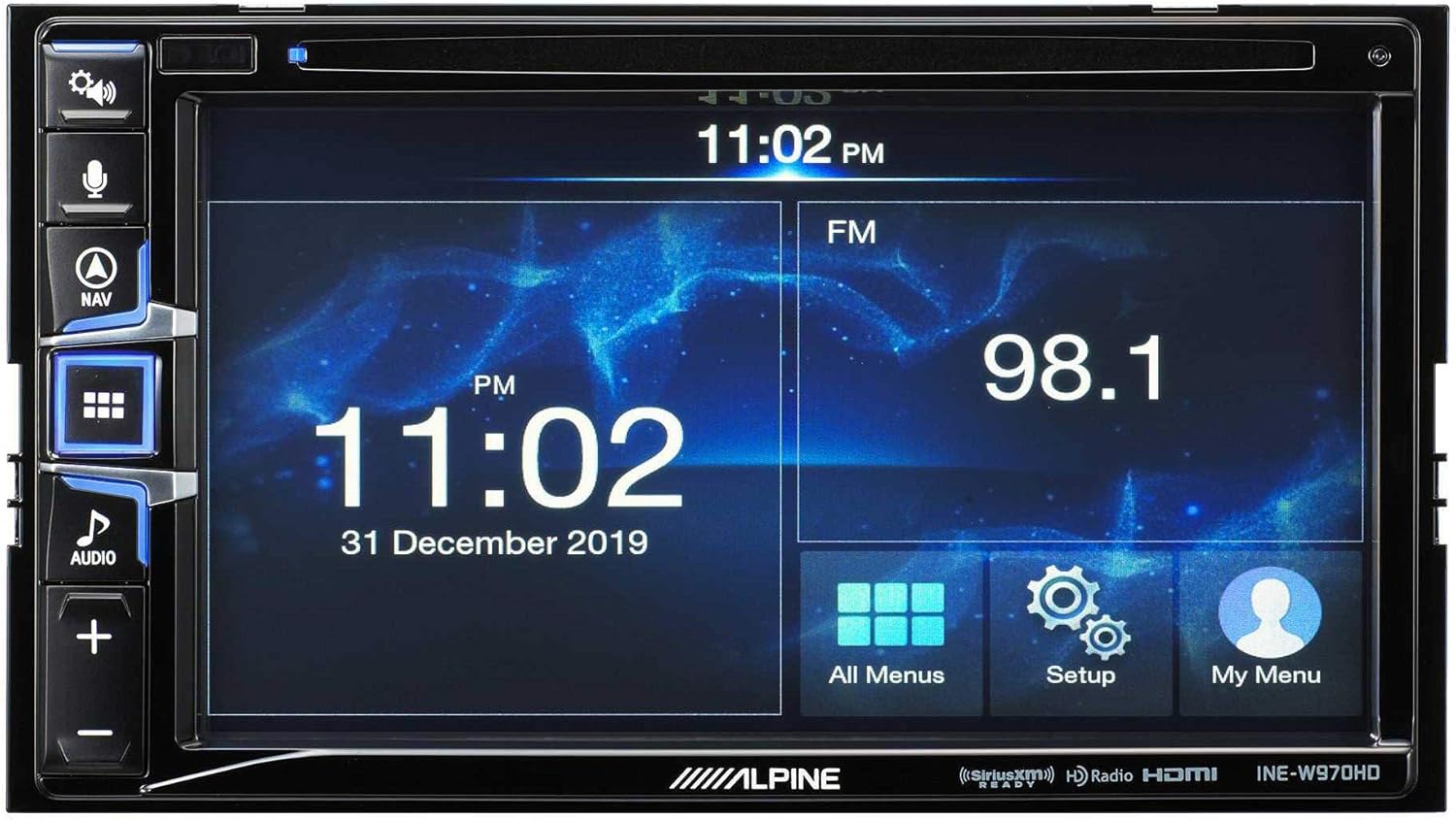
Image: The Alpine INE-W970HD head unit displaying the radio interface, showing frequency and time information.
7. استكشاف الأخطاء وإصلاحها
إذا واجهت أي مشكلات، راجع المشكلات والحلول الشائعة التالية:
| مشكلة | السبب المحتمل | حل |
|---|---|---|
| لا يوجد طاقة | Blown fuse, loose power connection. | Check vehicle fuses and unit's inline fuse. Verify power and ground connections. |
| لا يوجد صوت | Muted, incorrect source, loose speaker wires, DSP not configured. | Check mute function. Select correct audio source. Verify speaker connections. Ensure PXE-C80-88 is properly configured via its app. |
| Navigation Not Working | GPS antenna not connected or obstructed. | تأكد من توصيل هوائي نظام تحديد المواقع العالمي (GPS) بشكل آمن وأن يكون واضحًا view من السماء. |
| CarPlay/Android Auto غير متصل | Faulty USB cable, phone not compatible, software glitch. | Try a different USB cable. Ensure your phone's OS is up to date. Restart both phone and head unit. |

Image: The Alpine INE-W970HD head unit displaying a navigation map with route information.
8. المواصفات
8.1. Alpine INE-W970HD
- عرض: شاشة تعمل باللمس
- الاتصال: USB, HDMI, Ethernet, optical audio, component video, RCA
- التوافق: أبل كار بلاي، أندرويد أوتو
- وضع إخراج الصوت: ستيريو، محيطي
- تكوين قناة الصوت المحيط: 7.1
- ترميز الفيديو: H.264، H.265/HEVC
8.2. Alpine PXE-C80-88 OPTIM8
- Ampقنوات lifier: 8 قناة
- انتاج الطاقة: 50W x 6 @ 2Ω + 300W x 2 @ 2Ω
- يعالج: Hi-Res Digital Sound Processor (96kHz/24Bit)
- ضبط: Automatic (5-minute self-tuning) & Manual via PC/iOS App

الصورة: الجانب view of the Alpine PXE-C80-88 OPTIM8 DSP amplifier, showing its compact profile ونقاط الاتصال.
9. معلومات الضمان
Alpine products are covered by a limited warranty. Please refer to the warranty card included with your product or visit the official Alpine website for detailed terms and conditions. Typically, the warranty covers defects in materials and workmanship for a specified period from the date of purchase.
احتفظ بإثبات الشراء (الإيصال) لأنه سيكون مطلوبًا لأي مطالبات ضمان.
10. دعم العملاء
For technical assistance, troubleshooting beyond this manual, or warranty inquiries, please contact Alpine customer support:
- Webموقع: يزور www.alpine-usa.com/support للاطلاع على الأسئلة الشائعة، وتنزيلات البرامج، ومعلومات الاتصال.
- هاتف: Refer to the Alpine webالموقع للحصول على أحدث أرقام هواتف خدمة العملاء.
- الموزعون المعتمدون: Your authorized Alpine dealer can also provide support and service.
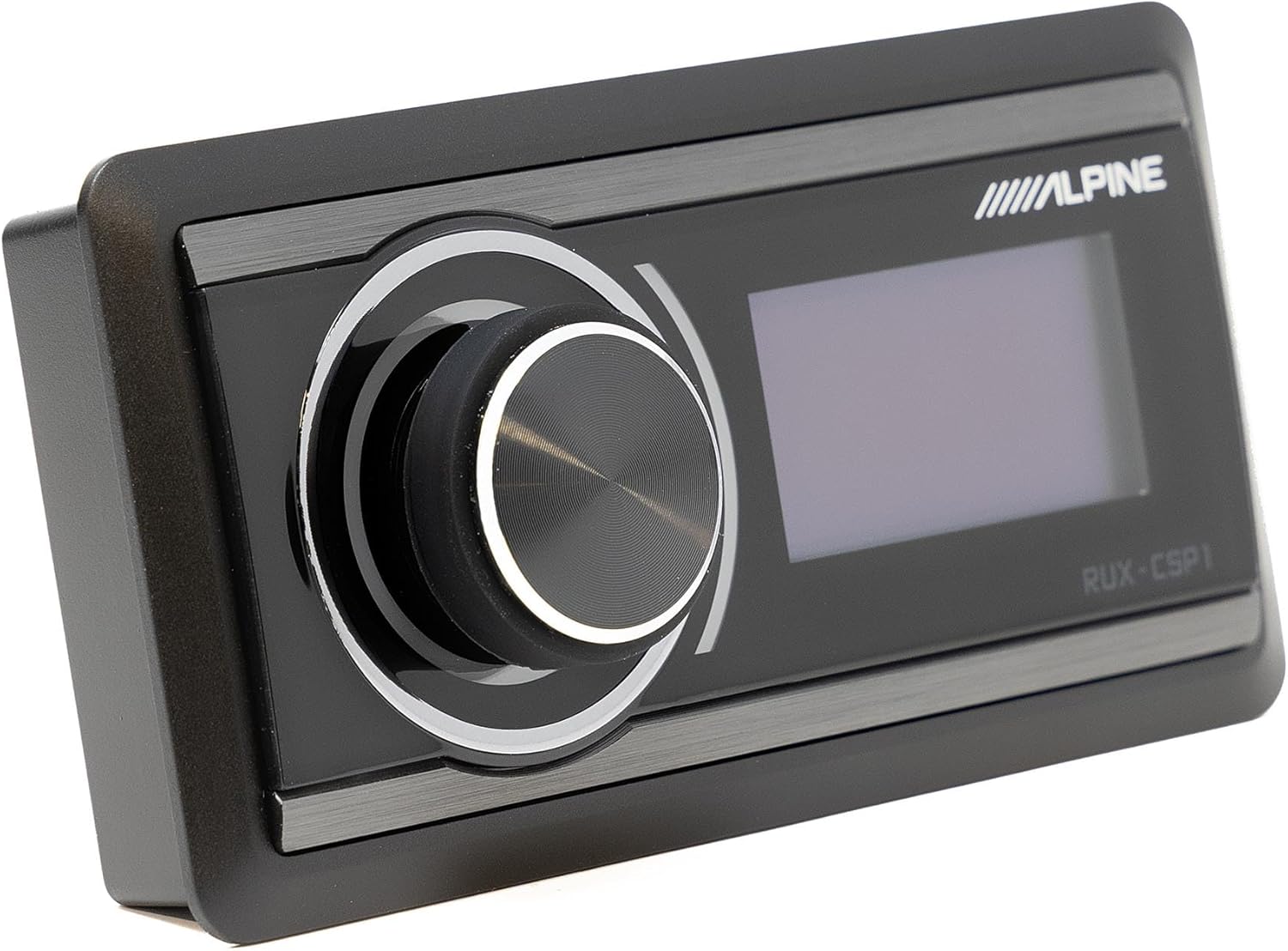
Image: The Alpine RUX-CSP1 remote control, an optional accessory for the DSP, featuring a rotary knob and display.


