مقدمة
The Sharp GX-BT290 Crystal Clear Series Portable Bluetooth Speaker is designed to deliver high-quality audio with enhanced bass, offering a robust and portable listening experience. Featuring IP67 waterproof and dustproof capabilities, a long-lasting 14-hour battery, and versatile connectivity options including True Wireless Stereo (TWS) pairing, this speaker is suitable for various environments. It also includes a built-in microphone for hands-free calling and two distinct LED light modes to enhance your audio experience.
محتويات الحزمة
- Sharp GX-BT290 Bluetooth Speaker
- USB Charging Cable (not explicitly listed but implied for battery charging)
- دليل المستخدم (هذا المستند)
يثبت
1. شحن مكبر الصوت
Before first use, fully charge the speaker. Connect the provided USB charging cable to the speaker's charging port and the other end to a compatible USB power adapter (not included) or a computer's USB port. The charging indicator light will illuminate during charging and turn off once fully charged. A full charge provides approximately 14 hours of playtime.
2. تشغيل / إيقاف التشغيل
اضغط مع الاستمرار على زر الطاقة located on the control panel until you hear an audible prompt or see the indicator lights activate. To power off, press and hold the زر الطاقة مرة أخرى.

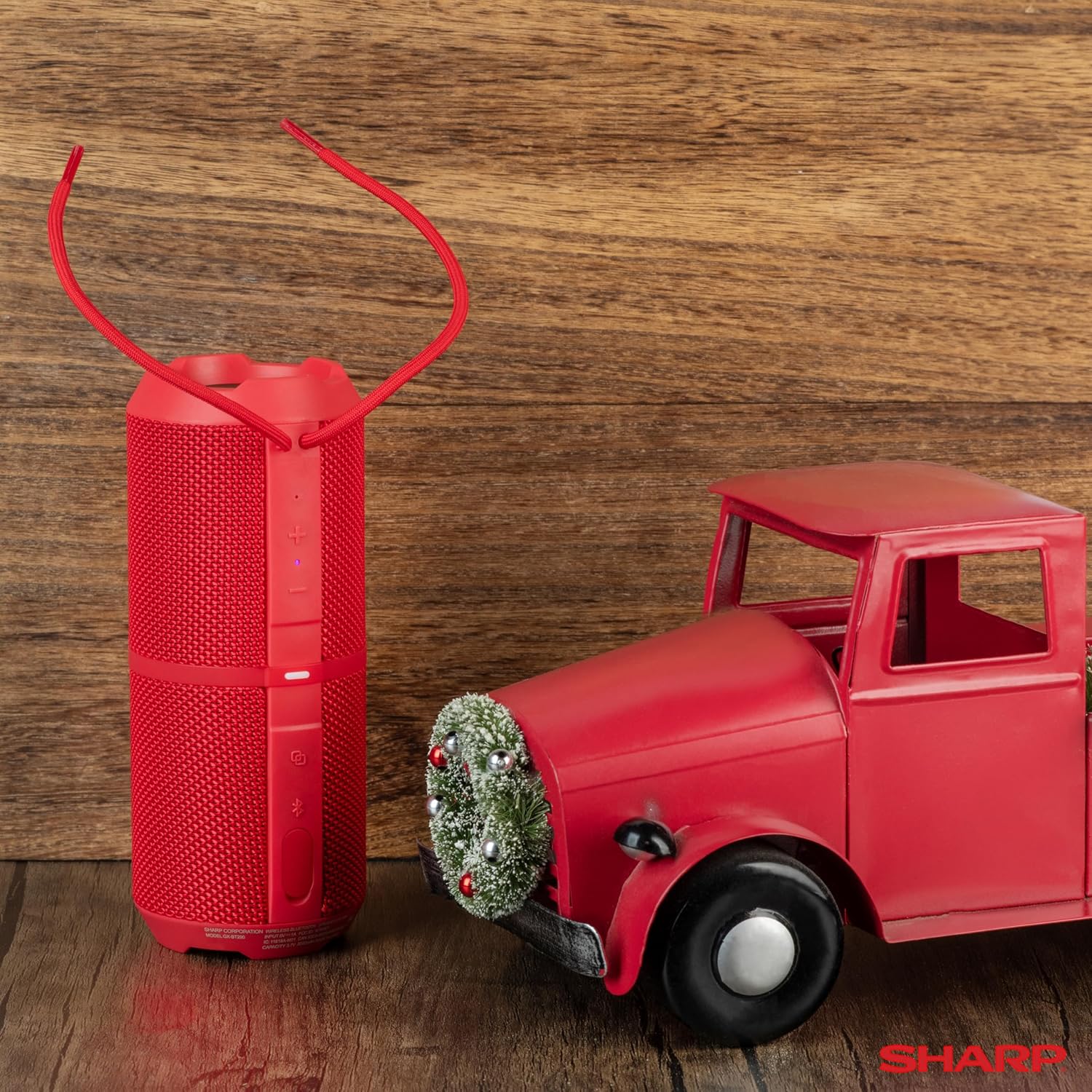
Image: The Sharp GX-BT290 speaker in red, displaying its vertical control panel with power, volume, light mode, and Bluetooth buttons. This view highlights the speaker's cylindrical design and integrated strap.
تعليمات التشغيل
1. اقتران بلوتوث
- Ensure the speaker is powered on and in Bluetooth pairing mode (indicated by a flashing blue LED). If not, briefly press the زر البلوتوث.
- على جهازك (الهاتف الذكي، الجهاز اللوحي، الكمبيوتر المحمول)، قم بتمكين البلوتوث وابحث عن الأجهزة المتاحة.
- Select "GX-BT290" from the list of found devices.
- Once connected, the speaker will provide an audible confirmation, and the Bluetooth LED will become solid blue.
2. إقران ستيريو لاسلكي حقيقي (TWS)
To achieve a stereo sound experience, you can pair two GX-BT290 speakers together:
- Ensure both GX-BT290 speakers are powered on and not connected to any other Bluetooth device.
- على مكبر صوت واحد (سيكون هذا هو مكبر الصوت الأساسي)، اضغط مع الاستمرار على زر TWS (often integrated with the Bluetooth button or a dedicated button).
- The primary speaker will search for the secondary speaker. Once connected, both speakers will provide an audible confirmation.
- الآن، قم بتوصيل جهازك بالسماعة الرئيسية عبر البلوتوث كما هو موضح في قسم "اقتران البلوتوث". سيتم تشغيل الصوت بنظام ستيريو من خلال كلا السماعتين.
3. Audio Playback and Volume Control
- استخدم رفع الصوت (+) و اخفض الصوت (-) buttons on the speaker to adjust the playback volume.
- اضغط على زر التشغيل/الإيقاف المؤقت (often integrated with the Power button or a dedicated button) to play or pause audio.
- For track navigation, refer to your connected device's controls.
4. الاتصال بدون استخدام اليدين
عند الاتصال بهاتف ذكي، يسمح الميكروفون المدمج في مكبر الصوت بإجراء مكالمات بدون استخدام اليدين:
- To answer an incoming call, briefly press the زر الاتصال (often integrated with the Play/Pause button).
- To end a call, briefly press the زر الاتصال مرة أخرى.
- لرفض مكالمة واردة ، اضغط مع الاستمرار على زر الاتصال.
5. أوضاع إضاءة LED
The speaker features two LED light modes. Briefly press the زر Light Mode (often indicated by a lightbulb icon) to cycle through the available light effects or to turn them off.
الصورة: انفجار view of the Sharp GX-BT290 speaker, illustrating its unique cylinder design, DSP technology, and the precision dual drivers responsible for exceptional depth and clarity in sound.
صيانة
تنظيف
امسح السماعة بقطعة قماش ناعمة وجافة أو مبللة قليلاًamp cloth. Do not use abrasive cleaners, alcohol, or chemical solvents, as these may damage the surface.
مقاوم للماء والغبار (IP67)
The GX-BT290 is rated IP67, meaning it is protected from dust ingress and can withstand immersion in water up to 1 meter for 30 minutes. Ensure the charging port cover is securely closed before exposing the speaker to water or dust. After exposure to water, dry the speaker thoroughly before charging.

Image: The Sharp GX-BT290 speaker being splashed with water, visually demonstrating its IP67 water and dustproof capabilities. This image emphasizes the speaker's durability for outdoor use.
تخزين
Store the speaker in a cool, dry place away from direct sunlight and extreme temperatures when not in use for extended periods. Avoid storing in environments with high humidity.
استكشاف الأخطاء وإصلاحها
| مشكلة | السبب المحتمل | حل |
|---|---|---|
| مكبر الصوت لا يعمل | بطارية منخفضة؛ زر الطاقة غير مضغوط بشكل صحيح | اشحن السماعة؛ اضغط مع الاستمرار على زر الطاقة لعدة ثوانٍ |
| لا يوجد صوت | Volume too low; Not paired; Device volume low | Increase speaker volume; Ensure successful Bluetooth pairing; Increase volume on connected device |
| لا يمكن الاقتران بالجهاز | مكبر الصوت ليس في وضع الاقتران؛ البلوتوث في الجهاز مغلق؛ بعيد جدًا عن مكبر الصوت | Ensure speaker is flashing blue LED; Turn on device Bluetooth; Move device closer to speaker (within 33 feet) |
| فشل الاقتران TWS | مكبرات الصوت مقترنة بالفعل بأجهزة أخرى؛ بعيدة جدًا عن بعضها البعض | Disconnect speakers from other devices; Ensure speakers are close to each other during TWS pairing |
| جودة الصوت سيئة | Interference; Device too far; Low battery | Move away from other wireless devices; Move device closer; Charge the speaker |
تحديد
| ميزة | مواصفة |
|---|---|
| اسم الموديل | GX-BT290(R) |
| نوع السماعة | في الهواء الطلق |
| المميزات الخاصة | Bass Boost, Built-in Microphone, Dustproof, LED Light, Lightweight |
| تكنولوجيا الاتصال | بلوتوث |
| لاسلكي المدى | حتى 33 قدمًا (10 أمتار) |
| انتاج الطاقة | 32W Max Power (16W RMS) |
| مستوى مقاومة الماء | IP67 (مقاوم للماء والغبار) |
| عمر البطارية | حتى ساعتين |
| مصدر الطاقة | تعمل بالبطارية (بطارية ليثيوم أيون واحدة متضمنة) |
| أبعاد المنتج | 3 بوصة عمق × 7.5 بوصة عرض × 3 بوصة ارتفاع (تقريبًا 7.6 سم عمق × 19 سم عرض × 7.6 سم ارتفاع) |
| وزن العنصر | 16 أونصة (حوالي 0.45 كجم) |
| المكونات المضمنة | مكبر صوت بلوتوث |
| لون | أحمر |

Image: A hand holding the Sharp GX-BT290 speaker, demonstrating its compact size and portability. This image provides a sense of scale for the device.
الضمان والدعم
For warranty information, technical support, or customer service inquiries, please refer to the documentation included with your purchase or visit the official Sharp webالموقع. احتفظ بإثبات الشراء الخاص بك لتقديم مطالبات الضمان.
للحصول على مزيد من المساعدة، يمكنك أيضًا الاتصال ببائع التجزئة الذي اشتريت منه المنتج.


