1. المقدمة
This manual provides essential information for setting up, operating, and maintaining your Beelink SER5 MAX Mini PC. The Beelink SER5 MAX is a compact desktop computer powered by an AMD Ryzen 7 6800U processor, designed for various applications including office work, home entertainment, graphic design, and light gaming. It features high-speed memory, ample storage, and extensive connectivity options to enhance your productivity and multimedia experience.

الصورة: أكثر منview of the Beelink SER5 MAX Mini PC, showcasinيتميز بتصميمه المدمج وميزاته الرئيسية.
2. ماذا يوجد في الصندوق
يرجى التحقق من محتويات الحزمة الخاصة بك للتأكد من وجود جميع العناصر:
- 1 x SER5 MAX 6800U Mini PC
- 1 × كابل HDMI (100 سم)
- 1 × محول الطاقة
- 1 × دليل المستخدم
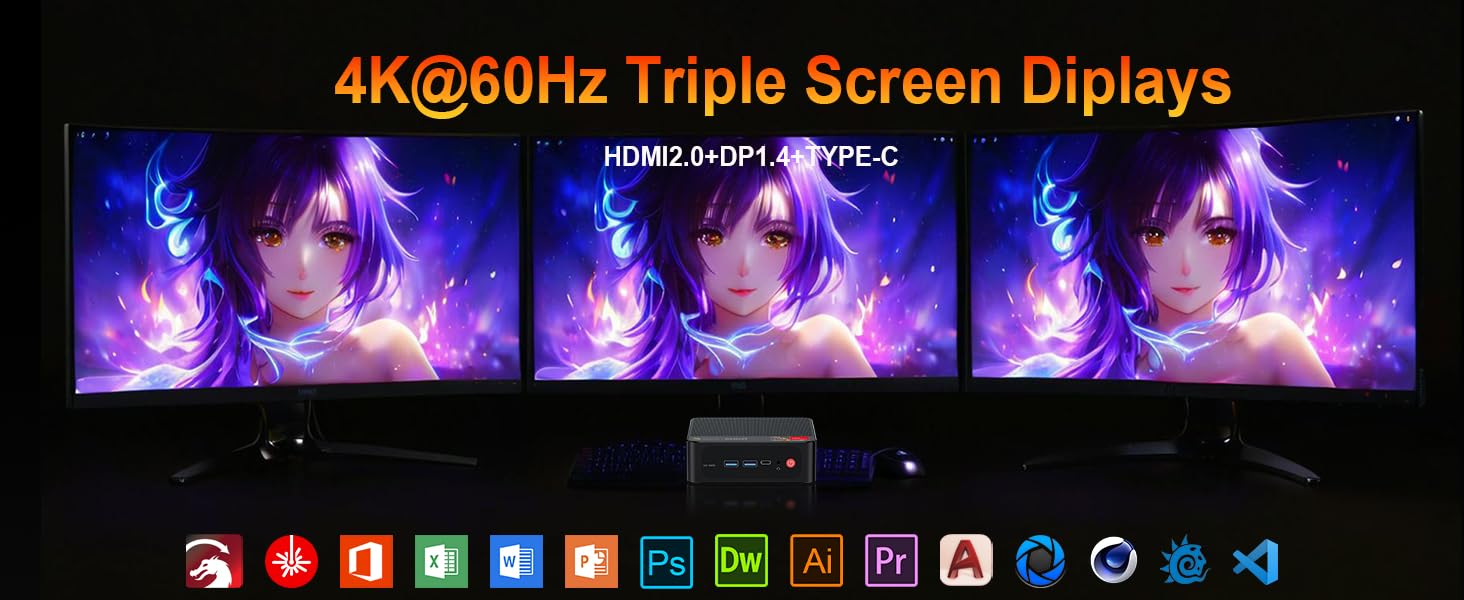
Image: Contents included in the Beelink SER5 MAX Mini PC package, showing the mini PC, power adapter, HDMI cable, and user manual.
3. مواصفات المنتج
The Beelink SER5 MAX Mini PC is equipped with advanced components for optimal performance:
- المعالج: AMD Ryzen 7 6800U (8 Cores/16 Threads, up to 4.7GHz, 16MB L3 Cache, 28W TDP).
- الرسومات: Integrated AMD Radeon RDNA 2 Graphics (12 Cores, 2200MHz).
- ذاكرة: 24GB LPDDR5 6300MHz RAM (2x12GB, non-replaceable).
- تخزين: 500GB M.2 2280 PCIe 4x4 SSD. Supports dual SSDs up to 8TB total (Max 4TB each SSD).
- عرض الإخراج: Supports 4K@60Hz Triple Display via DP1.4, HDMI 2.0, and Type-C.
- الربط اللاسلكي: WiFi 6 (802.11ax) for speeds up to 1200Mbps, Bluetooth 5.2.
- التوصيل السلكي: Gigabit Ethernet (RJ45 1000Mbps LAN).
- الموانئ:
- 3 x USB 3.2 Gen2 Type-A (10Gbps)
- 1 × منفذ USB 2.0 من النوع A
- 1 x Type-C (Data & Video Output)
- 1 × منفذ HDMI 2.0
- 1 x DisplayPort (DP1.4)
- 1 x DC Jack (Power Input)
- 1 x 3.5mm Audio Jack (HP&MIC)
- 1 x CLR CMOS Reset button
- نظام التبريد: MSC2.0 Cooling System with heat pipe, heat sink, and silent fan.
- أبعاد: 4.9 × 4.4 × 1.6 بوصة (126 × 113 × 42 ملم).

الصورة: الأمامية والخلفية view of the Beelink SER5 MAX Mini PC, highlighting its various connectivity ports.

Image: A Beelink SER5 MAX Mini PC connected to three monitors, demonstrating its triple display capability for multitasking.
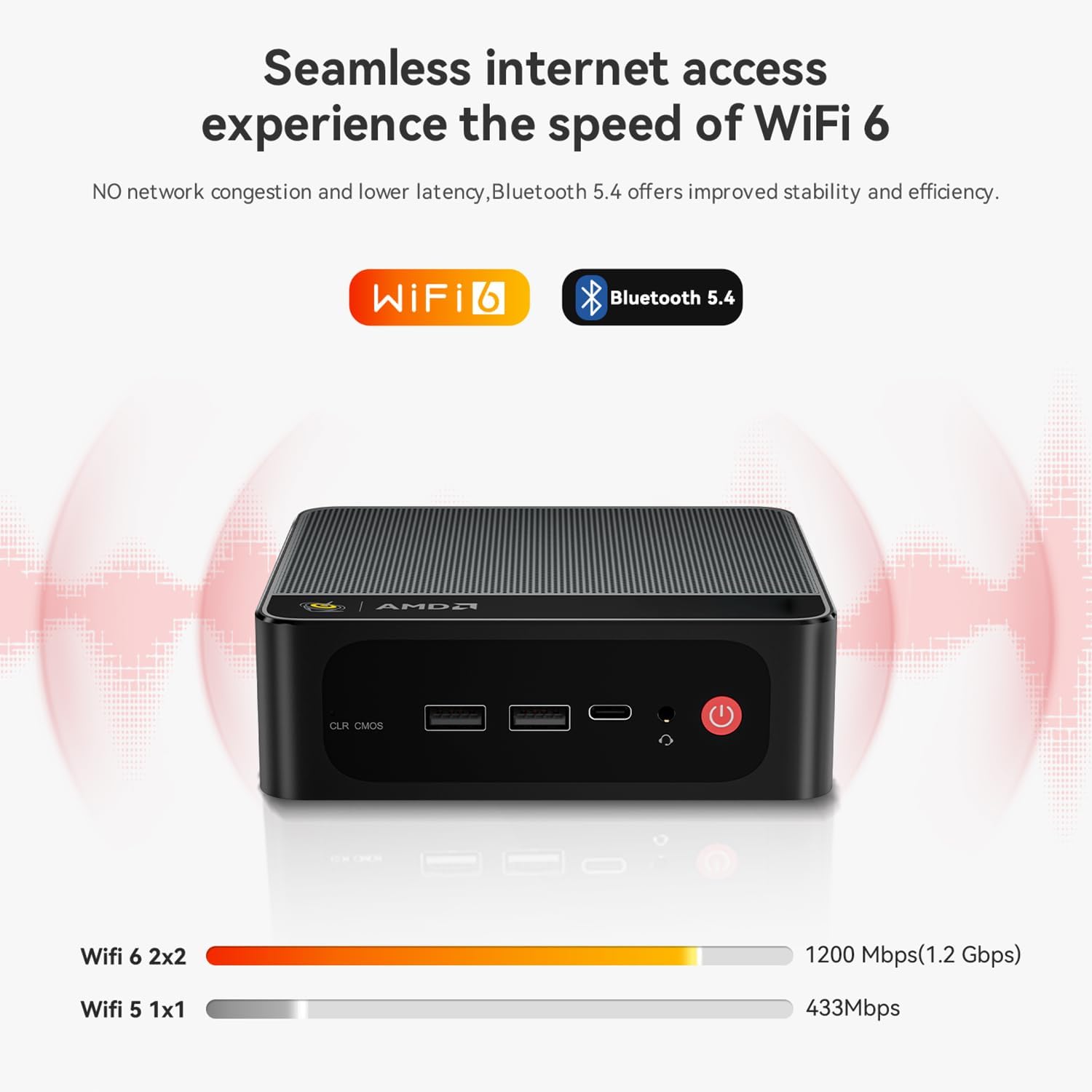
Image: Diagram illustrating the efficient MSC2.0 cooling system of the Beelink SER5 MAX, featuring a heat pipe, heat sink, and silent fan.
انتهى فيديو المنتجview
فيديو: مسؤول فوقview of the Beelink SER5 MAX 6800U Mini PC, highlighting its design, features, and performance capabilities.
4. دليل الإعداد
Follow these steps to set up your Beelink SER5 MAX Mini PC:
- توصيل الأجهزة الطرفية: Connect your monitor(s) using the HDMI, DisplayPort, or Type-C ports. Connect your keyboard and mouse to the available USB ports.
- توصيل الطاقة: Plug the power adapter into the DC Jack on the back of the Mini PC, then plug the adapter into a power outlet.
- تشغيل الطاقة: Press the power button located on the front of the Mini PC. The system will boot up.
- الإعداد الأولي: اتبع الإرشادات التي تظهر على الشاشة لإكمال الإعداد الأولي لنظام التشغيل Windows 11 Pro، بما في ذلك اللغة والمنطقة واتصال الشبكة وإنشاء حساب المستخدم.
- إتصال شبكة: For wired internet, connect an Ethernet cable to the LAN port. For wireless internet, select your Wi-Fi network during setup or via Windows settings.
5. تعليمات التشغيل
Your Beelink SER5 MAX Mini PC comes pre-installed with Windows 11 Pro, offering a familiar and intuitive operating environment.
- الاستخدام الأساسي: Navigate the Windows interface using your mouse and keyboard. Launch applications from the Start Menu or desktop shortcuts.
- Triple Display Setup: To utilize multiple monitors, connect them to the available HDMI, DisplayPort, and Type-C video outputs. Windows will automatically detect the displays. You can configure display settings (e.g., extend, duplicate) via الإعدادات > النظام > الشاشة.
- توصيل أجهزة البلوتوث: To pair Bluetooth devices (e.g., headphones, speakers), go to الإعدادات > البلوتوث والأجهزة, turn on Bluetooth, and select 'Add device'.
- USB 3.2 Gen2: Utilize the high-speed USB 3.2 Gen2 ports for fast data transfer with compatible external storage devices. The Type-C port also supports data and video output.
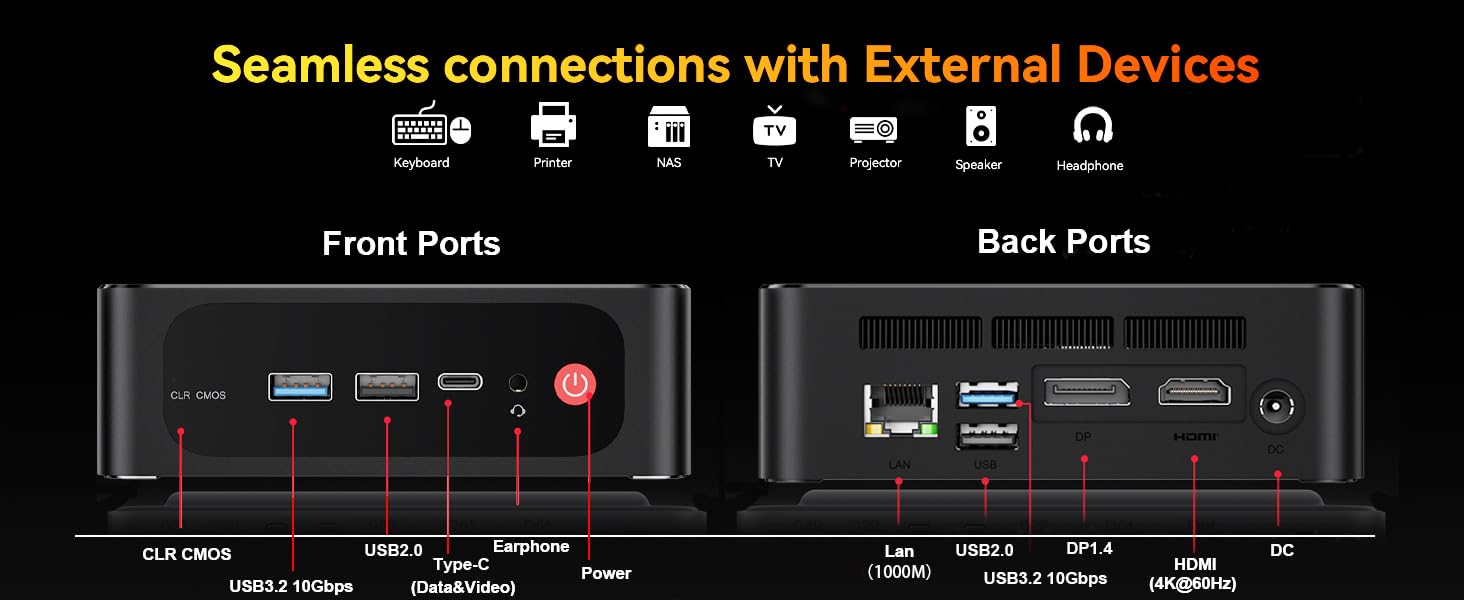
Image: The Beelink SER5 MAX Mini PC running multiple productivity applications simultaneously, demonstrating its multitasking capabilities.
6. الصيانة
Proper maintenance ensures the longevity and optimal performance of your Mini PC:
- تنظيف: Regularly clean the exterior of the Mini PC with a soft, dry cloth. Use compressed air to clear dust from the ventilation grilles to maintain efficient cooling.
- تهوية: Ensure the Mini PC is placed in a well-ventilated area, away from direct sunlight or heat sources. Do not block the air vents.
- ترقية التخزين: The Mini PC supports dual M.2 2280 PCIe 4x4 SSDs. To upgrade or add storage, carefully open the chassis and install the new SSD. Refer to the detailed instructions provided with your device for specific steps.
- تحديثات البرامج: Keep your Windows operating system and drivers updated to ensure security and performance.

الصورة: داخلية view of the Beelink SER5 MAX Mini PC, showing the dual M.2 2280 PCIe 4.0 SSD slots for storage expansion.
7. استكشاف الأخطاء وإصلاحها
If you encounter issues with your Beelink SER5 MAX Mini PC, refer to the following common solutions:
- لا يوجد طاقة:
- تأكد من توصيل محول الطاقة بشكل آمن بكل من جهاز الكمبيوتر الصغير ومأخذ الطاقة العامل.
- تأكد من أن منفذ الطاقة يعمل عن طريق توصيل جهاز آخر.
- لا يوجد عرض:
- Check all video cable connections (HDMI, DP, Type-C) between the Mini PC and the monitor(s).
- تأكد من تشغيل الشاشة وضبطها على مصدر الإدخال الصحيح.
- Try connecting to a different monitor or using a different video cable.
- لا يوجد اتصال بالإنترنت:
- For Wi-Fi, check if Wi-Fi is enabled in Windows settings and if you are connected to the correct network.
- للاتصال السلكي، تأكد من توصيل كابل الإيثرنت بشكل صحيح وأن جهاز التوجيه الخاص بك يعمل.
- أعد تشغيل جهاز التوجيه والمودم.
- تباطؤ النظام:
- أغلق التطبيقات غير الضرورية التي تعمل في الخلفية.
- التحقق من وجود أي تحديثات Windows معلقة وتثبيتها.
- تأكد من التهوية الكافية لمنع ارتفاع درجة الحرارة.
- CLR CMOS Reset: If the system experiences boot issues or incorrect settings, locate the CLR CMOS button (often a small pinhole) on the front panel and press it with a paperclip for a few seconds while the device is off. This will reset BIOS settings to default.
8. المواصفات
Detailed technical specifications for the Beelink SER5 MAX Mini PC:
| عنصر | مواصفة |
|---|---|
| المعالج | AMD Ryzen 7 6800U (8C/16T, 2.7GHz base, up to 4.7GHz boost) |
| الرسومات | AMD Radeon 680M (12 cores, 2200MHz) |
| كبش | 24GB LPDDR5 6300MHz (2x12GB SODIMM) |
| تخزين | 500GB M.2 2280 PCIe 4x4 SSD (Expandable up to 8TB total) |
| نظام التشغيل | ويندوز 11 برو |
| الاتصال اللاسلكي | واي فاي 6 (802.11ax)، بلوتوث 5.2 |
| الاتصال السلكي | Gigabit Ethernet (RJ45 1000Mbps LAN) |
| مخرج الفيديو | 1x HDMI 2.0 (4K@60Hz), 1x DisplayPort 1.4 (4K@144Hz), 1x Type-C (4K@120Hz) |
| منافذ USB | 3x USB 3.2 Gen2 Type-A, 1x USB 2.0 Type-A, 1x Type-C (Data&Video) |
| صوتي | 1x 3.5mm Audio Jack (HP&MIC) |
| مدخلات الطاقة | DC Jack (19V-3.42A, 65W) |
| أبعاد | 126 × 113 × 42 ملم (4.9 × 4.4 × 1.6 بوصة) |
| وزن | حوالي 1.94 رطل |
| مميزات اخرى | Wake On LAN, Auto Power On, CLR CMOS |

Image: A detailed table summarizing the technical specifications of the Beelink SER5 MAX Mini PC.
9. الضمان والدعم
Beelink provides comprehensive support for your Mini PC:
- الدعم الفني مدى الحياة: إمكانية الحصول على المساعدة التقنية طوال فترة استخدام منتجك.
- خدمة العملاء: 7/24 hours customer service available.
- ضمان: Please refer to your purchase documentation for specific warranty period details.
كيفية الاتصال بالدعم:
- قم بتسجيل الدخول إلى حساب أمازون الخاص بك.
- Go to "Your Account".
- انتقل إلى "طلباتك".
- Select the Beelink SER5 MAX Mini PC and choose "Ask Product Question" to contact Beelink USA directly.

Image: Information on how to contact Beelink USA for after-sales service and support.


