Noble Noble FoKus Prestige

Noble FoKus Prestige Headphones User Manual

Model: FoKus Prestige

العلامة التجارية: نوبل

1. الإعداد

1.1 فك الصندوق والشحن الأولي

Your Noble FoKus Prestige headphones come with the following components:

  • سماعات الأذن (اليسرى واليمنى)
  • علبة الشحن (x1)
  • USB Charging Case (x1)
  • Ear Tips (x6 pairs)
  • دليل التعليمات (x1)
  • حقيبة تخزين (x1)

Before first use, ensure the charging case and earbuds are fully charged. A 15-minute charge provides up to 70 minutes of playback time. A full charge offers approximately 10 hours of battery life per charge for the earbuds.
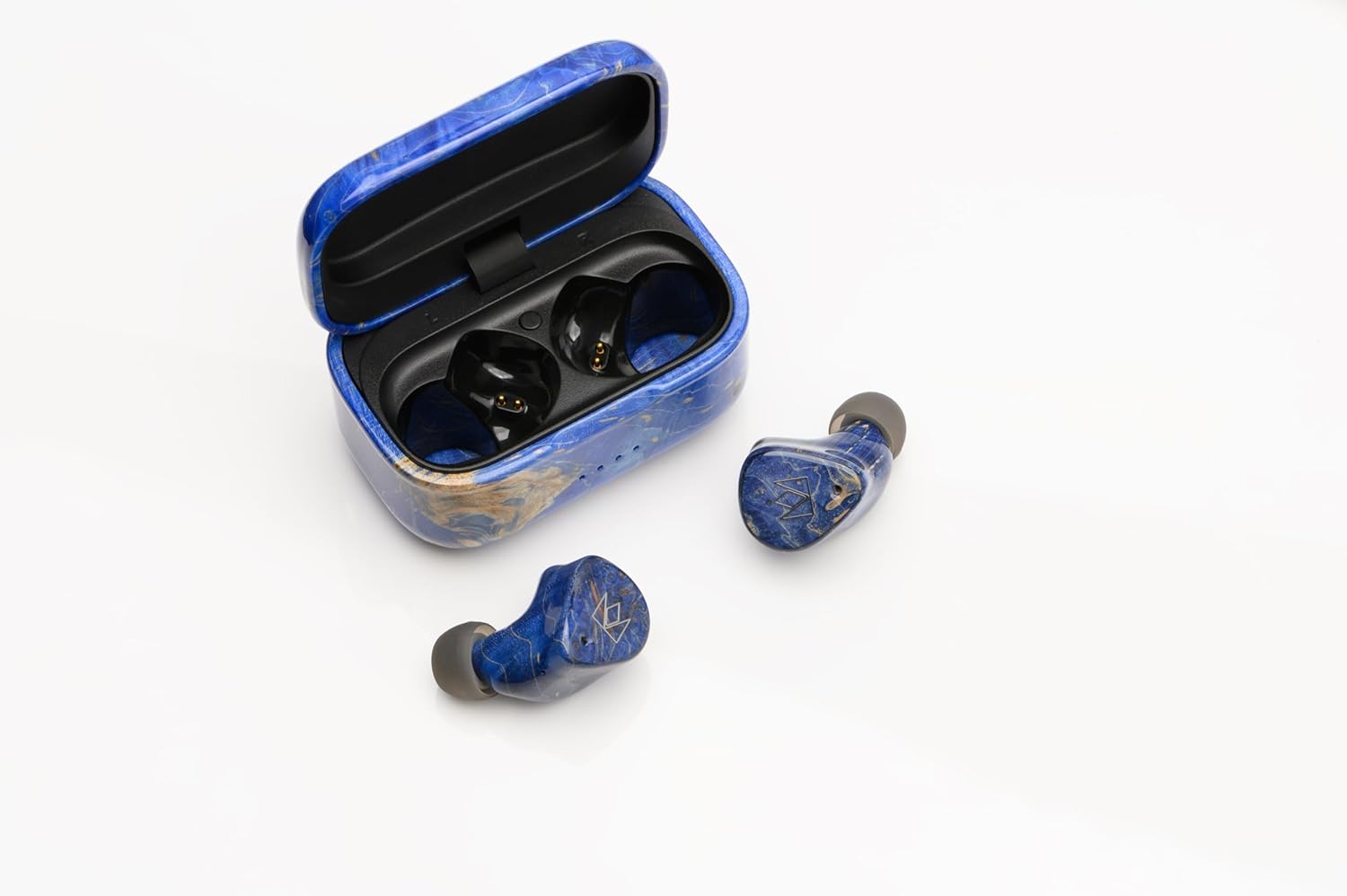
Noble FoKus Prestige earbuds in their charging case, showing the USB-C port.

Image: Noble FoKus Prestige earbuds securely placed within their elegant charging case, ready for charging via the USB-C port located at the back.

1.2 اقتران بلوتوث

The Noble FoKus Prestige utilizes Bluetooth 5.2 and Qualcomm TrueWireless Mirroring technology for stable and efficient connectivity. To pair your earbuds with a Bluetooth-enabled device:

  1. افتح علبة الشحن. ستدخل سماعات الأذن تلقائيًا في وضع الاقتران.
  2. On your device (smartphone, PC, laptop, tablet), navigate to the Bluetooth settings.
  3. Select "Noble FoKus Prestige" from the list of available devices.
  4. بمجرد الاتصال، سوف تسمع تأكيدًا صوتيًا.

For optimal performance, ensure your device's Bluetooth is enabled and within range.

Video: An official product video demonstrating the Noble FoKus Prestige Headphones, showcasing their design and features relevant to setup and use.

2. تعليمات التشغيل

2.1 عناصر التحكم والوظائف

The FoKus Prestige earbuds feature intuitive touch controls for managing playback, calls, and voice assistants:

  • تشغيل الموسيقى: انقر مرة واحدة للتشغيل/الإيقاف المؤقت، وانقر مرتين للانتقال إلى المقطع التالي، وانقر ثلاث مرات للانتقال إلى المقطع السابق.
  • إدارة المكالمات: Tap once to answer/end call, long press to reject call.
  • مساعد صوت: Long press to activate Siri or Google Assistant.
  • التحكم في مستوى الصوت: ضبط مستوى الصوت مباشرة من جهازك المتصل.

The earbuds also support Qualcomm cVc noise-cancelling technology for clear phone calls.

2.2 الأداء الصوتي

The FoKus Prestige headphones are engineered for high-resolution audio, featuring a hybrid 3-driver configuration: an 8.2mm Dynamic driver and two Knowles Balanced Armature drivers. This combination delivers rich bass, clear mids, and detailed highs across a frequency range of 20 Hz - 20,000 Hz, with an impedance of 32 Ohm.

For a personalized listening experience, the Noble FoKus app allows for sound customization with its Wizard-tuned sound signature.

Pair of Noble FoKus Prestige earbuds in blue, showcasinتصميمها المريح.

Image: A pair of Noble FoKus Prestige earbuds, highlighting their ergonomic shape and premium blue finish, designed for a secure and comfortable in-ear fit.

3. الصيانة

To ensure the longevity and optimal performance of your Noble FoKus Prestige headphones, follow these maintenance guidelines:

  • تنظيف: Regularly wipe the earbuds and charging case with a soft, dry cloth. For the ear tips, remove them and clean with a mild soap solution if necessary, ensuring they are completely dry before reattaching.
  • تخزين: When not in use, store the earbuds in their charging case. Use the provided storage bag for added protection during travel.
  • تجنب الرطوبة: The earbuds are not water-resistant. Avoid exposure to excessive moisture, sweat, or liquids.
  • منفذ الشحن: Handle the USB-C charging port with care to prevent damage.

4. استكشاف الأخطاء وإصلاحها

If you encounter issues with your Noble FoKus Prestige headphones, refer to the following common solutions:

  • Earbuds Not Pairing Together: If only one earbud connects or they fail to pair with each other, try placing both earbuds back into the charging case, close the lid, wait a few seconds, then open the lid again. This often resets their connection.
  • مشاكل الاتصال: If the Bluetooth connection is inconsistent, ensure the earbuds are fully charged and within range of your device. Try forgetting the device in your Bluetooth settings and re-pairing.
  • مشاكل الشحن: If the charging port is finicky or not charging, ensure the USB-C cable is fully inserted and the port is free of debris. Try a different USB-C cable and power source.
  • Poor Sound Quality/Seal: Experiment with the different sizes of ear tips provided to find the best fit for your ears. A proper seal is crucial for optimal sound performance and bass response.
  • لا يوجد صوت: Check the volume levels on both your device and the earbuds. Ensure the earbuds are correctly paired and selected as the audio output on your device.

If problems persist, consult the Noble FoKus app for further diagnostics or visit the Noble Audio support webموقع.

5. المواصفات

ميزة التفاصيل
اسم الموديل نوبل فوكوس برستيج
تكنولوجيا الاتصال لاسلكي (بلوتوث 5.2)
نوع برنامج تشغيل الصوت Hybrid Driver (8.2mm Dynamic + 2 Knowles Balanced Armature)
عمر البطارية 10 Hours (earbuds per charge)
الشحن السريع 15 min. charge for up to 70 min. playback
نطاق التردد 20 هرتز - 20,000 هرتز
مقاومة 32 أوم
طريقة التحكم Touch, Voice (Siri/Google)
التحكم في الضوضاء Adaptive Noise Cancellation (cVc for calls)
مادة Plastic (with CNC machined wooden body and case)
لون أزرق
وزن العنصر 9.1 أونصات
رمز المنتج الموحد 198168403570

6. الضمان والدعم

Noble Audio stands behind the quality of its products. For detailed warranty information, please refer to the official Noble Audio webالموقع أو بطاقة الضمان المرفقة مع المنتج الخاص بك.

تتوفر خطط حماية اختيارية للتغطية الممتدة:

  • خطة الحماية لمدة عامين
  • خطة الحماية لمدة عامين
  • حماية كاملة (اشتراك شهري)

For technical support, product inquiries, or service requests, please visit the official Noble Audio support channels or contact their customer service directly.

المستندات ذات الصلة - نوبل فوكوس برستيج

قبلview دليل التعليمات لسماعات Noble Fokus Triumph True Wireless Stereo
دليل التعليمات الشامل لسماعات Noble Fokus Triumph True Wireless Stereo، والذي يغطي الإعداد والإقران والتشغيل والمواصفات وتحذيرات السلامة.
قبلview Noble Sceptre Bluetooth Codec & RF Signal Enhancer User Manual
Official user manual for the Noble Sceptre, a Bluetooth Codec and RF Signal Enhancer. Learn how to connect, use the Noble Fokus App, manage audio codecs, enable game mode, and update firmware.
قبلview دليل مستخدم سماعات Noble FoKus Amadeus True Wireless Stereo
دليل مستخدم شامل لسماعات الأذن الاستريو اللاسلكية الحقيقية Noble FoKus Amadeus، يغطي الإعداد والإقران والضوابط والميزات والمواصفات ومعلومات السلامة.
قبلview دليل التعليمات لسماعات الأذن اللاسلكية Noble FALCON MAX True Stereo
دليل التعليمات الشامل لسماعات Noble FALCON MAX True Wireless Stereo Earbuds، والذي يغطي الإعداد والإقران والوظائف والشحن والمواصفات وتحذيرات السلامة.
قبلview Noble FoKus Rex5 True Wireless Stereo Earphones User Manual
Comprehensive user manual for the Noble FoKus Rex5 True Wireless Stereo Earphones, covering features, operation, pairing, controls, specifications, and safety information.
قبلview Noble Fokus Apollo User Manual - Wireless Bluetooth Headphones
Detailed user manual for the Noble Fokus Apollo headphones, covering setup, Bluetooth pairing, button functions, charging, connectivity options, troubleshooting, and safety guidelines.