1. المقدمة
The ATUVOS Air Tracker Tag is a compact Bluetooth device designed to help you locate your personal belongings using the Apple Find My network. This manual provides detailed instructions for setting up, operating, and maintaining your ATUVOS Air Tracker Tags.
2. معلومات السلامة
- يجب إبقاء الجهاز بعيداً عن متناول الأطفال الصغار والحيوانات الأليفة لمنع ابتلاع الأجزاء الصغيرة عن طريق الخطأ، وخاصة البطارية.
- لا تحاول تفكيك الجهاز أو تعديله بما يتجاوز استبدال البطارية.
- تخلص من البطاريات وفقًا للوائح المحلية. لا تعرض البطاريات للحرارة الزائدة أو النار.
- This device is water-resistant (IP67 rated) but not waterproof. Avoid prolonged submersion in water.
3. محتويات العبوة
- جهاز تعقب الهواء ATUVOS Tags (2 حزمة)
- دليل المستخدم
- CR2032 Coin Cell Batteries (pre-installed)
4. انتهى المنتجview
The ATUVOS Air Tracker Tag is a compact, square-shaped device designed for easy attachment to various items. It features a single button for operation and a small hole for attaching to keyrings or straps.

Figure 1: ATUVOS Air Tracker Tags
المميزات الرئيسية:
- Find My App Compatibility: Works exclusively with Apple's Find My network (iOS devices only).
- Loud Ring: Built-in speaker emits an 80-100dB sound to help locate nearby items.
- نطاق بلوتوث واسع: Up to 200 feet (60 meters) without obstacles.
- تنبيهات بشأن الأشخاص الذين تُركوا خلفهم: Receive notifications if you leave your tagged item behind.
- الوضع المفقود: Mark your item as lost in the Find My app to receive automatic notifications when detected by the network.
- IP67 Water-resistant: محمي من الغبار والغمر المؤقت في الماء.
- بطارية قابلة للاستبدال: Powered by a CR2032 coin cell battery with over 1 year of life.
- حماية الخصوصية: The Find My network is encrypted and anonymous; location data is not stored on the tag.
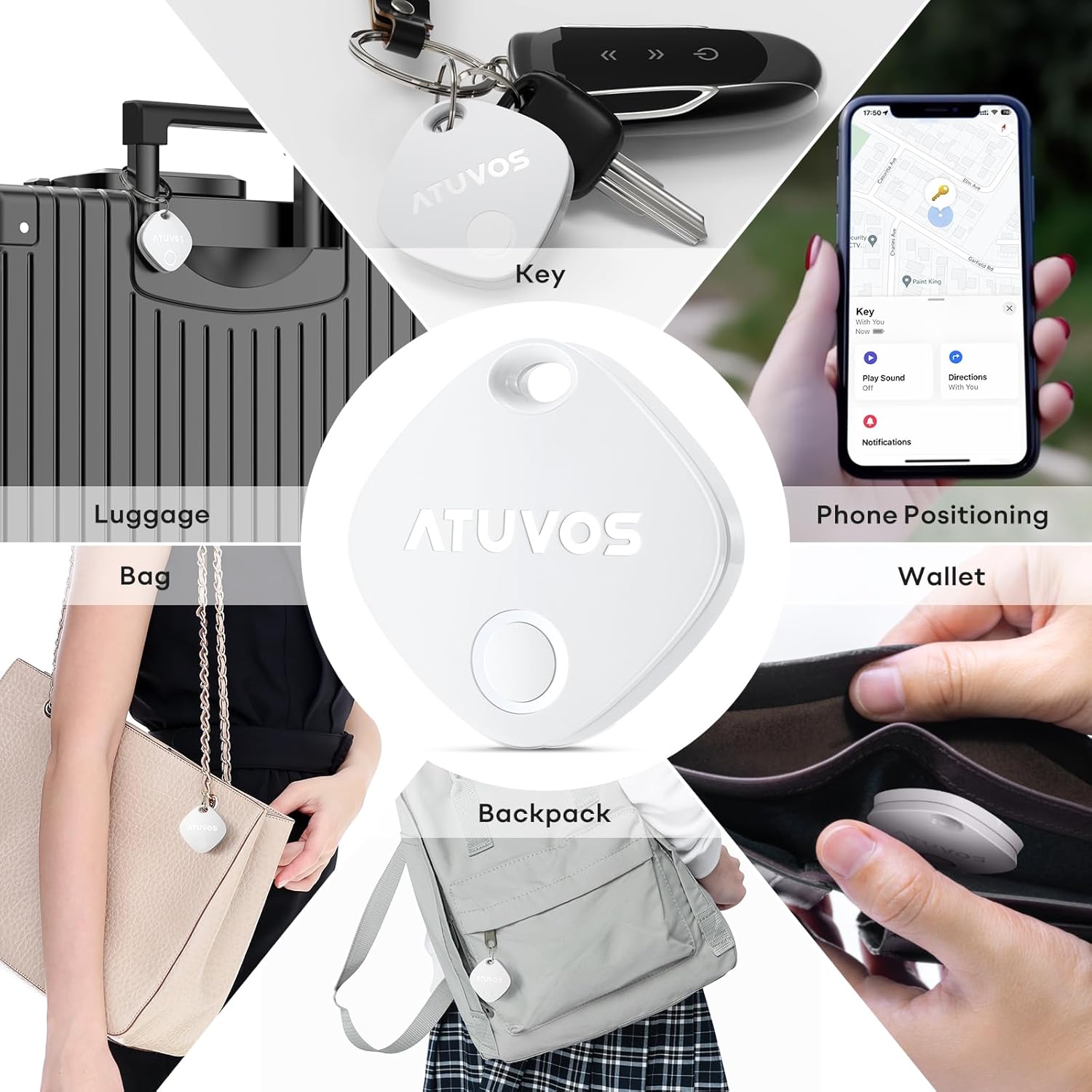
Figure 2: Product Dimensions (1.34 x 1.34 x 0.42 inches)
5. الإعداد
Follow these steps to connect your ATUVOS Air Tracker Tag to your iOS device:
- إعادة تعيين الجهاز: تأكد من tag is powered on. Press and hold the button on the ATUVOS Tag for approximately 10 seconds. You will hear a short beep after 3 seconds, and a long beep after 10 seconds. Release the button after the long beep. Two short beeps will confirm a successful reset.
- افتح تطبيق "العثور على جهازي": On your iOS device, open the 'Find My' application. Ensure Bluetooth is enabled on your device.
- إضافة عنصر جديد: Navigate to the 'Items' tab at the bottom of the screen. Tap the '+' icon and select 'Add Other Item'.
- يتصل: Your iOS device will search for nearby compatible items. Once 'Atuvos Tag' appears, tap 'Connect'.
- سمِّ منتجك: Follow the on-screen prompts to name your item (e.g., 'Keys', 'Wallet', 'Luggage') and choose an emoji to represent it.
- الموافقة على الشروط: Review and agree to the terms and conditions.
- إنهاء الإعداد: ال tag is now linked to your Apple ID and ready for use.
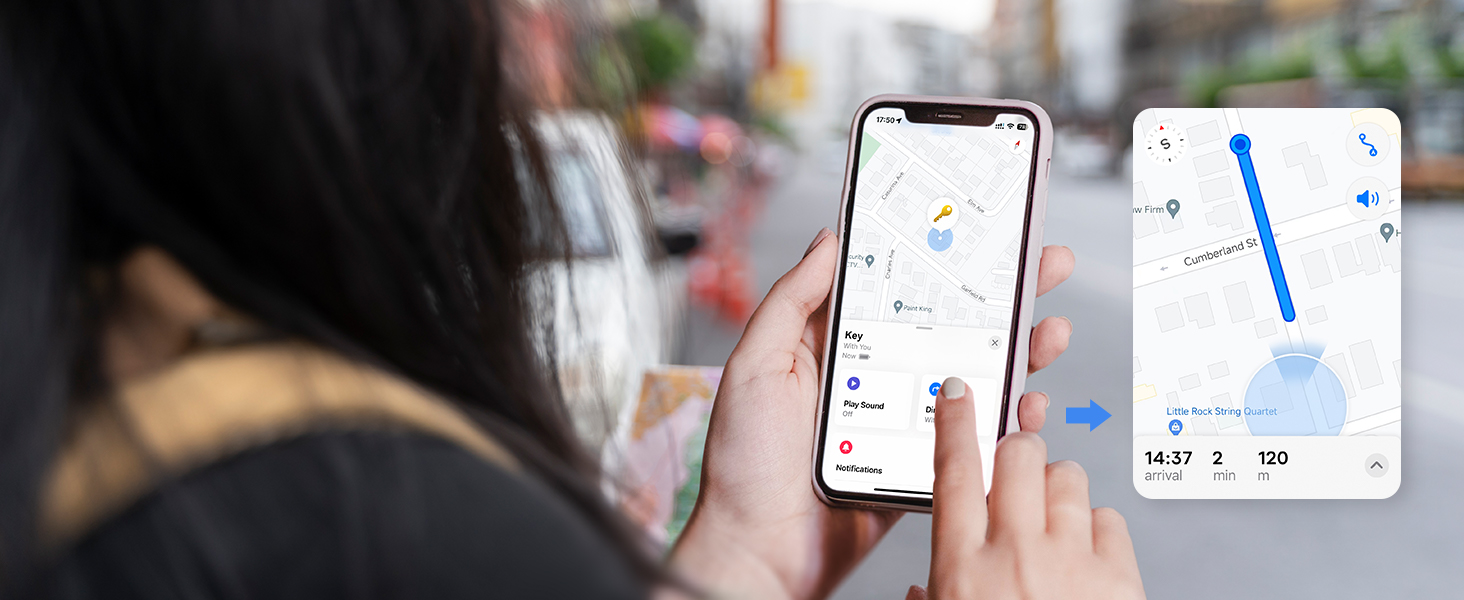
Figure 3: Setup Process in Find My App
Video 1: ATUVOS Tracker Tag Compatible with Apple Find My (iOS Only) - This video demonstrates the process of connecting the ATUVOS Tag to the Apple Find My app on an iOS device.
6. تعليمات التشغيل
6.1. Find Nearby
When your ATUVOS Tag is within Bluetooth range, you can make it play a sound to help you locate it.
- Open the 'Find My' app on your iOS device.
- انتقل إلى علامة التبويب "العناصر".
- Select your ATUVOS Tag من القائمة.
- Tap 'Play Sound'. The tag will emit a loud ring (80-100dB) to guide you to its location.
- You can also ask Siri, "Hey Siri, find my [item name]."

Figure 4: Locating a Nearby Item
6.2. Find Far Away
If your ATUVOS Tag is outside of Bluetooth range, you can still locate it using the Find My network.
- Open the 'Find My' app on your iOS device.
- انتقل إلى علامة التبويب "العناصر".
- Select your ATUVOS Tag. The app will display its last known location on a map.
- Tap 'Directions' to get navigation to the tag's vicinity.

Figure 5: Locating a Far Away Item
6.3. Left Behind Remind
Receive instant alerts if you accidentally leave your tagged item behind.
- In the 'Find My' app, select your ATUVOS Tag.
- Scroll down and enable 'Notify When Left Behind'.
- You can customize locations where you don't want to be notified (e.g., home).

Figure 6: Left Behind Reminder Notification
6.4. وضع الفقدان
If your item is lost, activate Lost Mode to increase your chances of recovery.
- In the 'Find My' app, select your ATUVOS Tag.
- Scroll down to 'Lost Mode' and tap 'Enable'.
- Follow the instructions to enter your contact information (phone number or email) and a message for the person who finds your item.
- You will be automatically notified when your lost item is detected by any device in the Find My network.

Figure 7: Anti-Lost Mode Interface
6.5. Share Item (iOS 17 and above)
With iOS 17 or later, you can share your ATUVOS Tag with up to 5 other individuals.
- Ensure your iOS device is updated to iOS 17 or newer.
- In the 'Find My' app, select your ATUVOS Tag.
- Scroll down and tap 'Share This Item'.
- Follow the prompts to add up to 5 borrowers. They will be able to see the item's location on a map.
- Borrowers will not receive tracking notifications when the item moves with them.

Figure 8: Sharing an ATUVOS Tag
7. استبدال البطارية
The ATUVOS Air Tracker Tag uses a replaceable CR2032 coin cell battery. When the battery is low, you will receive a notification on your iOS device.
- Locate the small gap on the side of the ATUVOS Tag.
- Carefully insert a thin tool (like a guitar pick or a small flat-head screwdriver) into the gap.
- Gently pry open the two halves of the tag.
- قم بإزالة بطارية CR2032 القديمة.
- قم بإدخال بطارية CR2032 جديدة مع توجيه الجانب الموجب (+) لأعلى.
- قم بمحاذاة نصفي tag and press them firmly together until they click securely into place. Ensure the top hole on both lids aligns.

Figure 9: Battery Replacement Steps
Video 2: How do I replace the battery? - This video provides a visual guide on replacing the battery of the ATUVOS Tag.
8. الصيانة
- Clean the ATUVOS Tag بقطعة قماش ناعمة وجافة. تجنب استخدام المواد الكيميائية القاسية أو المواد الكاشطة.
- Regularly check the battery level in the Find My app to ensure continuous tracking.
- تأكد من tag is securely attached to your items to prevent accidental detachment.
9. استكشاف الأخطاء وإصلاحها
9.1. Tag Not Pairing
- تأكد من تمكين Bluetooth على جهاز iOS الخاص بك.
- Make sure the ATUVOS Tag is powered on and has a fresh battery.
- Perform a device reset as described in Section 5.1.
- احضر tag closer to your iOS device during the pairing process.
9.2. Sound Not Playing
- تأكد من tag is within Bluetooth range of your iOS device.
- تحقق من مستوى شحن بطارية tag. A low battery might affect sound output.
- تأكد من أن مستوى الصوت على جهاز iOS الخاص بك ليس مكتومًا أو منخفضًا جدًا.
9.3. موقع غير دقيق
- تعتمد دقة تحديد الموقع على كثافة أجهزة Apple في شبكة "العثور على جهازي". في المناطق التي يقل فيها عدد الأجهزة، قد تكون تحديثات الموقع أقل تكرارًا أو دقة.
- Ensure your iOS device has a stable internet connection for accurate map data.
- إذا كان tag is indoors or in a dense environment, GPS signals might be obstructed.
10. المواصفات
| رقم الموديل | AT2301 |
| أبعاد | 1.34 × 1.34 × 0.42 بوصة |
| وزن العنصر | 1.44 أونصات |
| الاتصال | بلوتوث 5.2 |
| مقاومة الماء | IP67 |
| نوع البطارية | CR2032 Coin Cell (included) |
| عمر البطارية | أكثر من سنة |
| التوافق | لأجهزة iOS فقط (شبكة Apple Find My) |
11. الضمان والدعم
ATUVOS provides customer service for its products. For any questions regarding the use of your ATUVOS Air Tracker Tags, please contact customer support. Refer to the product packaging or the official ATUVOS webالموقع للحصول على تفاصيل الضمان المحددة ومعلومات الاتصال.
خدمة العملاء: Available 24 hours. Please refer to the contact details provided with your product or on the ATUVOS official webموقع.


