1. المقدمة
The JSAUX HB1201S 12-in-1 RGB Docking Station is designed to expand the connectivity and enhance the gaming experience for handheld consoles such as the Steam Deck (OLED), ROG Ally, and Legion Go. This manual provides detailed instructions for setting up, operating, and maintaining your docking station.
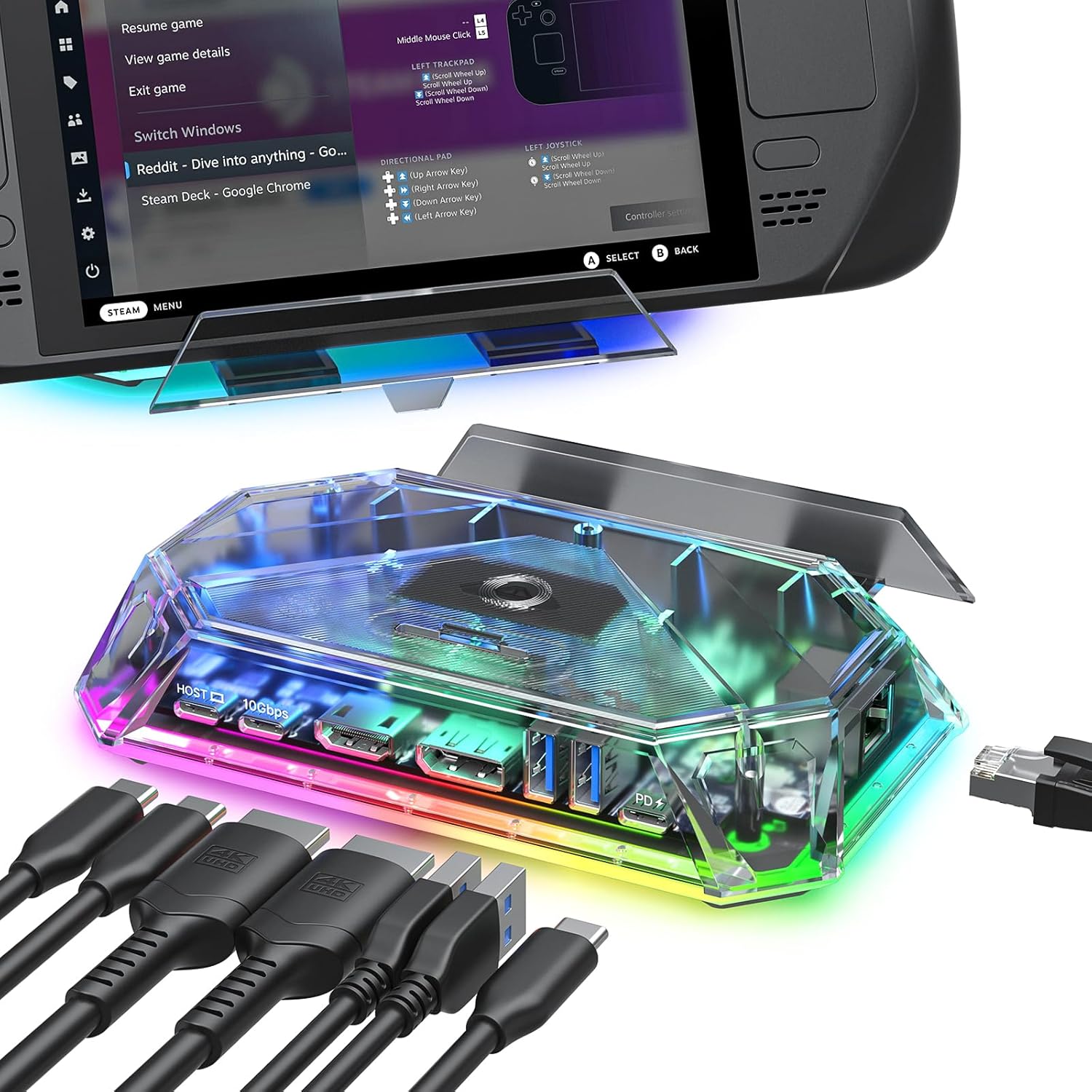
The JSAUX HB1201S RGB Docking Station connected to a Steam Deck, illustrating its compact design and multiple ports for peripheral connections.
2. محتويات العبوة
- JSAUX HB1201S 12-in-1 RGB Docking Station
- USB-C to USB-C Host Cable
- دليل المستخدم / الوثائق
3. ميزات المنتجview
The JSAUX HB1201S offers a comprehensive set of ports and features to enhance your handheld gaming experience:

انفجرت view diagram highlighting all 12 ports of the docking station, including HDMI, DisplayPort, USB-C PD, USB-A, USB-C data, Gigabit Ethernet, 3.5mm audio, SD, and TF card slots.
مواصفات المنفذ:
- 1x HDMI 2.1: Supports 4K@120Hz output with VRR, ALLM, and HDR.
- منفذان عرض DisplayPort 1.4: Supports 4K@120Hz output.
- 2x USB A 3.2: Provides 10Gbps data transfer speed.
- 1x USB C 3.2: Provides 10Gbps data transfer speed (no video output).
- 1x Gigabit Ethernet: Offers 1Gbps wired network connectivity.
- 1x USB C PD 3.0: Supports up to 100W power delivery for charging.
- 1x 3.5mm Audio Jack: لإخراج الصوت إلى سماعات الرأس أو مكبرات الصوت.
- 1x TF Card Slot: Supports 480Mbps data transfer.
- 1x SD Card Slot: Supports 480Mbps data transfer.
- 1x USB A 2.0: Provides 480Mbps data transfer speed.
الميزات الإضافية:
- 6 أوضاع إضاءة RGB: Customizable lighting effects with a top-mounted touch switch and OpenRGB software compatibility.
- حامل قابل للسحب: Integrated stand for holding your handheld device.
4. تعليمات الإعداد
- توصيل الطاقة: Plug a compatible USB-C Power Delivery (PD) adapter (not included) into the USB C PD port on the docking station. Ensure the power adapter provides sufficient wattage (up to 100W supported) for your handheld device and connected peripherals.
- Connect Host Device: Use the provided USB-C to USB-C host cable to connect your handheld gaming device (e.g., Steam Deck, ROG Ally, Legion Go) to the 'HOST' USB-C port on the docking station.
- Connect External Display(s):
- For single display: Connect an HDMI cable from the docking station's HDMI port to your monitor or TV, or a DisplayPort cable from the docking station's DisplayPort to your monitor.
- For dual displays: Connect one monitor via HDMI and another via DisplayPort. Note that dual-screen support maxes out at 4K@60Hz or 2K@120Hz.
- توصيل الأجهزة الطرفية: Plug in your USB devices such as keyboards, mice, game controllers, or external storage drives into the available USB A 3.2, USB C 3.2, or USB A 2.0 ports.
- ربط الشبكة (اختياري): للحصول على اتصال إنترنت سلكي مستقر، قم بتوصيل كابل Ethernet من جهاز التوجيه أو المودم الخاص بك بمنفذ Gigabit Ethernet الموجود على محطة الإرساء.
- إدخال بطاقات الذاكرة (اختياري): If using, insert SD or TF cards into their respective slots. It is recommended to insert memory cards before gaming and avoid unplugging them during active use. Simultaneous reading of SD and TF cards is not supported.
- اتصال الصوت (اختياري): Connect headphones or speakers to the 3.5mm audio jack for audio output.
5. تعليمات التشغيل
5.1 إخراج العرض
The docking station supports high-resolution video output to external displays. Connect your monitor or TV using either the HDMI or DisplayPort. The upgraded HDMI technology supports Variable Refresh Rate (VRR), Auto Low Latency Mode (ALLM), and HDR for an optimized visual experience.
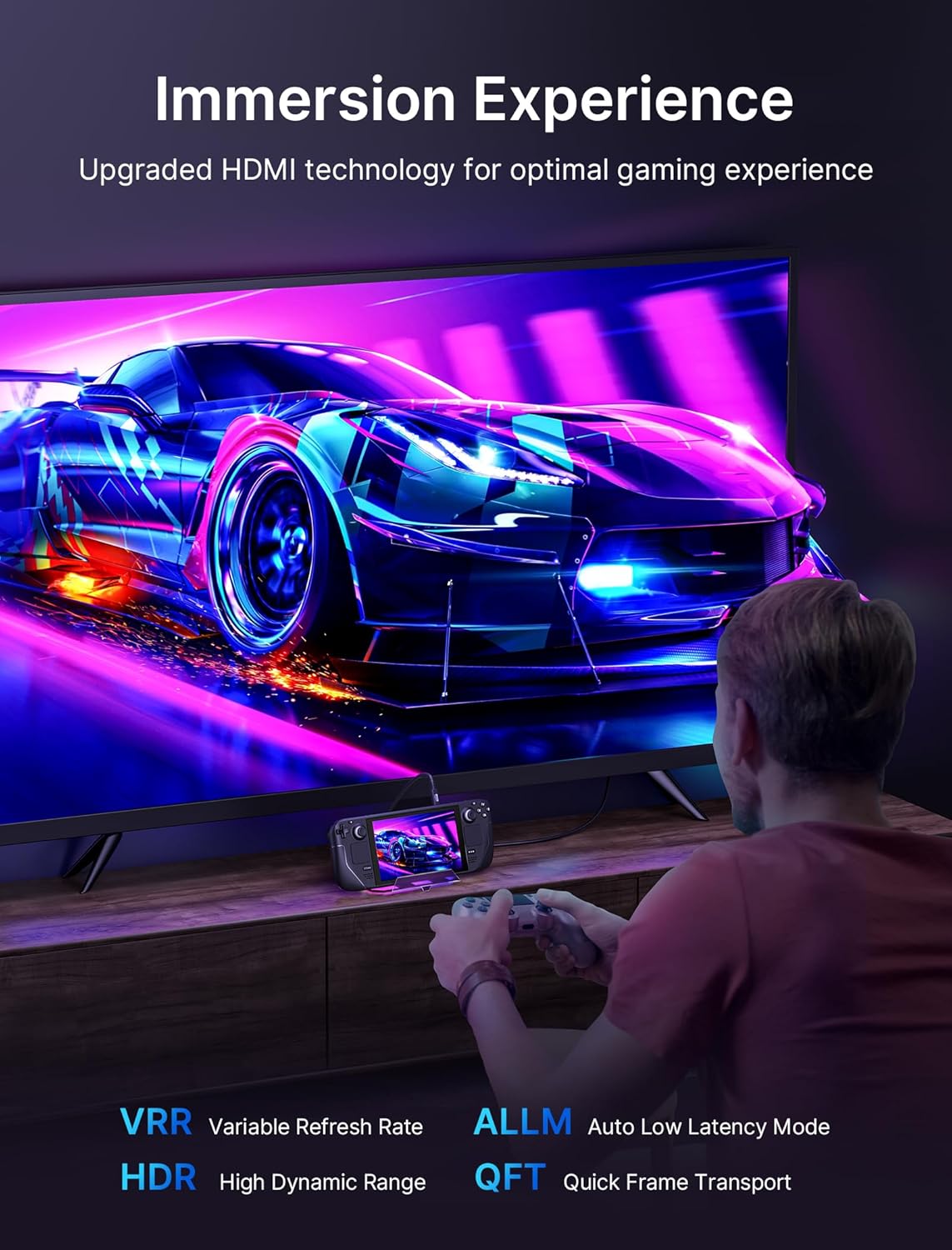
A user playing a game on a large television, with their Steam Deck connected to the docking station, demonstrating the enhanced visual experience provided by VRR, ALLM, and HDR technologies.
شاشة عرض مزدوجة:
- الويندوز: Supports both mirror (A-AA, A-BB) and extend (A-BC) modes.
- نظام التشغيل ماك: Supports mirror mode (A-AA, A-BB).
The maximum resolution for dual-screen output is 4K@60Hz or 2K@120Hz.

A Steam Deck connected to two external monitors, illustrating the dual-screen display capability of the docking station using both HDMI and DisplayPort outputs at 4K@120Hz.
5.2 التحكم في إضاءة RGB
The docking station features six dynamic RGB lighting modes. Use the top-mounted touch switch to cycle through the modes or turn the lighting on/off. For custom lighting control, the dock is compatible with OpenRGB software when connected via the USB-C upstream port.

Visual representation of the six dynamic RGB lighting modes: Direct, Breathing, Rainbow Wave, Spectrum Cycle, Race Cycle, and Stacking, with a note about the touch switch and OpenRGB compatibility.
5.3 نقل البيانات والشحن
Utilize the USB A 3.2 and USB C 3.2 ports for high-speed data transfers up to 10Gbps. The USB A 2.0 port, SD card slot, and TF card slot support data transfer at 480Mbps. The USB C PD 3.0 port delivers up to 100W of power to charge your connected handheld device and other compatible electronics.
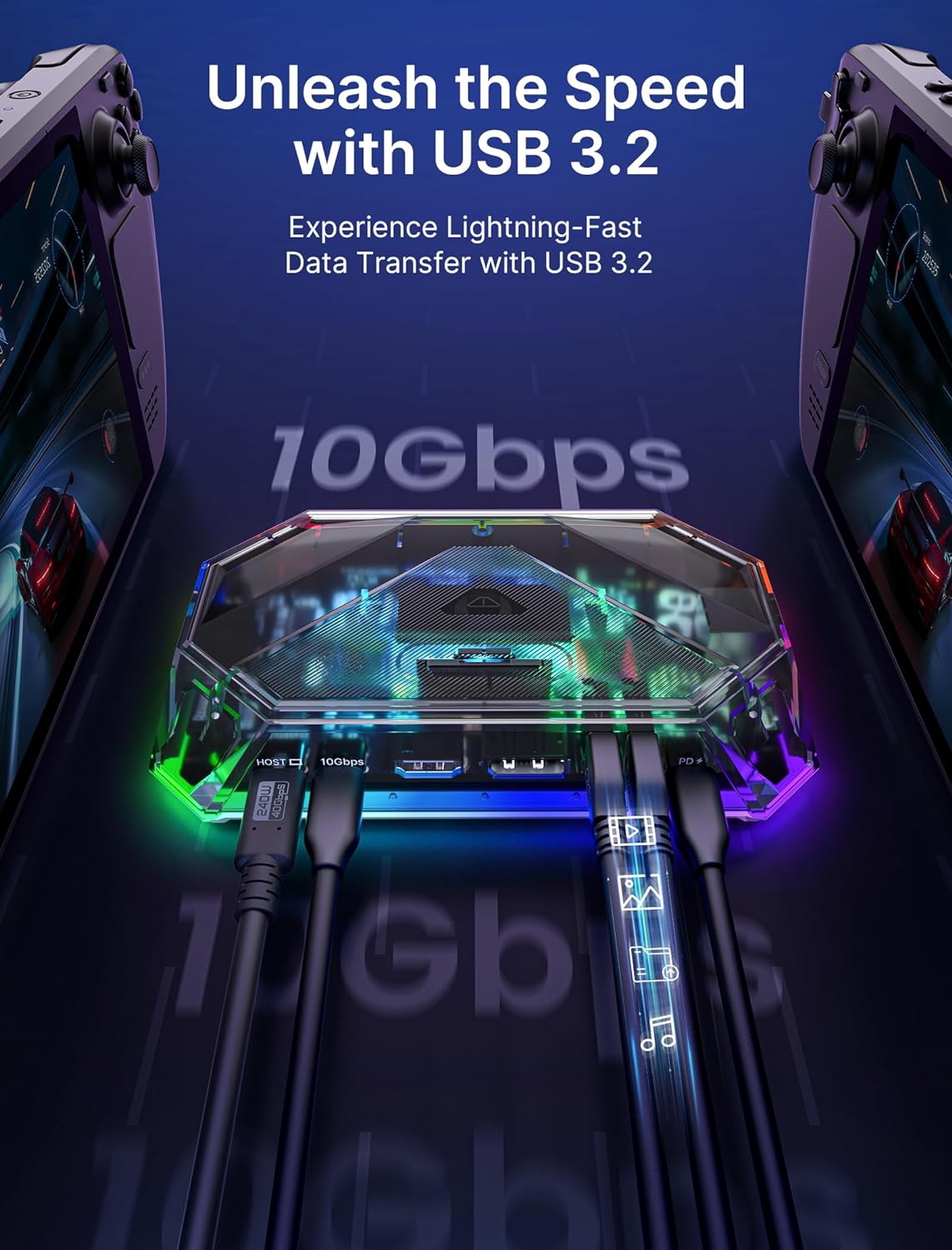
The USB 3.2 ports of the docking station with cables connected, illustrating the high-speed 10Gbps data transfer capability.
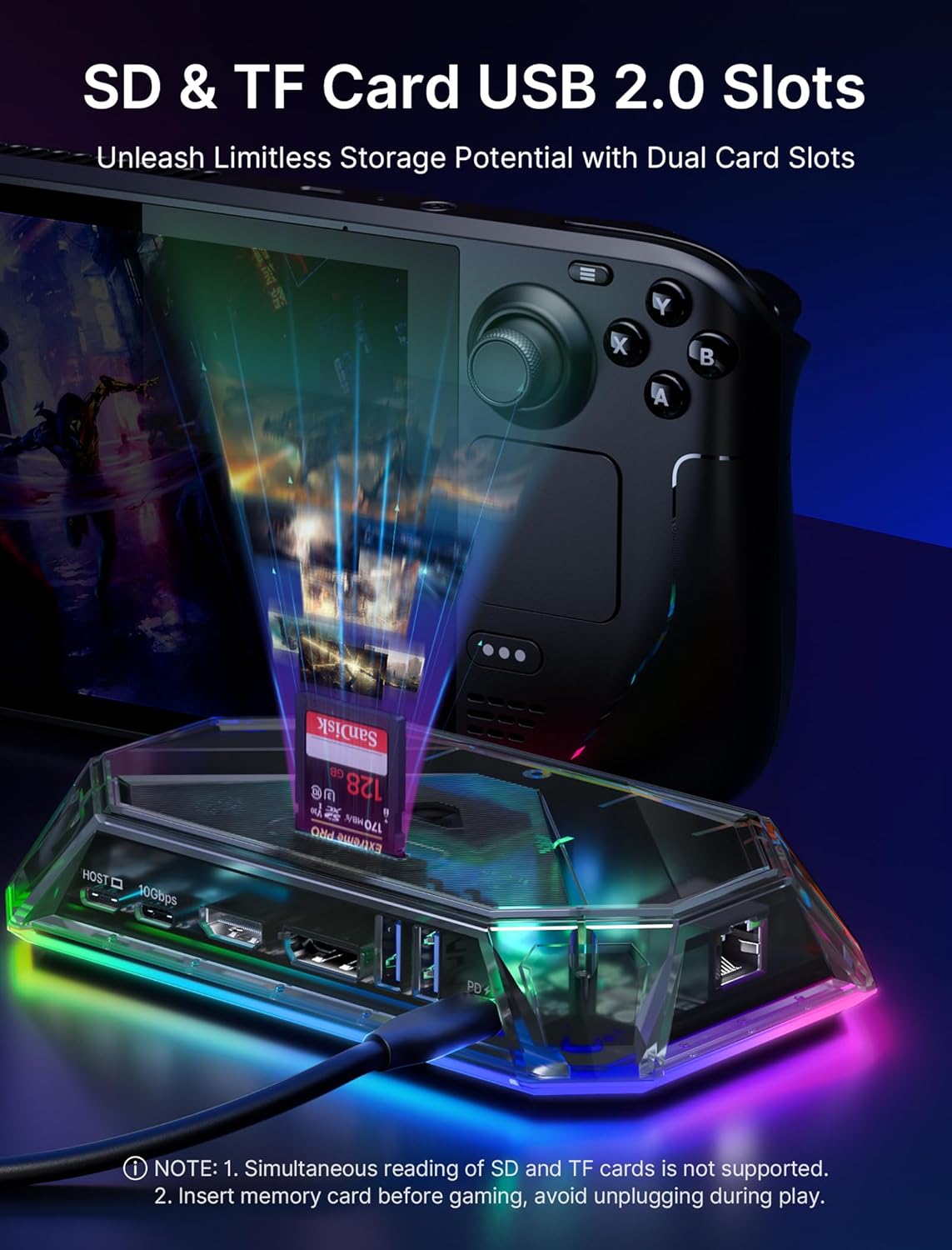
لقطة مقرّبة view of the SD and TF card slots on the docking station, showing memory cards inserted, emphasizing the dual card slot functionality.
6. التوافق
The JSAUX HB1201S RGB Docking Station is compatible with a wide range of handheld gaming consoles and other devices, including:
- Valve Steam Deck
- Steam Deck OLED
- جهاز ASUS ROG Ally
- ASUS ROG Ally X
- لينوفو ليجن جو
- مخلب MSI
- OneXPlayer
- AYANEO Slide
- iPad, iPad Pro, iPhone
- ريزر ايدج
- Logitech G Cloud
- Other USB-C enabled phones and tablets
Note: Not compatible with Nintendo Switch.

An ASUS ROG Ally handheld console connected to the docking station, highlighting its compatibility and support for 30W Turbo mode for optimal performance.
7. الصيانة
To ensure the longevity and optimal performance of your JSAUX HB1201S Docking Station, follow these maintenance guidelines:
- حافظ على نظافة الجهاز بمسحه بقطعة قماش ناعمة وجافة. تجنب استخدام المنظفات الكاشطة أو المذيبات.
- Protect the docking station from extreme temperatures, direct sunlight, and moisture.
- تجنب إسقاط الجهاز أو تعريضه لصدمات قوية.
- تأكد من التهوية المناسبة حول الجهاز أثناء التشغيل.
8. استكشاف الأخطاء وإصلاحها
إذا واجهت مشكلات مع محطة الإرساء الخاصة بك، فراجع الحلول الشائعة التالية:
- لا يوجد إخراج للعرض:
- Ensure all cables (USB-C host, HDMI/DisplayPort) are securely connected.
- Verify that the external display is set to the correct input source.
- Check if your handheld device's display settings are configured for external output.
- Ensure the docking station is receiving adequate power from a compatible PD charger.
- نقل البيانات البطيء:
- Confirm that you are using the USB 3.2 ports for high-speed devices.
- Ensure your connected device and cable support USB 3.2 speeds.
- مشاكل الشحن:
- Verify that your USB-C PD power adapter meets the wattage requirements of your handheld device.
- Ensure the power cable is securely connected to both the adapter and the docking station.
- إضاءة RGB لا تعمل:
- Press the top-mounted touch switch to activate or cycle through lighting modes.
- تأكد من تشغيل محطة الإرساء.
- مشاكل الاتصال بالشبكة:
- تحقق من اتصال كابل Ethernet بكل من القاعدة وجهاز التوجيه/المودم الخاص بك.
- Verify network settings on your handheld device.
9. المواصفات
| ميزة | التفاصيل |
|---|---|
| رقم الموديل | إتش بي 1201 إس |
| أبعاد المنتج | 5.91 × 3.62 × 1.11 بوصة (15.01 × 9.19 × 2.82 سم) |
| وزن العنصر | 15.1 أوقية (0.43 كجم) |
| واجهة الأجهزة | يو اس بي نوع سي |
| إجمالي منافذ USB | 12 |
| إجمالي منافذ HDMI | 1 |
| واتtage (PD) | 100 واط |
| الأجهزة المتوافقة | Valve Steam Deck, Deck OLED, ASUS ROG Ally, Ally X, Lenovo Legion Go, MSI Claw, OneXPlayer, AYANEO Slide, iPad, iPad Pro, iPhone, Razer Edge, Logitech G Cloud, other phones |
10. فيديو المنتج الرسمي
This video provides a visual guide to the JSAUX 12-in-1 RGB Docking Station, showcasing its various ports, RGB lighting, and how it connects to handheld gaming devices and external displays.
11. الضمان والدعم
JSAUX products come with a standard warranty. For detailed warranty information, product support, or technical assistance, please visit the official JSAUX webالموقع أو تواصل مع خدمة العملاء. احتفظ بإيصال الشراء لطلبات الضمان.
JSAUX Official Webموقع: www.jsaux.com


