1. المقدمة
This manual provides detailed instructions for the Rapoo V500Pro Full-Size Mechanical Gaming Keyboard. Please read this manual thoroughly before using the product to ensure proper operation and to maximize its features. The V500Pro is designed for both gaming and office use, featuring durable mechanical switches, customizable RGB backlighting, and programmable keys.

Image 1: Rapoo V500Pro Full-Size Mechanical Gaming Keyboard (White version).
2. دليل الإعداد
2.1 محتويات العبوة
- Rapoo V500Pro Mechanical Gaming Keyboard
- كابل USB-C
- دليل المستخدم (هذا المستند)
2.2 توصيل لوحة المفاتيح
- حدد موقع منفذ USB-C الموجود في الجزء الخلفي من لوحة المفاتيح.
- قم بتوصيل أحد طرفي كابل USB-C المرفق بمنفذ USB-C الخاص بلوحة المفاتيح.
- Connect the other end of the USB-C cable (USB-A connector) to an available USB port on your computer or compatible device.
- سيتعرف نظام التشغيل على لوحة المفاتيح تلقائيًا. عادةً، لا يتطلب الأمر برامج تشغيل إضافية للوظائف الأساسية.
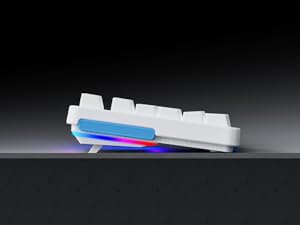
Image 2: Connecting the USB-C cable to the keyboard. The keyboard features an optimized cable management system allowing the cable to be routed to the left, center, or right.
2.3 إدارة الكابلات
The V500Pro features an optimized cable management system on its underside. You can route the USB-C cable to the left, center, or right to suit your desk setup and minimize cable clutter.

Image 3: Underside of the keyboard showing the three-way cable routing channels.
3. تعليمات التشغيل
3.1 المفاتيح الميكانيكية
The Rapoo V500Pro utilizes brown mechanical switches, offering a tactile feel with a lower audible click compared to blue switches, making them suitable for both gaming and typing in various environments.

Image 4: Detail of the brown mechanical switch, highlighting its design for balanced performance.
3.2 RGB Backlighting Customization
The keyboard features customizable Rainbow RGB backlighting with 20 lighting modes. You can adjust brightness and speed directly from the keyboard.
- FN + PGUP/PGDN: التبديل بين أوضاع الإضاءة الخلفية المختلفة.
- الجبهة الوطنية + الإضافية: Switch side lights modes (RGB/solid color/solid breathing/off).
- الجبهة الوطنية + ديل: Switch side lights color (red/orange/yellow/green/cyan/blue/purple/white).
- الجبهة الوطنية + د: Brightness adjustment (press repeatedly to cycle through levels).
- الجبهة الوطنية + د: Breathing frequency adjustment (press repeatedly to cycle through speeds).
- FN + ESC (short press): Turn backlight on/off.
- FN + ESC (long press): Restore default lighting settings.
- FN + V: Switch logo lighting (on/breathing/off).
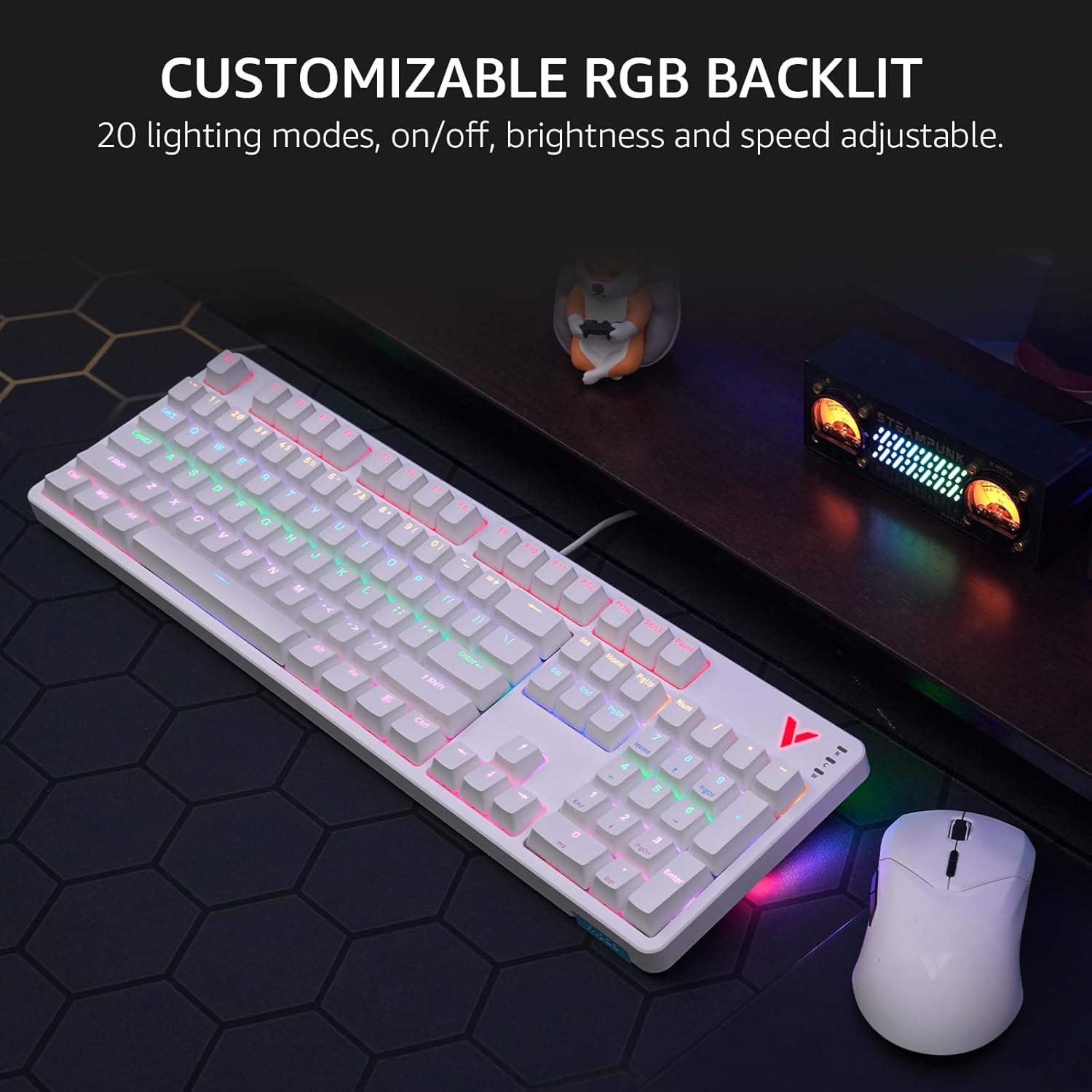
Image 5: The keyboard displaying its customizable RGB backlighting in a typical desktop setup.
فيديو 1: أكثر منview of the Rapoo V500Pro keyboard, demonstrating its features including RGB lighting and mechanical switches.
3.3 مفتاحًا سريعًا للوسائط المتعددة
The keyboard includes 12 multimedia hotkeys, accessible by pressing the FN مفتاح بالاقتران مع F1-F12 keys. These provide quick access to common functions.
| مجموعة المفاتيح | وظيفة |
|---|---|
| ف ن + ف 1 | حاسوب |
| ف ن + ف 2 | آلة حاسبة |
| ف ن + ف 3 | صندوق البريد |
| ف ن + ف 4 | الصفحة الرئيسية |
| ف ن + ف 5 | بحث |
| ف ن + ف 6 | مشغل الوسائط |
| ف ن + ف 7 | المسار السابق |
| ف ن + ف 8 | المسار التالي |
| ف ن + ف 9 | تشغيل/إيقاف مؤقت |
| ف ن + ف 10 | خفض الصوت |
| ف ن + ف 11 | رفع الصوت |
| ف ن + ف 12 | صامت |
| FN + فوز | قفل مفتاح Windows |

Image 6: Visual representation of the FN key combinations for multimedia and system controls.
3.4 Programmable Keys and On-board Memory
The V500Pro allows for programming 103 keys (excluding the FN key) to assign commands and macros. This functionality is managed through dedicated software (available for Windows operating systems) and stored in the keyboard's on-board memory. This enables users to save profiles and apply them across different devices without re-configuration.

Image 7: The software interface for customizing key functions and creating macros. Note: Keyboard driver available for Windows system only.
3.5 مكافحة التداخل
The keyboard supports full 104-key anti-ghosting, ensuring that all simultaneous key presses are registered accurately. This is particularly beneficial for complex skill combinations in gaming.
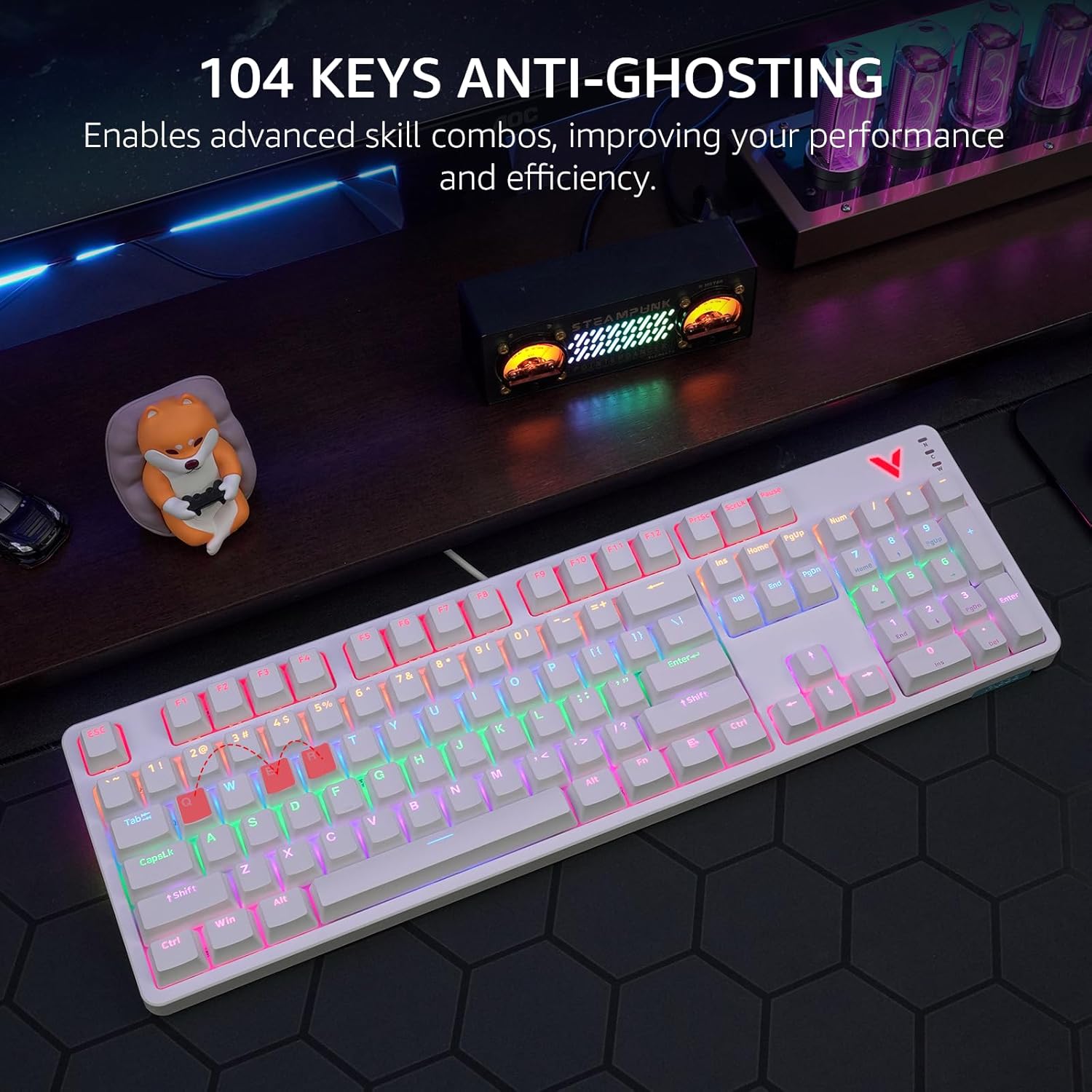
Image 8: Visual explanation of anti-ghosting technology, showing multiple key presses being registered simultaneously.
4. الصيانة
4.1 تنظيف لوحة المفاتيح
To clean your Rapoo V500Pro keyboard, follow these steps:
- افصل لوحة المفاتيح عن الكمبيوتر قبل التنظيف.
- استخدم قطعة قماش ناعمة وخالية من الوبر وامسحها برفق.ampاغسل أغطية المفاتيح والهيكل بالماء أو محلول التنظيف المعتدل.
- For deeper cleaning, the top case of the keyboard is removable, allowing easier access to the switches and plate. Gently detach the top case as shown in the product images.
- تجنب رش السوائل مباشرة على لوحة المفاتيح.
- استخدم الهواء المضغوط لإزالة الغبار والحطام من بين أغطية المفاتيح.

Image 9: The removable top case feature, which facilitates cleaning and allows for switching between high and low profile keycap setups.
4.2 التخزين
Store the keyboard in a dry, cool environment away from direct sunlight and extreme temperatures to prevent damage.
5. استكشاف الأخطاء وإصلاحها
| مشكلة | الحل المحتمل |
|---|---|
| لوحة المفاتيح لا تستجيب |
|
| الإضاءة الخلفية لا تعمل أو غير صحيحة |
|
| المفاتيح لا يتم تسجيلها أو كتابتها مرتين |
|
6. المواصفات
| ميزة | التفاصيل |
|---|---|
| نموذج | الإصدار 500 برو |
| نوع لوحة المفاتيح | Full-Size Mechanical Gaming Keyboard |
| عدد المفاتيح | 104 |
| نوع المفتاح | Brown Mechanical Switches |
| الإضاءة الخلفية | Customizable Rainbow RGB (20 modes) |
| مكافحة التظليل | جميع المفاتيح الـ 104 |
| مفاتيح قابلة للبرمجة | 103 (excluding FN) with On-board Memory |
| مفاتيح التشغيل السريع للوسائط المتعددة | 12 (FN + F1-F12) |
| الاتصال | USB-C (سلكي) |
| مادة | Aircraft-grade aluminum alloy frame |
| أبعاد المنتج | 17.4 × 5.29 × 1.58 بوصة (44.2 × 13.4 × 4 سم) |
| وزن العنصر | 2.42 رطل (1.1 كجم) |
| الأجهزة المتوافقة | PC, Laptop, Gaming Console, Smart TV |

Image 10: Dimensions and weight of the Rapoo V500Pro keyboard.
7. الضمان والدعم
Rapoo products are designed for durability and performance. For warranty information, technical support, or service inquiries, please refer to the official Rapoo webالموقع أو تواصل مع موزعك المحلي. احتفظ بإيصال الشراء لطلبات الضمان.
Online resources and software downloads (e.g., for programmable keys) can typically be found on the official Rapoo support page.


