1. المقدمة
The ZEBRONICS Pulse Wireless Mouse is designed for versatile and comfortable use across various devices. Featuring multi-connectivity options including dual Bluetooth and a 2.4GHz USB nano receiver, it offers seamless switching between systems. Its ergonomic design and 1200 DPI optical sensor ensure precise and smooth cursor control for enhanced productivity.

الصورة 1.1: الأعلى view of the ZEBRONICS Pulse Wireless Mouse, showcasinبفضل تصميمه الأسود الأنيق وعجلة التمرير.
2. محتويات العبوة
يرجى التأكد من وجود جميع العناصر في الحزمة الخاصة بك:
- ZEBRONICS Pulse Wireless Mouse
- استقبال USB نانو
- دليل المستخدم
3. الميزات الرئيسية
- الاتصال المتعدد: Supports dual Bluetooth and 2.4GHz wireless connections.
- دقة عالية: 1200 DPI optical sensor for accurate tracking.
- تصميم مريح: Comfortable and lightweight for extended use.
- 3 أزرار: Standard left, right, and scroll wheel buttons.
- Removable USB Nano Receiver: Conveniently stored in the mouse's bottom panel.
- التوافق الواسع: Works with desktop PCs, laptops, Mac OS, tablets, and more.
- موفر طاقة: Features an auto-shutoff function to conserve battery life.

Image 3.1: A visual summary of the mouse's key features, including its comfortable design, power switch, plug-and-play functionality, and high precision.
4. دليل الإعداد
4.1. تركيب البطارية
- اقلب الماوس للوصول إلى اللوحة السفلية.
- Locate the battery compartment cover and slide it open.
- أدخل بطارية AA واحدة، مع التأكد من القطبية الصحيحة (+/-).
- أغلق غطاء حجرة البطارية جيدًا.
4.2. Connecting via 2.4GHz USB Nano Receiver
- Locate the USB nano receiver stored in the slot on the bottom of the mouse.
- قم بإزالة جهاز الاستقبال من فتحة التخزين الخاصة به.
- Plug the USB nano receiver into an available USB port on your computer or laptop.
- حرك مفتاح الطاقة الموجود أسفل الماوس إلى وضع "التشغيل".
- The mouse should automatically connect. If not, press the connection toggle button on the bottom of the mouse to select the 2.4GHz mode (indicated by '2.4G').

Image 4.1: The underside of the mouse, highlighting the battery slot, nano receiver storage, power switch, and connection toggle button.

Image 4.2: The USB nano receiver plugged into a laptop, demonstrating the 2.4GHz wireless connection.
4.3. الاتصال عبر البلوتوث (BT1 / BT2)
- Ensure the mouse has a fresh battery and the power switch is in the 'ON' position.
- Press the connection toggle button on the bottom of the mouse to select either 'BT1' or 'BT2' mode. The corresponding LED indicator will blink.
- على جهازك (كمبيوتر محمول، جهاز لوحي، إلخ)، انتقل إلى إعدادات البلوتوث.
- بحث عن new devices. The mouse should appear as 'ZEB-PULSE' or similar.
- Select the mouse to pair. Once paired, the LED indicator will stop blinking and remain solid for a few seconds before turning off.
- You can pair a second device using the other Bluetooth channel (BT2) by repeating steps 2-5.
5. تعليمات التشغيل
5.1. الوظائف الأساسية
- الزر الأيسر: وظيفة النقر الأساسية.
- الزر الأيمن: وظيفة النقر الثانوية (قائمة السياق).
- عجلة التمرير: وظيفة التمرير لأعلى/لأسفل، ووظيفة النقر الأوسط.

Image 5.1: Illustration of the mouse's three buttons: left, right, and the scroll wheel/middle button.
5.2. تبديل أوضاع الاتصال
To switch between the 2.4GHz wireless mode and Bluetooth modes (BT1, BT2), press the connection toggle button located on the bottom of the mouse. The mouse will cycle through the available modes, indicated by the corresponding LED.
5.3. إعداد DPI
The ZEBRONICS Pulse mouse operates at a fixed 1200 DPI (Dots Per Inch), providing a balance of speed and precision suitable for general use. This setting ensures smooth and responsive cursor movement.

Image 5.2: Visual representation of the mouse's 1200 DPI precision for accurate tracking.
6. الصيانة
- تنظيف: استخدم قطعة قماش ناعمة وجافة لتنظيف الفأرة. تجنب استخدام المواد الكيميائية القاسية أو المواد الكاشطة.
- استبدال البطارية: استبدل بطارية AA عندما يتدهور أداء الماوس أو يتوقف عن الاستجابة.
- تخزين: When not in use for extended periods, turn off the mouse to conserve battery life. Store the USB nano receiver in its dedicated slot on the mouse's bottom.
- بيئة: تجنب تعريض الفأرة لدرجات حرارة قصوى، أو لأشعة الشمس المباشرة، أو للرطوبة الزائدة.
7. استكشاف الأخطاء وإصلاحها
7.1. عدم استجابة الماوس
- تأكد من تشغيل الماوس.
- افحص البطارية. استبدلها إذا لزم الأمر.
- For 2.4GHz connection: Ensure the USB nano receiver is securely plugged into a working USB port and the mouse is in 2.4GHz mode.
- For Bluetooth connection: Ensure Bluetooth is enabled on your device and the mouse is in the correct BT1/BT2 mode. Try re-pairing the mouse.
- Try connecting the mouse to a different USB port or a different device to rule out port or device issues.
7.2. حركة المؤشر غير المنتظمة
- نظف المستشعر البصري الموجود أسفل الماوس بقطعة قماش ناعمة وجافة.
- تأكد من استخدامك للماوس على سطح نظيف وغير عاكس.
- تحقق من عدم وجود تداخل من الأجهزة اللاسلكية الأخرى.
7.3. Difficulty Switching Modes
- تأكد من أن البطارية تحتوي على طاقة كافية.
- Press the connection toggle button firmly and observe the LED indicators to confirm mode changes.
8. المواصفات
| ميزة | التفاصيل |
|---|---|
| ماركة | الزبرونيك |
| نموذج | Zeb-Pulse |
| تكنولوجيا الاتصال | Wireless (2.4GHz, Dual Bluetooth) |
| تقنية كشف الحركة | بصري |
| نقطة لكل بوصة | 1200 |
| عدد الأزرار | 3 |
| مصدر الطاقة | يعمل بالبطارية (1x AA) |
| وزن العنصر | 160 جرام |
| أبعاد المنتج | 16.6 × 9.5 × 0.1 سم |
| توافق نظام التشغيل | Windows, Mac OS, etc. |
| بلد المنشأ | الصين |
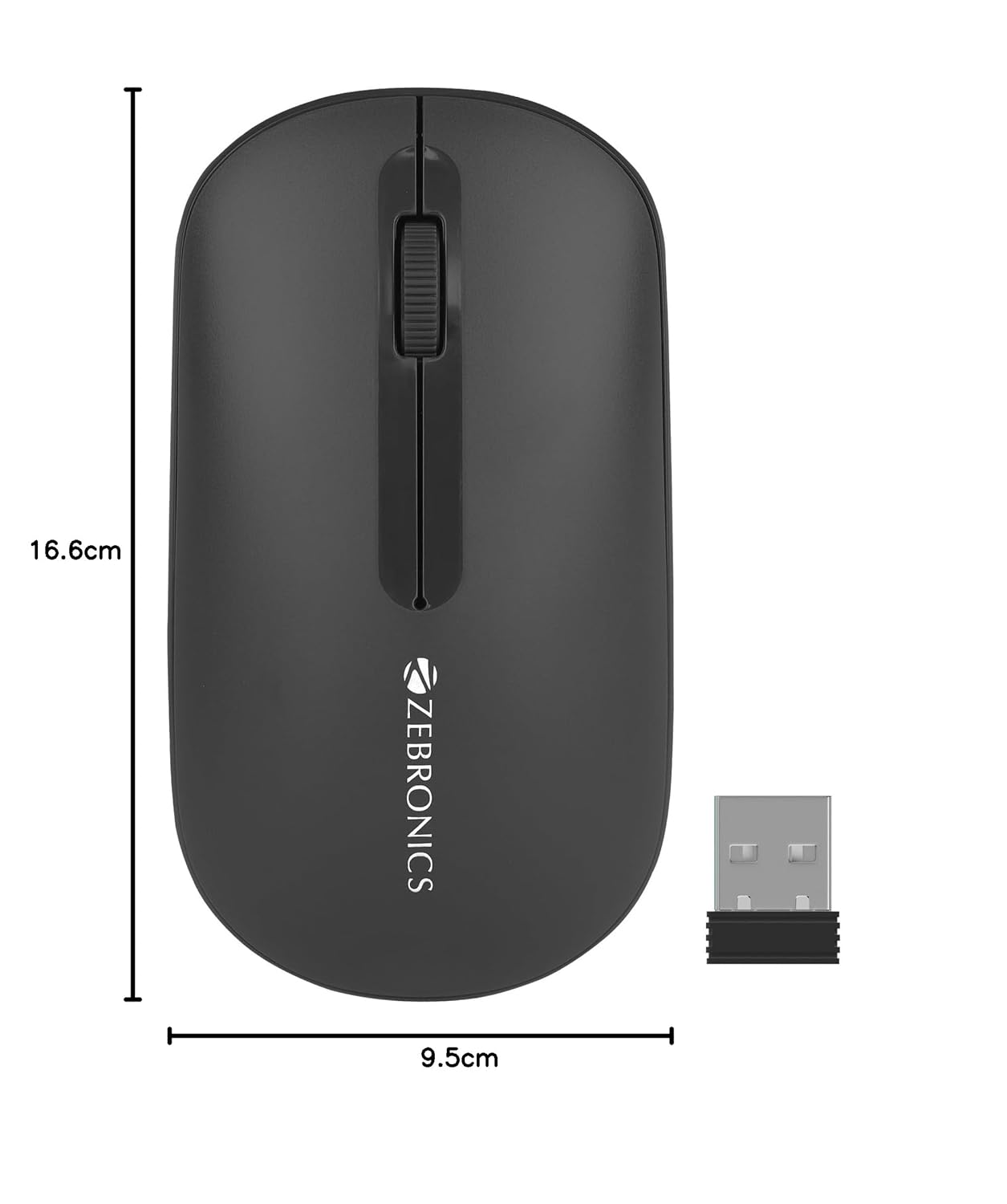
Image 8.1: Diagram showing the physical dimensions of the ZEBRONICS Pulse Wireless Mouse.
9. الضمان والدعم
For warranty information, technical support, or service inquiries, please refer to the warranty card included with your product or visit the official ZEBRONICS webالموقع. احتفظ بإيصال الشراء الخاص بك كإثبات للشراء في حالة مطالبات الضمان.
Official ZEBRONICS Webموقع: www.zebronics.com


