مقدمة
The Seestar S50 is an advanced, intelligent astronomical telescope designed for ease of use, making celestial exploration accessible to beginners and enthusiasts. This all-in-one device integrates a telescope, electrical focuser, astronomical camera, altazimuth mount, dew heater, and filter wheel into a compact unit. It enables users to capture stunning images of deep-space objects directly on their mobile devices through its advanced photography capabilities. This manual provides comprehensive instructions for setting up, operating, maintaining, and troubleshooting your Seestar S50.

Image: The Seestar S50 Smart Telescope, a compact black unit mounted on its included tripod, ready for observation.
ماذا يوجد في الصندوق
تأكد من وجود جميع المكونات قبل المتابعة في عملية الإعداد.
- Seestar S50 Smart Telescope Unit
- ترايبود من ألياف الكربون
- كابل USB من النوع C
- فلتر شمسي
- حقيبة الحمل
- دليل البدء السريع

Image: A visual representation of the Seestar S50 package contents, showing the main telescope unit, its compact carbon fiber tripod, a Type-C charging cable, a solar filter, a protective carrying case, and the quick start guide.
يثبت
- اشحن الجهاز: Before first use, fully charge the Seestar S50 using the provided Type-C USB cable. Connect the cable to the charging port on the unit and a compatible USB power adapter. The battery handles approximately 6-7 hours of operation on a full charge.
- قم بتثبيت الحامل الثلاثي: Securely screw the Seestar S50 unit onto the carbon fiber tripod. Ensure it is stable on a flat, level surface. For optimal stability, especially in windy conditions, consider using a heavier, full-sized carbon fiber tripod.
- تنزيل التطبيق: Download the official Seestar app from your mobile device's app store (compatible with Smartphone and Tablet).
- الاتصال بالتطبيق: Power on the Seestar S50. Open the app on your mobile device and follow the on-screen instructions to connect to the telescope via Wi-Fi/Bluetooth.
- المعايرة الأولية: The app will guide you through an initial calibration process, which includes leveling the device. A self-leveling tripod head is highly recommended for easier leveling.
تعليمات التشغيل
التشغيل العام
The Seestar S50 is designed for automated celestial observation and astrophotography. All primary functions are controlled via the mobile application.
- اختيار الهدف: Use the app's interface to browse and select celestial objects (e.g., deep-sky objects, nebulae). The app provides access to a live star database view and suggests tonight's best targets.
- Automatic Finding and Tracking: Once a target is selected, the Seestar S50 will automatically find and precisely track the object. An auto voice broadcast will inform you of the current imaging progress.
- التقاط الصورة: The telescope captures images and sends them to your connected mobile device. The app allows for real-time viewing and post-processing of images.

Image: The Seestar S50 telescope unit positioned next to a smartphone displaying its control application, illustrating the full-automatic find and track feature for celestial objects.
Astrophotography Tips
- Deep-Sky Objects: The Seestar S50 excels at capturing deep-sky objects like nebulae and galaxies.
- كوكبي Viewعمل: While capable of capturing small images of Jupiter and Saturn's rings, the S50 is not primarily designed for detailed planetary viewعمل.
- Light Pollution: The S50 can produce quality images even in light-polluted urban environments.
- Duo-Band Filter: The S50 includes a Duo-Band filter (OIII 30nm / Ha 20nm) which can be manually switched in the app to enhance certain types of astrophotography.
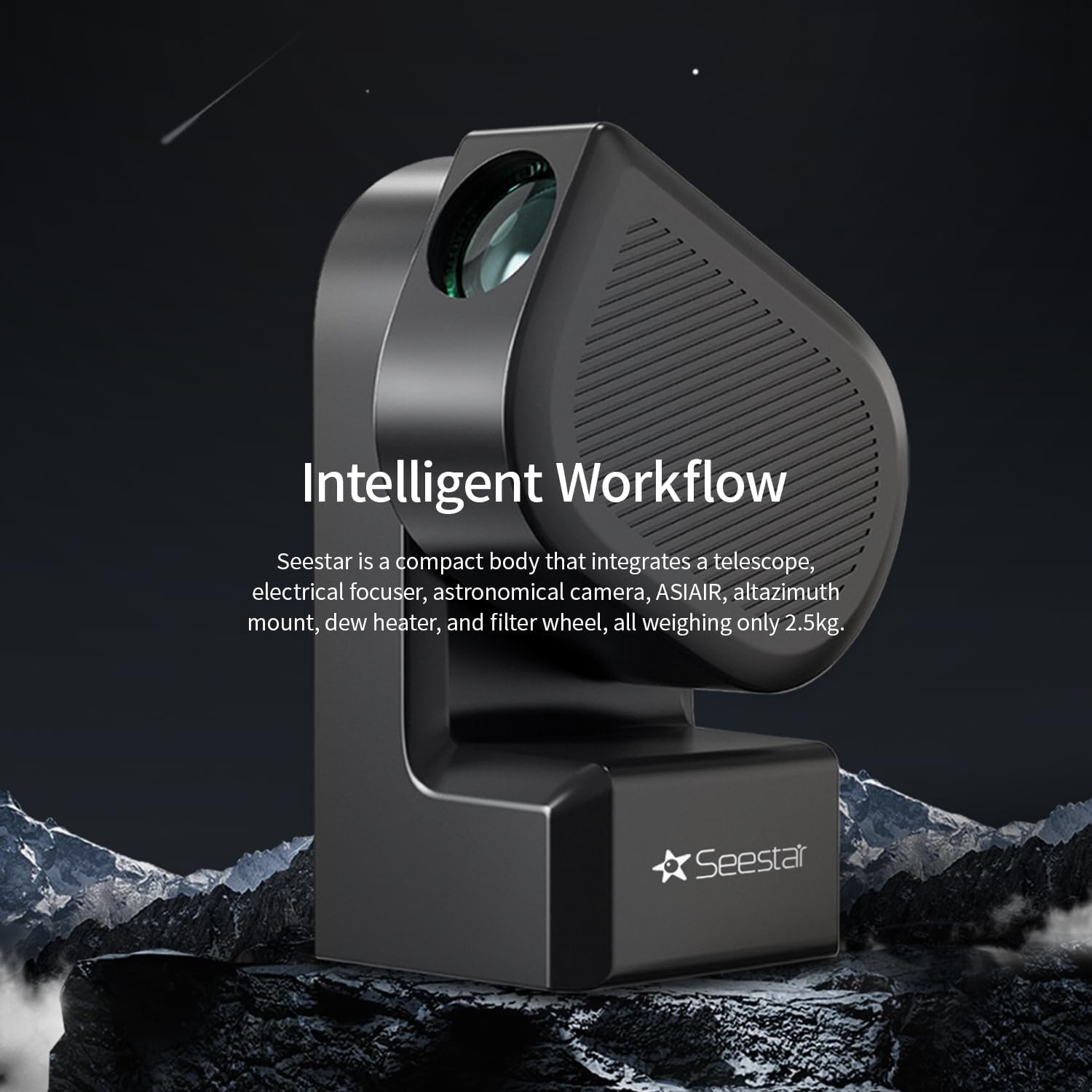
Image: A vibrant astrophotography image of the Orion Nebula, showcasing the capability of the Seestar S50 to capture detailed deep-sky objects.

Image: A visual explanation of the Duo-Band Filter, showing how it filters light to enhance specific wavelengths, alongside comparative images of celestial objects captured with and without the filter.
Solar Observation
The included solar filter is essential for safe solar observation and photography. Never observe the sun without the solar filter properly installed.

Image: The Seestar S50 unit shown with its orange solar filter, accompanied by example images of the sun captured using regular solar filter photography and specifically with the Seestar S50 solar filter, highlighting sunspots.
صيانة
- تنظيف العدسات: Use a soft, lint-free cloth specifically designed for optical lenses to gently clean the objective lens and other optical surfaces. Avoid harsh chemicals or abrasive materials.
- العناية بالبطارية: Keep the battery charged. If storing for extended periods, charge the battery to approximately 50% to prolong its lifespan. Avoid fully discharging the battery frequently.
- تخزين: Store the Seestar S50 in its carrying case in a cool, dry place, away from direct sunlight and extreme temperatures.
- تحديثات البرامج: Regularly check the Seestar app for software updates to ensure optimal performance and access to new features.
استكشاف الأخطاء وإصلاحها
| مشكلة | السبب المحتمل | حل |
|---|---|---|
| الجهاز لا يعمل. | بطارية منخفضة أو فارغة. | Charge the device fully using the Type-C USB cable. |
| لا يمكن الاتصال بتطبيق الهاتف المحمول. | Wi-Fi/Bluetooth issue; app glitch. | Ensure Wi-Fi/Bluetooth is enabled on your device. Restart both the Seestar S50 and the mobile app. For Android, if issues persist, try an iOS device if available, as the Android app can sometimes be finicky. |
| "View is blocked" error / Unable to find target. | Obstruction; unstable setup; calibration issue. | Ensure there are no physical obstructions. Verify the tripod is stable and level. Re-run the initial calibration process in the app. Strong winds can also affect tracking. |
| جودة الصورة رديئة. | Unstable platform; light pollution; dirty lens; incorrect settings. | Use a stable, heavy-duty tripod. Ensure lenses are clean. Check app settings for optimal exposure and processing. While the S50 handles light pollution well, extremely bright conditions can still impact results. |
تحديد
| ميزة | التفاصيل |
|---|---|
| رقم الموديل | س50 |
| ماركة | ZWO (Manufacturer: Seestar) |
| أبعاد المنتج | 14 × 14 × 8 بوصة |
| وزن العنصر | 5.94 جنيه (2.7 كيلوجرام) |
| طول الأنبوب البصري | 50 مليمتر |
| قطر العدسة الموضوعية | 50 مليمتر |
| نوع حامل التلسكوب | جبل ألتازيموت |
| نوع التركيز | التركيز الثابت |
| مصدر الطاقة | Battery Powered (Internal) |
| الأجهزة المتوافقة | الهاتف الذكي والكمبيوتر اللوحي |
| أول تاريخ متاح | 29 فبراير 2024 |
الضمان والدعم
For warranty information and technical support, please refer to the official ZWO webالموقع أو تواصل مع خدمة العملاء مباشرةً. احتفظ بإيصال الشراء كإثبات للشراء في حال وجود أي مطالبات بالضمان.
الموارد المتاحة على الإنترنت:
- ZWO Official Webموقع: www.zwoastro.com
- Seestar Product Page: www.zwoastro.com/seestar


