مقدمة
This manual provides detailed instructions for the setup, operation, and maintenance of your Rapoo M300G Silent Wireless Mouse. Please read this manual thoroughly to ensure proper use and to maximize the performance of your device.
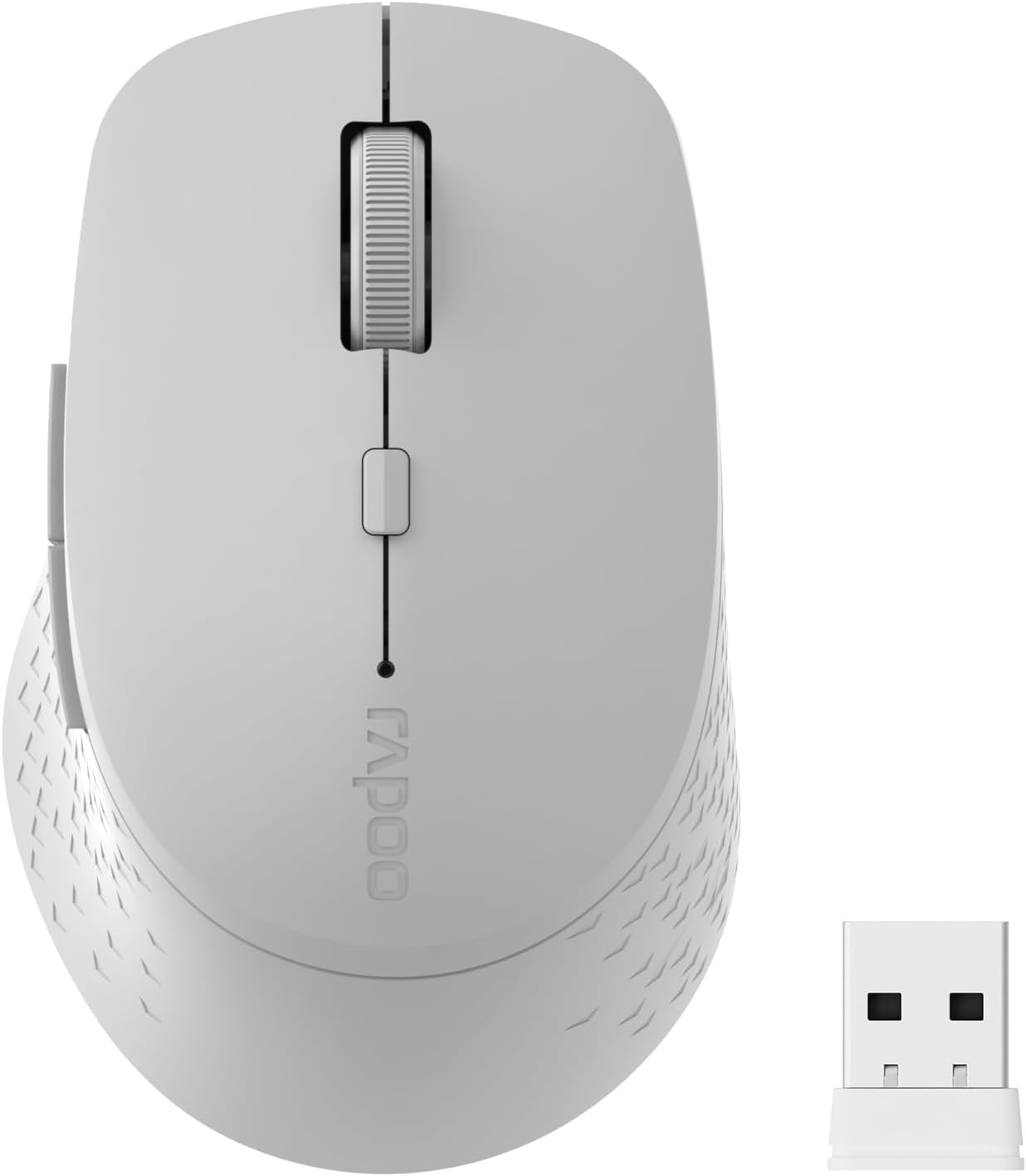
Image: The Rapoo M300G Silent Wireless Mouse in light grey, shown with its accompanying USB receiver.
محتويات الحزمة
تأكد من وجود جميع العناصر في العبوة:
- Rapoo M300G Wireless Mouse (x1)
- USB Receiver (x1)
- بطارية AA (x1)
- Product Manual (x1)
المنتج انتهىview
Familiarize yourself with the components of your Rapoo M300G mouse.
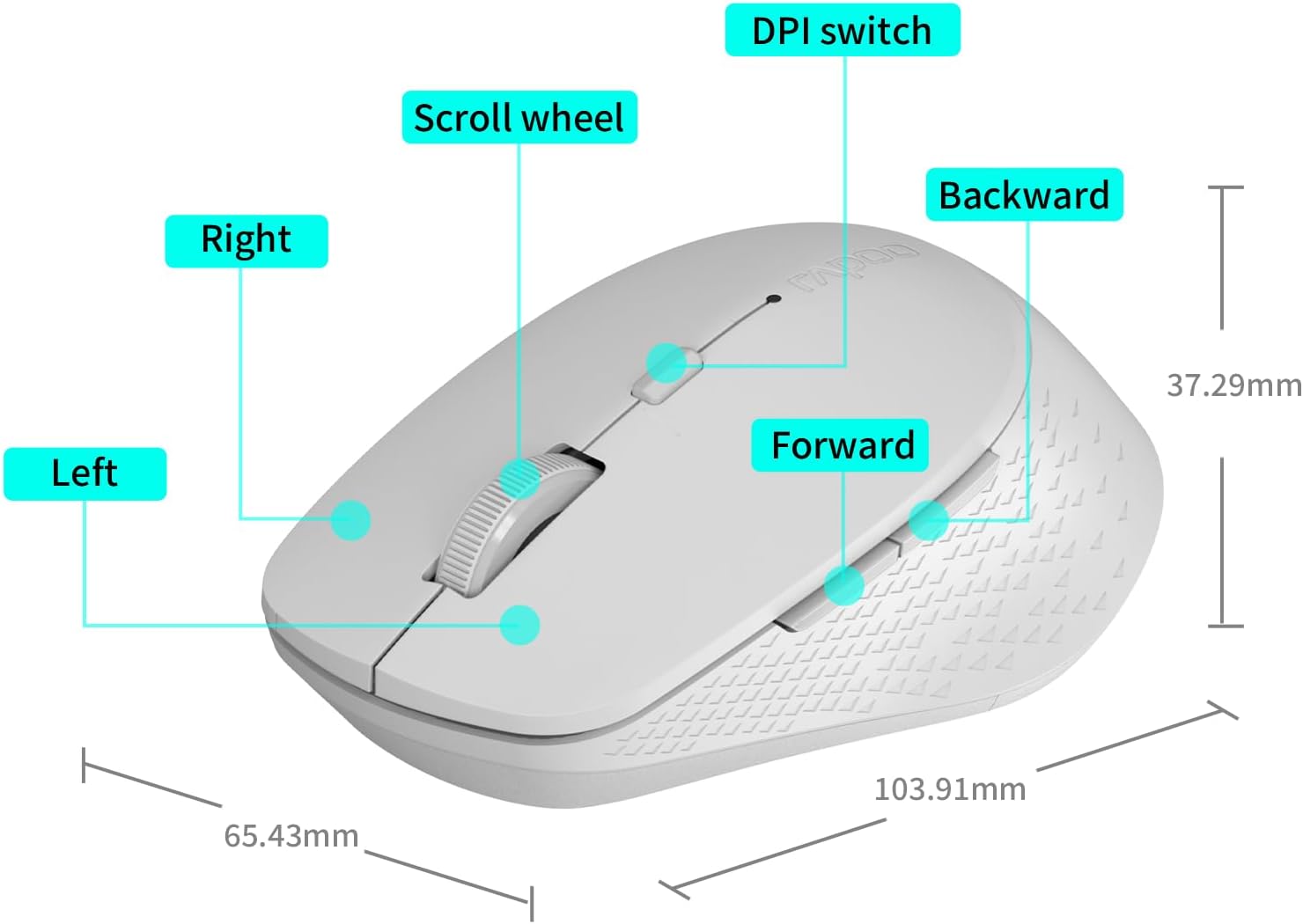
Image: A diagram illustrating the various parts of the Rapoo M300G mouse, including the left and right click buttons, scroll wheel, DPI switch, and forward/backward side buttons.
- الزر الأيسر: وظيفة النقر القياسية.
- الزر الأيمن: وظيفة قائمة السياق.
- عجلة التمرير: للتمرير العمودي والنقر الأوسط.
- مفتاح DPI: Adjusts cursor sensitivity.
- زر للأمام: يتنقل للأمام في web المتصفحات أو file المستكشفون.
- زر الرجوع: يتنقل للخلف في web المتصفحات أو file المستكشفون.
تعليمات الإعداد
The Rapoo M300G mouse supports both 2.4GHz wireless and Bluetooth connectivity. Choose the method that best suits your device.
1. تركيب البطارية
Open the battery compartment on the underside of the mouse. Insert the provided AA battery, ensuring correct polarity. Close the compartment.

Image: Illustration of the mouse's underside, highlighting the battery compartment and the integrated USB receiver storage slot.
2. Connecting via 2.4GHz Wireless Mode
- Locate the USB receiver inside the mouse's battery compartment.
- قم بإزالة جهاز استقبال USB وقم بتوصيله بمنفذ USB متاح على جهاز الكمبيوتر الخاص بك.
- قم بتشغيل الماوس باستخدام مفتاح الطاقة الموجود في الجزء السفلي.
- The mouse should automatically connect to your computer. No additional drivers are typically required.
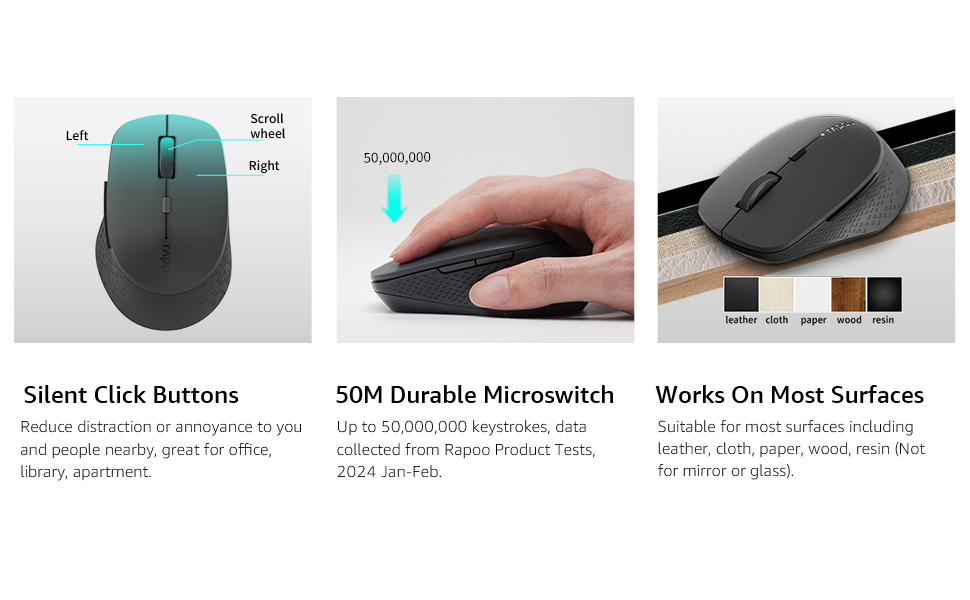
Image: Visual guide for connecting the mouse. The 2.4GHz mode shows the USB receiver being inserted into a computer.
3. Connecting via Bluetooth Mode
The mouse supports Bluetooth 5.0 and 4.0.
- قم بتشغيل الماوس باستخدام مفتاح الطاقة الموجود في الجزء السفلي.
- Press and hold the multifunction button on the underside of the mouse for 3-5 seconds until the indicator light flashes slowly. This indicates pairing mode.
- على جهاز الكمبيوتر أو الجهاز الخاص بك، افتح إعدادات البلوتوث.
- بحث عن new devices and select "Rapoo M300G" (or similar) from the list.
- اتبع التعليمات التي تظهر على الشاشة لإكمال عملية الاقتران. سيتوقف ضوء المؤشر عن الوميض بمجرد الاتصال.

Image: Diagram detailing the multifunction button on the mouse's underside, explaining its use for DPI adjustment (short press) and Bluetooth pairing (long press).
Image: Visual guide for connecting the mouse. The Bluetooth mode shows the mouse pairing with a laptop.
تعليمات التشغيل
1. Switching Between Devices (Multi-Mode)
The Rapoo M300G can connect to two devices simultaneously (one via 2.4GHz, one via Bluetooth). To switch between connected devices, briefly press the multifunction button on the underside of the mouse. The indicator light will change to confirm the active connection mode.

Image: The Rapoo M300G mouse demonstrating its ability to connect to two devices simultaneously, one via 2.4GHz and another via Bluetooth.
2. ضبط حساسية الشاشة (DPI)
The mouse offers 5 adjustable DPI levels: 800, 1000, 1200, 1600, and 2400. To change the DPI, press the DPI switch button located on the top of the mouse, below the scroll wheel. Each press cycles through the available DPI settings.

Image: A visual representation of the mouse's adjustable DPI settings, ranging from 800 to 2400, with an arrow pointing to the DPI switch button.
3. ميزة النقر الصامت
The Rapoo M300G features silent click buttons, reducing operational noise by 90%. This design is intended for quiet environments, minimizing disturbance to others.

Image: The Rapoo M300G mouse, emphasizing its silent click functionality, suitable for quiet environments.

الصورة: مفصلة view of the mouse's silent click buttons, durable microswitches, and its ability to function on various surfaces.
4. توافق السطح
The advanced optical tracking engine allows the mouse to operate effectively on various surfaces, including leather, cloth, paper, wood, and resin, without requiring a mouse pad. Performance may vary on glass or mirrored surfaces.

Image: The Rapoo M300G mouse positioned on different materials, highlighting its capability to track on diverse surfaces.
صيانة
1. استبدال البطارية
When the mouse performance degrades or the indicator light signals low battery, replace the AA battery. The mouse is designed for low power consumption, offering up to 12 months of battery life under normal conditions.

Image: An illustration emphasizing the Rapoo M300G mouse's extended battery life of up to 12 months.
2. التنظيف
لتنظيف الفأرة، استخدم قطعة قماش ناعمة وجافة. أما للأوساخ المستعصية، فاستخدم قطعة قماش مبللة قليلاً.amp cloth can be used, ensuring no moisture enters the internal components. Avoid using harsh chemicals or abrasive materials.
استكشاف الأخطاء وإصلاحها
الماوس لا يستجيب
- التحقق من البطارية: تأكد من تركيب بطارية AA بشكل صحيح وشحنها بشكل كافٍ. استبدلها إذا لزم الأمر.
- مفتاح التشغيل: تأكد من تشغيل الماوس.
- USB Receiver (2.4GHz Mode): تأكد من توصيل جهاز استقبال USB بشكل صحيح بمنفذ USB يعمل. جرب منفذ USB آخر.
- Bluetooth Connection (Bluetooth Mode):
- تأكد من تمكين البلوتوث على جهازك.
- Re-enter pairing mode on the mouse (long press multifunction button) and re-pair with your device.
- قم بإزالة الماوس من قائمة البلوتوث الخاصة بجهازك وحاول الاقتران مرة أخرى.
- تدخل: حرّك الماوس أقرب إلى جهاز الاستقبال/الجهاز. تجنّب استخدام الماوس بالقرب من أجهزة لاسلكية أخرى قد تُسبب تداخلاً.
حركة المؤشر غير منتظمة
- مستشعر نظيف: Ensure the optical sensor on the underside of the mouse is clean and free from dust or debris.
- سطح: Try using the mouse on a different surface. While the mouse works on many surfaces, some highly reflective or uneven surfaces may affect tracking.
- إعداد DPI: Adjust the DPI setting using the DPI switch button to see if a different sensitivity improves performance.
تحديد
| نموذج | م300ج |
| تكنولوجيا الاتصال | Bluetooth 5.0, Bluetooth 4.0, 2.4GHz Wireless |
| تقنية كشف الحركة | بصري |
| قابل للتعديل DPI | 800 / 1000 / 1200 / 1600 / 2400 |
| المميزات الخاصة | Silent Clicks, Multi-Device Switching, Portable, Ergonomic Design |
| نوع البطارية | بطارية 1 x AA (مضمنة) |
| عمر البطارية | حتى 12 أشهر |
| أبعاد المنتج | 4.09 × 2.57 × 0.04 بوصة (103.91 × 65.43 × 37.29 مم) |
| وزن العنصر | 3.52 أونصات (100 جرام) |
| التوافق | ويندوز، ماك أو إس، لينكس، آي أو إس، أندرويد، كروم أو إس |
الضمان والدعم
Your Rapoo M300G Silent Wireless Mouse comes with a ضمان لمدة سنة واحدة من تاريخ الشراء. بالإضافة إلى ذلك، 30-day return and refund or replacement policy is offered. For warranty claims, technical support, or product inquiries, please contact your retailer or visit the official Rapoo webموقع للحصول على المساعدة.
لمزيد من المعلومات، يمكنك زيارة Rapoo Brand Store on Amazon.


