1. المقدمة
Thank you for choosing the iProda 15.6-inch Portable Monitor. This device is designed to enhance your productivity and entertainment by providing a versatile second screen for your laptop, PC, smartphone, and gaming consoles. This manual will guide you through the setup, operation, and maintenance of your new monitor.
2. مواصفات المنتج
- 15.6-inch Full HD (1080p) IPS Display: استمتع بألوان نابضة بالحياة ونطاق واسع viewزوايا متعددة.
- معدل تحديث 60 هرتز: Ensures smooth visuals for work and entertainment.
- شاشة مضادة للوهج: يقلل من الانعكاسات لتوفير راحة أكبر viewفي ظروف الإضاءة المختلفة.
- خفيفة الوزن وقابلة للحمل: Weighing approximately 1.2 kg (2.6 lbs) and only 0.6 cm (0.24 inches) thick, it's ideal for on-the-go use.
- اتصال سهل وسريع: Simple setup with USB-C or HDMI.
- مكبرات الصوت المدمجة: Integrated audio for convenience.
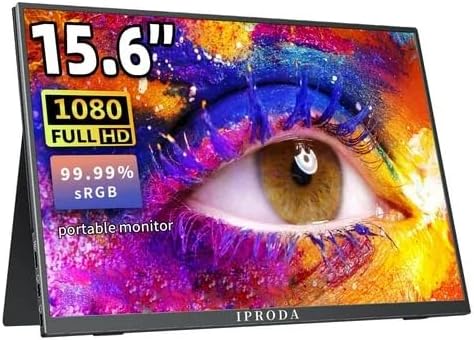
Figure 2.1: iProda 15.6-inch Portable Monitor showcasing its 1080 Full HD resolution and sRGB color accuracy.

Figure 2.2: Close-up of the iProda portable monitor screen highlighting IPS technology and a 178-degree super wide viewing angle for an excellent visual experience.
3. دليل الإعداد
The iProda portable monitor is designed for easy plug-and-play setup. Follow these steps to connect your device:
- توصيل الطاقة: Connect the monitor to a power source using the provided USB-C cable and a compatible power adapter (not always included, check packaging).
- اتصال الفيديو:
- USB-C (Full Function): If your device (laptop, smartphone) has a full-function USB-C port that supports video output and power delivery, simply connect a single USB-C cable from your device to one of the monitor's USB-C ports.
- ميني HDMI: Connect a mini HDMI to HDMI cable from the monitor's mini HDMI port to your device's HDMI port. You will also need to connect a USB-C cable for power.
- الصوت (اختياري): If you prefer to use external headphones or speakers, connect them to the 3.5mm audio jack on the monitor.
- إعدادات الجهاز: Your device should automatically detect the monitor. If not, you may need to adjust display settings in your operating system (e.g., Windows Display Settings, macOS System Preferences).
4. تعليمات التشغيل
The monitor features intuitive controls for adjusting settings:
- زر التشغيل / زر الرجوع: Press and hold to power on/off. Short press to return to the previous menu in OSD settings.
- Dial-wheel Switch (OSD Settings):
- يضعط: Enter the On-Screen Display (OSD) menu.
- التمرير لأعلى/لأسفل: تصفح خيارات القائمة أو اضبط القيم.
- Press (while in menu): تأكيد الاختيار.
The OSD menu allows you to adjust brightness, contrast, color settings, input source, and other display parameters.
5. الاتصال والتوافق
The iProda portable monitor offers broad compatibility with various devices:
- USB-C (x2, Full Function): Connects to laptops, PCs, tablets, and smartphones that support DisplayPort Alternate Mode and Power Delivery.
- Mini HDMI (x1): Connects to devices with an HDMI output, including laptops, PCs, gaming consoles (Xbox, PlayStation, Nintendo Switch), and media players.
- مقبس سماعة رأس 3.5 ملم (عدد 1): لتوصيل أجهزة الصوت الخارجية.
تشمل الأجهزة المتوافقة ما يلي:
- أجهزة الكمبيوتر المكتبية
- أجهزة الكمبيوتر المحمولة (ويندوز، ماك أو إس)
- الأجهزة اللوحية
- Smartphones (with full-function USB-C)
- نينتندو سويتش
- PlayStation 4/5
- Xbox One/Series X|S

Figure 5.1: Port layout and compatible devices for the iProda portable monitor.
6. أوضاع الاستخدام
When connected to a laptop or PC, the iProda portable monitor supports various display modes:
- وضع مكرر: Displays the same content on both your primary screen and the portable monitor. Ideal for presentations or sharing content.
- تمديد الوضع: Extends your desktop across both screens, providing more screen real estate for multitasking. Drag windows between screens.
- وضع الشاشة الثانية فقط: Displays content only on the portable monitor, with your primary screen turned off. Useful for focusing on a single display or when using the portable monitor as the main display.

Figure 6.1: Display modes (Duplicate, Extend, Second Screen Only) with a laptop.
7. Applications and Use Cases
The iProda portable monitor is versatile for various scenarios:
- Daily Work & Business: Enhance productivity by extending your workspace for spreadsheets, documents, and presentations.
- Phone Extension: Transform your smartphone into a larger display for media consumption or light productivity tasks.
- On-the-GO: Its lightweight design makes it perfect for travel, remote work, or mobile presentations.
- الألعاب: Connect to your favorite gaming consoles for an immersive gaming experience anywhere.
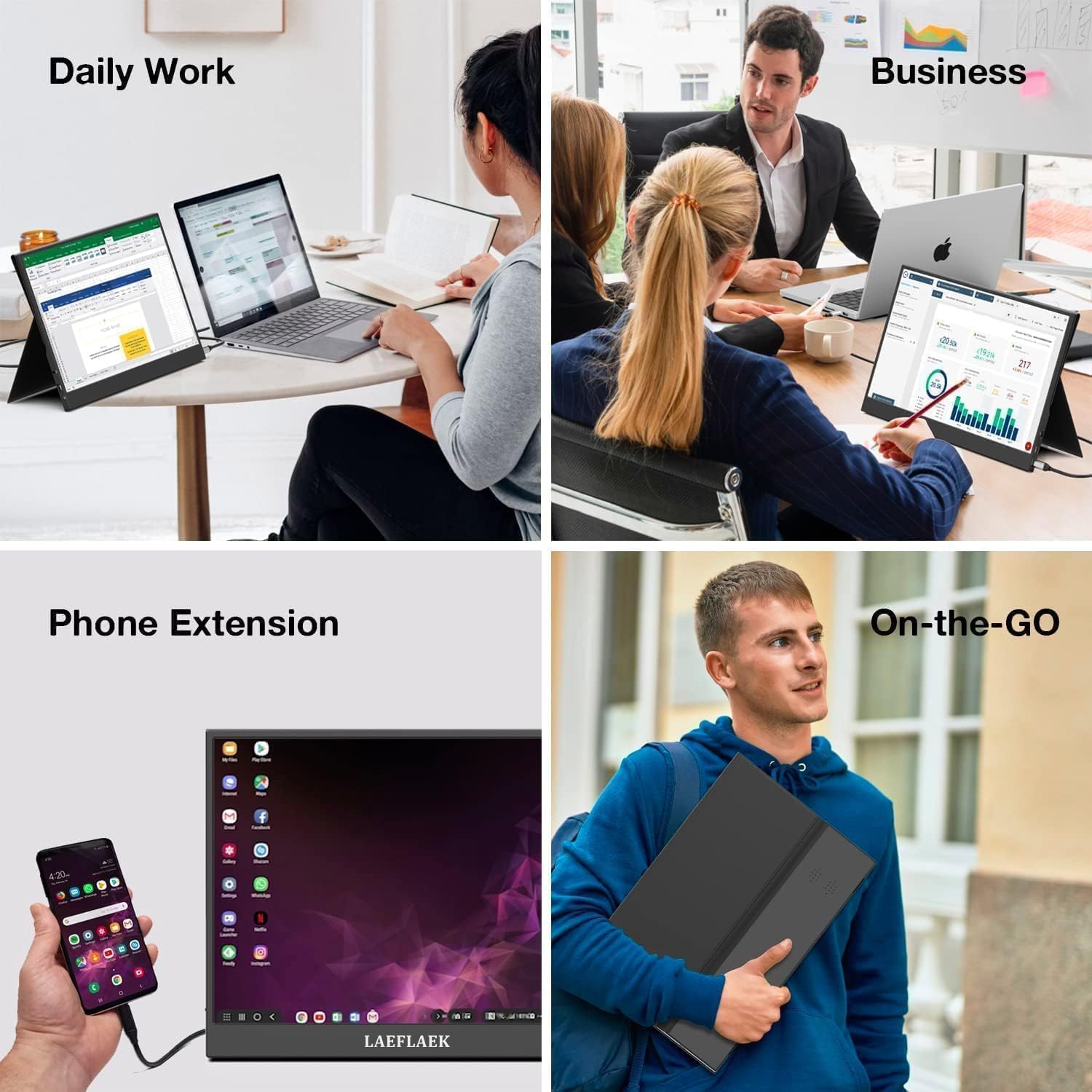
Figure 7.1: Various applications of the iProda portable monitor.

Figure 7.2: iProda portable monitor used for gaming with various consoles.
8. الصيانة
To ensure the longevity and optimal performance of your iProda portable monitor, follow these maintenance guidelines:
- تنظيف الشاشة: استخدم قطعة قماش ناعمة وخالية من الوبر وامسحها برفق.ampened with water or a screen-cleaning solution. Do not spray liquid directly onto the screen. Avoid using harsh chemicals or abrasive materials.
- تنظيف Casing: امسح شاشة الكمبيوترasinباستخدام قطعة قماش ناعمة وجافة.
- تخزين: When not in use, store the monitor in a cool, dry place, preferably in its original packaging or a protective sleeve to prevent dust and scratches.
- التعامل: احرص دائمًا على حمل الشاشة من حوافها. تجنب الضغط على الشاشة.
9. استكشاف الأخطاء وإصلاحها
If you encounter issues with your iProda portable monitor, refer to the following common problems and solutions:
| مشكلة | السبب المحتمل | حل |
|---|---|---|
| لا توجد إشارة / شاشة سوداء | Incorrect input source selected; Loose cable connection; Insufficient power; Device not outputting video. | Check cable connections; Ensure monitor is powered; Select correct input source via OSD; Verify device's video output settings. |
| لا يوجد طاقة | Power cable not connected; Power adapter faulty; USB-C port on device not providing enough power. | Ensure power cable is securely connected; Try a different power adapter/USB-C port; Use an external power source if needed. |
| شاشة متذبذبة | Faulty cable; Interference; Graphics driver issue. | Try a different cable; Ensure no strong electromagnetic interference; Update graphics drivers on your connected device. |
| لا يوجد صوت من الشاشة | Monitor volume too low; Audio output not set to monitor; External speakers/headphones connected. | Adjust monitor volume via OSD; Set audio output to the monitor in your device's sound settings; Disconnect external audio devices if using monitor speakers. |
If the problem persists after trying these solutions, please contact iProda customer support for further assistance.
10. المواصفات
| ميزة | مواصفة |
|---|---|
| حجم الشاشة | 15.6 بوصة |
| نوع العرض | IPS, Anti-glare |
| دقة | دقة كاملة عالية (1920 × 1080) |
| معدل التحديث | 60 هرتز |
| نسبة العرض إلى الارتفاع | 16:9 |
| الاتصال | 2x USB-C (Full Function), 1x Mini HDMI, 1x 3.5mm Audio Jack |
| وزن | حوالي 1.2 كجم (2.6 رطل) |
| سماكة | تقريبًا 0.6 سم (0.24 بوصة) |
| مكبرات صوت مدمجة | نعم |
11. الضمان والدعم
Your iProda portable monitor comes with a standard manufacturer's warranty. Please refer to the warranty card included in your product packaging for specific terms and conditions.
For technical support, troubleshooting assistance, or warranty claims, please contact iProda customer service through the contact information provided on the official iProda webالموقع أو منصة الشراء الخاصة بك.
يرجى تجهيز طراز المنتج وتفاصيل الشراء عند الاتصال بالدعم.


