مقدمة
This manual provides comprehensive instructions for the operation and maintenance of your Kodak PIXPRO FZ45 Digital Camera. Please read this manual thoroughly before using your camera to ensure proper handling and optimal performance. The Kodak PIXPRO FZ45 is a compact and user-friendly digital camera designed for capturing high-quality photos and Full HD videos with ease.
ما هو المشمول
Your Kodak PIXPRO FZ45 package includes the following items:
- Kodak PIXPRO FZ45 Digital Camera (Red)
- بطاقة ذاكرة SD سعة 32 جيجابايت
- حقيبة الكاميرا
- 2x بطاريات AA
- كابل يو اس بي
- حزام المعصم
- دليل البدء السريع
- Kodak 1 Year Limited Warranty Card
المنتج انتهىview
The Kodak PIXPRO FZ45 is designed for simplicity and performance. Below are key components and their functions.

Figure 1: Kodak PIXPRO FZ45 Digital Camera bundle, showing the red camera, a black camera bag, and a SanDisk 32GB SD card.

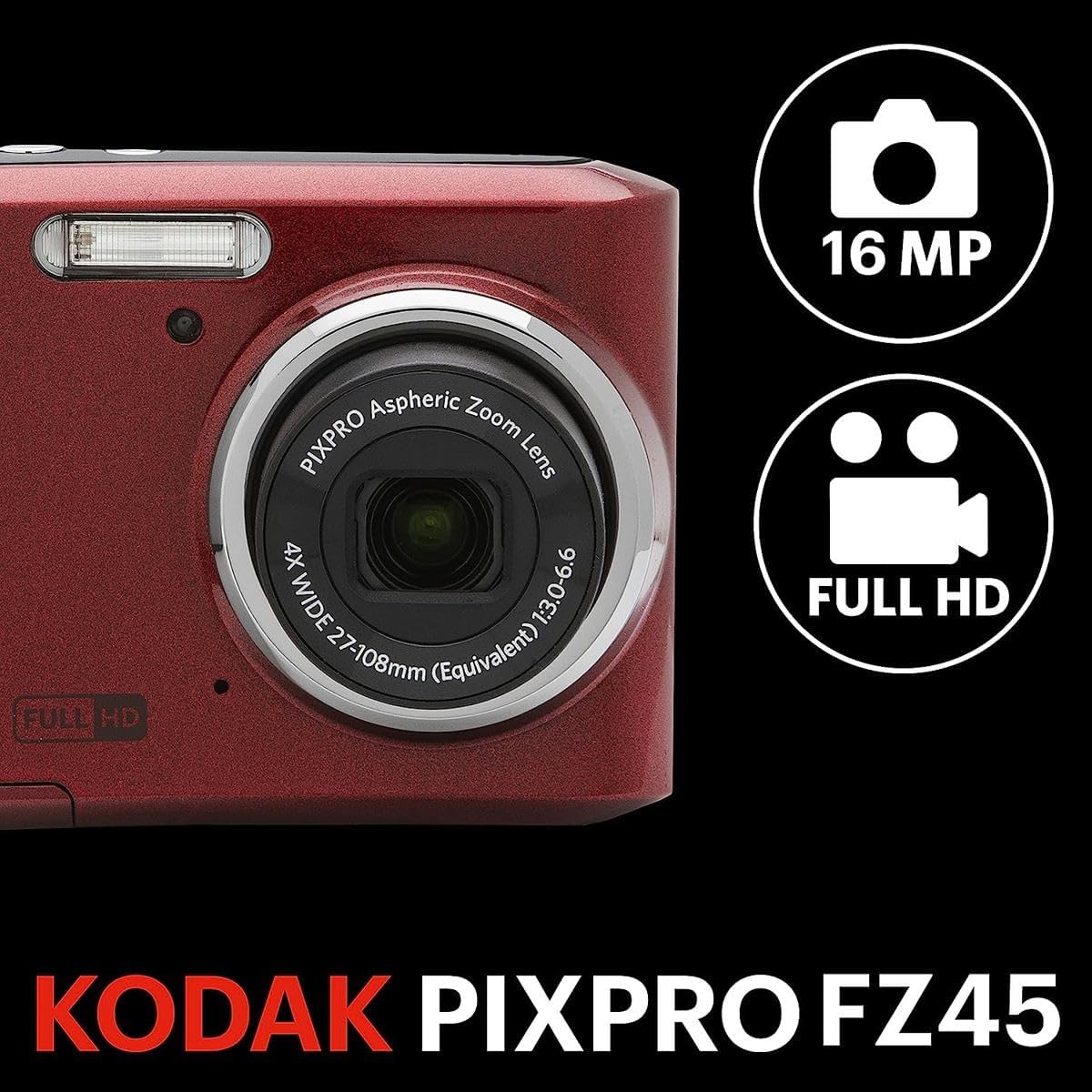
الشكل 2: الجبهة view of the Kodak PIXPRO FZ45 camera, highlighting the lens, flash, and Kodak branding.

الشكل 3: خلفي view of the Kodak PIXPRO FZ45 camera, displaying the 2.7-inch LCD screen and various control buttons for navigation and settings.

الشكل 4: الجزء العلوي view of the Kodak PIXPRO FZ45 camera, showing the shutter button and power button.
الشكل 5: الجانب view of the Kodak PIXPRO FZ45 camera, indicating the wrist strap attachment point.

الشكل 6: القاع view of the Kodak PIXPRO FZ45 camera, revealing the battery and memory card compartment cover.

Figure 7: The Slinger Alpine 2 Camera Bag, a compact and water-resistant case designed for point-and-shoot cameras.

Figure 8: The SanDisk Ultra 32GB SD Memory Card, included for storing photos and videos.
يثبت
1. إدخال البطاريات
- حدد موقع غطاء حجرة البطارية في الجزء السفلي من الكاميرا.
- حرك الغطاء لفتحه.
- أدخل بطاريتي AA، مع التأكد من صحة القطبية (+/-) كما هو موضح داخل الحجرة.
- أغلق غطاء حجرة البطارية بشكل آمن حتى يستقر في مكانه.
2. إدخال بطاقة الذاكرة
- بعد فتح حجرة البطارية، حدد مكان فتحة بطاقة الذاكرة SD.
- Insert the 32GB SD memory card with the metal contacts facing the front of the camera until it clicks into place.
- لإزالتها، ادفع البطاقة برفق حتى تخرج.
3. ربط حزام المعصم
Thread the wrist strap through the strap lug on the side of the camera to prevent accidental drops.
تشغيل الكاميرا
تشغيل/إيقاف التشغيل
اضغط على قوة الزر الموجود في الجزء العلوي من الكاميرا لتشغيلها أو إيقاف تشغيلها.
عناصر التحكم الأساسية
The camera features an intuitive button layout on the rear for easy navigation:
- ديس.: Toggles display information on the LCD screen.
- تعيين: يؤكد الاختيارات في القوائم.
- وضع: Changes shooting modes (e.g., Auto, Program, Scene Modes).
- الوسادة الاتجاهية: Navigates menus and adjusts settings. The up arrow often controls flash settings, and the down arrow may control self-timer.
- W/T (Zoom Lever): Controls the optical and digital zoom. 'W' for wide-angle, 'T' for telephoto.
التقاط الصور
- قم بتشغيل الكاميرا.
- قم بتأطير اللقطة باستخدام شاشة LCD مقاس 2.7 بوصة.
- اضغط على مصراع button halfway down to focus. The focus frame will turn green when focus is achieved.
- اضغط على مصراع button all the way down to capture the image.
تسجيل مقاطع الفيديو
The FZ45 supports 1080p Full HD video recording.
- Switch to video recording mode using the وضع الزر إذا لزم الأمر.
- اضغط على الزر المخصص سِجِلّ button (often marked with a red dot) to start recording.
- اضغط على سِجِلّ زر مرة أخرى لإيقاف التسجيل.
باستخدام الفلاش
The built-in flash can be adjusted for various lighting conditions. Press the فلاش button (often the up arrow on the directional pad) to cycle through modes like Auto Flash, Fill-in Flash, Red-eye Reduction, and Flash Off.
صيانة
تنظيف الكاميرا
- استخدم قطعة قماش ناعمة وخالية من الوبر لتنظيف جسم الكاميرا.
- للعدسة وشاشة LCD، استخدم قطعة قماش ومحلولًا مخصصًا لتنظيف العدسات. تجنب المواد الكيميائية القاسية.
- Do not use excessive force when cleaning.
العناية بالبطارية
- قم بإزالة البطاريات إذا لم يتم استخدام الكاميرا لفترة طويلة لمنع التسرب.
- Use only recommended AA alkaline batteries.
- تخلص من البطاريات المستعملة بطريقة مسؤولة.
التعامل مع بطاقة الذاكرة
- قم دائمًا بتنسيق بطاقات الذاكرة الجديدة في الكاميرا قبل الاستخدام الأول.
- Avoid removing the memory card while the camera is powered on or writing data.
- احتفظ ببطاقات الذاكرة بعيدًا عن المجالات المغناطيسية القوية.
استكشاف الأخطاء وإصلاحها
| مشكلة | السبب المحتمل / الحل |
|---|---|
| الكاميرا لا تعمل. | Check if batteries are inserted correctly and have sufficient charge. Replace with new AA batteries if necessary. |
| الصور ضبابية. | Ensure proper focus by pressing the shutter button halfway. Hold the camera steady during capture. Check lighting conditions; use flash if needed. |
| خطأ في بطاقة الذاكرة. | Reinsert the memory card. Try formatting the card (this will erase all data). Use a different compatible SD card if the issue persists. |
| الفلاش لا يعمل. | Check flash settings to ensure it's not set to "Flash Off". Allow time for the flash to recharge between shots. |
| عمر البطارية قصير. | Using flash frequently or reviewing images extensively can drain batteries faster. Use fresh, high-quality AA alkaline batteries. |
تحديد
| ميزة | التفاصيل |
|---|---|
| ماركة | كوداك |
| اسم الموديل | بيكس برو FZ45 |
| دقة مستشعر الصورة | 16 ميجا بكسل |
| التكبير البصري | 4x |
| تقريب رقمي | 6x (combined 24x capability) |
| دقة الفيديو | 1080p Full HD |
| حجم الشاشة | شاشة LCD مقاس 2.7 بوصة |
| تثبيت الصورة | رقمي |
| مدعوم File شكل | RAW, MP4 (Video) |
| الطول البؤري الأدنى | 27 مليمتر |
| الطول البؤري الأقصى | 108 مليمتر |
| مصدر الطاقة | عدد 2 بطاريات AA قلوية |
| الاتصال | USB, HDMI (Video Out) |
| دعم بطاقة الذاكرة | SDHC, SDXC (up to 32GB included) |
| وزن العنصر | 15.52 أونصات |
| لون | أحمر |
الضمان والدعم
معلومات الضمان
Your Kodak PIXPRO FZ45 Digital Camera comes with a Kodak 1 Year Limited Warranty. This warranty covers manufacturing defects and issues arising from normal use within one year from the date of purchase. Please retain your proof of purchase for warranty claims.
دعم العملاء
For technical assistance, troubleshooting beyond this manual, or warranty service, please refer to the contact information provided on your warranty card or visit the official KODAK PIXPRO support webموقع. يمكنك أيضًا زيارة متجر كوداك على أمازون لمزيد من المعلومات عن المنتج.


