مقدمة
This manual provides essential information for the proper use and care of your GameSir USB-A to USB-C Cable. Please read these instructions carefully before use to ensure optimal performance and longevity of the product.
The GameSir USB-A to USB-C cable is designed for connecting GameSir controllers and other compatible USB-C devices to a USB-A port for data transfer and charging.
مميزات المنتج
- نوع الموصل: USB-A إلى USB-C
- طول الكابل: 1.8 أمتار (5.9 قدم)
- مادة: Durable PVC outer jacket
- الوظائف: نقل البيانات والشحن
- التوافق: Compatible with all GameSir controllers that support wired connection, and other USB Type-C devices.

الصورة: عن قرب view of the USB-A and USB-C connectors of the GameSir cable.

Image: The GameSir USB-A to USB-C cable with "GAMESIR PVC CABLE" branding, highlighting its material.

Image: The GameSir USB-A to USB-C cable coiled, illustrating its 1.8-meter (5.9-foot) length.
يثبت
- تحديد المنافذ: Locate the USB-A port on your computer, gaming console, or power adapter, and the USB-C port on your GameSir controller or other compatible device.
- قم بتوصيل منفذ USB-A: Insert the USB-A end of the cable into the USB-A port of your host device (e.g., PC, console).
- قم بتوصيل منفذ USB-C: Insert the USB-C end of the cable into the USB-C port of your GameSir controller or other compatible device. Ensure the connection is firm.
- التوصيل والتشغيل: The cable is designed for plug-and-play functionality. Your device should automatically recognize the connection for data transfer or charging.

Image: The GameSir USB-A to USB-C cable connected to various GameSir controllers, demonstrating wired connection support.
تعليمات التشغيل
Once connected, the GameSir USB-A to USB-C cable facilitates two primary functions:
- نقل البيانات: For GameSir controllers, this enables a wired connection to your gaming platform, reducing input lag and ensuring a stable connection for gameplay. For other compatible devices, it allows for data synchronization.
- الشحن: When connected to a power source (e.g., a USB wall adapter or a powered USB port on a computer/console), the cable will charge your compatible USB-C device.
Ensure your device's drivers are up-to-date if experiencing connectivity issues with a computer.
الصيانة والعناية
To ensure the longevity and optimal performance of your GameSir USB-A to USB-C cable, follow these maintenance guidelines:
- تخزين: خزّن الكابل في مكان بارد وجاف بعيدًا عن أشعة الشمس المباشرة ودرجات الحرارة القصوى. تجنّب لفّ الكابل بإحكام أو ثنيه بزوايا حادة.
- تنظيف: Use a soft, dry cloth to gently wipe the cable and connectors. Do not use harsh chemicals or abrasive cleaners.
- التعامل: Always grasp the connector head when plugging or unplugging the cable. Avoid pulling directly on the cable itself, as this can damage the internal wires.
- متانة: The cable features a clean and durable PVC outer jacket, rigorously tested for durability through plugging, suspension, and bending simulations. However, excessive force or improper handling can still cause damage.
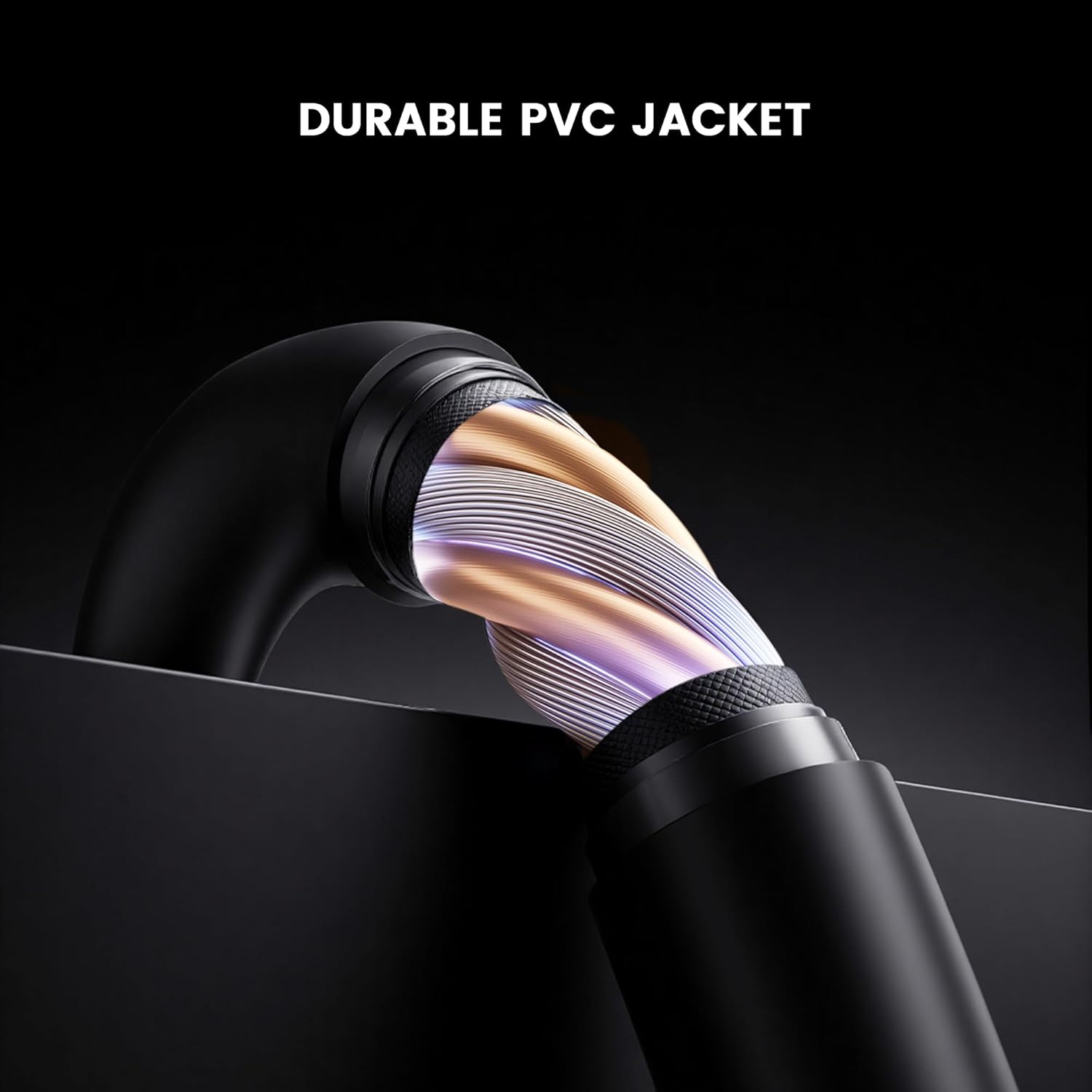
الصورة: المقطع العرضي view of the GameSir USB-A to USB-C cable, highlighting its durable PVC jacket and internal construction.
استكشاف الأخطاء وإصلاحها
If you encounter issues with your GameSir USB-A to USB-C cable, refer to the following common troubleshooting steps:
- الجهاز غير قابل للتعريف:
- تأكد من توصيل كلا طرفي الكابل بالمنافذ المخصصة لهما بشكل آمن.
- Try connecting the cable to a different USB-A port on your host device.
- Test the cable with another compatible USB-C device to rule out an issue with the original device.
- If connecting to a computer, ensure necessary drivers for your GameSir controller or device are installed and up-to-date.
- الشحن البطيء أو عدم الشحن:
- Verify that the power source (e.g., wall adapter, computer USB port) is providing sufficient power.
- Ensure the cable is fully inserted into both the power source and the device.
- Try a different power source or wall adapter.
- اتصال متقطع:
- تحقق من وجود أي تلف مرئي في الكابل أو الموصلات.
- Ensure there is no dust or debris in the USB ports of your devices or the cable connectors.
- Avoid bending or stressing the cable during use.
تحديد
| ماركة | جيم سير |
| رقم الموديل | 6936685221581 |
| نوع الموصل | USB Type C (Male) to USB Type A (Male) |
| نوع الكابل | USB |
| طول الكابل | 1.8 أمتار (5.9 قدم) |
| لون | أسود |
| الأجهزة المتوافقة | GameSir Gaming Consoles/Controllers, other USB Type-C devices |
| ميزة خاصة | نقل البيانات |
| سترة الخارجي المواد | بولي فينيل كلوريد |
| الاستخدام الداخلي والخارجي | داخلي |
| وزن العنصر | 1.76 أونصات |
الضمان والدعم
للحصول على معلومات الضمان والدعم الفني، يرجى الرجوع إلى موقع GameSir الرسمي website or contact GameSir customer service directly. Keep your purchase receipt for warranty claims.
GameSir Official Store US: معلومات البائع


