1. المقدمة
Thank you for choosing the deli M124 Basic Desktop Calculator. This manual provides essential information for the proper setup, operation, and maintenance of your calculator. Designed for ease of use, the deli M124 features a 12-digit large LCD display and comfortable, rounded buttons, making it suitable for various environments including offices, schools, and homes.
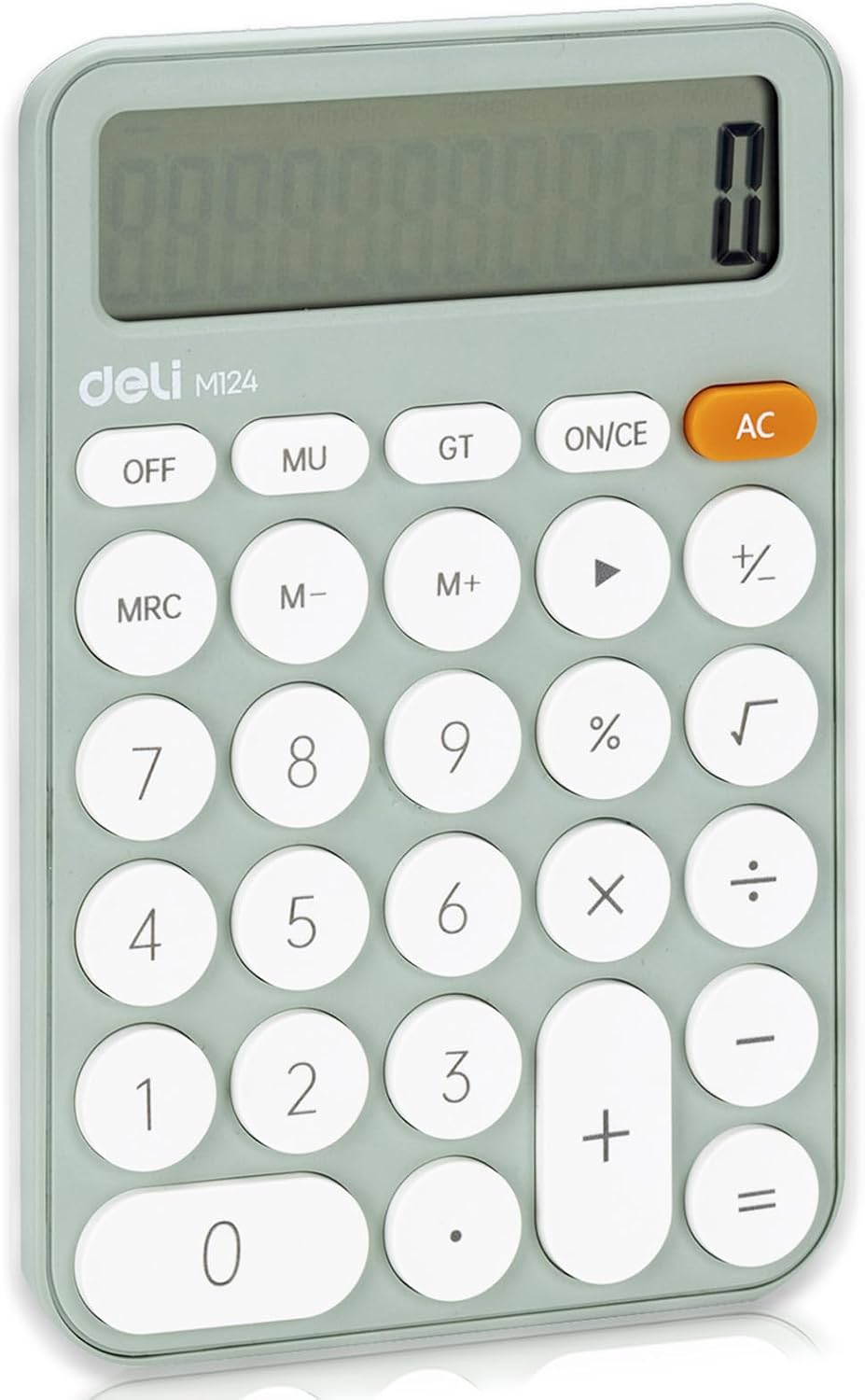
الصورة 1: الجبهة view of the deli M124 Basic Desktop Calculator.
2. الإعداد
2.1 تركيب البطارية
The deli M124 calculator requires one AAA battery for operation. A battery is typically included with your purchase.
- حدد مكان غطاء حجرة البطارية على الجزء الخلفي من الآلة الحاسبة.
- قم بتحريك الغطاء أو رفعه برفق لفتح الحجرة.
- أدخل بطارية AAA واحدة، مع التأكد من محاذاة الأطراف الموجبة (+) والسالبة (-) بشكل صحيح مع العلامات الموجودة داخل الحجرة.
- أعد تركيب غطاء حجرة البطارية بشكل آمن.

Image 2: Illustration of AAA battery insertion into the calculator.
لتشغيل الآلة الحاسبة، اضغط على AC زر. لإيقاف تشغيله، اضغط على عن button. The calculator will not automatically turn off to conserve power.
3. تعليمات التشغيل
3.1 وظائف الأزرارview
Familiarize yourself with the calculator's key functions:

Image 3: Labeled diagram of deli M124 Calculator buttons.
- مرة واحدة: Turns the calculator on or clears the last entry.
- AC: All Clear. Clears all entries and calculations, resetting the calculator.
- عن: يقوم بإيقاف تشغيل الآلة الحاسبة.
- MU: Mark-up and Mark-down function.
- GT: Grand Total. Displays the sum of all results from previous calculations.
- مركز أبحاث الموارد البشرية: Memory Recall/Clear. Press once to recall memory, twice to clear memory.
- M+: Memory Plus. Adds the displayed value to the memory.
- M-: Memory Minus. Subtracts the displayed value from the memory.
- →: Backspace key. Deletes the last digit entered.
- %: بيرسنtagوظيفة البريد.
- √: Square Root function.
- 0-9 أو.: Number keys and decimal point.
- +, -, ×, ÷, =: Basic arithmetic operators and equals key.
3.2 العمليات الحسابية الأساسية
لإجراء العمليات الحسابية الأساسية:
- أدخل الرقم الأول.
- اضغط على مفتاح العملية المطلوب (+، -، ×، ÷).
- أدخل الرقم الثاني.
- اضغط على = key to display the result.
3.3 وظائف الذاكرة
The memory functions allow you to store and recall numbers for complex calculations:
- To add a number to memory: Enter the number, then press M+.
- To subtract a number from memory: Enter the number, then press M-.
- To recall the number stored in memory: Press مركز أبحاث الموارد البشرية مرة واحدة.
- To clear the memory: Press مركز أبحاث الموارد البشرية مرتين.
4. المميزات
4.1 Display and Ergonomics
- 12-Digit Large LCD Display: Provides clear and easy-to-read numbers.
- 15° Angled Screen: The display is designed with a 15-degree tilt for optimal viewing comfort, reducing eye strain during prolonged use.

Image 4: The 15-degree ergonomic design for improved visibility.
4.2 التصميم والقدرة على النقل
- قاعدة مضادة للانزلاق: Equipped with anti-slip pads on the bottom to ensure stability on various surfaces, preventing accidental movement during use.
- Comfortable Buttons: Features smooth, circular ABS plastic buttons that provide a good tactile response and operate silently.
- صغير الحجم وخفيف الوزن: Measuring 6.1 x 4.1 inches and weighing 5 ounces (excluding battery), this calculator is highly portable and easy to carry.
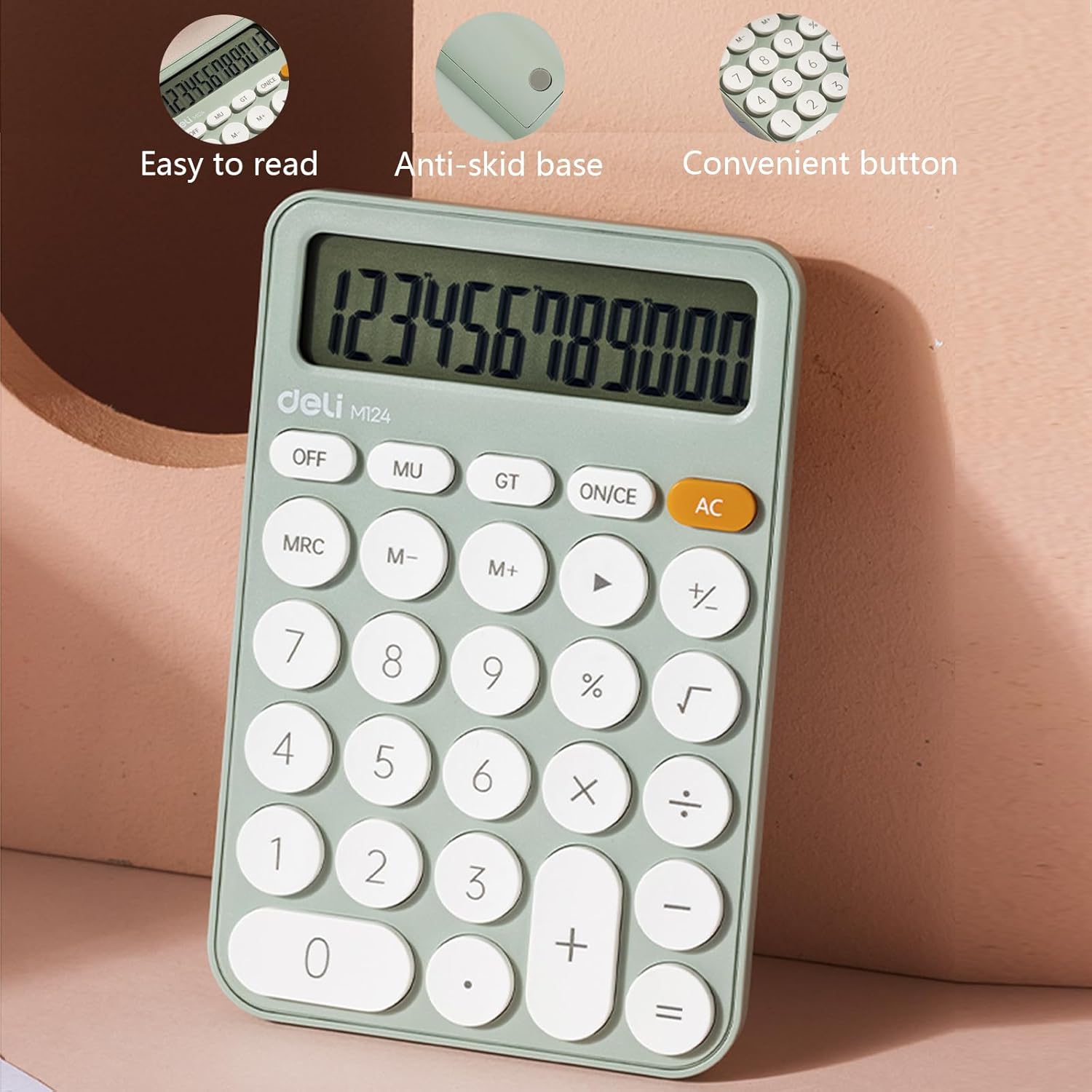
Image 5: Features such as easy-to-read display, anti-skid base, and convenient buttons.

Image 6: Detail of the lower anti-skid pads.

Image 7: The calculator's compact size for easy portability.
5. سيناريوهات التطبيق
The deli M124 Basic Desktop Calculator is versatile and suitable for a wide range of users and environments:
- الاستخدام المكتبي: Ideal for daily calculations, budgeting, and data entry.
- عمل: Useful for financial workers, sales professionals, and inventory management.
- مدرسة: Perfect for students and teachers for math classes, homework, and administrative tasks.
- الاستخدام المنزلي: Convenient for personal finance, bill paying, and general household calculations.

Image 8: The calculator in various usage scenarios.
6. الصيانة
6.1 التنظيف
للحفاظ على مظهر الآلة الحاسبة ووظائفها:
- Wipe the calculator with a soft, dry cloth.
- بالنسبة للأوساخ العنيدة، قم بإزالة الأوساخ برفق.ampبللي قطعة القماش بالماء أو بمحلول تنظيف خفيف، ثم امسحيها لتجف على الفور.
- تجنب استخدام المنظفات الكاشطة أو المذيبات أو المواد الكيميائية القاسية، لأنها قد تتلف الشاشة أوasing.
6.2 استبدال البطارية
When the display becomes dim or the calculator functions erratically, it is time to replace the AAA battery. Follow the battery installation steps outlined in Section 2.1.
7. استكشاف الأخطاء وإصلاحها
- شاشة فارغة: If the display is blank, ensure the calculator is turned on by pressing AC. Check if the battery is correctly installed and has sufficient power. Replace the battery if necessary.
- Incorrect Calculations: يضعط AC to clear any previous entries or memory contents that might be affecting current calculations. Ensure correct input of numbers and operations.
- الأزرار غير المستجيبة: If buttons are unresponsive, try pressing them firmly. If the issue persists, replace the battery. Avoid operating the calculator in extremely dusty or humid environments.
8. المواصفات
| ميزة | مواصفة |
|---|---|
| ماركة | أطعمة لذيذة |
| رقم الموديل | 6921734944542 (م 124) |
| أبعاد المنتج | 3.9 x 1.9 x 0.1 inches (Calculator body) |
| وزن العنصر | 5 أونصات |
| عرض | 12-Digit Large LCD |
| حجم الشاشة | 3 بوصة (قطري مرئي) |
| مصدر الطاقة | 1 x AAA Battery (required) |
| نوع الآلة الحاسبة | Standard Basic Calculator |
| لون | أخضر |
9. الضمان والدعم
9.1 معلومات الضمان
The deli M124 Basic Desktop Calculator comes with a ضمان لمدة 5 سنوات يسري هذا الضمان من تاريخ الشراء. ويغطي عيوب التصنيع ويضمن أن المنتج يفي بمعايير الأداء المحددة له في ظل الاستخدام العادي. يرجى الاحتفاظ بإثبات الشراء لتقديم مطالبات الضمان.
9.2 دعم العملاء
For any questions, technical assistance, or warranty claims, please contact deli customer support through the retailer where the product was purchased or visit the official deli webموقع لمعلومات الاتصال.


