1. المقدمة
The JTEMAN Cell Phone Stand with Bluetooth Speaker is a versatile 2-in-1 device designed to enhance your mobile experience. It combines a stable, adjustable phone stand with a high-quality Bluetooth speaker and a built-in microphone for hands-free communication. This product allows you to enjoy audio content with improved clarity and volume while keeping your device securely positioned for comfortable viewعمل.

Image: The JTEMAN Cell Phone Stand with Bluetooth Speaker in pink, showcasing its primary function of holding a smartphone horizontally while playing audio, indicated by musical notes.
2. ماذا يوجد في الصندوق
يرجى التحقق من محتويات العبوة عند فتحها للتأكد من وجود جميع العناصر:
- Bluetooth Speaker Phone Holder
- دليل المستخدم
- USB-A to Type C Charger Cable
3. ميزات المنتج ومكوناته
The JTEMAN Cell Phone Stand with Bluetooth Speaker integrates multiple functionalities into a compact design:
- سماعة بلوتوث: Provides louder and clearer audio output for your device.
- حامل الهاتف: Securely holds smartphones, tablets, and e-readers.
- ميكروفون مدمج: Enables hands-free calls and clear voice communication.
- زاوية قابلة للتعديل: Allows for multiple viewing angles to suit various needs.
- تصميم قابل للطي: Ensures portability and easy storage.
- Anti-slip Silicone: Covers the contact surfaces to protect your device and prevent sliding.

Image: The JTEMAN device in a yoga setting, illustrating its combined functions as a Bluetooth speaker, phone stand, and microphone.

Image: A visual representation of the JTEMAN stand's adjustable and foldable design, along with its non-slip base for stability.
4. الإعداد
4.1 الشحن الأولي
Before first use, fully charge the device using the provided USB-A to Type C charger cable. Connect the Type C end to the charging port on the speaker and the USB-A end to a compatible power source (e.g., computer USB port, wall adapter).
- يشير الضوء الأحمر إلى أن الجهاز قيد الشحن.
- A green light indicates that the device is fully charged.
تستغرق عملية الشحن عادةً حوالي ساعتين ونصف.

Image: Visual guide for charging the device, indicating charging time and battery capacity.
4.2 فتح الحامل
Gently unfold the phone stand component from its compact, folded position. Adjust the angle of the phone holder to your desired viewing preference. The stand is designed to be stable at various angles.
5. تعليمات التشغيل
5.1 تشغيل/إيقاف التشغيل
Locate the power button on the device. Press and hold the power button to turn the speaker on or off. An indicator light will confirm the power status.
5.2 اقتران بلوتوث
لتوصيل جهازك عبر البلوتوث:
- Ensure the JTEMAN speaker is powered on.
- On your smartphone, tablet, or e-reader, navigate to the Bluetooth settings.
- بحث عن available devices. The JTEMAN speaker should appear in the list (e.g., as "JTEMAN Speaker" or similar).
- Select the JTEMAN speaker to pair. A confirmation sound or light indicator will signal a successful connection.
سيحاول الجهاز تلقائيًا إعادة الاتصال بآخر جهاز مقترن به عند تشغيله.
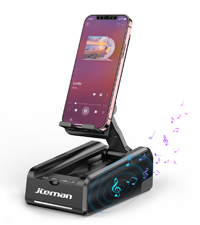
Image: A visual representation of the Bluetooth pairing process on a smartphone.
5.3 تشغيل الصوت
Once paired, audio from your connected device will play through the JTEMAN speaker. The speaker provides loud and clear sound due to its unique design and precision diaphragm technology. Adjust the volume directly from your connected phone or tablet.

Image: The JTEMAN speaker in use, demonstrating its loud and clear sound output during music playback.
5.4 Hands-Free Calls
The built-in microphone allows for hands-free calling. When a call comes in, the audio will be routed through the speaker, and you can speak into the microphone for clear communication. This feature is particularly beneficial for individuals who may have difficulty hearing phone audio directly.
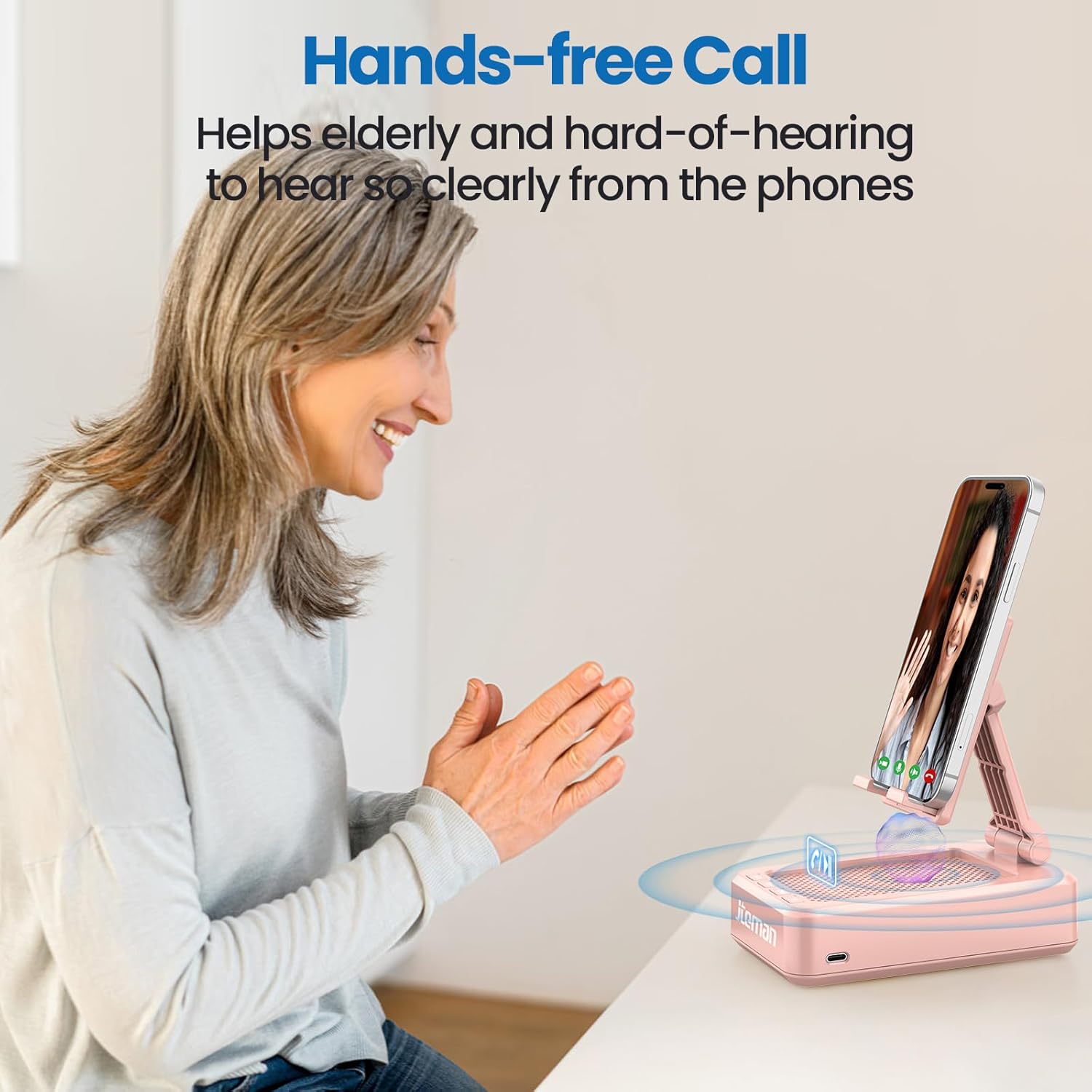
Image: An elderly woman utilizing the JTEMAN device for a hands-free call, highlighting its benefit for clear communication.
5.5 Using the Phone Stand
Place your smartphone, tablet, or e-reader onto the stand. The adjustable hinge allows you to set the device at various viewing angles, making it ideal for watching videos, participating in video calls, or following recipes in the kitchen. The anti-slip silicone ensures your device remains secure.
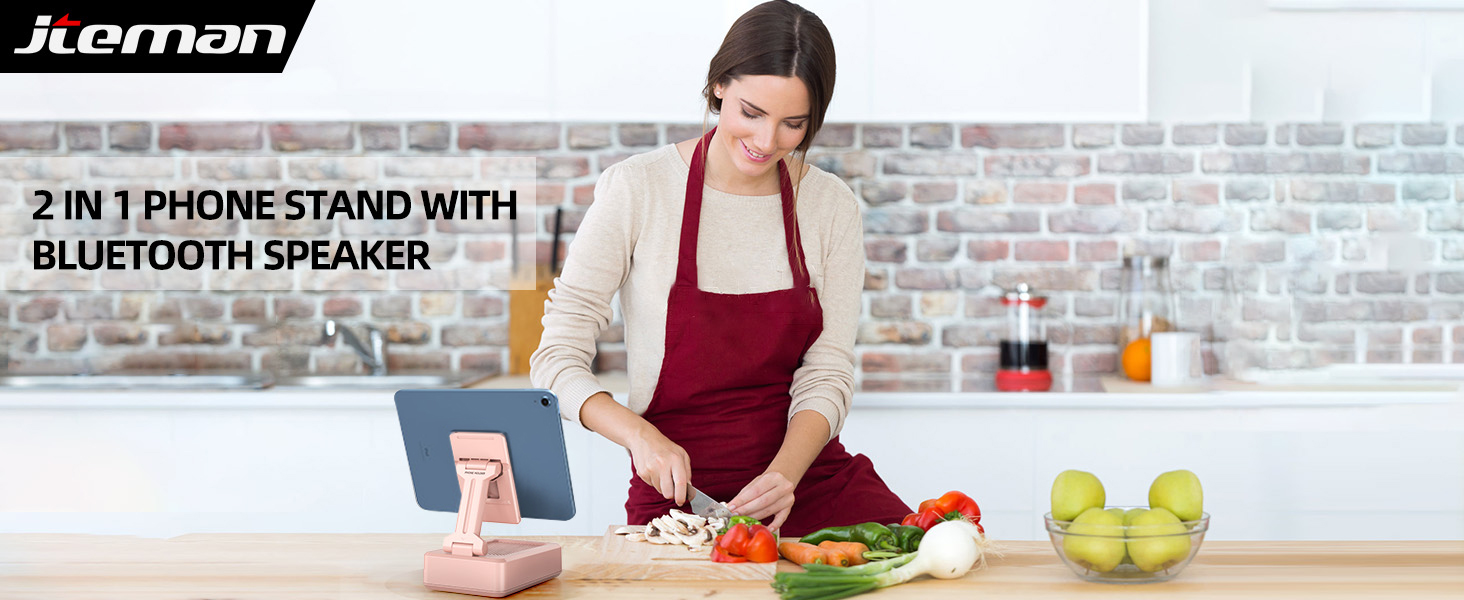
Image: A woman using the JTEMAN device in a kitchen, illustrating its practical use for hands-free viewجي أثناء الطهي.
6. التوافق
The JTEMAN Cell Phone Stand with Bluetooth Speaker is widely compatible with most 4-13 inch smartphones, tablets, and e-readers that support Bluetooth functionality. The device hook can accommodate devices up to 0.59 inches (15 mm) thick.
Compatible devices include, but are not limited to:
- Smartphones (e.g., iPhone 16, 15, 14, 13 Pro, XS, 8 Plus; Samsung Galaxy S25, S24, S23, Note 20)
- Tablets (e.g., Mini iPad)
- E-readers with Bluetooth capability

Image: The JTEMAN device demonstrating its ability to hold various sizes of smartphones and tablets, highlighting its wide compatibility.
7. الصيانة
To ensure the longevity and optimal performance of your JTEMAN Cell Phone Stand with Bluetooth Speaker, follow these maintenance guidelines:
- تنظيف: Wipe the device with a soft, dry cloth. For stubborn marks, a slightly damp cloth can be used, but ensure the device is completely dry before use or charging. Avoid using abrasive cleaners or solvents.
- تخزين: When not in use, fold the stand to its compact form to save space and protect the components. Store in a cool, dry place away from direct sunlight and extreme temperatures.
- حماية: The anti-slip silicone surfaces are designed to protect your device. Keep these surfaces clean and free of debris to maintain their grip.
- تجنب القطرات: While durable, avoid dropping the device, as this can damage internal components or the folding mechanism.
8. استكشاف الأخطاء وإصلاحها
If you encounter issues with your JTEMAN Cell Phone Stand with Bluetooth Speaker, please refer to the following common solutions:
| مشكلة | السبب المحتمل | حل |
|---|---|---|
| لا يوجد طاقة/الجهاز لا يعمل | بطارية منخفضة | قم بشحن الجهاز بالكامل باستخدام كابل USB-C المرفق. |
| لا يمكن الاقتران عبر البلوتوث | Bluetooth not enabled on phone; Device out of range; Speaker not in pairing mode; Interference | Ensure Bluetooth is on for your phone. Move devices closer. Turn the speaker off and on again. Disconnect from other Bluetooth devices. |
| لا يوجد صوت أو مستوى صوت منخفض | Phone volume too low; Speaker not connected; Audio source issue | Increase volume on your phone. Ensure the speaker is successfully paired. Check if audio is playing from the correct app/source. |
| Audio skipping or distortion | تداخل؛ الجهاز بعيد جدًا؛ انخفاض مستوى البطارية | Move closer to the speaker. Ensure no strong Wi-Fi signals or other Bluetooth devices are causing interference. Charge the speaker. |
| Phone stand unstable | Device too heavy/thick; Stand not fully extended; Surface uneven | Ensure your device is within the compatible size/thickness. Fully extend and lock the stand into position. Place the stand on a flat, stable surface. |
If the problem persists after trying these solutions, please contact JTEMAN customer support for further assistance.
9. المواصفات
Below are the technical specifications for the JTEMAN Cell Phone Stand with Bluetooth Speaker (Model L9-Pink):
| ميزة | التفاصيل |
|---|---|
| أبعاد المنتج | 5.35 × 3.5 × 1.89 بوصة |
| وزن العنصر | 12.3 أونصات |
| رقم الموديل | L9-Pink |
| البطاريات | 1 بطارية ليثيوم أيون مطلوبة (مضمنة) |
| نسخة البلوتوث | Bluetooth 5.0 (inferred from A+ content) |
| وقت اللعب | 8-10 hours (at medium volume) |
| وقت الشحن | حوالي 4 ساعات |
| الأجهزة المتوافقة | Smartphones, Tablets, E-readers (4-13 inches) |
| Max Device Thickness | 0.59 بوصة (15 ملم) |
| لون | لون القرنفل |
| عامل الشكل | قابلة للطي |
| الشركة المصنعة | جيتمان |
| تاريخ أول توفر | 4 ديسمبر 2023 |
Image: Detailed product dimensions for the JTEMAN Cell Phone Stand with Bluetooth Speaker.
10. الضمان والدعم
JTEMAN products are designed for reliability and performance. For information regarding warranty coverage, please refer to the warranty card included with your purchase or visit the official JTEMAN website. If you require technical support or have questions about your device, please contact JTEMAN customer service through their official channels.


