مقدمة
Thank you for choosing the Kinglucky Mini Karaoke Machine. This portable and fun device is designed to bring joy and entertainment to kids and families with its clear sound, wireless microphones, and exciting voice effects. Please read this manual carefully to ensure proper use and maintenance of your new karaoke machine.
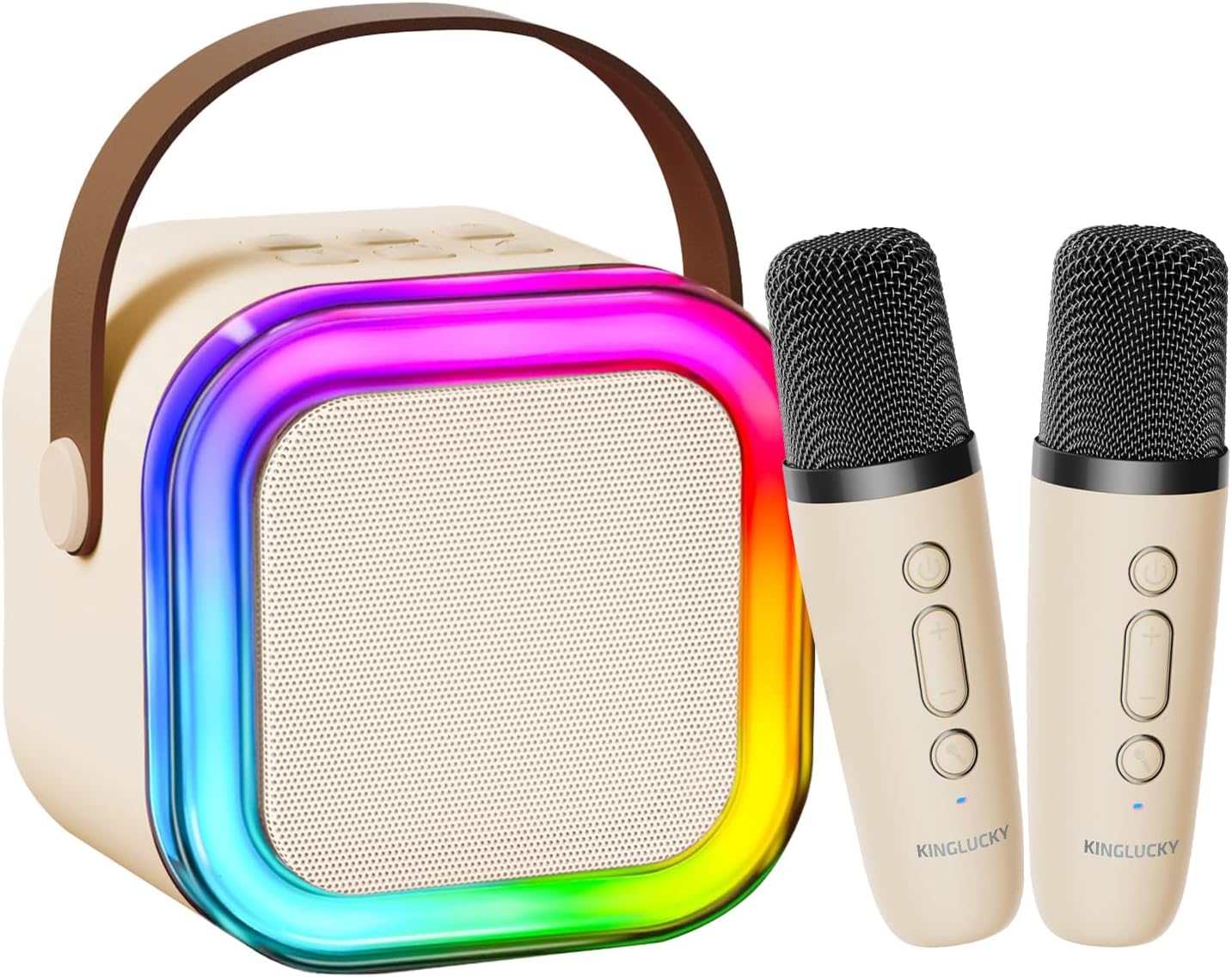
The Kinglucky Mini Karaoke Machine, featuring a beige speaker with colorful LED lights and two matching wireless microphones.
ماذا يوجد في الصندوق
Your Kinglucky Mini Karaoke Machine package includes the following items:
- 1 × مكبر صوت كاريوكي
- 2 × ميكروفون لاسلكي
- 1 × كابل شحن
- 1 × دليل المستخدم (هذه الوثيقة)
يثبت
1. شحن الجهاز
Before first use, ensure both the karaoke speaker and the wireless microphones are fully charged. Use the provided charging cable to connect the devices to a compatible USB power source.
- Connect the charging cable to the charging port on the karaoke speaker.
- Connect the charging cable to the charging port on each wireless microphone.
- The charging indicator light will show the charging status (refer to the device for specific light behavior).
- بمجرد الشحن بالكامل ، افصل كابل الشحن.
2. تشغيل
- To power on the karaoke speaker, press and hold the power button for a few seconds until the LED lights illuminate.
- To power on each wireless microphone, press and hold the power button on the microphone until its indicator light turns on.
3. Pairing Microphones with Speaker
The wireless microphones should automatically pair with the karaoke speaker upon powering on. If they do not pair automatically:
- Ensure both the speaker and microphones are powered on and within close proximity.
- If pairing issues persist, power off and then power on both devices again.
تعليمات التشغيل
1. Connecting to Audio Source (Bluetooth)
The Kinglucky Karaoke Machine supports Bluetooth 5.3 for seamless wireless connection to your devices.
- Turn on the karaoke speaker. It will automatically enter Bluetooth pairing mode.
- On your smartphone, tablet, or TV, enable Bluetooth and search for available devices.
- Select "Kinglucky K12" (or similar name) from the list of devices to connect.
- Once connected, you will hear an audible confirmation. You can now play music from your device through the karaoke speaker.

The karaoke machine offers multiple connection methods including Bluetooth 5.3, USB, and AUX for versatile audio playback.
2. ضبط الحجم
You can adjust the volume of the music, microphone, and echo effect independently.
- حجم الموسيقى: Use the volume controls on your connected device (phone, tablet) to adjust the music playback volume.
- Microphone Volume (Mic VOL): Use the '+' and '-' buttons on the wireless microphones to increase or decrease your voice volume.
- Echo Volume (Echo VOL): Long press the '+' or '-' button on the microphone for 2-3 seconds to adjust the echo level. There are 5 levels of echo, with 0 being the default (no echo).

Microphone controls allow for independent adjustment of echo, music, and microphone volume.
3. Voice Effects
The karaoke machine features 5 fun voice-changing effects to enhance your singing experience.
- Press the voice effect button (often indicated by a microphone icon or 'M') on the wireless microphone to cycle through the available voice effects.
- Effects include Original, Mom, Dad, Monster, and Baby.
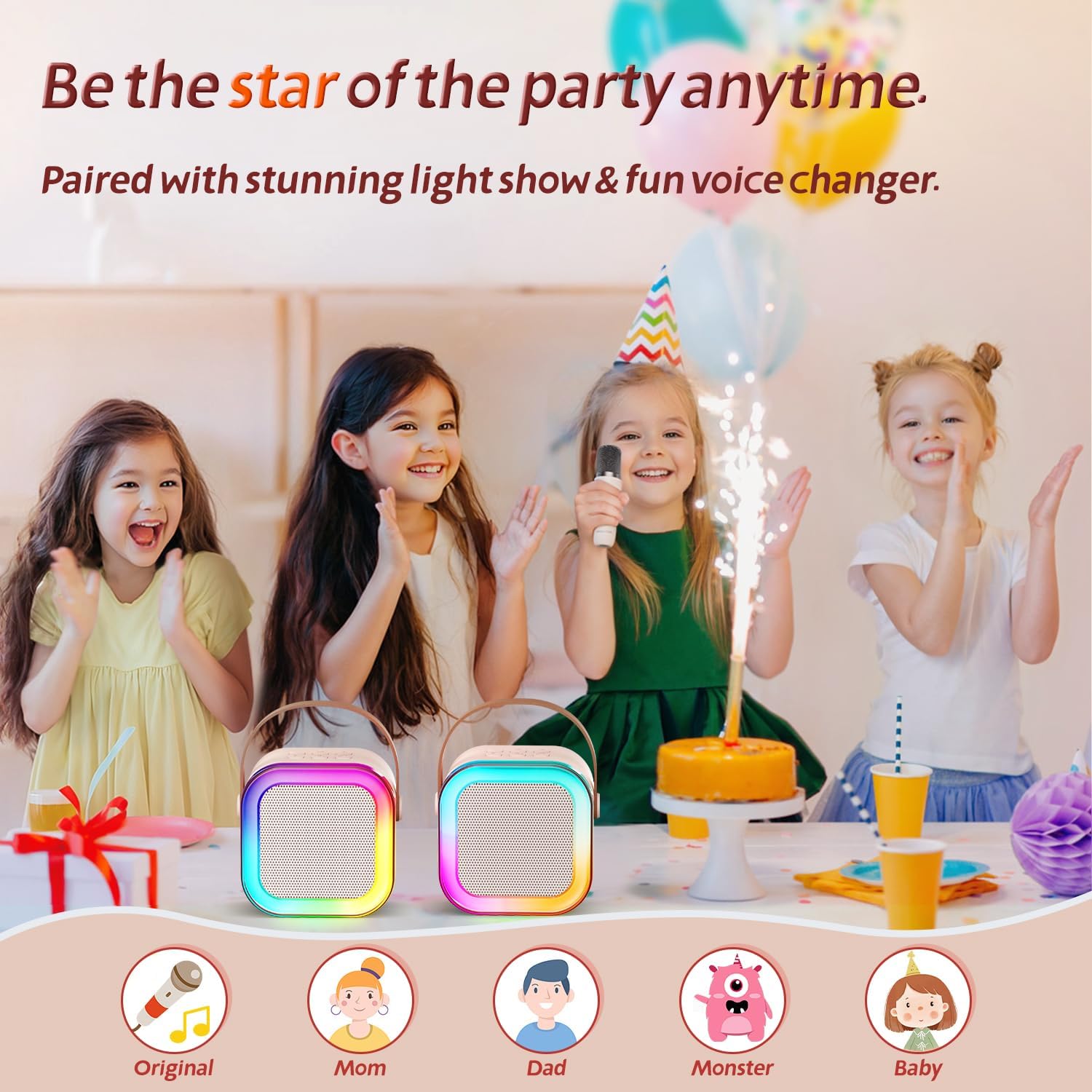
Explore five unique voice effects to add more fun to your karaoke sessions.
4. LED Disco Lights
The karaoke speaker features dynamic LED disco lights that synchronize with the music, creating a lively atmosphere.
- The LED lights automatically activate when the speaker is powered on.
- There may be a dedicated button on the speaker to turn the lights on/off or change modes (refer to device markings if available).
صيانة
- تنظيف: Wipe the surface of the karaoke machine and microphones with a soft, dry cloth. Do not use abrasive cleaners or immerse in water.
- تخزين: قم بتخزين الجهاز في مكان بارد وجاف بعيدًا عن أشعة الشمس المباشرة ودرجات الحرارة القصوى.
- العناية بالبطارية: لإطالة عمر البطارية، اشحن الجهاز بانتظام، حتى لو لم يكن قيد الاستخدام المتكرر. تجنب تفريغ البطارية بالكامل لفترات طويلة.
استكشاف الأخطاء وإصلاحها
| مشكلة | السبب المحتمل | حل |
|---|---|---|
| لا يوجد صوت من مكبر الصوت. | Speaker is off; volume is too low; not connected via Bluetooth. | Ensure speaker is on and charged. Increase speaker and connected device volume. Re-pair Bluetooth. |
| الميكروفون لا يعمل. | Microphone is off; battery low; not paired with speaker. | Ensure microphone is on and charged. Re-pair microphone with speaker. |
| Echo effect won't turn off. | Echo level is set too high. | Long press the '-' button on the microphone to decrease the echo level to 0. |
| جودة الصوت سيئة / تشويه. | مستوى الصوت مرتفع جدًا؛ تداخل في الصوت؛ انخفاض مستوى البطارية. | Lower volume. Move closer to the speaker. Charge devices. |
تحديد
- نموذج: ك12
- ماركة: Kinglucky
- أبعاد المنتج: 3 × 8 × 6.2 بوصة
- وزن السلعة: 1.5 رطل
- إصدار البلوتوث: 5.3
- المميزات الخاصة: 10h Battery Life, Super Cute & Portable, Sound loud & clear
- لون: البيج
- الاستخدامات الموصى بها: حزب

The Kinglucky karaoke machine features precision-engineered speakers for clear, immersive sound.

Enjoy extended playtime with the Kinglucky Mini Karaoke Machine's 10-hour ultra-long battery life.
الضمان والدعم
Kinglucky products are designed for durability and performance. For warranty information, technical support, or any inquiries regarding your karaoke machine, please refer to the contact information provided on the product packaging or visit the official Kinglucky webموقع. احتفظ بإيصال الشراء الخاص بك لمطالبات الضمان.
للحصول على دعم إضافي، يمكنك أيضًا الرجوع إلى دليل المستخدم (PDF) متاح على الانترنت.


