1. علىview
This manual provides instructions for the proper use and care of your Motorola Solutions Curve Holster, model PMLN8392A. This holster is designed as a replacement accessory for Motorola Curve Radios, ensuring secure carrying and easy access.
2. What's in the Package
Upon opening the package, verify that the following component is present and undamaged:
- Motorola Solutions Curve Holster (PMLN8392A)
3. الإعداد والتثبيت
Follow these steps to properly attach the holster to your Motorola Curve Radio and secure it to your belt or clothing.
3.1 Attaching the Holster to the Radio
- Ensure your Motorola Curve Radio is powered off before attaching the holster.
- Align the radio with the holster, ensuring the radio's back slides into the holster's grooves.
- Gently push the radio downwards until it clicks securely into place. Verify that the radio is firmly seated and does not easily dislodge.
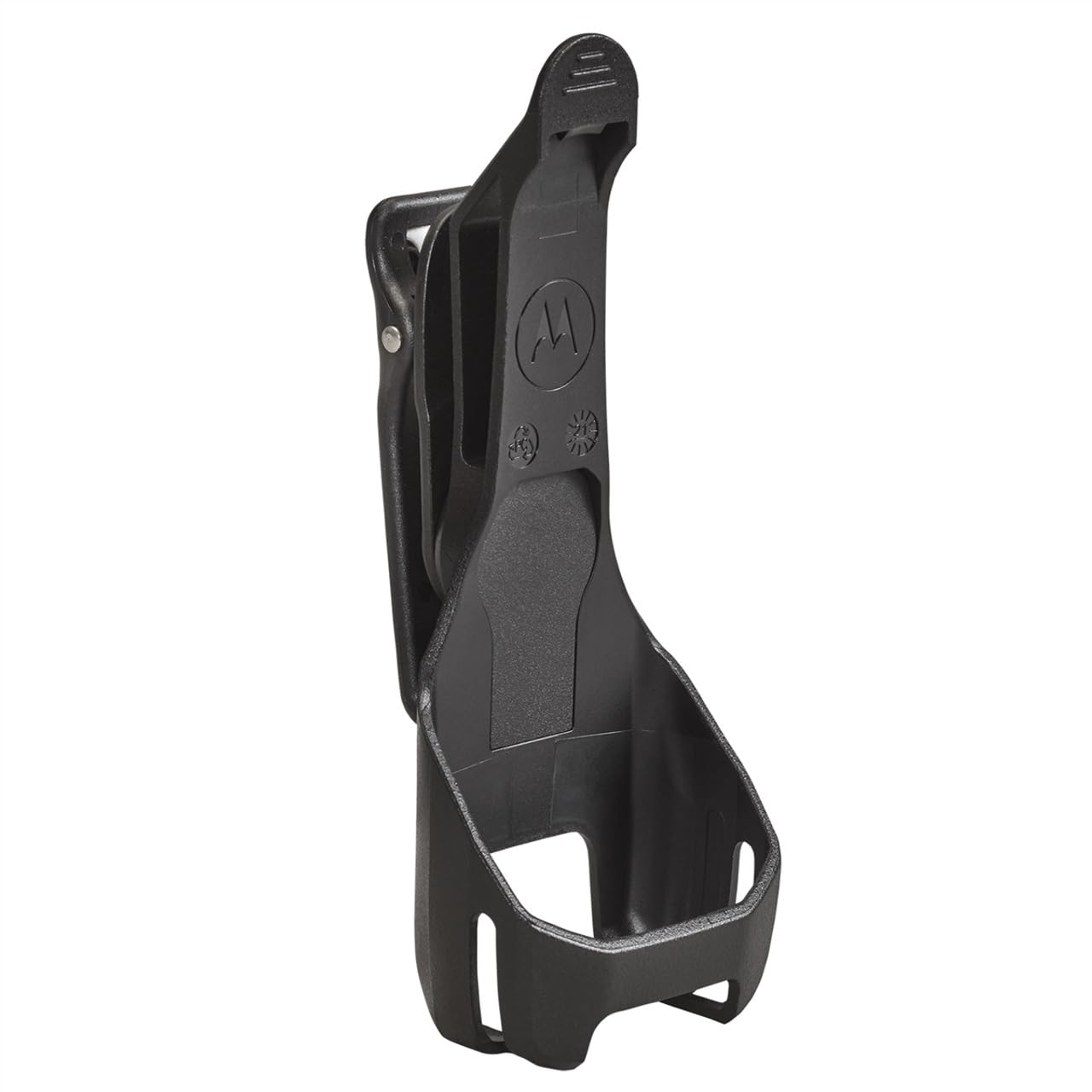
Figure 1: The Motorola Solutions Curve Holster (PMLN8392A) showing its design for securing a Motorola Curve Radio. The image displays the holster's clip mechanism and the main body where the radio is inserted.
3.2 Attaching the Holster to a Belt or Clothing
- Locate a suitable position on your belt, waistband, or clothing where the holster can be securely attached without obstructing movement.
- Open the holster's belt clip by lifting the tab.
- Slide the clip over your belt or clothing edge until it is fully engaged.
- Release the tab to secure the clip. Gently tug on the holster to ensure it is firmly attached and will not accidentally detach.
4. التشغيل
The holster is designed for straightforward use, allowing quick access to your radio.
4.1 Inserting the Radio
With the holster already attached to your belt, align the Motorola Curve Radio with the holster's opening and slide it in until it clicks into place. Ensure the radio is fully seated to prevent accidental drops.
4.2 Removing the Radio
To remove the radio, firmly grasp the radio and pull it upwards out of the holster. The holster's design allows for quick release while maintaining a secure hold during normal activity.
5. الصيانة والعناية
Proper maintenance ensures the longevity and reliable performance of your holster.
- تنظيف: Wipe the holster regularly with a soft, damp cloth to remove dust and dirt. Avoid using harsh chemicals or abrasive cleaners, as these can damage the material.
- تقتيش: Periodically inspect the belt clip and holster body for any signs of wear, cracks, or damage. If significant damage is observed, replace the holster to ensure secure retention of your radio.
- تخزين: Store the holster in a cool, dry place away from direct sunlight and extreme temperatures when not in use.
6. استكشاف الأخطاء وإصلاحها
This section addresses common issues you might encounter with your holster.
Issue: Radio does not fit securely in the holster.
- حل: Ensure the holster model (PMLN8392A) is specifically designed for your Motorola Curve Radio. Verify that the radio is inserted correctly and fully seated until it clicks. Inspect the holster for any physical damage that might prevent a secure fit.
Issue: Belt clip feels loose or detaches easily.
- حل: Ensure the belt clip is fully engaged with your belt or clothing. The clip should snap firmly into place. Avoid attaching the holster to very thin or delicate fabrics that may not provide sufficient grip. Inspect the clip for any signs of breakage or wear.
7. المواصفات
Key technical details for the Motorola Solutions Curve Holster PMLN8392A.
| رقم الموديل | رقم PMLN8392A |
| ماركة | حلول موتورولا |
| وزن العنصر | 5 أونصات |
| أبعاد المنتج | 5 × 3 × 2 بوصة |
| لون | أسود |
| نوع الإغلاق | مقطع |
| اتجاه اليد | Right (as per product data, though holsters are often ambidextrous or specific to radio design) |
| ASIN | B0CMV2LSHJ |
| تاريخ أول توفر | 7 نوفمبر 2023 |
8. الضمان والدعم
8.1 معلومات الضمان
The Motorola Solutions Curve Holster PMLN8392A is covered by a manufacturer's warranty. For specific details regarding warranty terms, duration, and claims, please refer to the documentation provided with your original Motorola Curve Radio or contact Motorola Solutions directly. The warranty information provided in the product data is "MFG," indicating a manufacturer's warranty.
8.2 دعم العملاء
For further assistance, technical support, or inquiries not covered in this manual, please contact Motorola Solutions customer service. Visit the official Motorola Solutions webالموقع للحصول على معلومات الاتصال وموارد الدعم.


