مقدمة
The TROND Long Extension Cord and Surge Protector is designed to provide extensive power distribution and protection for your electronic devices. This unit features a comprehensive set of outlets and USB ports, a durable long cord, and advanced safety mechanisms, making it suitable for various environments including homes, offices, and workshops.
Please read this manual thoroughly before using the product to ensure safe and optimal operation.
معلومات السلامة
لتجنب الحريق أو الصدمة الكهربائية أو الإصابة، اتبع دائمًا احتياطات السلامة الأساسية عند استخدام هذا المنتج:
- Do not exceed the maximum power rating of 1875W (125V~15A).
- لا تستخدمه في البيئات الرطبة أو بالقرب من الماء.
- لا تقم بتفكيك الوحدة أو تعديلها.
- يحفظ بعيدًا عن متناول الأطفال.
- تأكد من إدخال القابس بالكامل في مأخذ الحائط.
- This power strip is equipped with 4000 Joules surge protection and is made of UL94 V-0 flame-retardant material for enhanced safety.
- The unit provides protection against overload, short circuit, and voltagتقلبات البريد.

Figure 1: Multi-Safety Protection Features
This image highlights the comprehensive safety features built into the TROND power strip, including protection against surges, grounding issues, fire, short circuits, overloads, over-currents, over-voltages, and over-temperatures, ensuring the safety of connected devices and the user.
مميزات المنتج

Figure 2: TROND Power Strip Overview
توفر هذه الصورة عرضًا كاملاً view of the TROND power strip, showcasing its sleek black design, the arrangement of its 12 AC outlets, and the integrated USB-A and USB-C ports at one end. The attached 15-foot power cord with its flat plug is also visible, emphasizing the product's design for versatile placement.
- 12 Widely-Spaced AC Outlets: تم تصميمه مع ample space and different orientations to accommodate large power adapters and odd-shaped plugs without blocking adjacent outlets.

Figure 3: Spacious Outlet Layout
This image highlights the intelligent design of the TROND power strip's outlets, showcasing the generous spacing and varied orientation that allows users to plug in multiple large adapters or 'wall warts' without obstructing neighboring outlets. This feature maximizes the usability of all 12 AC outlets.
- شحن USB متكامل: Features 3 USB-A ports (5V/2.4A Max each) and 1 USB-C port (5V/3A Max), allowing you to charge up to 4 USB-powered devices directly.
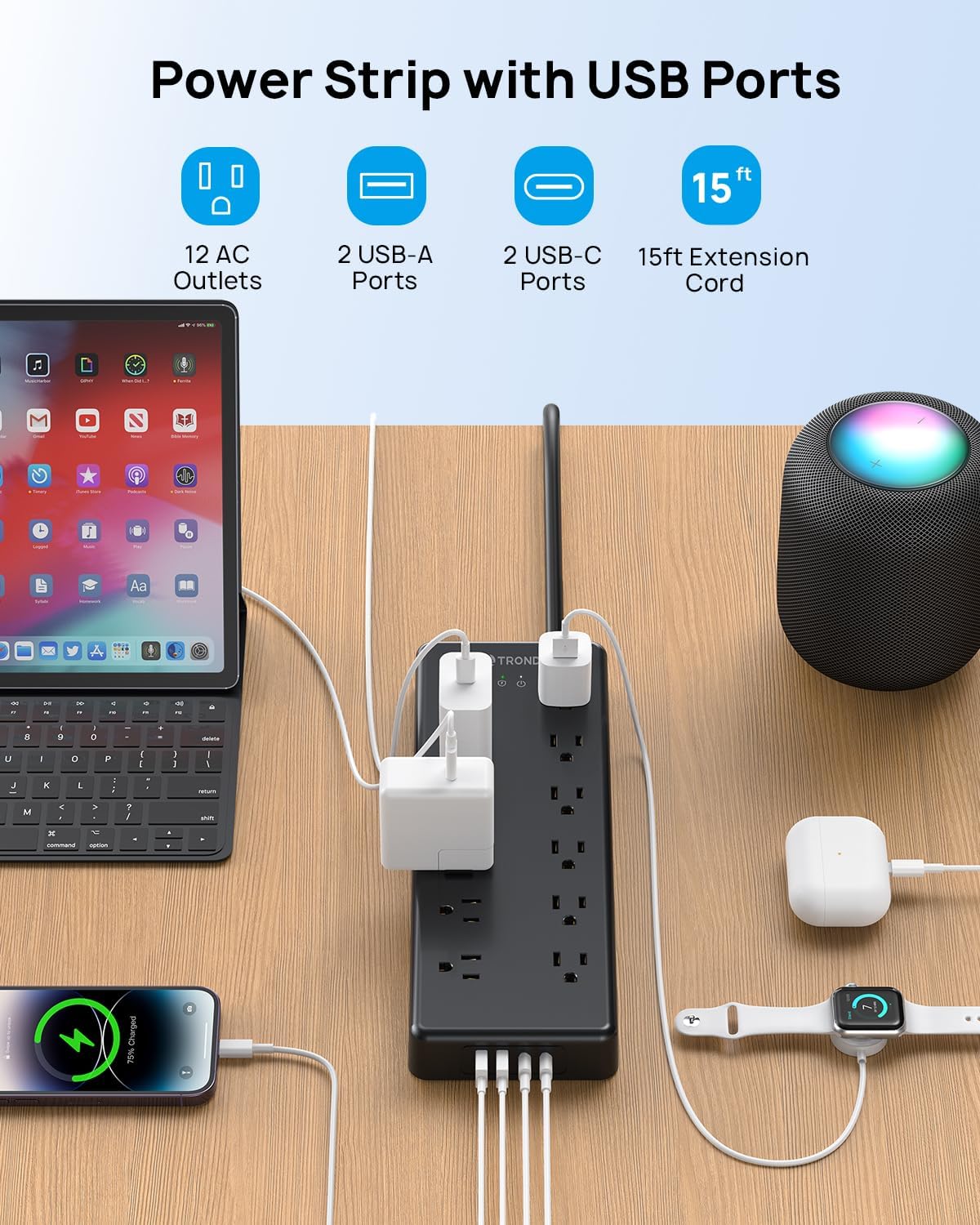
Figure 4: Power Strip with USB Ports in Use
This image demonstrates the TROND power strip in an active setup, with various devices such as a laptop, smartphone, and smartwatch connected and charging via its AC outlets and USB ports. It visually confirms the product's capability to power and charge multiple devices simultaneously, highlighting the convenience of its integrated USB charging functionality.
- 15 FT Flat Power Cord: The durable 14AWG pure copper extension cord measures 15 feet, providing extended reach. The 0.55-inch flat plug and 45-degree angled design allow for discreet placement behind furniture and ensure the second wall outlet remains accessible.

Figure 5: Flat Wall Plug Design
This image focuses on the innovative 0.55-inch flat wall plug of the TROND power strip, demonstrating how its slim profile and 45-degree angled design allow it to fit snugly behind furniture without protruding. This design ensures that the power strip can be used in tight spaces while keeping the wall outlet neat and accessible.

Figure 6: 15ft Extension Cord Reach
This image illustrates the practical benefit of the TROND power strip's 15-foot extension cord, showing it extending comfortably from a wall outlet to a coffee table where devices are being charged. The visual emphasizes the long reach and flexibility provided by the heavy-duty 14AWG cord, making it suitable for various room layouts.
- حماية من زيادة التيار بمقدار 4000 جول: Provides robust protection for your connected devices against power surges and voltagه المسامير.

Figure 7: 4000 Joules Surge Protection
This image provides a conceptual transparent view of the TROND power strip, visually emphasizing its internal surge protection circuitry. A lightning bolt icon and the "4000 Joules" rating are prominently displayed, illustrating the product's capability to safeguard electronic devices from damaging power disturbances and voltagتقلبات البريد.
- Desk and Wall Mountable: Equipped with 4 non-slip rubber feet for stable desktop placement and 2 mounting holes on the reverse side for secure wall or under-desk installation.

Figure 8: Mountable Power Strip
This image illustrates the versatility of the TROND power strip's mounting options. It clearly shows the four rubber feet for stable desktop use and the two mounting holes on the back, along with a visual example of the power strip securely mounted under a desk, demonstrating its space-saving potential and adaptability to various setups.
يثبت
- أفرغ: Carefully remove the TROND power strip from its packaging.
- الموقع: Choose a suitable location for the power strip. Consider the length of the 15-foot cord and the proximity to your devices. The flat plug design allows for placement behind furniture.
- التركيب (اختياري): If wall-mounting or under-desk mounting is desired, use appropriate screws (not included) with the two mounting holes on the back of the unit. Ensure the mounting surface is secure.
- الاتصال بالطاقة: Plug the power strip's flat plug into a standard 3-prong 125V AC wall outlet.
- تشغيل الطاقة: Press the ON/OFF switch located on the power strip to activate it. The indicator light will illuminate.
تعليمات التشغيل
- توصيل الأجهزة: Insert the power cords of your electronic devices into any of the 12 AC outlets. The wide spacing accommodates larger adapters.
- الشحن عبر USB: Connect your USB-powered devices (smartphones, tablets, smartwatches, etc.) to the USB-A or USB-C ports using their respective charging cables.
- حماية من زيادة التيار: The power strip continuously monitors for power surges and will automatically protect connected devices up to 4000 Joules. In the event of an extreme surge, the surge protector may sacrifice itself to protect your equipment.
- حماية من التحميل الزائد: If the total power draw of connected devices exceeds 1875W (15A), the built-in circuit breaker will trip to prevent overload. If this occurs, unplug some devices, then press the reset button (usually combined with the ON/OFF switch) to restore power.
- مؤشر الطاقة: A small LED indicator light on the power strip confirms that the unit is receiving power and the surge protection is active.
صيانة
- تنظيف: افصل شريط الطاقة عن مقبس الحائط قبل التنظيف. استخدم قطعة قماش جافة وناعمة لمسح السطح. لا تستخدم المنظفات السائلة أو البخاخات.
- تقتيش: قم بفحص سلك الطاقة والوحدة بشكل دوري بحثًا عن أي علامات تلف، مثل الأسلاك المهترئة أو الكابلات المتشققةasinز. في حال وجود أي ضرر، توقف عن الاستخدام واتصل بخدمة العملاء.
- تخزين: عند عدم الاستخدام لفترات طويلة، قم بتخزين شريط الطاقة في مكان بارد وجاف بعيدًا عن أشعة الشمس المباشرة والرطوبة.
استكشاف الأخطاء وإصلاحها
| مشكلة | السبب المحتمل | حل |
|---|---|---|
| لا يوجد تيار كهربائي في المقابس/منافذ USB. |
|
|
| الأجهزة التي لا تشحن عبر منفذ USB. |
|
|
| Surge protection indicator light is off. |
|
|
تحديد
- ماركة: تروند
- نموذج: 15 FT 12 AC
- منافذ التيار المتردد: 12
- منافذ USB-A: 3 (5V/2.4A Max per port)
- منفذ USB-C: 1 (5V/3A Max)
- Max. Power Rating: 1875W (125V~15A)
- حماية من زيادة التيار: 4000 جول
- طول السلك: 15 Feet (14AWG pure copper)
- نوع القابس: Flat, 45° Angled
- مادة: UL94 V-0 Flame-Retardant
- التركيب: Wall-mountable (2 holes), Desk placement (4 rubber feet)
- لون: أسود
- أبعاد: تقريبًا 13.43 × 7.8 × 2.32 بوصة (أبعاد العبوة)
- وزن السلعة: 2.66 رطل
الضمان والدعم
TROND products are designed for reliability and performance. For warranty information, technical support, or any questions regarding your TROND Long Extension Cord and Surge Protector, please contact TROND Official customer service.
You can typically find contact information on the TROND official webالموقع أو من خلال منصة الشراء الخاصة بك.
الدعم عبر الإنترنت: قم بزيارة TROND Official Store on Amazon للحصول على الأسئلة الشائعة وموارد الدعم.


