مقدمة
This manual provides instructions for the AVATTO GW16-W Zigbee and Bluetooth Gateway. It covers setup, operation, maintenance, and troubleshooting to ensure optimal performance and safe use of your device. The GW16-W acts as a central hub, enabling communication between various smart home devices using both Zigbee 3.0 and Bluetooth protocols.
معلومات السلامة
- اقرأ كافة التعليمات بعناية قبل الاستخدام.
- لا تعرض الجهاز لدرجات حرارة شديدة أو رطوبة أو أشعة الشمس المباشرة.
- Use only the specified power adapter (5V DC/1A).
- يحفظ بعيدًا عن متناول الأطفال.
- لا تحاول تفكيك الجهاز أو إصلاحه بنفسك.
- تأكد من التهوية المناسبة حول الجهاز لمنع ارتفاع درجة الحرارة.
محتويات الحزمة
تأكد من وجود جميع العناصر في العبوة:
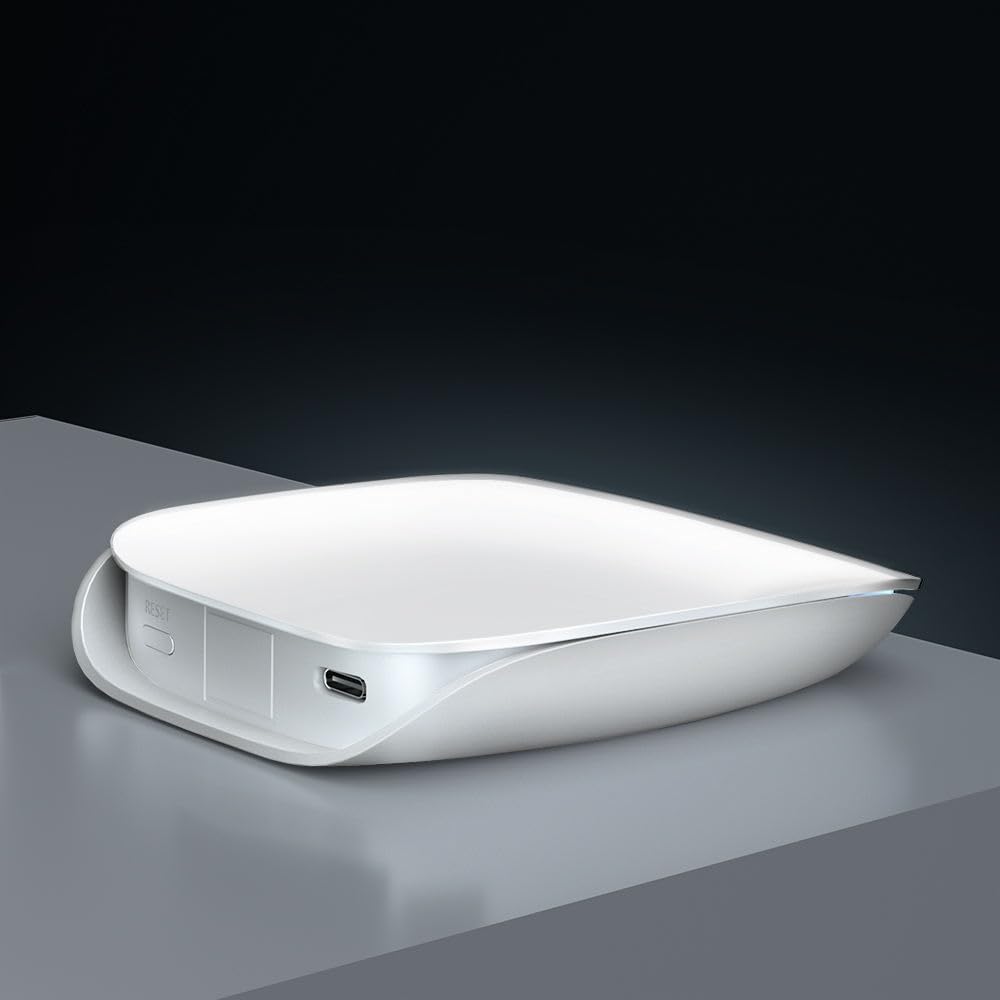
- Smart Gateway (GW16-W) x 1
- كابل بيانات USB × 1
- User Manual x 1 (often a QR code or link to digital version)
المنتج انتهىview
The AVATTO GW16-W is a dual-protocol gateway that combines Zigbee and Bluetooth connectivity, allowing it to manage a wide range of smart home devices efficiently.
مكونات الجهاز
- مؤشر الحالة: Displays the current operational status of the gateway.
- نهتع: يستخدم لإعادة ضبط الجهاز على إعدادات المصنع.
- ميناء من النوع C: For power input (5V DC/1A).
تحديد
| ميزة | التفاصيل |
|---|---|
| اسم المنتج | ZigBee/Bluetooth Wireless Gateway |
| رقم الموديل | GW16-W |
| أبعاد | 85 مم * 100 مم * 23 مم |
| مدخلات الطاقة | 5 فولت تيار مستمر/1 أمبير |
| التكنولوجيا اللاسلكية | Zigbee 3.0/Bluetooth |
| درجة حرارة العمل | -20 درجة مئوية ~ 45 درجة مئوية |
| درجة حرارة التخزين | 5 درجة مئوية ~ 30 درجة مئوية |
| رطوبة العمل | شنومك٪ ~ شنومك٪ ر (دون تكاثف) |
| رطوبة التخزين | 30% ~ 70% رطوبة نسبية |
يثبت
1. تشغيل
Connect the provided USB data cable to the Type-C port on the gateway and plug the other end into a 5V DC/1A power adapter (not included). The status indicator light will illuminate, indicating the device is powered on.
2. App Installation and Network Connection
- تنزيل تويا سمارت or الحياة الذكية app from your mobile device's app store (available on iOS and Android).
- قم بالتسجيل أو تسجيل الدخول إلى حسابك داخل التطبيق.
- Follow the in-app instructions to add the GW16-W gateway. This typically involves selecting "Gateway" or "Hub" from the device list and following the pairing prompts. Ensure your phone is connected to a 2.4GHz Wi-Fi network during setup, as the gateway does not support 5GHz Wi-Fi.
3. Adding Sub-Devices (Zigbee/Bluetooth Devices)
Once the gateway is successfully connected to the app, you can add compatible Zigbee and Bluetooth sub-devices to expand your smart home system.

- In the Tuya Smart/Smart Life app, navigate to the gateway's control interface and select "Add sub-device" or a similar option.
- Put your Zigbee or Bluetooth device into pairing mode (refer to the sub-device's individual manual for specific instructions).
- The gateway will discover and add the device. Once added, you can rename it and assign it to a room within the app.
تعليمات التشغيل
التحكم عن بعد عبر التطبيق
After adding sub-devices, you can control them remotely through the Tuya Smart or Smart Life app from anywhere with an internet connection.

The app allows you to monitor device status, set schedules, create automation routines, and manage all connected smart devices from a single interface.
تكامل التحكم الصوتي
The AVATTO GW16-W gateway is compatible with popular voice assistants like Amazon Alexa and Google Assistant, providing hands-free control of your smart devices.

- To enable voice control, link your Tuya Smart/Smart Life account to your Alexa or Google Home app.
- Once linked, you can use voice commands such as "Alexa, turn on the light" or "Hey Google, set the thermostat to 22 degrees" to control your connected devices.
صيانة
- حافظ على نظافة الجهاز بمسحه بقطعة قماش ناعمة وجافة.
- Avoid using harsh chemicals or abrasive cleaners, which can damage the device's surface.
- تأكد من التهوية المناسبة حول الجهاز لمنع ارتفاع درجة الحرارة.
- Regularly check for firmware updates through the Tuya Smart/Smart Life app to ensure optimal performance, security, and compatibility with new devices.
استكشاف الأخطاء وإصلاحها
البوابة لا تتصل بشبكة الواي فاي:
- Ensure your Wi-Fi network is 2.4GHz. The gateway does not support 5GHz Wi-Fi.
- تحقق من صحة كلمة مرور الواي فاي التي أدخلتها في التطبيق.
- Move the gateway closer to your Wi-Fi router to improve signal strength.
- Restart your router and the gateway, then attempt the connection process again.
الجهاز الفرعي لا يقترن:
- Ensure the sub-device is in pairing mode (refer to its specific manual).
- Check if the sub-device is compatible with Zigbee 3.0 or Bluetooth standards.
- Move the sub-device closer to the gateway to ensure it's within range.
- Reset the sub-device to factory settings and try pairing again.
التحكم الصوتي لا يعمل:
- Verify that your Tuya Smart/Smart Life account is correctly linked to your Alexa or Google Home app.
- Ensure your voice assistant device (e.g., Amazon Echo, Google Home speaker) is online and functioning correctly.
- Check the device names in the Tuya app and ensure they are recognized by Alexa/Google. Try re-discovering devices in the voice assistant app.
الضمان والدعم
For warranty information and technical support, please refer to the purchase platform or contact AVATTO customer service directly. Keep your purchase receipt or proof of purchase for any warranty claims or support inquiries.


