1. المقدمة
This manual provides essential information for the safe and effective use of your Ziegoal Kids Smart Watch W1. Please read it thoroughly before operating the device and retain it for future reference. This smart watch is designed to offer entertainment and educational features for children, including dual cameras, games, learning activities, and daily habit tracking.
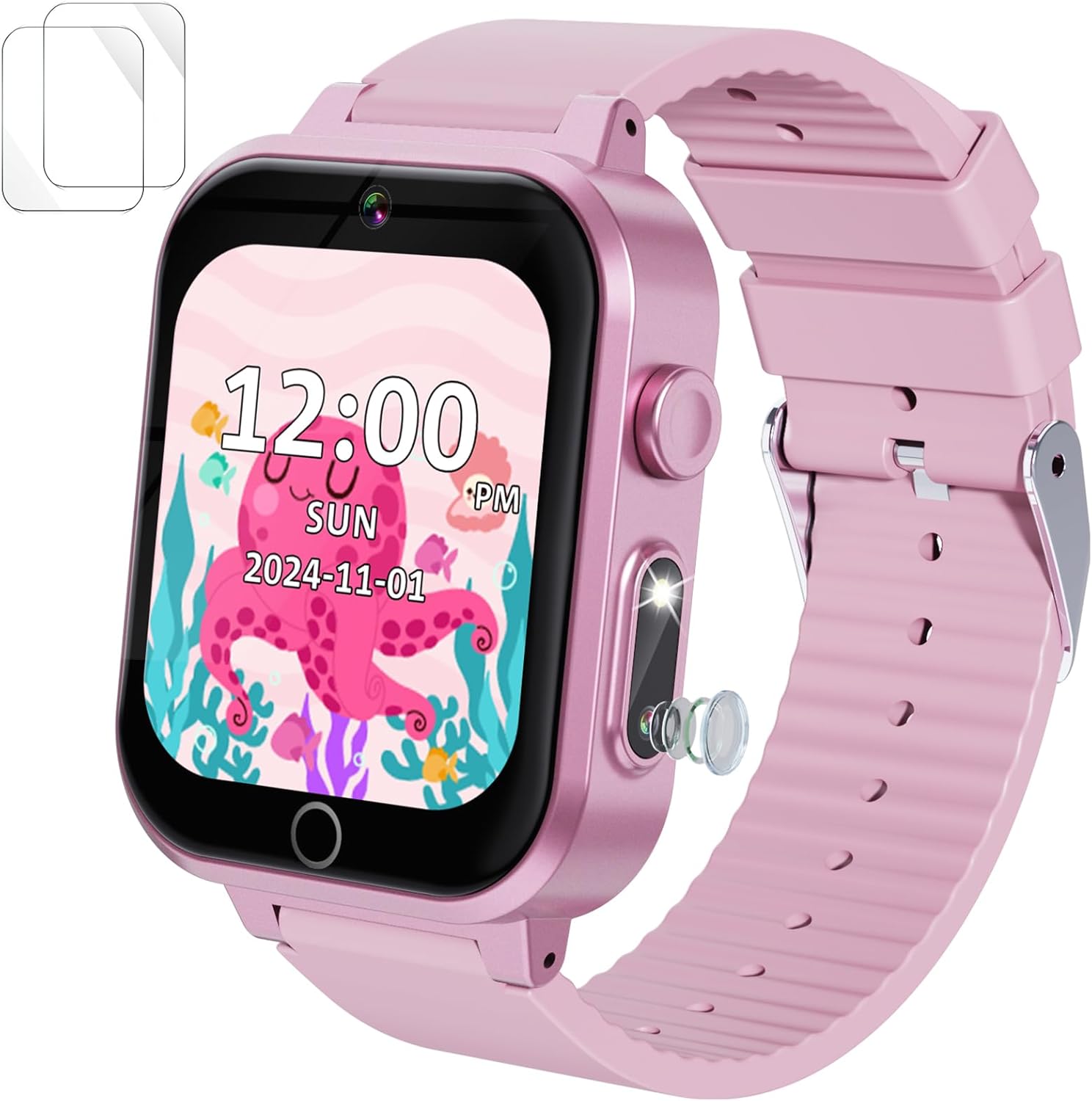
Image 1.1: Ziegoal Kids Smart Watch W1
2. معلومات السلامة
- التعرض للماء: هذه الساعة هي غير مقاوم للماء. Avoid contact with water, including rain, splashes, baths, or swimming. Water damage is not covered under warranty.
- خطر الاختناق: Small parts may be present. Not suitable for children under 3 years old.
- سلامة البطارية: Do not attempt to replace the battery. Use only the provided charging cable. Do not expose the watch to extreme temperatures.
- واقي الشاشة: Apply the included screen protector to prevent scratches and enhance durability.
- الإشراف: يوصى بإشراف الكبار أثناء الاستخدام، وخاصة للأطفال الصغار.
3. محتويات العبوة
يرجى التحقق من الحزمة للعناصر التالية:
- Ziegoal Kids Smart Watch W1
- كابل شحن USB
- فيلم حامي الشاشة
- دليل التعليمات (هذا المستند)
4. انتهى المنتجview
Familiarize yourself with the components of your smart watch:

Image 4.1: Ziegoal Kids Smart Watch W1 Components
- شاشة تعمل باللمس IPS مقاس 1.5 بوصة: الشاشة الرئيسية للتفاعل.
- كاميرات مزدوجة: Front and side cameras for photos and videos.
- زر الطاقة: Located on the side, used for power on/off and screen wake/sleep.
- ميكروفون: لتسجيل الصوت.
- المتحدث: لتشغيل الصوت.
- منفذ USB: للشحن ونقل البيانات.
5. البدء (الإعداد)
5.1 شحن الجهاز
- Connect the USB charging cable to the watch's USB port.
- قم بتوصيل الطرف الآخر من كابل USB بمحول طاقة USB قياسي (غير مرفق) أو بمنفذ USB في جهاز الكمبيوتر.
- The watch screen will display a charging indicator. A full charge typically takes 2-3 hours.
- Ensure the watch is fully charged before first use for optimal battery life.
5.2 تشغيل/إيقاف التشغيل
- لتشغيل: اضغط مع الاستمرار على زر التشغيل حتى تضيء الشاشة.
- لإيقاف التشغيل: Press and hold the Power Button until a power-off option appears on the screen. Tap to confirm.
5.3 Applying the Screen Protector
Carefully apply the included screen protector film to the watch screen to prevent scratches and enhance durability. Ensure the screen is clean and dust-free before application.
6. التشغيل الأساسي
6.1 التنقل في شاشة اللمس
- مقبض: Select an icon or confirm an action.
- انتقاد: Move between different screens or menus.
6.2 ضبط الوقت والتاريخ
Access the 'Settings' menu on the watch to adjust the time, date, and time format (12-hour or 24-hour).
6.3 ضبط مستوى الصوت والسطوع
Within the 'Settings' menu, you can find options to adjust the watch's volume for sounds and music, as well as the screen brightness for comfortable viewعمل.
7. الميزات الرئيسية
كاميرا مزدوجة بزاوية 7.1 درجة
The watch features dual 30W pixel cameras to capture photos and record videos.
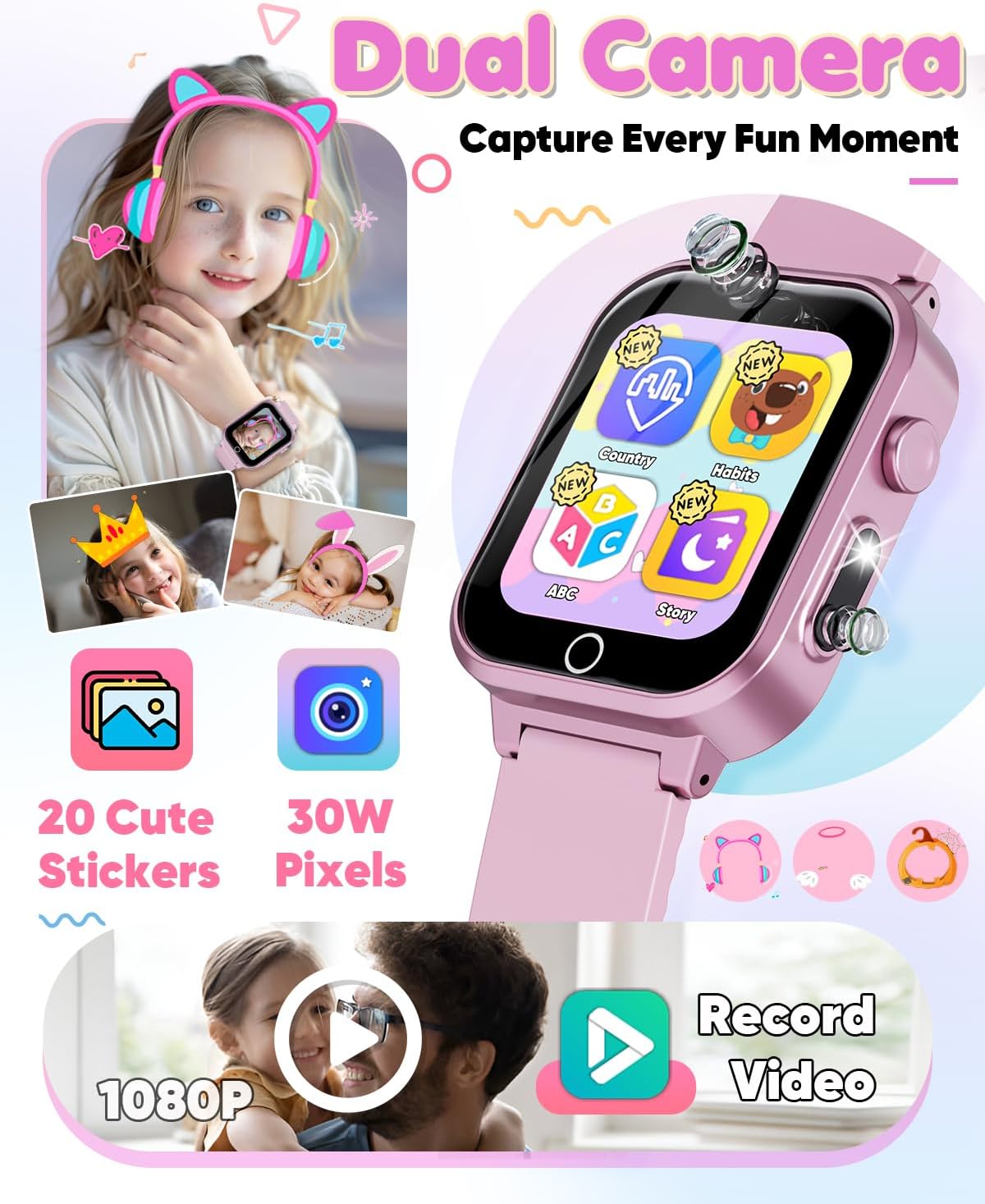
Image 7.1: Dual Camera Features
- التقاط الصور: Tap the camera icon on the main screen, then tap the shutter button to take a picture.
- تسجيل مقاطع الفيديو: Switch to video mode within the camera app and tap to start/stop recording.
- Photo Stickers: Enhance photos with 20 built-in fun stickers.
7.2 مشغل موسيقى
Enjoy music directly from your watch.
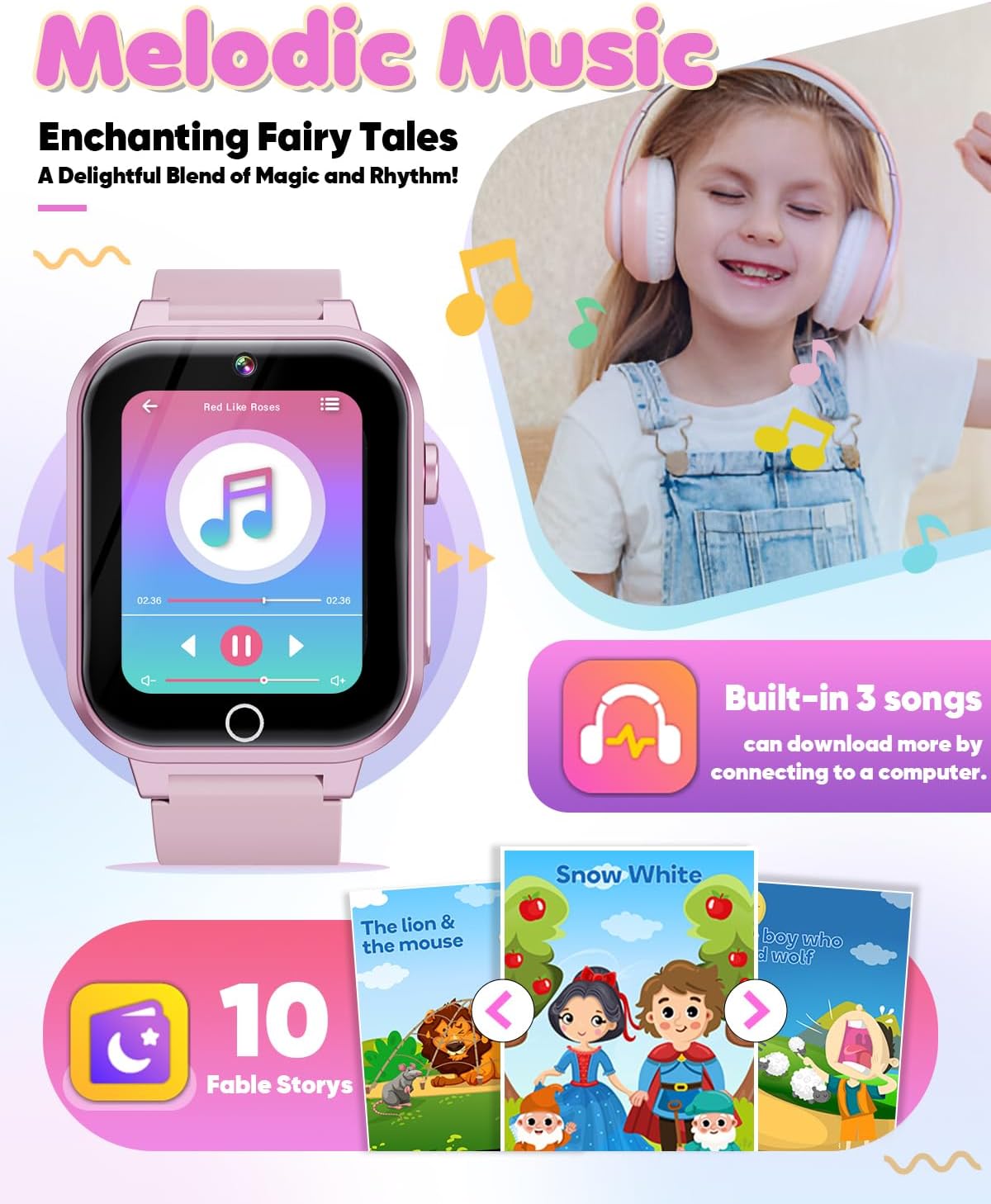
Image 7.2: Music Player Interface
- تشغيل الموسيقى: Access the 'Music' app. The watch comes with 3 built-in songs.
- نقل الموسيقى: Connect the watch to a computer using the USB cable. The watch will appear as a removable drive. You can then drag and drop MP3 files into the designated music folder on the watch.
7.3 Educational Activities
Engage in various learning activities designed to enhance cognitive skills.

Image 7.3: Educational Features
- ABC Animal Learning: Interactive lessons for learning the alphabet with animal associations.
- Landmark Buildings: Explore famous global landmarks.
- Audio Fables: Listen to engaging stories.
7.4 لعبة
The watch includes 14 engaging puzzle games to enhance hand-eye coordination and logical thinking.
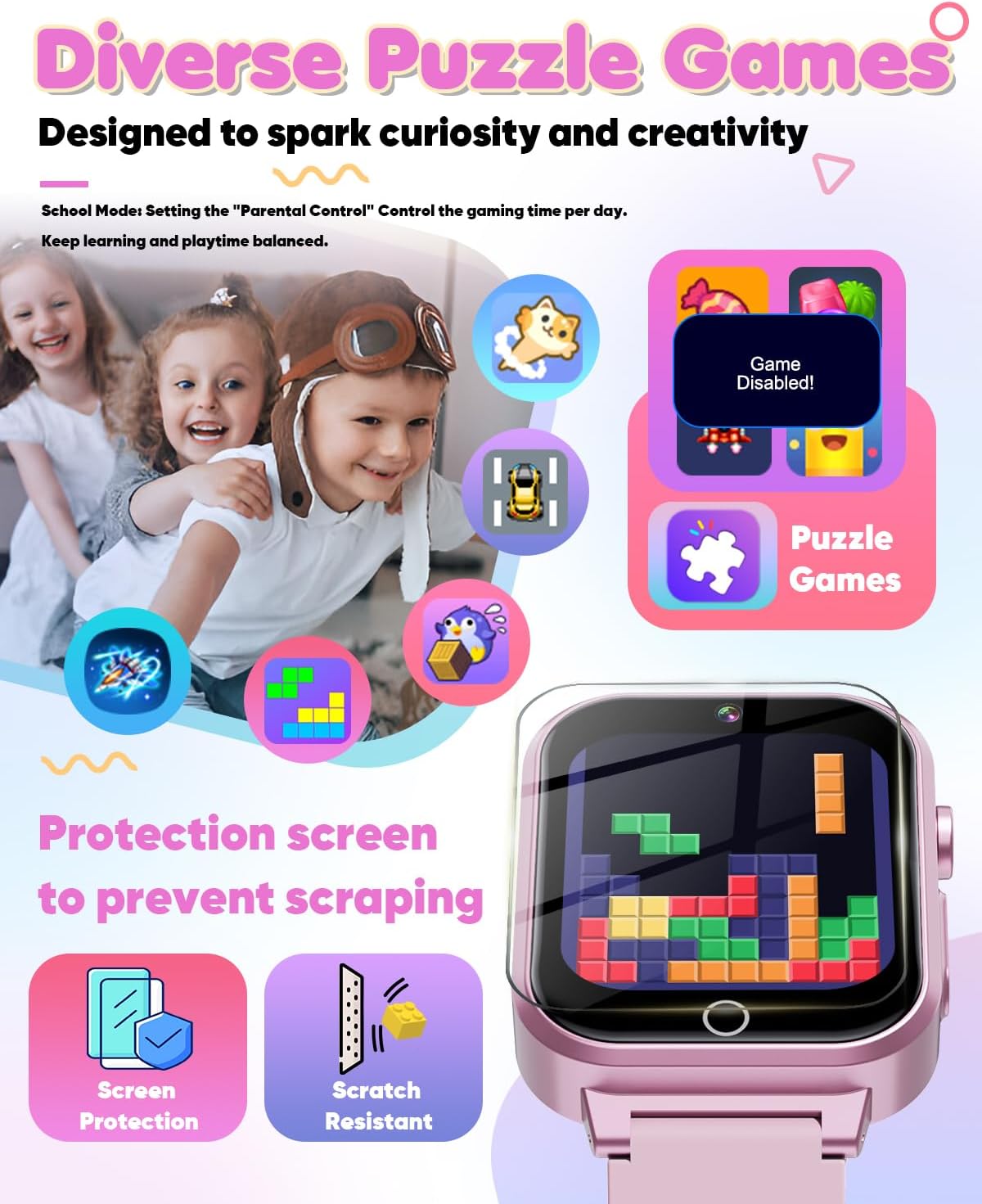
Image 7.4: Diverse Puzzle Games
- لعب الألعاب: Select the 'Games' app to choose from the available puzzle games.
- School Mode (Parental Control): Parents can activate 'School Mode' in the settings to manage and limit game playtime, ensuring a balance between learning and play.
7.5 Daily Management
Utilize the watch to help establish and track daily routines.

Image 7.5: Lifestyle Management and Habit Tracking
- Habit Tracking: The watch features a 12-habit tracking alarm system to encourage consistent daily routines.
- إعدادات التنبيه: Set up to 3 alarms simultaneously for various activities like waking up, homework, or bedtime.
7.6 Utility Tools
The watch includes practical tools for daily use.

Image 7.6: Utility Applications
- آلة حاسبة: قم بإجراء العمليات الحسابية الأساسية.
- المؤقت: Set countdown timers for various activities.
- مصباح يدوي: A small LED light for convenience.
أبدا التخصيص
Personalize the watch's appearance.

Image 7.7: Wallpaper Themes and Battery Life
- خلفيات: Choose from 29 customizable wallpapers and 10 themes to personalize the watch face.
8. الصيانة
- تنظيف: Wipe the watch with a soft, dry cloth. Do not use harsh chemicals or abrasive materials.
- العناية بالبطارية: To prolong battery life, avoid fully discharging the watch frequently. Charge it regularly. The 400mAh rechargeable battery provides up to 5 hours of gaming or 2-3 hours of continuous video recording.
- تخزين: Store the watch in a cool, dry place away from direct sunlight when not in use.
- التعرض للماء: As stated in the safety information, this watch is غير مقاوم للماء. Exposure to water will damage the device and void the warranty.
9. استكشاف الأخطاء وإصلاحها
- Watch will not power on: تأكد من شحن الساعة بالكامل. وصّلها بالشاحن وانتظر بضع دقائق قبل إعادة تشغيلها.
- الشاشة لا تستجيب: Try restarting the watch by holding down the Power Button. If the issue persists, ensure the screen is clean and free of debris.
- البطارية لا تشحن: Check the USB cable for damage and ensure it is securely connected to both the watch and the power source. Try a different USB port or power adapter.
- Cannot transfer music: Ensure the watch is properly connected to the computer and recognized as a storage device. Check that the music files بتنسيق MP3.
- Games are disabled: Check if 'School Mode' is activated in the settings, which limits game access.
10. المواصفات
| اسم الموديل | W1 |
| ماركة | زييجوال |
| حجم الشاشة | 1.5 بوصة |
| سعة البطارية | 400 مللي أمبير من نوع ليثيوم أيون |
| تكنولوجيا الاتصال | USB |
| وزن العنصر | 4.6 أونصة (0.13 كجم) |
| أبعاد المنتج | 0.52 × 1.48 × 9.91 بوصة |
| المميزات الخاصة | Alarm Clock, Calendaring, Camera, Music Player, Games, Learning Activities |
11. الضمان والدعم
For warranty information and customer support, please refer to the contact details provided with your purchase or visit the official Ziegoal webالموقع. احتفظ بإثبات الشراء الخاص بك لاستخدامه في أي مطالبات بالضمان.


