1. المقدمة
The HobbyZone Apprentice STOL S 700mm is an ultra-micro remote control aircraft designed for both first-time pilots and experienced individuals teaching others to fly. This model incorporates advanced AS3X and SAFE technologies to enhance stability and ease of control, making the learning process more accessible and enjoyable. This manual provides essential information for the safe assembly, setup, operation, and maintenance of your Apprentice STOL S 700mm.

Image 1.1: The HobbyZone Apprentice STOL S 700mm RC Airplane, a versatile trainer aircraft.

Image 1.2: HobbyZone's commitment to successful flight training.
2. معلومات السلامة
تحذير: اقرأ دليل التعليمات بالكامل للتعرف على خصائص المنتج قبل تشغيله. قد يؤدي عدم تشغيل المنتج بشكل صحيح إلى تلفه أو تلف الممتلكات الشخصية، وقد يتسبب في إصابات خطيرة. هذا منتج هواية متطور، لذا يجب تشغيله بحذر وحكمة، ويتطلب بعض المهارات الميكانيكية الأساسية. قد يؤدي عدم تشغيل هذا المنتج بطريقة آمنة ومسؤولة إلى إصابات أو تلف المنتج أو الممتلكات الأخرى. هذا المنتج غير مخصص للاستخدام من قبل الأطفال دون إشراف مباشر من شخص بالغ. لا تستخدمه مع مكونات غير متوافقة، ولا تُجرِ أي تعديلات عليه خارج نطاق التعليمات المقدمة من شركة Horizon Hobby, LLC. يحتوي دليل المنتج على تعليمات السلامة والتشغيل والصيانة. من الضروري قراءة جميع التعليمات والتحذيرات الواردة في الدليل واتباعها قبل التجميع أو الإعداد أو الاستخدام، وذلك لضمان التشغيل الصحيح وتجنب التلف أو الإصابات الخطيرة.
- Always operate your aircraft in open areas away from people, vehicles, and buildings.
- Ensure all components are securely attached and in good working order before each flight.
- Never fly near power lines, busy roads, or airports.
- Always disconnect the battery from the aircraft when not in use.
- Follow all local regulations and laws regarding RC aircraft operation.
3. ماذا يوجد في الصندوق
The HobbyZone Apprentice STOL S 700mm BNF Basic package includes the following components:
- (1) HobbyZone Apprentice STOL S 700mm Aircraft
- (1) Spektrum™ Brushless Outrunner Motor (installed)
- (1) Spektrum 6A Smart Lite Brushless ESC (installed)
- (4) Spektrum Linear Servos (installed)
- (1) Spektrum Dual-Protocol (DSMX and SLT) Receiver (installed)
- (1) Apprentice STOL S 700mm Product Manual
Please note that a compatible Spektrum DSMX or SLT equipped transmitter, battery, and charger are sold separately and are required for operation.

Image 3.1: The Apprentice STOL S 700mm aircraft, ready for transmitter binding.
4. الإعداد
4.1 تحضير جهاز الإرسال
The Apprentice STOL S 700mm is a Bind-N-Fly (BNF) Basic model, meaning it comes with the power system, servos, and a Spektrum 2.4GHz receiver installed. You will need a compatible Spektrum DSMX or SLT equipped transmitter (sold separately) to operate the aircraft.
4.2 البطارية والشاحن
A suitable flight battery and charger are required and sold separately. Refer to the aircraft's specifications for recommended battery types and capacities.
4.3 عملية الربط
To bind the aircraft to your transmitter, follow the specific binding instructions provided with your Spektrum transmitter and the detailed instructions in the Apprentice STOL S 700mm product manual. This process establishes communication between your transmitter and the aircraft's receiver.

Image 4.1: Bind-N-Fly Basic advantage, simplifying setup.
4.4 AS3X and SAFE Technology
This model is equipped with Spektrum AS3X (Artificial Stabilization – 3-aXis) technology and optional SAFE Select flight envelope protection technology. AS3X works behind the scenes to smooth out the effects of wind and turbulence, providing a stable and precise flight experience. SAFE Select offers additional assistance for new pilots.

Image 4.2: Explanation of AS3X and SAFE Select technologies.
- حدود زاوية الميل والانعطاف: These envelope limits prevent the airplane from rolling or pitching upside down, and prevent excessive climb or dive angles.
- التسوية الذاتية التلقائية: The airplane instantly returns to and holds level flight when the sticks are released and in the center position. This feature assists in maintaining wing level during takeoffs, launches, and landings.
- Easy Switch Assignment: No complex programming is required. A simple procedure allows assigning a transmitter switch to turn SAFE Select features on and off. For UMX models like this one, SAFE Select is automatically assigned to channel 5 (Gear) so you can turn it on and off with any switch assigned to that channel (switch A by default on most Spektrum computer transmitters).

Image 4.3: Close-up of the installed brushless outrunner motor and propeller.
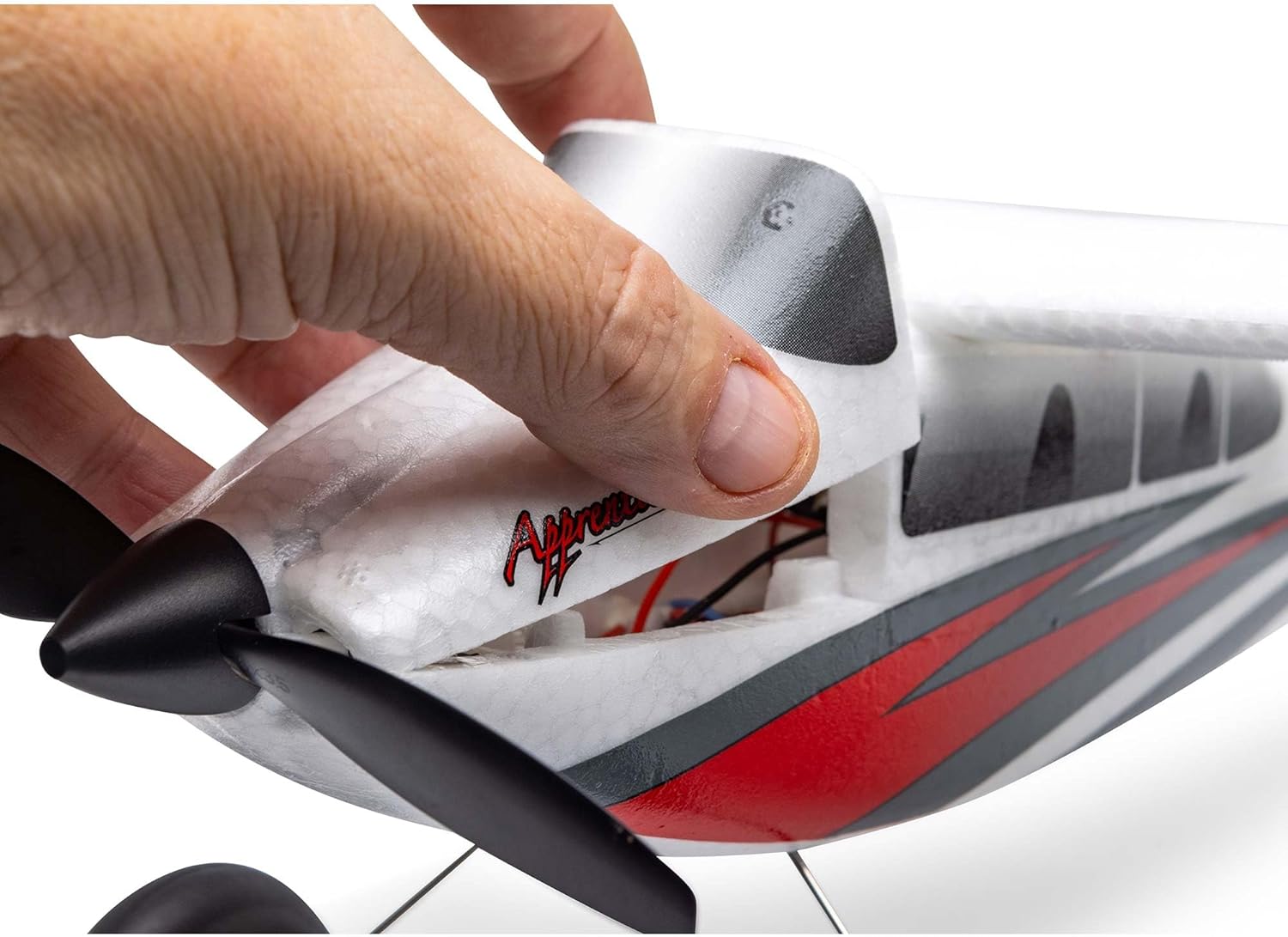
Image 4.4: Accessing the battery compartment for installation.
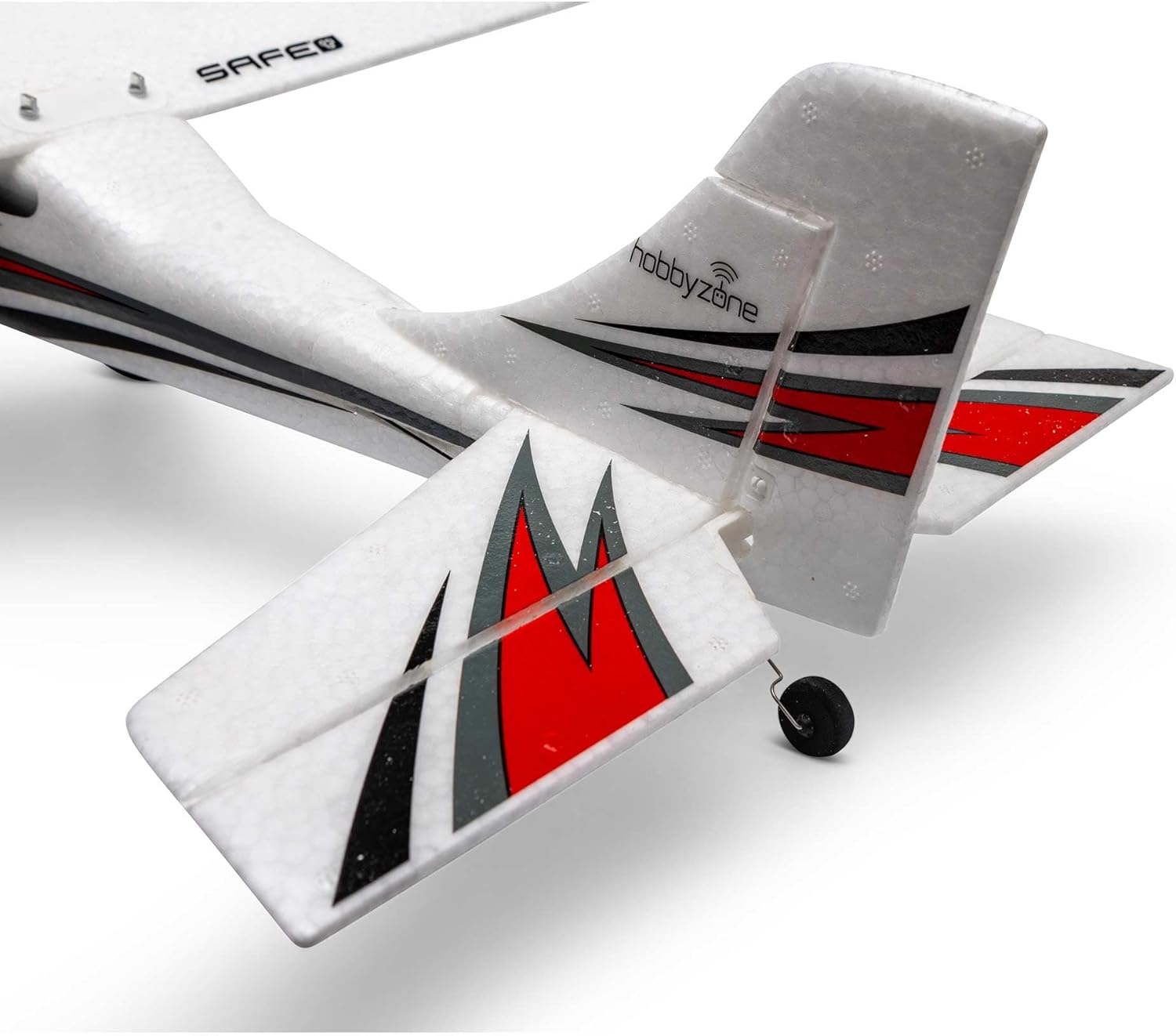
Image 4.5: The tail section of the Apprentice STOL S 700mm.
5. تعليمات التشغيل
5.1 فحوصات ما قبل الرحلة
- تأكد من شحن بطارية الطائرة بالكامل وتركيبها بشكل آمن.
- تحقق من أن جميع أسطح التحكم (الجنيحات، المصعد، الدفة) تتحرك بحرية وفي الاتجاه الصحيح بالنسبة لمدخلات جهاز الإرسال الخاص بك.
- Check for any damage to the airframe, propeller, or landing gear.
- Confirm your transmitter is powered on and bound to the aircraft.
5.2 إقلاع
Place the aircraft on a flat surface, facing into the wind if possible. Gradually increase throttle while applying slight up-elevator to lift off. The SAFE Select technology can assist with stable takeoffs by providing automatic self-leveling.
5.3 أدوات التحكم في الطيران
The Apprentice STOL S 700mm offers full 4-channel control, allowing for precise maneuvers and aerobatic flight capability as your skills progress.
- خنق: يتحكم في سرعة المحرك وارتفاعه.
- الجنيحات: Control roll (banking) of the aircraft.
- مصعد: Controls pitch (nose up/down) for climbing and descending.
- الموجه: Controls yaw (nose left/right) for directional control and coordinated turns.

Image 5.1: The Apprentice STOL S 700mm performing a stable flight.
5.4 الهبوط
Approach the landing area at a reduced throttle setting. Maintain a gentle descent rate and use elevator control to flare just before touchdown. SAFE Select's self-leveling can aid in smooth landings.
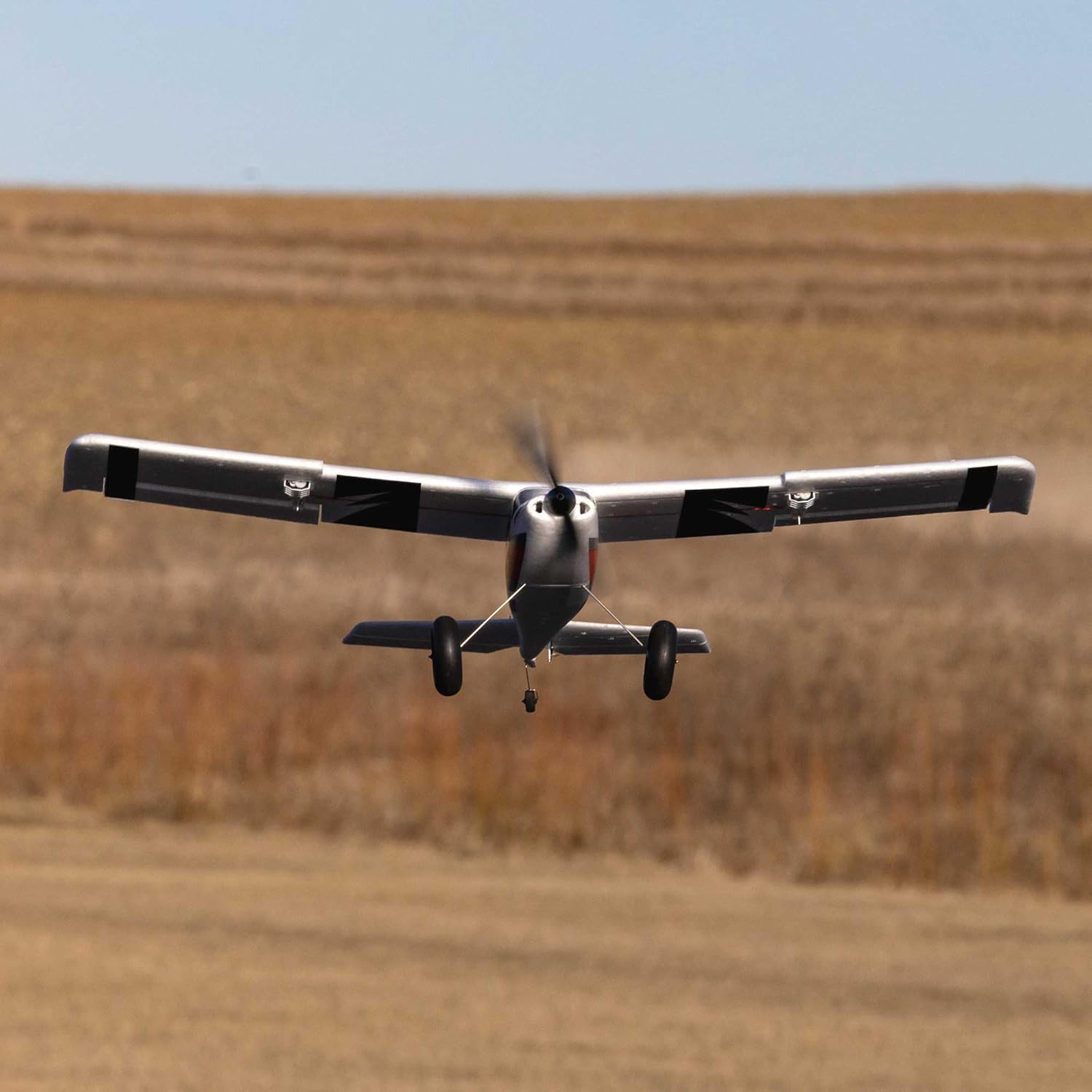
Image 5.2: The aircraft on its landing approach.
6. الصيانة
Regular maintenance ensures the longevity and safe operation of your Apprentice STOL S 700mm.
- التفتيش بعد الرحلة: After each flight, inspect the aircraft for any signs of damage, loose connections, or worn parts.
- تنظيف: Gently clean the airframe with a soft, dry cloth. Avoid using harsh chemicals that could damage the foam material.
- فحص المروحة: Regularly inspect the propeller for cracks, nicks, or bends. Replace damaged propellers immediately to prevent vibration and potential motor damage.
- Control Surface Hinges: Ensure all control surface hinges are intact and allow for smooth, unrestricted movement.
- المحرك ووحدة التحكم الإلكترونية: Check for any debris around the motor and ensure the Electronic Speed Controller (ESC) is free from obstructions and properly ventilated.
7. استكشاف الأخطاء وإصلاحها
If you encounter issues with your Apprentice STOL S 700mm, consider the following troubleshooting steps:
| مشكلة | السبب المحتمل | حل |
|---|---|---|
| Aircraft does not respond to transmitter. | Not bound, low transmitter/receiver battery, incorrect model selected. | Re-bind aircraft, charge batteries, select correct model on transmitter. |
| المحرك لا يدور. | Battery not connected, ESC not armed, motor/ESC damage. | Connect battery, ensure throttle is at zero for ESC arming, inspect for damage. |
| تحلّق الطائرة بشكل غير منتظم. | Control surfaces reversed, trim settings incorrect, damage to airframe. | Check transmitter servo reversals, adjust trim, inspect for damage. |
| Short flight times. | Battery not fully charged, old/damaged battery, aggressive flying. | Ensure full charge, replace old batteries, fly more conservatively. |
8. المواصفات
Key specifications for the HobbyZone Apprentice STOL S 700mm:
- أبعاد المنتج: 30.5 × 14.45 × 7.25 بوصة
- وزن السلعة: 4.45 رطل
- رقم موديل المنتج: HBZ6150
- العمر الموصى به من قبل الشركة المصنعة: 14 سنوات وما فوق
- تاريخ الافراج عنه: 25 أكتوبر 2023
- الشركة المصنعة: HobbyZone

Image 8.1: Diagram illustrating the dimensions of the Apprentice STOL S 700mm.
9. الضمان والدعم
For warranty information, technical support, or replacement parts, please contact HobbyZone customer service. Refer to the official HobbyZone website or the product packaging for the most current contact details and warranty terms.
It is recommended to register your product with HobbyZone to receive updates and support.


