1. المقدمة
Thank you for choosing the DreamSky AM FM Shortwave Portable Radio, Model DS6226. This manual provides essential information for the safe and efficient operation of your radio. Please read it thoroughly before use and retain it for future reference.
1.1 الميزات الرئيسية
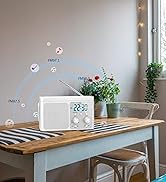
- Large speaker for clear, loud sound.
- Strong reception across AM, FM, and SW bands with a long transistor antenna.
- High and low tone selection for varied audio enjoyment.
- Large, smooth analog dials for easy tuning and volume control.
- Digital LCD display with backlight showing time and station frequency.
- 12-hour and 24-hour time format options.
- Dual power sources: AC adapter (included) or 4 AA batteries (not included).
- 3.5mm earphone jack for private listening.
1.2 محتويات الصندوق
- DreamSky AM FM Shortwave Radio (Model DS6226)
- محول التيار المتردد (110-120 فولت)
- دليل المستخدم

2. تعليمات الإعداد
2.1 تزويد الراديو بالطاقة
Your DreamSky radio can be powered by either the included AC adapter or four AA batteries.
- طاقة التيار المتردد: Connect the provided AC adapter to the DC IN jack on the radio and plug the adapter into a standard 110-120V wall outlet.
- طاقة البطارية: Open the battery compartment on the back of the radio. Insert four (4) AA alkaline batteries (not included), ensuring correct polarity (+/-). Close the battery compartment securely.
When using AC power, batteries are automatically bypassed. Remove batteries if the radio will not be used for an extended period to prevent leakage.

3. تعليمات التشغيل
3.1 تشغيل/إيقاف التشغيل والتحكم في مستوى الصوت
تدوير مقدار knob clockwise to turn the radio ON and increase the volume. Rotate counter-clockwise to decrease volume and turn OFF the radio.
3.2 ضبط المحطات
- Extend the telescopic antenna for optimal FM and SW reception. For AM reception, the internal antenna is generally sufficient, but rotating the radio may improve signal.
- Select the desired band (AM, FM, or SW) using the صباحا / FM / جنوب غرب يُحوّل.
- تدوير ضبط knob to scan for stations. The digital display will show the frequency.
- ضبط ضبط knob until the desired station is clearly received.

3.3 لهجة التحكم
استخدم نغمة switch to select between 'LOW' and 'HIGH' audio tones, adjusting the sound output to your preference.

3.4 Digital Time Display and Backlight
The radio features a digital LCD display that shows the current time and selected radio frequency. The screen backlight activates for clear visibility in low-light conditions.
- وقت الضبط: اضغط مع الاستمرار على الوقت المحدد button. Use the '+' and '-' buttons to adjust the hour and minute. Press الوقت المحدد مرة أخرى للتأكيد.
- تنسيق 12/24 ساعة: اضغط لفترة وجيزة على الوقت المحدد button to toggle between 12-hour (AM/PM) and 24-hour (military) time formats.


3.5 استخدام سماعات الرأس
For private listening, plug any standard 3.5mm stereo headphones (not included) into the سماعة الأذن يوجد منفذ سماعات الرأس على جانب الراديو. سيتم كتم صوت السماعة الداخلية تلقائيًا عند توصيل سماعات الرأس.

4. الصيانة
- تنظيف: امسح الراديو بقطعة قماش ناعمة وجافة. لا تستخدم المنظفات الكاشطة أو المذيبات.
- العناية بالبطارية: Remove batteries if the radio is not used for extended periods to prevent corrosion.
- تخزين: قم بتخزين الراديو في مكان بارد وجاف بعيدًا عن أشعة الشمس المباشرة ودرجات الحرارة القصوى.
- رعاية الهوائي: تعامل مع الهوائي التلسكوبي برفق لتجنب ثنيه أو كسره.
5. استكشاف الأخطاء وإصلاحها
| مشكلة | السبب المحتمل | حل |
|---|---|---|
| لا يوجد طاقة | Batteries are dead or incorrectly inserted; AC adapter not properly connected. | Replace batteries, check polarity; ensure AC adapter is securely plugged in. |
| Poor reception/Static | Antenna not extended; weak signal; interference from other electronics. | Extend antenna fully; reposition radio; move away from other electronic devices. |
| لا يوجد صوت | Volume too low; headphones connected; radio not tuned to a station. | Increase volume; disconnect headphones; tune to an active station. |
| العرض الرقمي لا يعمل | مشكلة في الطاقة؛ عطل داخلي. | Check power source; if problem persists, contact customer support. |
6. المواصفات
- رقم الموديل: دي اس 6226
- أبعاد المنتج: 7.8 × 2.15 × 4.45 بوصة (الطول × العرض × الارتفاع)
- وزن السلعة: 1.92 رطل
- تقنية الاتصال: AM، FM، SW
- مصدر الطاقة: AC Adapter (110-120V) or 4 x AA Batteries (not included)
- المميزات الخاصة: Large speaker, strong reception, large analog dial, digital LCD display with backlight, headphone jack, 12/24Hr time display.

7. الضمان والدعم
DreamSky products are designed for reliability and performance. For warranty information or technical support, please refer to the contact details provided on the product packaging or visit the official DreamSky website. Please have your model number (DS6226) and purchase information ready when contacting support.


