1. المقدمة
This manual provides detailed instructions for the Varmilo VA Series V2 Aurora Bluetooth White LED Mechanical Keyboard. It covers setup, operation, maintenance, and troubleshooting to ensure optimal performance and user experience. The VA Series V2 features an upgraded design with a standard USB-C cable, a double-section kickstand for enhanced adjustability, North-facing LEDs, and sound-proof silicone pads for a quieter typing experience. Indicator lights are positioned on the top right to minimize distractions.
2. محتويات العبوة
يرجى التحقق من محتويات العبوة عند فتحها. في حال وجود أي أغراض مفقودة أو تالفة، يُرجى التواصل مع خدمة العملاء.
- Varmilo VA Series V2 Aurora Mechanical Keyboard
- كابل USB-C
- دليل المستخدم (هذا المستند)
3. الإعداد
3.1 الإعداد المادي
- فك لوحة المفاتيح: قم بإزالة لوحة المفاتيح وجميع الملحقات من العبوة بعناية.
- Adjust Kickstands: تتميز لوحة المفاتيح بحرفينtage height adjustable feet. Flip out the desired kickstands on the underside of the keyboard to achieve your preferred typing angle.

Image: The underside of the keyboard, highlighting the two-stage adjustable kickstand for ergonomic positioning.
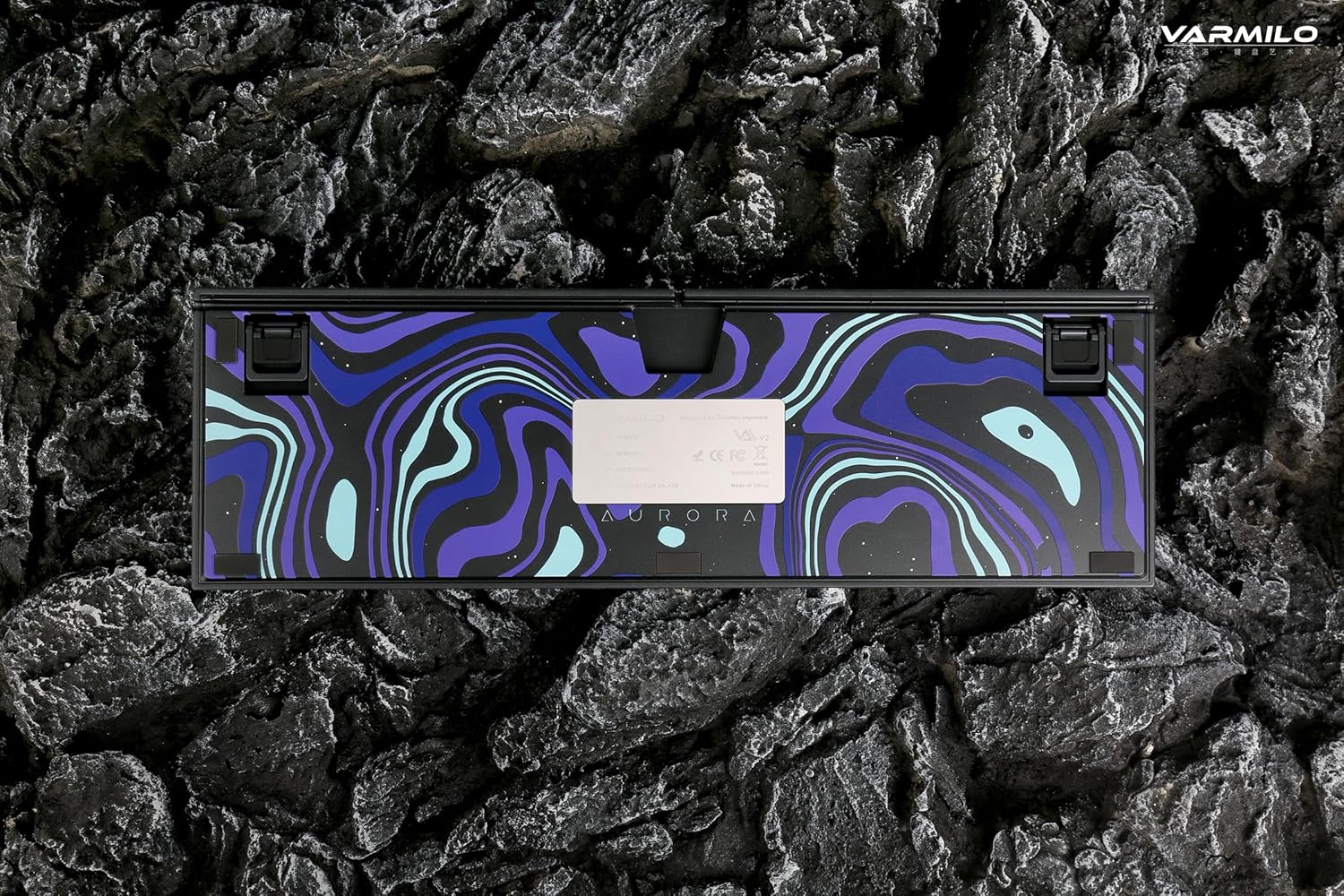
Image: The bottom of the keyboard, illustrating the cable grooves that allow the USB-C cable to exit from the left, right, or middle.
3.2 طرق الاتصال
3.2.1 الاتصال السلكي (USB-C)
- حدد موقع منفذ USB-C الموجود في الجزء الخلفي من لوحة المفاتيح.
- Connect the provided USB-C cable to the keyboard and the other end to an available USB port on your computer or device.
- The keyboard will be automatically recognized by your operating system. The indicator light will show charging status if the battery is low.
3.2.2 اتصال لاسلكي عبر البلوتوث
The Varmilo VA Series V2 Aurora keyboard supports connecting up to 3 devices wirelessly via Bluetooth.
- التبديل إلى وضع البلوتوث: Locate the mode switch on the keyboard (usually on the back or side) and set it to Bluetooth mode.
- الدخول في وضع الاقتران: اضغط مع الاستمرار الجبهة الوطنية + إدراج (لجهاز البلوتوث 1)، الجبهة الوطنية + الصفحة الرئيسية (لجهاز البلوتوث 2)، أو الجبهة الوطنية + Page Up (for Bluetooth device 3) for 3-5 seconds until the indicator light flashes rapidly, indicating pairing mode.
- تمكين البلوتوث على جهازك: On your computer, smartphone, or tablet, go to Bluetooth settings and turn on Bluetooth.
- حدد لوحة المفاتيح: Look for "Varmilo VA2" or a similar name in the list of available devices and select it to pair.
- تأكيد الاقتران: Once paired, the indicator light on the keyboard will stop flashing and remain solid for a few seconds, then turn off or show battery status.
- Pair Additional Devices: Repeat steps 2-5 using a different Fn key combination (Fn + Home or Fn + Page Up) to pair up to two more devices.
4. تعليمات التشغيل
4.1 التبديل بين الأجهزة
- To switch to Bluetooth device 1: Press الجبهة الوطنية + إدراج.
- To switch to Bluetooth device 2: Press الجبهة الوطنية + الصفحة الرئيسية.
- To switch to Bluetooth device 3: Press الجبهة الوطنية + Page Up.
- To switch to Wired mode: Set the mode switch on the keyboard to Wired mode.
4.2 التحكم في الإضاءة الخلفية بتقنية LED
The keyboard features a White LED backlight. Use the following key combinations to control the backlight:
- Fn + < (Left Arrow): تقليل سطوع الإضاءة الخلفية.
- Fn + > (Right Arrow): زيادة سطوع الإضاءة الخلفية.
- Fn + السهم لأعلى: Change backlight mode/effect.
- Fn + السهم لأسفل: Change backlight mode/effect (reverse direction).
- Fn + Z: تشغيل/إيقاف الإضاءة الخلفية.
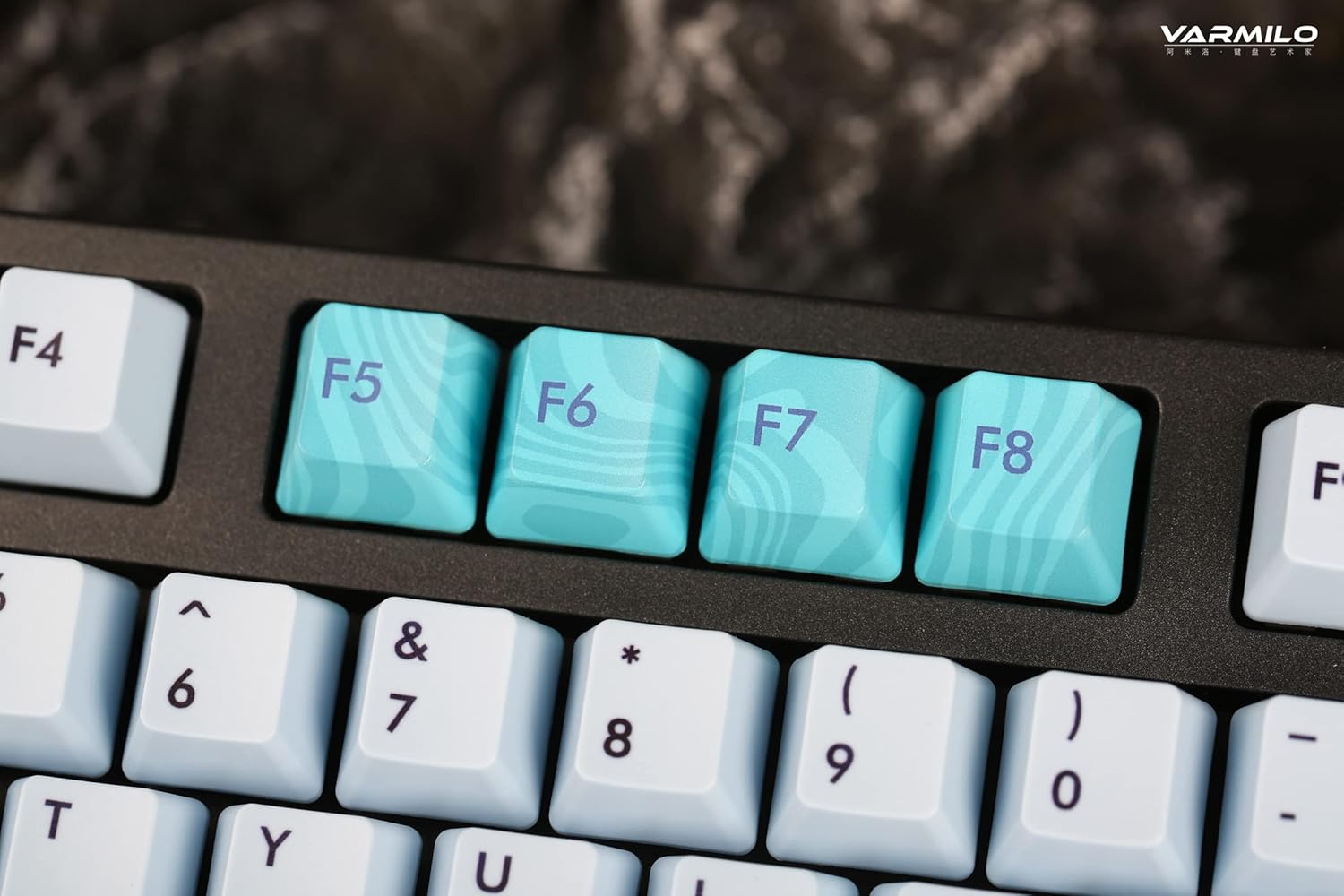
Image: Close-up of the arrow keys, which are used in combination with the Fn key to control backlight brightness and modes.
4.3 مفاتيح الوظائف وعناصر التحكم في الوسائط المتعددة
The keyboard features a full-size (104 + 4) layout with dedicated function keys and multimedia controls accessible via the Fn مفتاح.
- Fn + F1-F12: Access various system functions (e.g., media playback, volume control, screen brightness). Refer to your operating system's settings for specific mappings or common keyboard shortcuts.
- Fn + مفتاح ويندوز: Lock/unlock the Windows key to prevent accidental presses during gaming.
- Fn + Ctrl الأيمن: Switch between Mac/Windows layout (if applicable, check specific model features).

الصورة: لقطة مقربة view of the F5-F8 keys, showcasing their unique design and potential secondary functions.
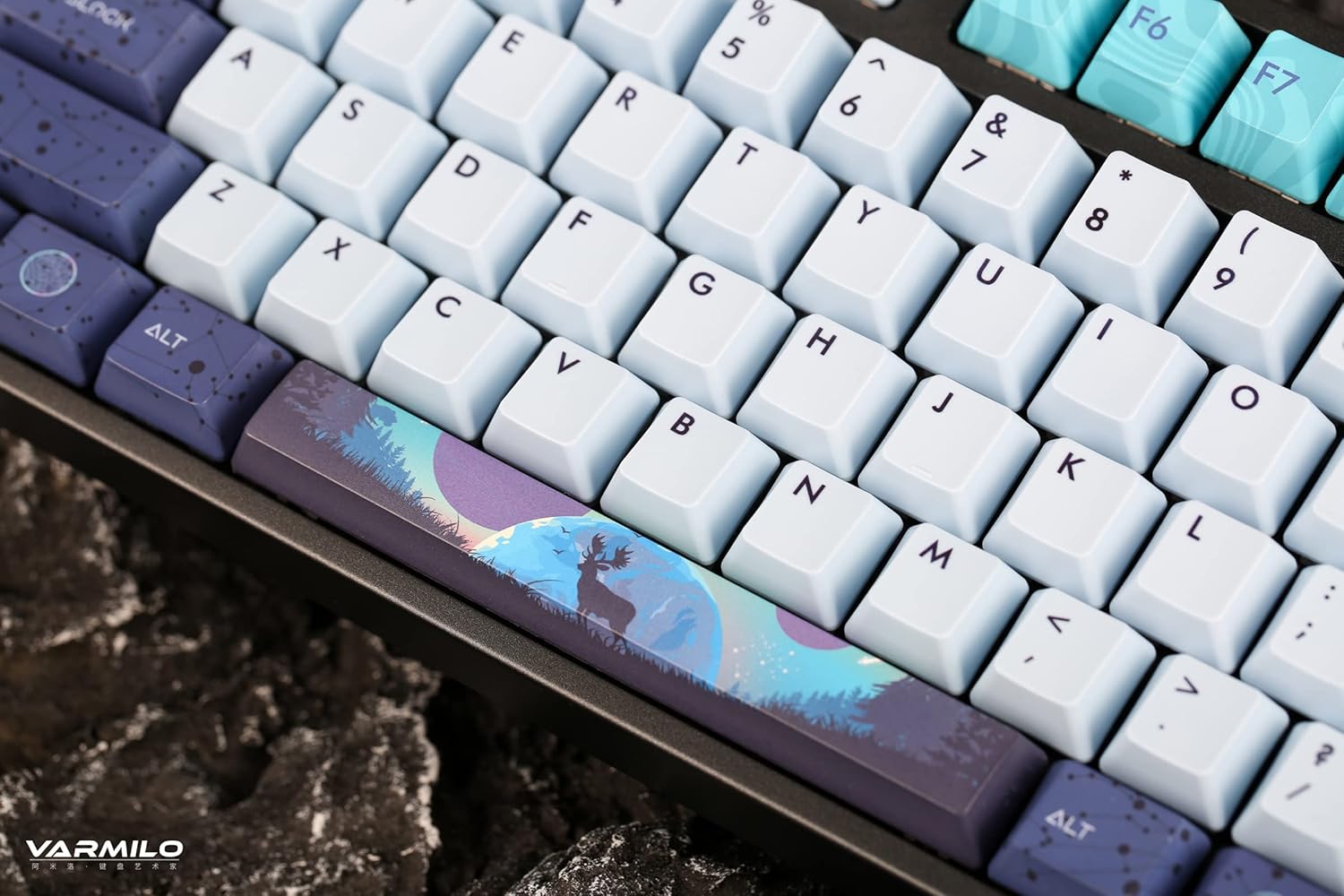
الصورة: تفصيلية view of the keyboard's keycaps, including a custom-designed spacebar, highlighting the thick Dye Sub PBT keycaps.
5. الصيانة
Proper maintenance ensures the longevity and performance of your Varmilo keyboard.
- تنظيف: Use a soft brush or compressed air to remove dust and debris from between the keycaps. For stubborn dirt, gently wipe the keycaps with a damp cloth and mild soap solution, ensuring no liquid enters the keyboard.
- إزالة غطاء المفتاح: If you need to clean under the keycaps or replace them, use a keycap puller. Gently pull the keycap straight up to avoid damaging the switch. The keyboard features durable Dye Sub PBT keycaps.
- تخزين: عند عدم الاستخدام لفترات طويلة، قم بتخزين لوحة المفاتيح في بيئة جافة وخالية من الغبار.
- تجنب السوائل: لا تعرض لوحة المفاتيح للسوائل. قد تتسبب الانسكابات في تلف دائم.
6. استكشاف الأخطاء وإصلاحها
| مشكلة | السبب المحتمل | حل |
|---|---|---|
| لوحة المفاتيح لا تستجيب (سلكية) | Loose USB-C cable connection; faulty USB port; incorrect mode. |
|
| لوحة المفاتيح لا تستجيب (بلوتوث) | Not paired; out of range; low battery; incorrect Bluetooth channel selected. |
|
| الإضاءة الخلفية لا تعمل | Backlight turned off; brightness set to minimum; low battery. |
|
| المفاتيح غير مسجلة أو مكتوبة مرتين | Dust/debris under keycap; switch malfunction; software issue. |
|
7. المواصفات
| ميزة | التفاصيل |
|---|---|
| ماركة | فارميلو |
| نموذج | VA Series V2 Aurora |
| نوع لوحة المفاتيح | ميكانيكي |
| نوع المفتاح | Kailh Prestige Red |
| الاتصال | USB-C (Wired), Bluetooth (Wireless) |
| الأجهزة اللاسلكية | Connects up to 3 devices wirelessly |
| ازرار | Thick Dye Sub PBT |
| الإضاءة الخلفية | White LED, North-facing |
| تَخطِيط | Full-size (104 + 4 keys) |
| الأجهزة المتوافقة | كمبيوتر محمول، كمبيوتر شخصي، هاتف ذكي، جهاز لوحي |
| المميزات الخاصة | اثنانtage height adjustable feet, Sound-proof silicone pads, Cable grooves |
| مادة | Silicone (internal sound dampening) |
8. الضمان والدعم
Varmilo products are designed for quality and durability. For warranty information, technical support, or service inquiries, please refer to the official Varmilo webالموقع أو اتصل بتاجر التجزئة الخاص بك.
You can visit the official Varmilo Store for more information: Varmilo Store on Amazon.


