1. المقدمة
This manual provides essential information for the safe and efficient use of your Aiwa A65QUHDX3-GTV 65-inch QLED 4K Ultra HD Google Smart TV. Please read these instructions thoroughly before operating the television and retain them for future reference.
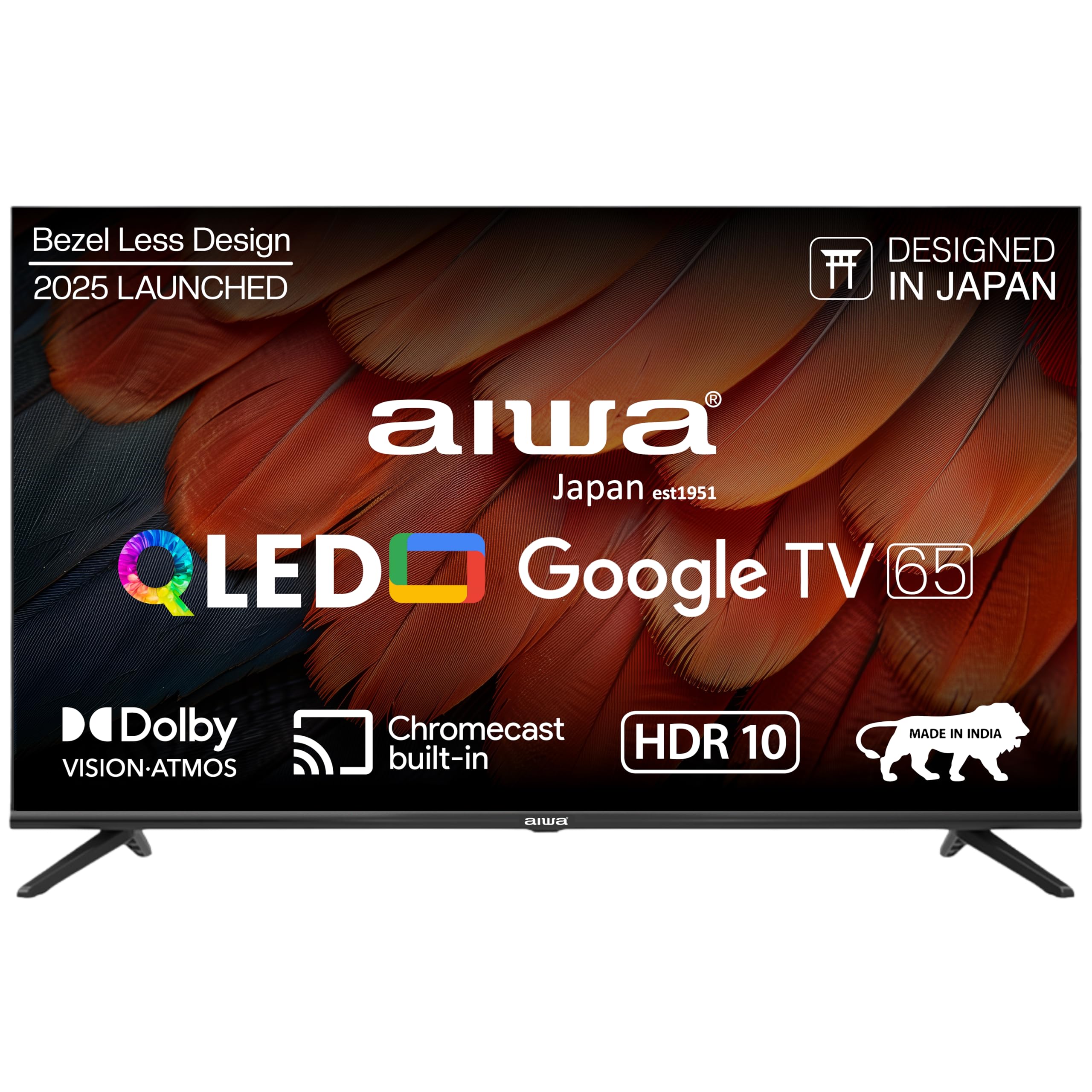
الشكل 1.1: الجبهة view of the Aiwa A65QUHDX3-GTV 65-inch QLED Smart TV.

Figure 1.2: Aiwa A65QUHDX3-GTV showcasing its ultra sleek design.
2. معلومات السلامة
اتبع دائمًا احتياطات السلامة التالية لمنع الصدمات الكهربائية أو الحرائق أو إتلاف التلفزيون:
- لا تعرض التلفاز للمطر أو الرطوبة.
- لا تفتح التلفازasinز. إحالة جميع أعمال الصيانة إلى موظفين مؤهلين.
- تأكد من التهوية الجيدة. لا تسد فتحات التهوية.
- تجنب وضع التلفزيون بالقرب من مصادر الحرارة أو في ضوء الشمس المباشر.
- استخدم فقط سلك الطاقة المرفق مع التلفزيون.
- احتفظ بالبطاريات بعيدًا عن متناول الأطفال.
3. ماذا يوجد في الصندوق
تأكد من وجود جميع المكونات عند إخراج المنتج من العلبة:
- تلفزيون LED 1N
- 4N Screws for stand/wall mount
- 1N جهاز التحكم عن بعد
- بطاريات AAA 2N (للتحكم عن بعد)
- دليل المستخدم 1N مع بطاقة الضمان
- حامل طاولة مكون من قطعة واحدة
- 1N Wallmount bracket
4. الإعداد
4.1 التثبيت المادي
Your Aiwa TV supports both table-top and wall-mount installations. Choose the method suitable for your environment.
تركيب حامل الطاولة
- قم بوضع شاشة التلفزيون بعناية على سطح ناعم ومسطح لمنع تعرضها للتلف.
- Attach the provided table stands to the designated slots at the bottom of the TV using the included screws.
- Ensure the stands are securely fastened.
- ارفع التلفاز بحرص إلى وضعه العمودي على سطح ثابت.
تركيب الحائط
If using the wall mount, follow the instructions provided with the wall mount kit. Professional installation is recommended for wall mounting.

Figure 4.1: Dimensions of the Aiwa A65QUHDX3-GTV 65-inch QLED Smart TV.
4.2 توصيل الأجهزة الطرفية
The TV features an array of ports for various devices. Refer to the back panel image for port locations.

الشكل 4.2: خلفي view من منافذ توصيل شاشة التلفزيون.

الشكل 4.3: مفصل view of the TV's connectivity ports including LAN, HDMI, USB, Antenna In, and AV In.
- منافذ HDMI (x3): قم بتوصيل مشغلات Blu-ray أو وحدات التحكم في الألعاب أو أجهزة فك التشفير أو الأجهزة الأخرى الممكّنة بتقنية HDMI.
- منافذ USB (x2): قم بتوصيل أجهزة تخزين USB لتشغيل الوسائط أو تحديثات البرامج.
- منفذ LAN: قم بتوصيل كابل إيثرنت للحصول على اتصال إنترنت سلكي.
- مدخل الهوائي: قم بتوصيل هوائي أو إشارة تلفزيون الكابل.
- AV في: قم بتوصيل الأجهزة القديمة باستخدام كابلات الفيديو المركبة وكابلات الصوت الاستريو.
- بلوتوث: قم بإقران سماعات الرأس اللاسلكية أو مكبرات الصوت أو أجهزة البلوتوث الأخرى.
- واي فاي: قم بالاتصال بشبكة الواي فاي المنزلية للوصول إلى الإنترنت.
4.3 معالج التشغيل الأولي والإعداد
- قم بتوصيل سلك الطاقة بالتلفزيون ثم بمأخذ الطاقة.
- اضغط على زر الطاقة الموجود في جهاز التحكم عن بعد أو في التلفزيون نفسه.
- اتبع التعليمات التي تظهر على الشاشة لإكمال الإعداد الأولي، بما في ذلك اختيار اللغة، والاتصال بالشبكة، وتسجيل الدخول إلى حساب جوجل.
5. تعليمات التشغيل
5.1 التحكم عن بعد
The included smart remote control allows for easy navigation and voice commands.

Figure 5.1: Smart Remote Control with dedicated quick access buttons for streaming services and voice control functionality.
- زر الطاقة: تشغيل التلفزيون أو إيقاف تشغيله.
- لوحة التنقل: Use the directional buttons to move through menus and the center button to select.
- زر الرجوع: العودة إلى الشاشة السابقة.
- زر الصفحة الرئيسة: الوصول إلى الشاشة الرئيسية لـ Google TV.
- رفع/خفض الصوت: ضبط مستوى الصوت.
- زر كتم الصوت: كتم الصوت أو إلغاء كتمه.
- زر المساعد الصوتي: يقوم بتنشيط مساعد Google للأوامر الصوتية.
- أزرار الوصول السريع: Dedicated buttons for Netflix, Prime Video, YouTube, and Disney+Hotstar.
5.2 واجهة Google TV
Your Aiwa Smart TV runs on Google TV, offering a personalized content experience.

Figure 5.2: Google TV home screen displaying a wide range of applications and content.

Figure 5.3: Google TV interface with personalized content suggestions.
- توصيات المحتوى: The TV provides personalized suggestions based on your viewالتاريخ والتفضيلات.
- قائمة المراقبة: Add movies and shows to your watchlist for later viewعمل.
- محترف شخصيfile: إنشاء الموالية الفرديةfiles for each user to receive tailored content.
- الأطفال المحترفينfile: Set up a dedicated profile for children with age-appropriate content and parental controls.
- مساعد جوجل: استخدم الأوامر الصوتية للبحث عن المحتوى والتحكم في أجهزة المنزل الذكي والحصول على المعلومات.
- Chromecast المدمج: قم بعرض المحتوى مباشرة من هاتفك الذكي أو جهازك اللوحي على التلفزيون.
5.3 إعدادات الصورة والصوت
قم بضبط إعدادات الصورة والصوت لتحسين تجربتك viewتجربة رائعة.
أوضاع الصورة
Access picture settings through the TV menu to select from various modes:
- واضح: Enhances colors and brightness for a dynamic picture.
- معيار: الإعداد الافتراضي مناسب لمعظم المحتوى.
- رياضة: Optimizes motion and color for sports broadcasts.
- فيلم: Provides a cinematic experience with accurate colors.
- مستخدم: Allows custom adjustment of brightness, contrast, color, and sharpness.
- توفير الطاقة: Reduces power consumption by adjusting brightness.
The QLED display supports Dolby Vision and HDR10 for enhanced contrast and color depth.

Figure 5.4: Explanation of Quantum Dot nanocrystals technology for vibrant picture quality.

Figure 5.5: Crysta Tech Vision for enhanced detail and Black Reflect anti-glare technology.
أوضاع الصوت
Select sound modes to match your content:
- معيار: إعدادات الصوت العامة.
- رياضة: Enhances dialogue and crowd noise for sports.
- فيلم: Provides a rich, immersive audio experience.
- موسيقى: يعمل على تحسين الصوت لتشغيل الموسيقى.
The TV features Aiwa Signature Sound and Dolby Atmos for high-fidelity audio.

Figure 5.6: Aiwa Signature Sound, crafted to perfection in Japan, for high fidelity audio.
6. الصيانة
6.1 تنظيف التلفزيون
- افصل دائمًا التلفاز عن الكهرباء قبل التنظيف.
- استخدم قطعة قماش ناعمة وجافة لمسح الشاشة والخزانة.
- بالنسبة للعلامات العنيدة، قم بالتدليك برفقampامسح قطعة القماش بالماء أو بمنظف شاشات خفيف وغير كاشط.
- Do not use alcohol, benzene, thinners, or other volatile substances.
6.2 تحديثات البرامج
قد يتلقى جهاز Google TV الخاص بك تحديثات برمجية تلقائية. تأكد من اتصال جهاز التلفزيون بالإنترنت لتلقي أحدث الميزات والتحديثات الأمنية. يمكنك أيضًا التحقق من وجود تحديثات يدويًا من قائمة إعدادات التلفزيون.
7. استكشاف الأخطاء وإصلاحها
إذا واجهت مشكلات مع التلفزيون الخاص بك، فراجع الحلول الشائعة التالية:
| مشكلة | الحل المحتمل |
|---|---|
| لا يوجد طاقة / لا يتم تشغيل التلفزيون | Ensure the power cord is securely connected to both the TV and the power outlet. Check if the power outlet is working. Try pressing the power button on the TV itself. |
| لا توجد صورة / جودة الصورة رديئة | Check cable connections (HDMI, Antenna). Ensure the correct input source is selected. Adjust picture settings (brightness, contrast, mode). For antenna, rescan channels. |
| بدون صوت / صوت منخفض | Check volume level and ensure TV is not muted. Verify audio cable connections if using external speakers. Check sound settings and sound mode. |
| جهاز التحكم عن بعد لا يعمل | Replace batteries in the remote control. Ensure there are no obstructions between the remote and the TV's IR sensor. Re-pair the Bluetooth remote if applicable. |
| Smart TV features not working / Slow performance | Check internet connection (Wi-Fi or LAN). Restart the TV by unplugging it for a few minutes. Clear app cache or reinstall problematic apps. Ensure software is up to date. |
| Casting issues (Chromecast) | Ensure your casting device and TV are on the same Wi-Fi network. Restart both the TV and the casting device. |
8. المواصفات
Detailed technical specifications for the Aiwa A65QUHDX3-GTV:
| ميزة | التفاصيل |
|---|---|
| ماركة | ايوة |
| نموذج | A65QUHDX3 |
| حجم الشاشة | 65 بوصة |
| تكنولوجيا العرض | تلفزيون كيو إل إي دي |
| دقة | 4K Ultra HD (3840 × 2160 بكسل) |
| معدل التحديث | 60 هرتز |
| Viewزاوية جي | 178 درجة |
| نظام التشغيل | جوجل تي في |
| ذاكرة الوصول العشوائي (RAM) | 2 جيجا بايت |
| سعة التخزين | 16 جيجا بايت |
| معالج الرسوميات المساعد | معالج الرسوميات Mali-450 |
| الاتصال | Wi-Fi (Dual band), Bluetooth (2-way), HDMI 2.0 (x3), USB 2.0 (x2), LAN (x1) |
| قوة إخراج الصوت | 24 واط |
| ميزات الصوت | Aiwa Signature Sound, Dolby Atmos, Stereo Audio |
| المميزات الخاصة | 4K Ultra HD, Built-in Apps, Voice Control, HDR10, Google OS, Flat Screen, Miracast, Smart Features, Dolby Vision, Crysta Tech Vision, Black Reflect |
| أبعاد المنتج (مع الحامل) | 10 x 9.8 x 83 cm (approx. 145.2 cm width, 89.6 cm height) |
| وزن العنصر | 18.6 كجم |
| مصدر الطاقة | تيار متردد 220 فولت |
| واتtage | 150 واط |
9. الضمان والدعم
9.1 معلومات الضمان
Your Aiwa A65QUHDX3-GTV television comes with a manufacturer's warranty. Please refer to the included Warranty Card for detailed terms, conditions, and duration of the warranty period.
9.2 دعم العملاء
For technical assistance, installation services, or any product-related inquiries, please contact Aiwa customer support:
- خط مساعدة خدمة العملاء: 1800-120-5619
- Service is available across 19000+ pincodes in India.

Figure 9.1: Aiwa provides installation and service support across India.


