دليل مستخدم سماعات الرأس اللاسلكية HyperGear Stealth2 ANC
الموديل: 15860
مقدمة
Thank you for choosing the HyperGear Stealth2 ANC Wireless Headphones. These headphones are designed to provide a superior audio experience with advanced active noise cancellation, comfortable over-ear design, and convenient wireless connectivity. This manual will guide you through the setup, operation, and maintenance of your new headphones.

Image: HyperGear Stealth2 ANC Wireless Headphones in black, shown with its retail packaging highlighting features like ANC, battery life, and rapid charge.
محتويات الحزمة
يرجى التأكد من وجود جميع العناصر في الحزمة الخاصة بك:
- سماعات رأس لاسلكية HyperGear Stealth2 ANC
- كابل شحن USB-C

الصورة: تفصيلية view of the HyperGear Stealth2 ANC Headphones, illustrating features such as Premium HD Sound, Rapid Charging, Memory Foam Comfort, Quick Pair Bluetooth, No Lag Mode, and Hands-Free Control.
المنتج انتهىview & ضوابط
تعرف على أزرار سماعات الرأس والمنافذ الخاصة بها لتحقيق الاستخدام الأمثل.
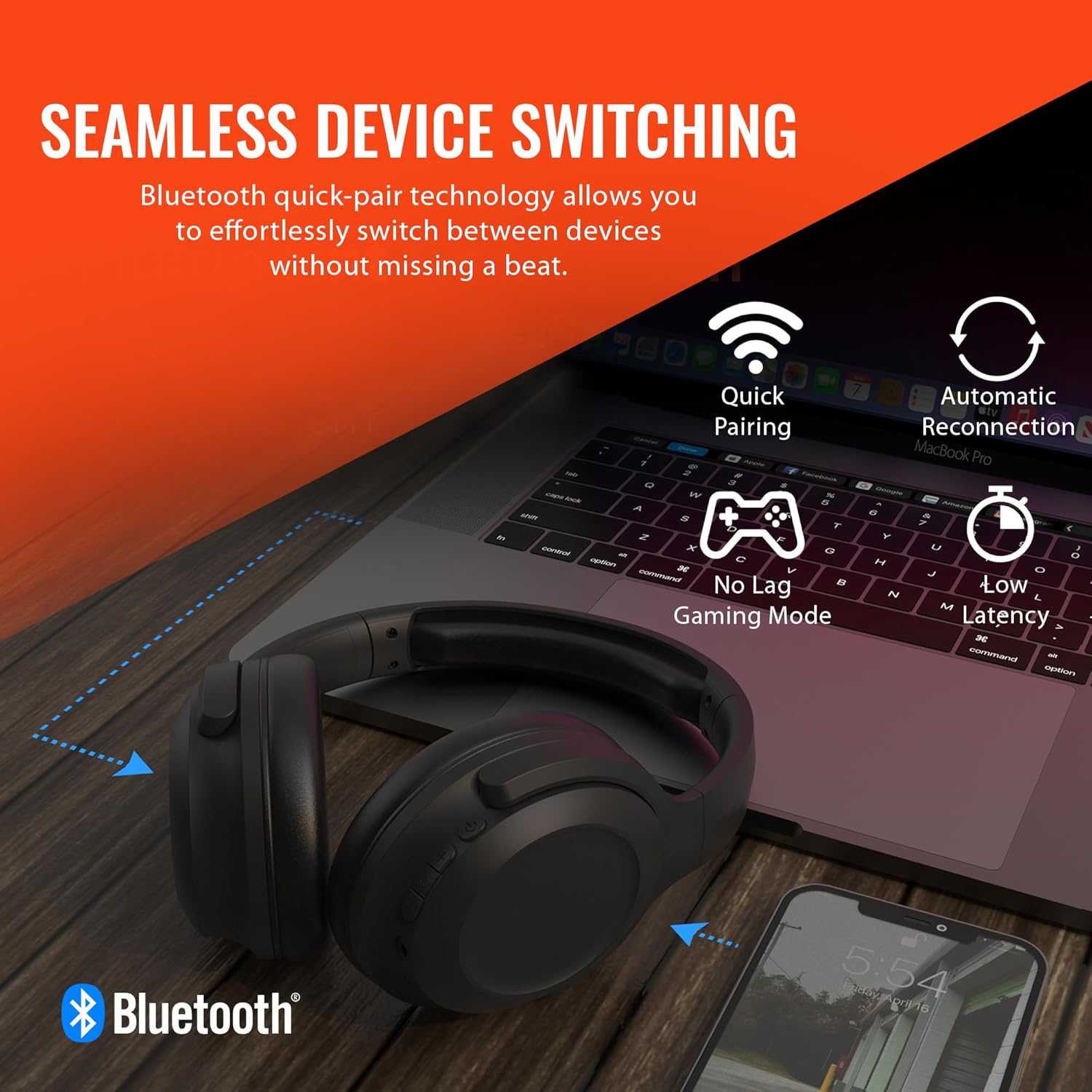
Image: A diagram illustrating the location and function of the on-ear controls for the HyperGear Stealth2 ANC Headphones, including Volume Down, Previous Track, Play/Pause, Answer/End Call, Reject Call, Activate Voice Assistant, Gaming Mode On/Off, Volume Up, Next Track, Power On/Off, Entering Pairing Mode, and ANC On/Off.
- زر الطاقة: اضغط مع الاستمرار للتشغيل / إيقاف التشغيل.
- رفع الصوت / المسار التالي: اضغط لفترة قصيرة لرفع مستوى الصوت، واضغط لفترة طويلة للانتقال إلى المسار التالي.
- خفض الصوت / المسار السابق: اضغط لفترة قصيرة لخفض مستوى الصوت، واضغط لفترة طويلة للانتقال إلى المسار السابق.
- زر متعدد الوظائف (MFB): تشغيل/إيقاف مؤقت، الرد على المكالمة/إنهاء المكالمة.
- زر ANC: قم بتشغيل/إيقاف خاصية إلغاء الضوضاء النشطة.
- Gaming Mode Button: Activate/Deactivate low-latency gaming mode.
يثبت
شحن سماعات الرأس
قبل الاستخدام الأول، اشحن سماعات الرأس بالكامل. يستغرق الشحن الكامل حوالي ساعتين.
- قم بتوصيل كابل الشحن USB-C بمنفذ الشحن الموجود على سماعات الرأس.
- قم بتوصيل الطرف الآخر من الكابل بمصدر طاقة USB (على سبيل المثال، محول الحائط، أو منفذ USB في الكمبيوتر).
- سيُظهر مؤشر LED حالة الشحن وينطفئ عند اكتمال الشحن.
ميزة الشحن السريع: تتيح لك عملية الشحن لمدة 10 دقائق الحصول على ما يقرب من 3 ساعة من وقت اللعب.

Image: The HyperGear Stealth2 ANC Headphones folded, illustrating their lightweight and foldable design, along with battery life details: 18 hours with ANC on, up to 24 hours with ANC off, and a rapid charge feature providing 3 hours of play from a 10-minute charge.
بلوتوث الاقتران
قم بإقران سماعات الرأس بجهازك للحصول على صوت لاسلكي.
- تأكد من إيقاف تشغيل سماعات الرأس.
- Press and hold the Power button until the LED indicator flashes rapidly (indicating pairing mode).
- على جهازك (الهاتف الذكي، الجهاز اللوحي، الكمبيوتر)، قم بتمكين البلوتوث وابحث عن الأجهزة المتاحة.
- Select "HyperGear Stealth2 ANC" from the list of devices.
- بمجرد الاتصال، سيتوقف مؤشر LED عن الوميض وسيظل باللون الأزرق الثابت.
The headphones feature quick-pair technology for seamless switching between devices.

Image: HyperGear Stealth2 ANC Headphones connected wirelessly to a laptop and a smartphone, illustrating the seamless device switching capability with quick pairing and automatic reconnection.
تعليمات التشغيل
تشغيل/إيقاف الطاقة
- تشغيل الطاقة: اضغط مع الاستمرار على زر الطاقة لمدة ثانيتين.
- إيقاف التشغيل: اضغط مع الاستمرار على زر الطاقة لمدة ثانيتين.
تشغيل الموسيقى
- تشغيل/إيقاف مؤقت: اضغط على MFB مرة واحدة.
- المسار التالي: اضغط لفترة طويلة على زر رفع الصوت.
- المسار السابق: اضغط لفترة طويلة على زر خفض الصوت.
- رفع الصوت: اضغط لفترة قصيرة على زر رفع الصوت.
- اخفض الصوت: اضغط لفترة قصيرة على زر خفض الصوت.
استدعاء إدارة
- الرد/إنهاء المكالمة: اضغط على MFB مرة واحدة.
- رفض المكالمة: اضغط مع الاستمرار على زر MFB لمدة 2 ثوانٍ.
إلغاء نشطة للضوضاء (ANC)
The headphones feature dual built-in ANC microphones to block out external distractions.
- تفعيل/إلغاء تفعيل خاصية إلغاء الضوضاء النشط: Press the dedicated ANC button.

Image: A close-up of the HyperGear Stealth2 ANC Headphones with sound waves emanating, indicating noise cancellation. Icons represent common noises like a basketball, dog barking, train, and airplane, with text stating "UP TO 8X QUIETER".
مساعد صوتي
- تفعيل المساعد الصوتي (Siri/Google Assistant): اضغط مرتين على MFB.
وضع اللعب
Activate gaming mode for reduced audio latency.
- Activate/Deactivate Gaming Mode: Press the Gaming Mode button.
صيانة
العناية المناسبة ستطيل عمر سماعات الرأس الخاصة بك.
- تنظيف: امسح سماعات الرأس بقطعة قماش ناعمة وجافة. لا تستخدم مواد كيميائية قاسية أو مواد كاشطة.
- تخزين: Store the headphones in a cool, dry place away from direct sunlight and extreme temperatures. When not in use, it is recommended to fold them for compact storage.
- مقاومة الماء: هذه السماعات غير مقاومة للماء. تجنب تعريضها للسوائل.

الصورة: الجانب view of the HyperGear Stealth2 ANC Headphones, folded for travel, highlighting the adjustable headband, ultra-lightweight materials, oversized breathable ear cups with plush memory foam padding, and dual-axis hinges.
استكشاف الأخطاء وإصلاحها
إذا واجهت مشكلات، فجرب الحلول الشائعة التالية:
| مشكلة | حل |
|---|---|
| سماعات الرأس لا تعمل | Ensure the headphones are fully charged. Press and hold the Power button for a longer duration (up to 5 seconds). |
| لا يمكن الاقتران بالجهاز | Ensure headphones are in pairing mode (flashing LED). Turn off and on Bluetooth on your device. Move headphones closer to your device. Forget the device in your Bluetooth settings and try pairing again. |
| لا يوجد صوت أو مستوى صوت منخفض | Check volume levels on both headphones and your device. Ensure headphones are properly connected. Try playing different audio sources. |
| Poor Active Noise Cancellation (ANC) | Ensure ANC is activated. Adjust headphone position on your ears for a better seal. ANC is most effective for low-frequency constant noises. |
| ينقطع الصوت ويخرج | Move closer to your device (within 33 feet/10 meters). Avoid obstacles between headphones and device. Reduce interference from other wireless devices. |
تحديد
| ميزة | التفاصيل |
|---|---|
| اسم الموديل | سماعات رأس HyperGear Stealth2 ANC |
| تكنولوجيا الاتصال | لاسلكي (بلوتوث 5.0) |
| مدى البلوتوث | 33 قدم (10 متر) |
| التحكم في الضوضاء | إلغاء الضوضاء النشط |
| نوع برنامج تشغيل الصوت | سائق ديناميكي |
| حجم برنامج تشغيل الصوت | 40 ملم |
| نطاق التردد | 20 هرتز - 20,000 هرتز |
| عمر البطارية (مع إيقاف خاصية إلغاء الضوضاء النشط) | حتى ساعتين |
| عمر البطارية (مع تشغيل خاصية إلغاء الضوضاء النشط) | حتى ساعتين |
| وقت الشحن | 2 ساعة (شحن كامل) |
| مادة | بلاستيك |
| أبعاد | 7.88 × 2.25 × 10.51 بوصة |
| وزن العنصر | 13.4 أونصات |
| المكونات المضمنة | كابل شحن USB-C |
الضمان والدعم
HyperGear products are designed with quality and reliability in mind. For information regarding warranty coverage and customer support, please visit the official HyperGear webالموقع أو الاتصال بقسم خدمة العملاء.
يمكنك العثور على مزيد من المعلومات والدعم في HyperGear Amazon Store.


