1. المقدمة
This manual provides detailed instructions for the installation, operation, and maintenance of your EverBrite 88LED Under Cabinet Lighting. This versatile lighting solution features a motion sensor, remote control, adjustable color temperatures, and dimmable brightness, designed to enhance visibility in various indoor spaces.
2. محتويات العبوة
يرجى التأكد من أن جميع العناصر المدرجة أدناه متضمنة في الحزمة الخاصة بك:
- EverBrite 88LED Under Cabinet Light Bar
- جهاز التحكم عن بعد
- كابل شحن USB
- Magnetic Mounting Bracket(s)
- ضمادات لاصقة
- البراغي ومثبتات الحائط
- دليل المستخدم

3. مواصفات المنتج
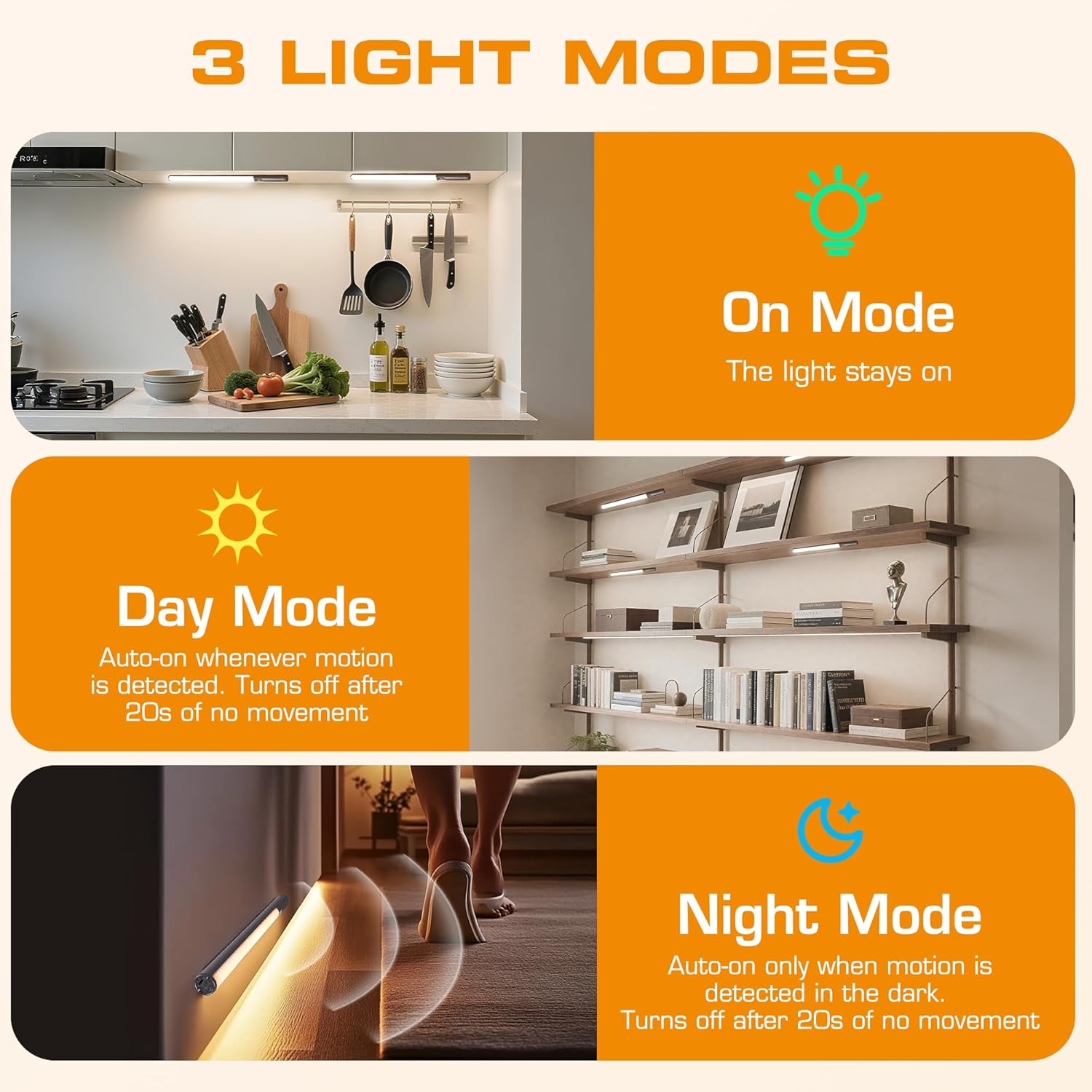
- 3 وضع للإضاءة: On Mode (light stays on), Day Mode (motion-activated regardless of ambient light), Night Mode (motion-activated only in dark).
- 3 درجات حرارة اللون: Warm Light (3000K), Natural Light (4000K), Cold Light (6500K).
- قابلة للتعتيم: 10 brightness levels with short press, stepless dimming with long press.
- التحكم الثنائي: Operable via remote control or direct touch on the light bar.
- سهولة التركيب: Multiple mounting options including magnetic, adhesive, and screw-in.
- بطارية قابلة لإعادة الشحن: سعة 2600 مللي أمبير للاستخدام المطول.
- تطبيق واسع: Suitable for kitchens, closets, wardrobes, garages, stairwells, and more.
4. الإعداد والتثبيت
The EverBrite Under Cabinet Light offers flexible installation to suit various surfaces and needs.
- اختر طريقة التركيب الخاصة بك:
- ملحق مغناطيسي: For iron surfaces, simply attach the light bar directly. The light has built-in magnets.
- التثبيت اللاصق: For non-iron surfaces, peel the backing from the adhesive pads and attach them to the magnetic mounting bracket. Then, adhere the bracket to your desired surface. The light bar can then be magnetically attached to this bracket.
- تصاعد المسمار: For a more permanent installation, use the provided screws and wall anchors. Determine the mounting location, drill two holes, insert anchors, and fasten the magnetic mounting bracket with screws. Attach the light bar magnetically.
- التمركز: Ensure the motion sensor is facing the area where movement is expected for optimal detection. The light bar can be rotated up to 90 degrees on its magnetic mount to direct illumination.


5. الشحن
The EverBrite light is equipped with a 2600mAh rechargeable Lithium-Ion battery.
- Locate the USB-C charging port on the end of the light bar.
- Connect the provided USB charging cable to the light bar and a compatible USB power source (e.g., wall adapter, computer USB port).
- The indicator light will show charging status (refer to product for specific indicator behavior).
- A full charge provides approximately 25 hours of continuous light or up to 25 days in motion sensor mode (based on 1 hour of activation per day).


6. تعليمات التشغيل
Your EverBrite light can be operated using either the manual touch controls on the device or the included remote control.
6.1. Manual Control (On-Device)
The light bar features a switch and a touch sensor on one end for direct control.
- تبديل الوضع: Slide the switch to select between 'Off', 'Day Mode' (motion sensor always active), 'Night Mode' (motion sensor active only in dark), or 'On Mode' (light stays on continuously).
- درجة حرارة اللون: In 'On Mode', short press the touch sensor to cycle through the 3 color temperatures: Warm White (3000K), Natural White (4000K), and Cold White (6500K).
- ضبط السطوع: In 'On Mode', long press the touch sensor to activate stepless dimming. Release at your desired brightness level.

6.2. جهاز التحكم عن بعد
The remote control provides convenient access to all light functions from a distance.
- تشغيل/إيقاف التشغيل: اضغط على عن button to turn the light off. Press the ON الزر لتشغيله.
- أوضاع الإضاءة: استخدم الأزرار المخصصة لـ ON (continuous light), يوم (motion sensor always active), or ليلة (motion sensor active only in dark).
- درجة حرارة اللون: يختار WW (Warm White), NW (Natural White), or CW (Cold White) to change the light color.
- ضبط السطوع: Short press the brightness buttons (sun icons) to cycle through 10 preset brightness levels. Long press for stepless dimming.
- إعدادات الموقت: يضعط 15 دقيقة, 30 دقيقة، أو 60 دقيقة to set an automatic shut-off timer. Press the انتهى الوقت button to cancel any active timer.

6.3. أوضاع مستشعر الحركة
The integrated motion sensor provides hands-free illumination.
- الوضع النهاري: The light will turn on automatically when motion is detected, regardless of the ambient light level. It will turn off after 20 seconds of no movement.
- الوضع الليلي: The light will turn on automatically only when motion is detected in dark conditions. It will turn off after 20 seconds of no movement.

7. المواصفات
| ميزة | مواصفة |
|---|---|
| ماركة | ايفربرايت |
| رقم الموديل | E101115A |
| مصدر الطاقة | تعمل بالبطارية (بطارية ليثيوم أيون واحدة متضمنة) |
| سعة البطارية | 2600 مللي أمبير |
| نوع مصدر الضوء | قاد |
| درجات حرارة اللون | 3000K (Warm Light), 4000K (Natural Light), 6500K (Cold Light) |
| طريقة التحكم | اللمس، التحكم عن بعد |
| ميزة خاصة | Cordless, Motion Sensor, Dimmable |
| نوع التثبيت | Surface Mount (Magnetic, Adhesive, Screws) |
| مادة | الألومنيوم |
| وزن العنصر | 9.9 أونصات |
| أبعاد الحزمة | 16.3 × 1.97 × 1.65 بوصة |
| الاستخدام الداخلي والخارجي | داخلي |
8. الصيانة
To ensure the longevity and optimal performance of your EverBrite Under Cabinet Light, follow these simple maintenance guidelines:
- تنظيف: Wipe the light bar and remote control with a soft, dry cloth. Avoid using abrasive cleaners or solvents, as these may damage the finish or electronic components.
- العناية بالبطارية: Recharge the battery when the light output diminishes. Avoid fully depleting the battery frequently to prolong its lifespan. Store the device in a cool, dry place if not in use for extended periods.
- صيانة المستشعر: Keep the motion sensor lens clean and free from obstructions to ensure accurate detection.
9. استكشاف الأخطاء وإصلاحها
If you encounter any issues with your EverBrite Under Cabinet Light, please refer to the following common problems and solutions:
- الضوء لا يعمل:
- تأكد من شحن البطارية.
- Check the mode switch on the light bar; it should be set to 'On', 'Day Mode', or 'Night Mode'.
- If using the remote, ensure the light bar's main switch is in an active mode (not 'Off').
- مستشعر الحركة لا يعمل:
- Verify the light is set to 'Day Mode' or 'Night Mode'.
- In 'Night Mode', ensure the environment is sufficiently dark.
- Check for any obstructions blocking the sensor lens.
- Ensure the motion is within the 9.8ft (3m) detection range and 120-degree angle.
- Remote control is not responding:
- Ensure the light bar's main switch is in an active mode (not 'Off').
- تحقق من بطارية جهاز التحكم عن بعد.
- Ensure there are no obstructions between the remote and the light bar.
- Light is not charging:
- Ensure the USB cable is securely connected to both the light bar and the power source.
- جرب كابل USB أو محول طاقة مختلفًا.
10. الضمان والدعم
للحصول على معلومات الضمان أو الدعم الفني أو أي مساعدة إضافية، يرجى الرجوع إلى الموقع الرسمي للشركة المصنعة. webالموقع أو تواصل مع خدمة العملاء مباشرةً. احتفظ بإيصال الشراء لطلبات الضمان.


