1. المقدمة
شكرا لك على الشراءasing the ULTIMEA Nova S50 Dolby Atmos Soundbar. This 2.1 channel sound system, featuring a powerful 190W output and a dedicated subwoofer, is designed to deliver an immersive audio experience for your home theater, PC, or TV. This manual provides detailed instructions for setting up, operating, maintaining, and troubleshooting your device to ensure optimal performance.

Figure 1.1: ULTIMEA Nova S50 Soundbar delivering immersive Dolby Atmos sound.
2. الإعداد
2.1 محتويات العبوة
قبل البدء، يرجى التأكد من وجود جميع العناصر في العبوة:
- مكبر الصوت (x1)
- Wired Subwoofer (x1)
- محول الطاقة (x1)
- كابل اتش دي ام اي (×1)
- HDMI Adapter (x1)
- جهاز تحكم عن بعد (قطعة واحدة، البطاريات غير مشمولة)
- Optical Cable (x1)
- كابل صوت 3.5 ملم (×1)
- Wall Mounting Kit (x1)
- دليل المستخدم (x1)

الشكل 2.1: الملحقات والمكونات المرفقة.
2.2 التدريب البدني
The Nova S50 soundbar features a compact and slim design, allowing for flexible placement options. It can be placed on a TV stand, a tabletop, or wall-mounted. Ensure the soundbar is positioned centrally in front of your TV for the best audio experience. The subwoofer can be placed on the floor near the soundbar.

Figure 2.2: Compact design allows for placement under a TV without obstructing the view.
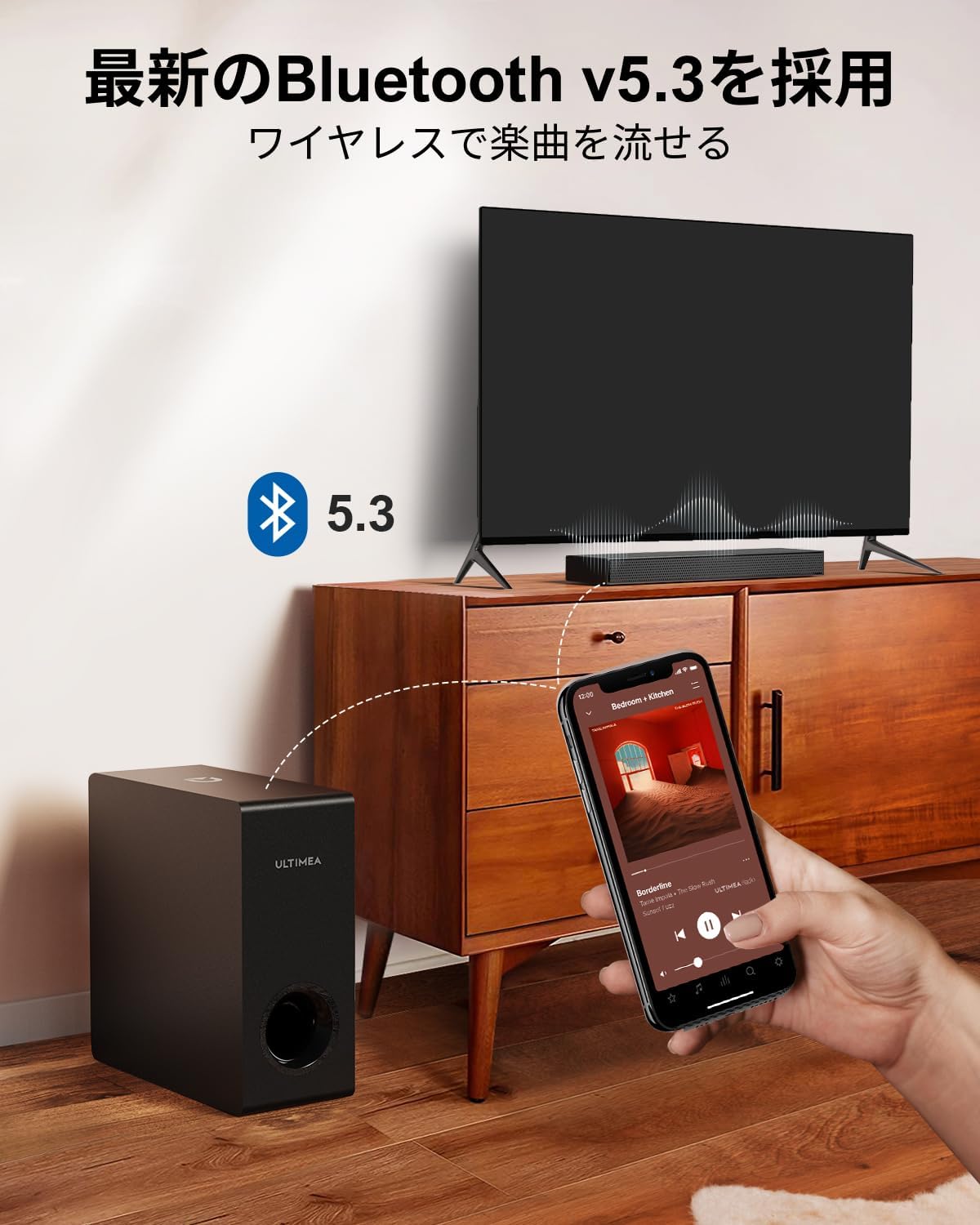
Figure 2.3: Dimensions of the soundbar and subwoofer.
2.3 الاتصالات
The Nova S50 offers multiple connectivity options. Choose the method that best suits your device.

الشكل 2.4: توصيلات اللوحة الخلفية.
2.3.1 HDMI eARC Connection
For the highest quality audio transmission, connect your TV to the soundbar using the HDMI eARC port.
- Connect one end of the provided HDMI cable to the HDMI eARC port on your TV.
- Connect the other end of the HDMI cable to the HDMI eARC port on the soundbar.
- On the soundbar's remote control, press the 'eARC' button to select the HDMI eARC input mode.
- Ensure your TV's audio output settings are configured for HDMI eARC (usually found under TV Settings > Sound > Digital Audio Output > Auto).

Figure 2.5: HDMI eARC connection steps.
2.3.2 التوصيل البصري
Use the optical cable for digital audio connection if your TV does not support HDMI eARC.
- Connect one end of the optical cable to the optical output port on your TV.
- Connect the other end of the optical cable to the optical input port on the soundbar.
- Select the 'OPT' input mode on the soundbar using the remote control.
2.3.3 اتصال AUX
For analog audio devices, use the 3.5mm AUX cable.
- Connect one end of the 3.5mm audio cable to the audio output of your device (e.g., PC, smartphone).
- Connect the other end to the AUX input port on the soundbar.
- Select the 'AUX' input mode on the soundbar using the remote control.
2.3.4 اتصال البلوتوث
قم بتوصيل أجهزتك المحمولة لاسلكيًا عبر تقنية بلوتوث 5.3.
- Turn on the soundbar and select 'BT' input mode using the remote control. The soundbar will enter pairing mode.
- On your mobile device, enable Bluetooth and search for 'Nova S50'.
- Select 'Nova S50' from the list of available devices to pair. Once connected, you will hear an audible confirmation.

Figure 2.6: Wireless audio streaming via Bluetooth 5.3.
3. تعليمات التشغيل
3.1 تشغيل/إيقاف التشغيل
اضغط على زر الطاقة الموجود على مكبر الصوت أو جهاز التحكم عن بعد لتشغيل الوحدة أو إيقاف تشغيلها.
3.2 اختيار المدخلات
Use the dedicated input buttons (HDMI eARC, OPT, AUX, BT, USB) on the remote control to switch between audio sources.
3.3 التحكم في مستوى الصوت
Adjust the volume using the Volume Up (+) and Volume Down (-) buttons on the remote control or the soundbar. The soundbar also supports HDMI-CEC, allowing you to control its volume with your TV remote if your TV supports this feature.

Figure 3.1: Remote control with HDMI-CEC support.
3.4 أوضاع صوتية
The Nova S50 features audio algorithms and machine learning technology to optimize sound based on content. Use the remote control to select from the following sound modes:
- فيلم: Enhances cinematic sound for movies and TV shows, emphasizing vocals and dynamic scenes.
- لعبة: Optimized for gaming, providing clear sound effects and immersive spatial audio.
3.5 BassMX Adjustment
The dedicated subwoofer and ULTIMEA's proprietary BassMX technology provide powerful and adjustable bass. Use the BassMX button on the remote to cycle through different bass levels (Weak, Medium, Strong) to suit your preference.

Figure 3.2: BassMX technology for enhanced bass.
4. الصيانة
4.1 التنظيف
To maintain the appearance and performance of your soundbar, regularly clean it with a soft, dry cloth. Do not use liquid cleaners or abrasive materials, as these can damage the finish or internal components.
4.2 التخزين
If storing the soundbar for an extended period, disconnect it from the power source and store it in a cool, dry place, away from direct sunlight and extreme temperatures.
5. استكشاف الأخطاء وإصلاحها
If you encounter issues with your ULTIMEA Nova S50 soundbar, refer to the following common problems and solutions:
- لا يوجد صوت:
- تأكد من تشغيل شريط الصوت وتحديد مصدر الإدخال الصحيح.
- تأكد من أن جميع توصيلات الكابلات (HDMI، Optical، AUX) آمنة.
- Verify the TV's audio output settings are correctly configured for the chosen connection type (e.g., HDMI eARC, PCM for Optical).
- Increase the volume on both the soundbar and your connected device.
- If using HDMI eARC, ensure HDMI-CEC is enabled on your TV.
- مشاكل اتصال البلوتوث:
- تأكد من أن شريط الصوت في وضع الاقتران عبر البلوتوث.
- قم بتعطيل وإعادة تمكين البلوتوث على جهازك المحمول.
- Move your device closer to the soundbar to ensure it is within the 10-meter range.
- امسح عمليات الاقتران السابقة عبر البلوتوث على جهازك وحاول الاقتران مرة أخرى.
- الصوت المشوه:
- Reduce the volume on both the soundbar and the connected device.
- Check for any physical obstructions or interference near the soundbar or subwoofer.
- تأكد من عدم تلف الكابلات أو عدم وجود توصيلات غير محكمة.
- جهاز التحكم عن بعد لا يعمل:
- استبدال البطاريات في جهاز التحكم عن بعد.
- تأكد من عدم وجود أي عوائق بين جهاز التحكم عن بعد ومستشعر شريط الصوت.
- وجه جهاز التحكم عن بعد مباشرة نحو شريط الصوت.
6. المواصفات
| ميزة | التفاصيل |
|---|---|
| اسم الموديل | نوفا اس 50 |
| نوع السماعة | Dolby Atmos Soundbar 2.1ch (with Subwoofer) |
| تكنولوجيا الاتصال | AUX, Bluetooth, HDMI-eARC, Optical |
| تكنولوجيا الاتصالات اللاسلكية | بلوتوث 5.3 |
| الحد الأقصى لقوة الإخراج | 190 واط |
| استجابة التردد | 45 هرتز - 18 كيلو هرتز |
| أبعاد مكبر الصوت (الطول × العرض × الارتفاع) | 40 سم × 7.9 سم × 3.8 سم |
| أبعاد مضخم الصوت (الطول × العرض × الارتفاع) | 27 سم × 11.4 سم × 27 سم |
| وزن المنتج | 4.52 كجم |
| طريقة التحكم | بعيد |
| منطقة الغرفة الموصى بها | ≤ 25 مترًا مربعًا |

Figure 6.1: Ultra-thin driver technology for high-fidelity sound.
7. الضمان والدعم
7.1 الضمان المحدود
ULTIMEA products come with a limited warranty. Please refer to the warranty card included in your package or visit the official ULTIMEA webالموقع للحصول على شروط وأحكام الضمان التفصيلية.
7.2 دعم العملاء
For any questions, technical assistance, or support needs, please contact ULTIMEA customer service. We offer 365-day support and a 30-day free return policy. You can find contact information on our official webالموقع أو من خلال منصة الشراء الخاصة بك.


