1. المقدمة
The HiFuture Future Zone 2 BT Smartwatch is designed to enhance your daily life by providing convenient access to fitness tracking, communication, and entertainment features directly from your wrist. This manual provides essential information on how to set up, operate, and maintain your new smartwatch.
Key features include step tracking, distance measurement, time and date display, music playback control, an AMOLED touchscreen display, and a seamless Bluetooth calling system. With an impressive 7-day battery life, the Future Zone 2 is built for extended use.
2. انتهى المنتجview
2.1. المميزات
- تتبع النشاط: Helps you track simple steps, distance traveled, time, and date.
- التحكم بالموسيقى: Allows you to control your phone's music player directly from the watch.
- عرض: Features a vibrant AMOLED touchscreen display.
- الاتصال عبر البلوتوث: Enables hassle-free communication with a built-in Bluetooth calling system.
- عمر البطارية: Offers an impeccable battery that lasts up to 7 days on a single charge.
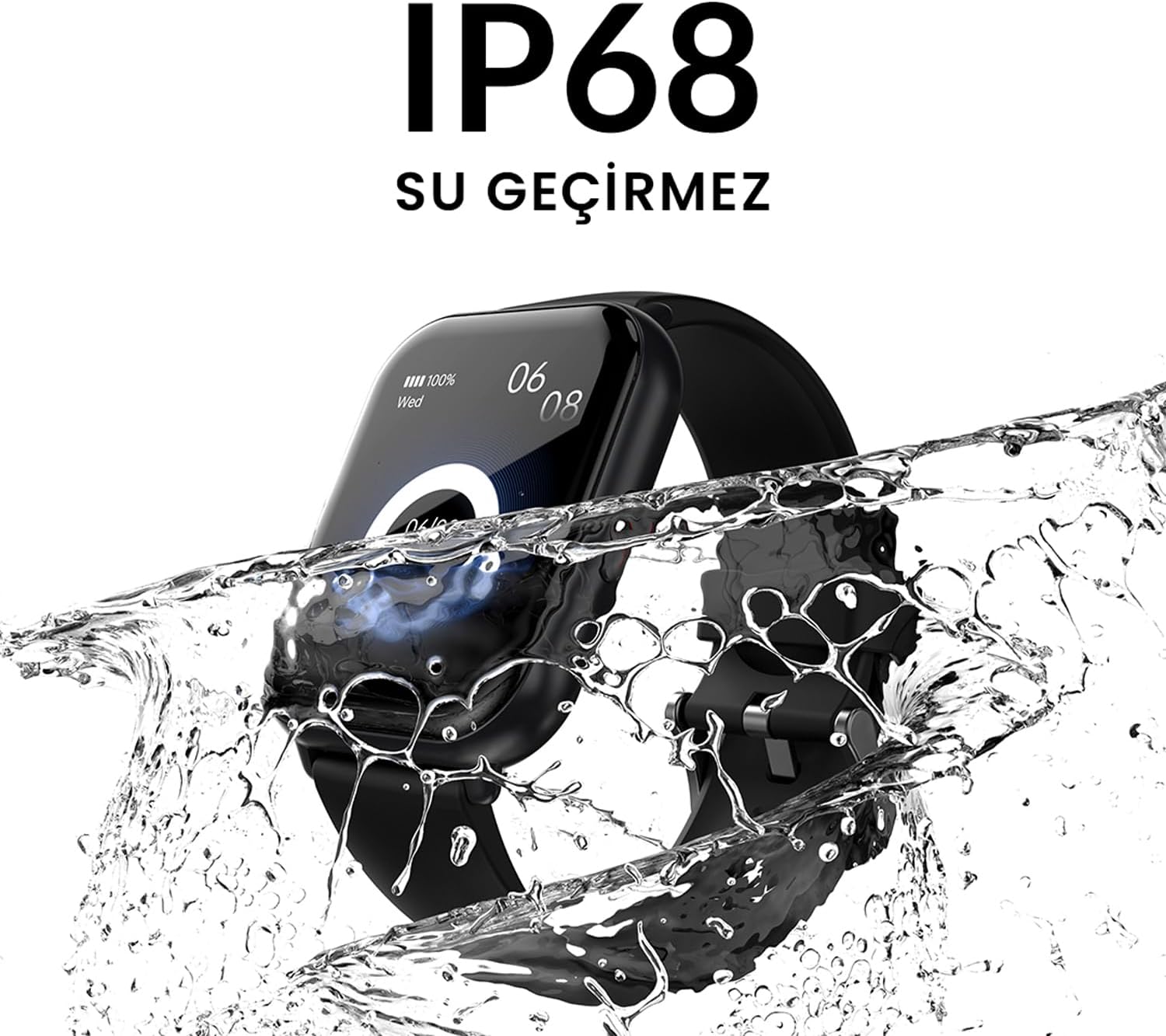
- مقاومة الماء: IP68 certified for water resistance.
- الأوضاع الرياضية: Supports over 100 sports modes for diverse activity tracking.
2.2. المكونات والشاشة

الشكل 2.2.1: The HiFuture Future Zone2 Smartwatch in silver and white, showcasing its sleek design and vibrant display with activity metrics.
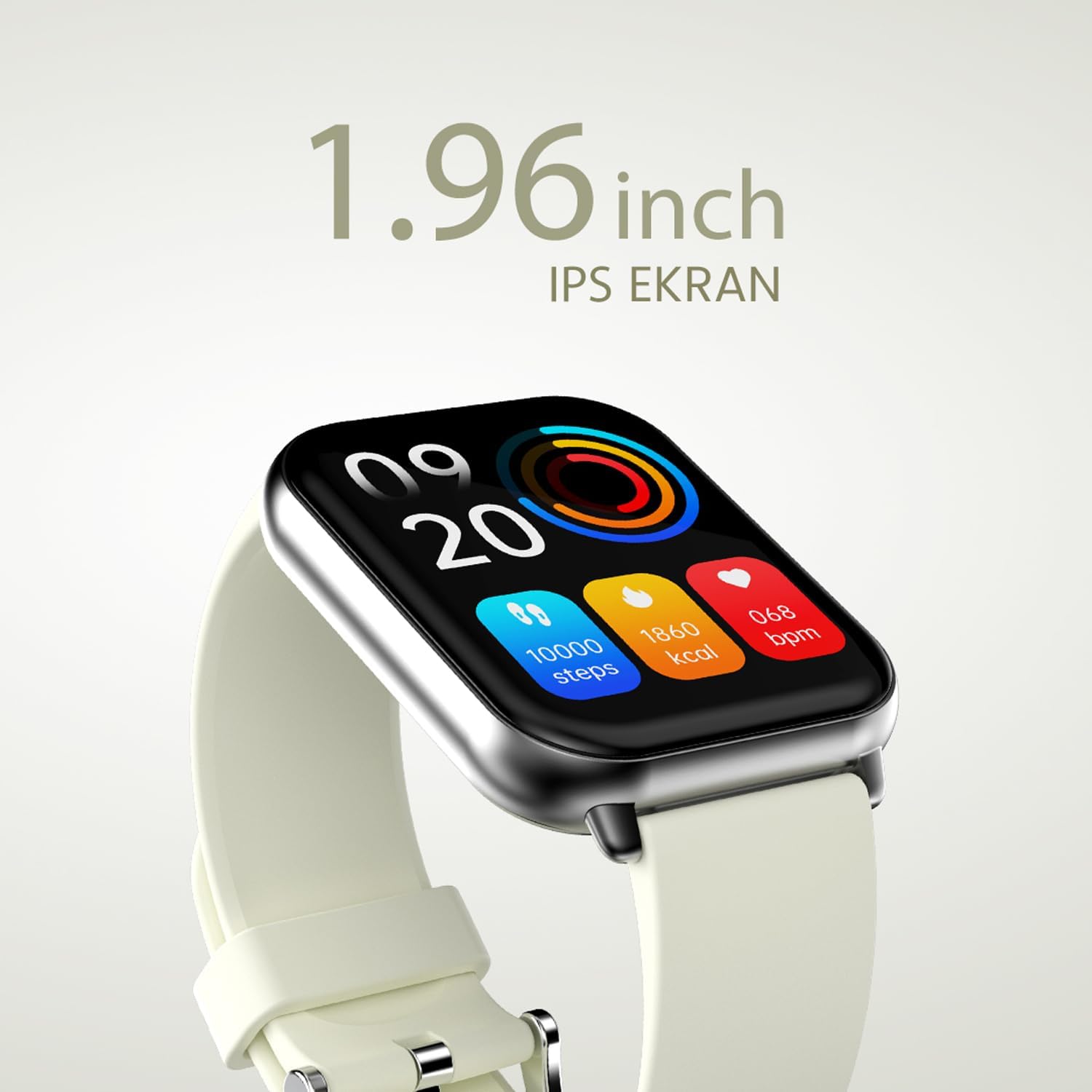
الشكل 2.2.2: تفصيلية view of the smartwatch display, highlighting its 1.96-inch IPS screen, which offers clear and crisp visuals.

الشكل 2.2.3: The smartwatch accompanied by icons representing its core features: 1.96-inch IPS screen, wireless connectivity, 7-day battery life, and IP68 water resistance.

الشكل 2.2.4: The smartwatch surrounded by various sport icons, indicating its support for over 100 different sport modes for comprehensive fitness tracking.
3. الإعداد
3.1. شحن الساعة الذكية
Before first use, fully charge your HiFuture Future Zone2 Smartwatch. Connect the charging cable to the charging port on the back of the watch and plug the USB end into a compatible power adapter (not included) or a computer's USB port. The watch display will indicate charging status. A full charge typically takes approximately 2 hours.
3.2. الاقتران بهاتفك الذكي
- تنزيل التطبيق: بحث عن the official HiFuture companion app on your smartphone's app store (Google Play Store for Android or Apple App Store for iOS). Install the app.
- تمكين البلوتوث: تأكد من تمكين Bluetooth على هاتفك الذكي.
- افتح التطبيق: Launch the HiFuture app and follow the on-screen instructions to create an account or log in.
- إضافة جهاز: Within the app, navigate to the "Add Device" or "Pair Device" section. The app will search for nearby smartwatches.
- اختر ساعتك: Select "HiFuture Future Zone2" from the list of discovered devices.
- تأكيد الاقتران: سيظهر طلب اقتران على كل من هاتفك وساعتك الذكية. قم بتأكيد الاقتران على كلا الجهازين.
- الإعداد الكامل: Once paired, the app will guide you through initial settings such as personal information, notification preferences, and watch face customization.
Note: For optimal performance, ensure your smartphone's operating system and the smartwatch app are up to date.
4. تعليمات التشغيل
4.1. التنقل الأساسي
- شاشة تعمل باللمس: اسحب لليسار أو اليمين أو للأعلى أو للأسفل للتنقل بين القوائم والشاشات. انقر لتحديد خيار.
- زر جانبي: Press the side button to return to the home screen or wake up the display. A long press may access power options or a quick menu.
4.2. مكالمات البلوتوث
The Future Zone2 Smartwatch supports Bluetooth calling, allowing you to make and receive calls directly from your wrist when connected to your smartphone.
- تفعيل الصوت أثناء المكالمات: Ensure that the smartwatch is connected to your phone for both data and call audio. This setting is usually managed within your phone's Bluetooth settings after initial pairing.
- اجراء اتصالات: Access the dialer or contact list on your smartwatch. Tap to dial a number or select a contact to initiate a call.
- استقبال المكالمات: عند ورود مكالمة، ستعرض الساعة هوية المتصل. انقر على الرمز الأخضر للرد أو الرمز الأحمر لرفض المكالمة.
- أثناء المكالمة: You can speak directly into the watch's built-in microphone and listen through its speaker. Options to mute, adjust volume, or transfer the call to your phone may be available on the watch screen.
الشكل 4.2.1: The smartwatch screen showing a missed call notification, demonstrating its Bluetooth calling capability.
4.3. التحكم في تشغيل الموسيقى
Control your smartphone's music playback directly from your smartwatch.
- Access Music Control: Swipe on your watch face or navigate through the app list to find the "Music" or "Media Control" icon.
- التحكم في التشغيل: From this screen, you can play/pause, skip tracks (next/previous), and adjust the volume of the music playing on your connected smartphone.
4.4. تتبع النشاط
The smartwatch automatically tracks your daily steps, distance, and calories burned. You can view these metrics on the watch display or in the companion app for more detailed insights.
- النشاط اليومي: The main watch face or a dedicated activity screen will show your current steps, calories, and heart rate (if applicable).
- أوضاع الرياضة: Select a specific sport mode (e.g., running, cycling, walking) from the watch's menu before starting an activity for more accurate tracking.
5. الصيانة
5.1. تنظيف ساعتك الذكية
- امسح شاشة الساعة وجسمها بقطعة قماش ناعمة وخالية من الوبر.
- للبقع العنيدة، دampبللي قطعة القماش قليلاً بالماء. تجنبي استخدام المواد الكيميائية القاسية أو المواد الكاشطة.
- تأكد من أن جهات اتصال الشحن نظيفة وجافة قبل الشحن.
5.2. مقاومة الماء (IP68)
The HiFuture Future Zone2 Smartwatch is IP68 water-resistant, meaning it can withstand immersion in water up to 1.5 meters for up to 30 minutes. It is suitable for daily use, such as hand washing or light rain.
- Do not use the watch for diving, snorkeling, or high-pressure water activities.
- Avoid exposing the watch to hot water, steam, or detergents, as this may compromise its water resistance.
- إذا تبللت الساعة، جففها جيداً قبل شحنها أو تشغيلها.

الشكل 5.2.1: The smartwatch shown with water splashing over it, illustrating its IP68 water resistance rating.
5.3. العناية بالبطارية
- لإطالة عمر البطارية، تجنب تفريغ البطارية بالكامل بشكل متكرر.
- قم بشحن الساعة باستخدام كابل الشحن المقدم فقط.
- قم بتخزين الساعة في مكان بارد وجاف عندما لا تكون قيد الاستخدام لفترات طويلة.
6. استكشاف الأخطاء وإصلاحها
6.1. المشكلات الشائعة والحلول
| مشكلة | السبب المحتمل | حل |
|---|---|---|
| مشاهدة عدم التشغيل | انخفاض مستوى البطارية؛ الجهاز متجمد | Charge the watch for at least 30 minutes. If still unresponsive, perform a forced restart (refer to device-specific instructions, usually a long press of the side button). |
| لا يمكن الاقتران بالهاتف الذكي | البلوتوث معطل؛ مشكلة في التطبيق؛ الساعة غير قابلة للاكتشاف | Ensure Bluetooth is on for both devices. Restart both the watch and phone. Clear the app's cache or reinstall it. Make sure the watch is in pairing mode. |
| مكالمات البلوتوث لا تعمل | Incorrect Bluetooth profile; app permissions | Check your phone's Bluetooth settings to ensure the watch is connected for "Calls" or "Phone audio." Verify app permissions for phone calls. |
| تتبع النشاط غير الدقيق | Improper wear; software glitch | Ensure the watch is worn snugly on your wrist. Restart the watch. Update the watch firmware via the app if available. |
7. المواصفات
| ميزة | التفاصيل |
|---|---|
| ماركة | هاي فيوتشر |
| اسم الموديل | Smartwatch (Future Zone2) |
| رقم الموديل | ZONE2 SILVER WHITE |
| لون | Silver and White (as per product title, though spec says Grey) |
| حجم الشاشة | 41 Millimeters (1.96 inches IPS) |
| تكنولوجيا الاتصال | بلوتوث |
| المميزات الخاصة | Music Player, Distance Tracker, Bluetooth Calling |
| الأجهزة المتوافقة | Smartphone, Tablet, Other Portable Devices |
| تكوين البطارية | Lithium-ion (1 Lithium-polymer battery included) |
| بطارية قابلة لإعادة الشحن | نعم |
| مقاومة الماء | إيبسنومكس معتمد |
| نظام تحديد المواقع العالمي (جي بي اس) | لا يوجد نظام تحديد المواقع العالمي (GPS) |
| شكل | مربع |
| الشركة المصنعة | HiFuture Group |
8. الضمان والدعم
8.1. ضمان المنتج
Specific warranty details for the HiFuture Future Zone2 Smartwatch are typically provided with your purchase documentation or on the manufacturer's official webيرجى الاحتفاظ بإثبات الشراء الخاص بك للمطالبة بالضمان.
Note: Information regarding guaranteed software updates and spare parts availability is not explicitly provided.
8.2. دعم العملاء
For technical assistance, troubleshooting beyond this manual, or warranty inquiries, please contact HiFuture customer support through their official webالموقع أو معلومات الاتصال المقدمة مع عبوة المنتج الخاص بك.
يمكنك أيضًا الرجوع إلى product page on Amazon.com.be for additional information and customer reviews.


