1. المقدمة
Thank you for choosing the ACT AC5101 Wireless Ergonomic Vertical Mouse. This manual provides detailed instructions for setting up, operating, and maintaining your new mouse. Designed for right-handed users, this ergonomic mouse aims to reduce hand and wrist strain during extended computer use, promoting a more natural and comfortable posture.
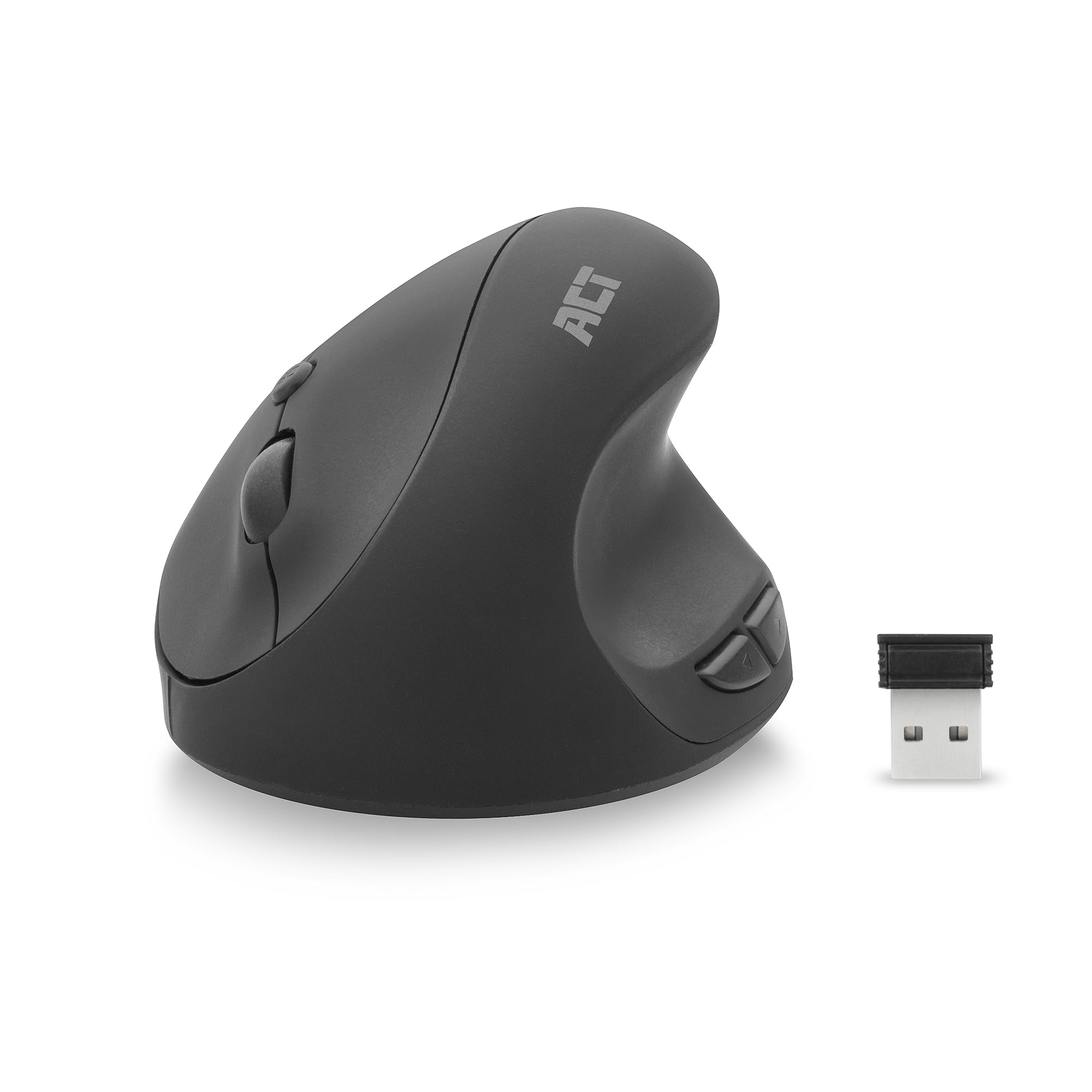
Image 1.1: The ACT AC5101 Wireless Ergonomic Vertical Mouse with its USB receiver.
2. محتويات العبوة
يرجى التحقق من الحزمة للعناصر التالية:
- 1 x ACT AC5101 Wireless Ergonomic Vertical Mouse
- 1 x USB-A Nano Receiver (stored in the mouse battery compartment)
- بطارية 1 x AA (مضمنة)
- 1 × دليل المستخدم (هذه الوثيقة)
3. انتهى المنتجview
The ACT AC5101 mouse features a vertical design for improved ergonomics and includes multiple buttons for enhanced functionality.

Image 3.1: Diagram showing the buttons on the ACT AC5101 mouse. These include the Left Key, Right Key, Scroll Wheel, DPI Button, Forward Button, and Back Button.
- المفتاح الأيسر: وظيفة النقر بزر الماوس الأيسر القياسية.
- المفتاح الصحيح: وظيفة النقر بزر الماوس الأيمن القياسية.
- عجلة التمرير: للتمرير العمودي ووظيفة النقر الأوسط.
- زر DPI: يتنقل بين إعدادات DPI (800/1200/1600).
- زر للأمام: يتنقل للأمام في web المتصفحات أو file المستكشفون.
- زر الرجوع: يتنقل للخلف في web المتصفحات أو file المستكشفون.
- مفتاح التشغيل/الإيقاف: Located on the bottom of the mouse to conserve battery life.
4. تعليمات الإعداد
Follow these steps to set up your ACT AC5101 Wireless Ergonomic Vertical Mouse:
- أدخل البطارية:
Locate the battery compartment on the bottom of the mouse. Open the cover and insert the included AA battery, ensuring correct polarity (+/-). Close the battery compartment cover securely.

Image 4.1: The bottom of the mouse showing the battery compartment and the USB-A Nano Receiver storage slot.
- توصيل جهاز استقبال USB:
Remove the USB-A Nano Receiver from its storage slot next to the battery compartment. Plug the receiver into an available USB-A port on your computer.

Image 4.2: The USB-A Nano Receiver.
- تشغيل الطاقة:
Flip the On/Off switch, located on the bottom of the mouse, to the "On" position. Your computer should automatically detect and install the necessary drivers. The mouse is now ready for use.
5. تعليمات التشغيل
5.1 قبضة مريحة
The vertical design of the ACT AC5101 mouse promotes a natural handshake position, reducing pronation of the forearm and wrist strain. Place your hand over the mouse so your thumb rests comfortably on the thumb rest, and your fingers align with the main buttons.

Image 5.1: Comparison illustrating how a traditional mouse twists the arm and wrist, while the ACT ergonomic mouse allows for a relaxed shoulder and neutral wrist position.
5.2 ضبط حساسية DPI
The DPI (Dots Per Inch) button allows you to adjust the mouse cursor speed. Press the زر DPI (refer to Image 3.1) to cycle through the available sensitivity settings: 800 DPI, 1200 DPI, and 1600 DPI. Select the setting that best suits your preference and task.
5.3 Using Side Buttons
ال زر التقدم و زر الرجوع are conveniently located for thumb access. These buttons are typically used for navigation in web المتصفحات (مثل الرجوع إلى صفحة سابقة أو التقدم إلى صفحة سابقة) أو file المستكشفون.
6. الصيانة
To ensure the longevity and optimal performance of your ACT AC5101 mouse, follow these maintenance guidelines:
- تنظيف: استخدم قطعة قماش ناعمة وجافة لمسح سطح الفأرة. لإزالة الأوساخ العنيدة، امسحها برفق.ampامسح بقطعة قماش مبللة بالماء أو بمحلول تنظيف خفيف. تجنب استخدام المواد الكيميائية القاسية أو المواد الكاشطة.
- استبدال البطارية: When the mouse performance degrades or it stops responding, replace the AA battery. Ensure the On/Off switch is in the "Off" position before replacing the battery.
- تخزين: When not in use for extended periods, turn off the mouse using the On/Off switch to conserve battery life. Store the USB receiver in its dedicated slot on the bottom of the mouse to prevent loss.
7. استكشاف الأخطاء وإصلاحها
If you encounter issues with your ACT AC5101 mouse, refer to the following common problems and solutions:
| مشكلة | السبب المحتمل | حل |
|---|---|---|
| الماوس لا يستجيب |
|
|
| حركة المؤشر غير المنتظمة |
|
|
| الأزرار الجانبية لا تعمل |
|
|
8. المواصفات
Technical details for the ACT AC5101 Wireless Ergonomic Vertical Mouse:
- اسم الموديل: ايه سي 5101
- ماركة: يمثل
- تقنية الاتصال: 2.4 GHz Wireless (Radio-frequency)
- المتلقي: مستقبل USB-A نانو
- تقنية كشف الحركة: بصري
- إعدادات DPI: 800 / 1200 / 1600 DPI (adjustable via DPI button)
- عدد الأزرار: 6 (يسار، يمين، عجلة التمرير، DPI، للأمام، للخلف)
- اتجاه اليد: اليد اليمنى
- مصدر الطاقة: بطارية 1 x AA (مضمنة)
- لون: أسود
- الأجهزة المتوافقة: كمبيوتر شخصي
- أبعاد: Approximately 105mm (Length) x 77mm (Height) x 60mm (Width)

Image 8.1: Approximate dimensions of the ACT AC5101 mouse.
9. الضمان والدعم
ضمان: The ACT AC5101 Wireless Ergonomic Vertical Mouse comes with a manufacturer's warranty of 2 years. This warranty covers defects in materials and workmanship under normal use.
يدعم: For technical assistance, troubleshooting beyond this manual, or warranty claims, please contact your retailer or visit the official ACT website for support information. Please have your product model number (AC5101) and proof of purchase ready when contacting support.


