مقدمة
This manual provides comprehensive instructions for the setup, operation, and maintenance of your Surfans F22 Portable HiFi MP3 Player. Please read this manual thoroughly before using the device to ensure proper functionality and to maximize your listening experience.
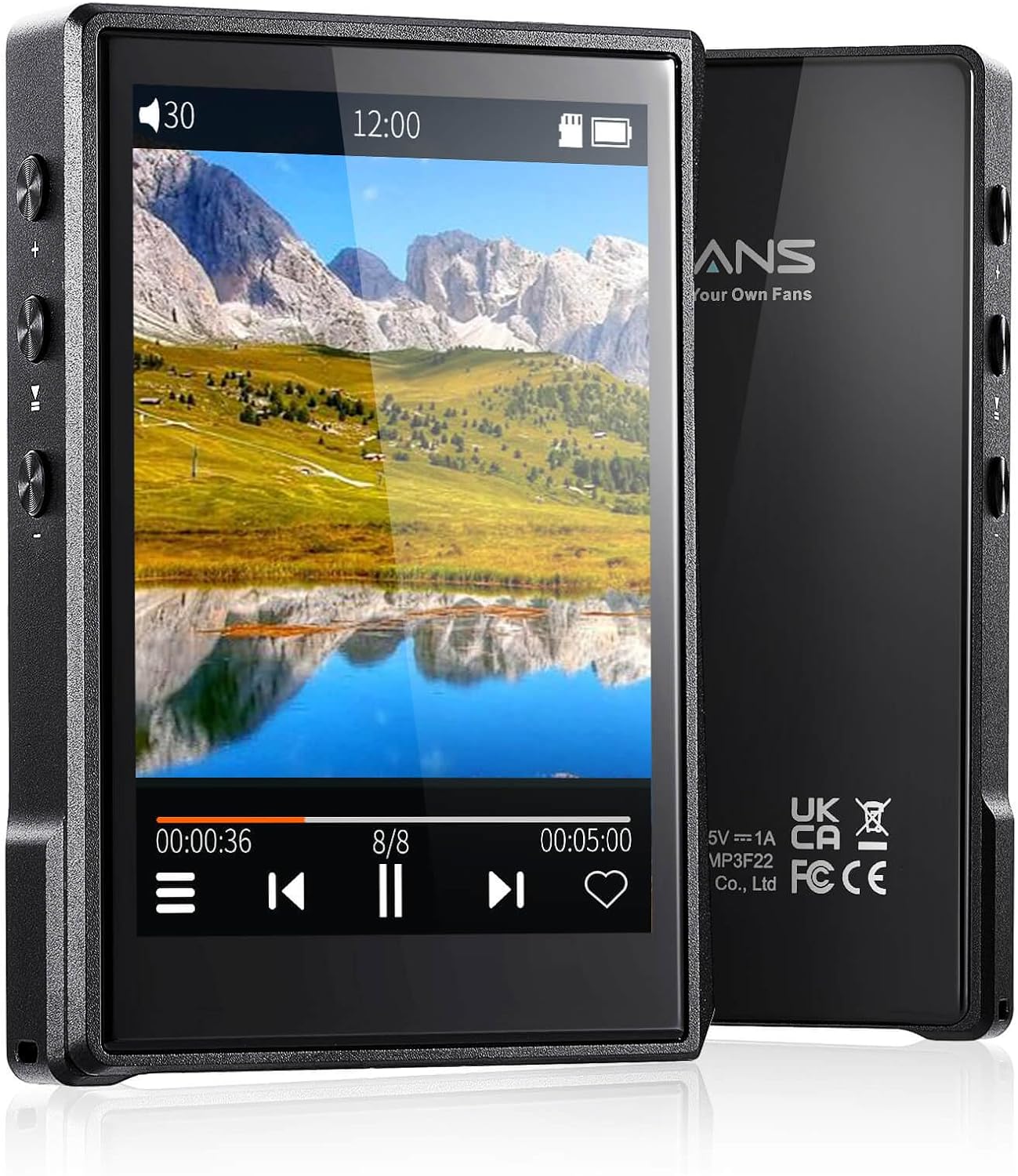
الصورة: الأمامية والخلفية view of the Surfans F22 Portable HiFi MP3 Player, showcasing its 2.8-inch touchscreen and sleek design.
محتويات الحزمة
تأكد من وجود جميع العناصر في العبوة:
- Surfans F22 HiFi Music Player
- دليل المستخدم (هذا المستند)
- كابل USB-C
- بطاقة ذاكرة بسعة 32 جيجابايت (مثبتة مسبقًا أو مرفقة بشكل منفصل)
انتهى الجهازview
Familiarize yourself with the physical components of your F22 player.

Image: Diagram illustrating the various ports and buttons on the Surfans F22 MP3 Player, including the power button, volume controls, headphone jack, and USB-C port.
- 2.8-inch IPS TFT Full Touchscreen: Main interface for navigation and control.
- زر الطاقة: يقوم بتشغيل الجهاز وإيقاف تشغيله وقفله/فتح الشاشة.
- أزرار التحكم في الصوت: ضبط مستوى إخراج الصوت.
- مقبس سماعة الرأس (3.5،XNUMX ملم): قم بتوصيل سماعات الرأس السلكية.
- منفذ USB-C: للشحن ونقل البيانات.
- منفذ كارت الذاكرة الصغيرة: For expandable storage up to 1TB.
يثبت
1. شحن الجهاز
Before first use, fully charge the F22 player. Connect the provided USB-C cable to the device's USB-C port and the other end to a USB power adapter (not included) or a computer's USB port. The charging indicator will show progress. A full charge typically takes approximately 2 hours and provides up to 10 hours of playback.
2. إدخال بطاقة Micro SD
The F22 comes with a 32GB memory card. For additional storage, you can insert a Micro SD card (up to 1TB) into the designated slot. Ensure the card is inserted correctly until it clicks into place.

Image: A Surfans F22 MP3 Player shown with a Micro SD card being inserted into its slot, illustrating the expandable storage capability.
3. نقل الموسيقى Files
Connect the F22 player to your computer using the USB-C cable. The device will appear as a removable storage drive. Drag and drop your music files (FLAC, WMA, WAV, DSF, DSD, MP3, etc.) into the appropriate folders on the player's internal storage or the Micro SD card.

Image: A Surfans F22 MP3 Player displaying music playback, with a person wearing headphones in the background, symbolizing the high-fidelity audio experience.
تعليمات التشغيل
1. تشغيل/إيقاف الطاقة وقفل الشاشة
- لتشغيل الجهاز، اضغط مع الاستمرار على زر التشغيل حتى تضيء الشاشة.
- To power off, press and hold the Power button, then select "Power Off" on the screen.
- To lock/unlock the screen, briefly press the Power button.
2. تصفح الواجهة
The F22 features a 2.8-inch touchscreen for navigation. Swipe left/right or up/down to browse menus and lists. Tap icons to select options or open applications.
3. تشغيل الموسيقى
- From the main menu, select "Music" to access your library.
- Browse by Artist, Album, Song, Genre, or Folder.
- انقر على أغنية لبدء التشغيل.
- During playback, use the on-screen controls for play/pause, skip track, and volume adjustment. Physical volume buttons also control volume.

Image: The Surfans F22 MP3 Player screen showing options for music playback modes: List play, Single play, List loop, and Random, indicating flexible listening options.
4. اتصال البلوتوث
The F22 supports Bluetooth 4.2 for wireless audio output.
- Go to "Settings" and select "Bluetooth".
- Turn Bluetooth on. The player will scan for available devices.
- Select your desired Bluetooth headphones or speaker from the list to pair.
- Once paired, audio will stream wirelessly to the connected device.

Image: A visual representation of the Surfans F22 MP3 Player's Bluetooth 4.2 capabilities, showing connections to Bluetooth headphones, a Bluetooth speaker, and a car stereo system.
5. E-Book Functionality
The F22 also supports E-book reading.
- Transfer compatible E-book files للجهاز.
- من القائمة الرئيسية، اختر "الكتاب الإلكتروني".
- Browse and select a book to open and read.
صيانة
- تنظيف: استخدم قطعة قماش ناعمة وجافة لتنظيف الجهاز. تجنب استخدام المنظفات السائلة أو المواد الكاشطة.
- تخزين: قم بتخزين المشغل في مكان بارد وجاف بعيدًا عن أشعة الشمس المباشرة ودرجات الحرارة القصوى.
- العناية بالبطارية: لإطالة عمر البطارية، تجنب تفريغها بالكامل بشكل متكرر. اشحن الجهاز بانتظام، حتى في حال عدم استخدامه لفترات طويلة.
- تحديثات البرامج: تحقق من الشركة المصنعة webيقوم الموقع بتحديث البرامج الثابتة بشكل دوري لضمان الأداء الأمثل والميزات الجديدة.
استكشاف الأخطاء وإصلاحها
| مشكلة | السبب المحتمل | حل |
|---|---|---|
| الجهاز لا يعمل. | بطارية منخفضة. | اشحن الجهاز لمدة 30 دقيقة على الأقل. |
| لا يوجد صوت. | Volume too low; headphones not connected properly; incorrect audio output. | Increase volume; ensure headphones are fully plugged in; check Bluetooth connection if using wireless. |
| لا يمكن النقل files. | USB cable issue; device not recognized by computer. | Try a different USB port or cable; ensure the device is in data transfer mode if prompted. |
| اتصال البلوتوث غير مستقر. | Interference; device too far from player. | Reduce distance between devices; avoid obstacles; try re-pairing. |
| الشاشة لا تستجيب. | خلل مؤقت في البرنامج. | Perform a soft reset by holding the Power button until the device restarts. |
تحديد
| ميزة | التفاصيل |
|---|---|
| نموذج | Surfans F22 Hi Res Music Player |
| المعالج | RK3308G 64-bit Quad-core ARM Cortex-A35 |
| عرض | 2.8-inch IPS TFT Full Touchscreen (240*320 resolution) |
| تنسيقات الصوت المدعومة | FLAC, WMA, WAV, DSF, DSD (Native DSD 128/256), PCM (up to 384kHz/32bit), DFF, DTS, APE, OGG, M4A, AIFF, AAC, MP3, Apple Lossless |
| بلوتوث | الإصدار 4.2 |
| التخزين الداخلي | 32 جيجابايت (مضمنة) |
| تخزين قابل للتوسيع | بطاقة ذاكرة مايكرو إس دي بسعة تصل إلى 1 تيرابايت |
| بطارية | 1500mAh ليثيوم بوليمر |
| عمر البطارية | مدة تشغيل تصل إلى 10 ساعة |
| وقت الشحن | Approximately 2 hours (fast charge) |
| أبعاد | 4.72 × 3.15 × 1.77 بوصة |
| وزن | 7.4 أونصات |
| الاتصال | يو اس بي-سي |
| المميزات الخاصة | Equalizer, Hi-Res Audio, E-book function |
الضمان والدعم
The Surfans F22 Portable HiFi MP3 Player comes with a one-year return and exchange guarantee from the date of purchase. This warranty covers manufacturing defects under normal use.
For technical support, warranty claims, or further assistance, please contact Surfans customer service through their official website or the retailer where the product was purchased. Please have your purchase receipt and product model number (F22) available when contacting support.
الشركة المصنعة: Surfans
Webموقع: Surfans Official Store


