
مقدمة
This manual provides detailed instructions for setting up, operating, maintaining, and troubleshooting your Amazon Kindle Paperwhite Signature Edition 32GB. Please read this guide thoroughly to ensure optimal use of your device.
1. الإعداد
1.1 فك الصندوق والشحن الأولي
Upon unboxing, locate the Kindle Paperwhite Signature Edition device and the included USB-C charging cable. It is recommended to fully charge your device before first use.
- محتويات الصندوق: Kindle Paperwhite Signature Edition, USB-C charging cable, Quick Start Guide.
- الشحن: Connect the USB-C cable to the Kindle and a compatible USB power adapter (9W adapter recommended, sold separately). A full charge takes less than 2.5 hours.
- الشحن اللاسلكي: The Signature Edition supports wireless charging. Place the device on a compatible wireless charging dock (sold separately).

Image: Kindle Paperwhite Signature Edition charging wirelessly on a dock. The device can be charged via USB-C or wirelessly for extended battery life.
1.2 تشغيل/إيقاف التشغيل
- لتشغيل: اضغط مع الاستمرار على زر الطاقة الموجود على الحافة السفلية للجهاز حتى تضيء الشاشة.
- لإيقاف التشغيل: Press and hold the power button until a power dialog appears, then select 'Power Off'. A short press will put the device to sleep.
1.3 اتصال Wi-Fi
To access the Kindle Store and download content, connect your device to a Wi-Fi network.
- من الشاشة الرئيسية، اضغط على إعدادات icon (gear icon) or swipe down from the top of the screen and tap جميع الإعدادات.
- يختار واي فاي وبلوتوث، ثم شبكات الواي فاي.
- اختر الشبكة التي تريدها من القائمة وأدخل كلمة المرور إذا طُلب منك ذلك.
The device supports 2.4 GHz and 5.0 GHz networks with WEP, WPA, WPA2, WPA3, and OWE security.
1.4 إعداد الحساب
Register your Kindle to your Amazon account to access your content library and the Kindle Store.
- After connecting to Wi-Fi, follow the on-screen prompts to sign in with your Amazon account credentials.
- If you do not have an Amazon account, you can create one during this process.
2. تشغيل جهاز كيندل الخاص بك
2.1 Basic Navigation and Page Turns
The Kindle Paperwhite Signature Edition features a 7-inch glare-free display designed for comfortable reading.
- تقليب الصفحات: Tap the right side of the screen to turn to the next page, or the left side to go back. Swiping left or right also turns pages.
- الشاشة الرئيسية: Tap the top of the screen to reveal the navigation bar, then tap the بيت icon to return to your library.

Image: A hand holding the Kindle Paperwhite, displaying a book page. The 7-inch Paperwhite display offers fast page turns for an enhanced reading experience.
2.2 ميزات القراءة
Customize your reading experience with various display and font settings.
- Adjusting Front Light: The Signature Edition features an auto-adjusting front light. You can also manually adjust the brightness by tapping the top of the screen while reading and using the brightness slider.
- ضوء دافئ: Adjust the warmth of the screen light for comfortable reading in different environments.
- الوضع المظلم: Invert screen colors for white text on a black background, ideal for low-light conditions. Access this from the quick settings menu.
- إعدادات الخط: While reading, tap the top of the screen, then select the Aa أيقونة لضبط حجم الخط ونوعه وتباعد الأسطر والهوامش.
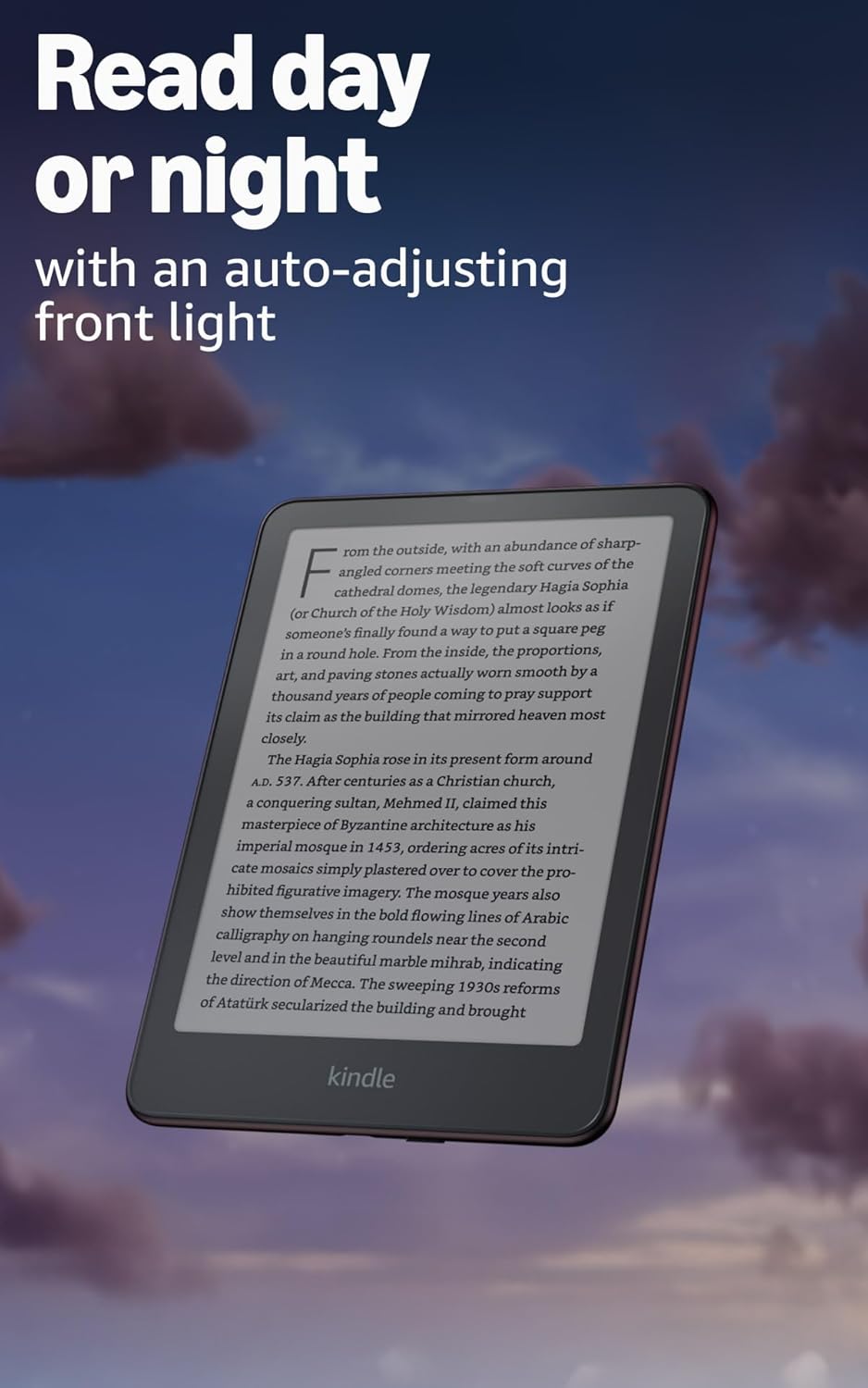
Image: Kindle Paperwhite screen illuminated in a dark room. The auto-adjusting front light allows for comfortable reading day or night.

Image: Close-up of the Kindle Paperwhite screen displaying text. Enjoy a glare-free display without distracting notifications.
2.3 إدارة المحتوى
Your Kindle provides access to a vast library of content.
- متجر كيندل: من الشاشة الرئيسية، اضغط على محل icon to browse and purchase books.
- مكتبة: All purchased content is stored in your library and can be downloaded to your device.
- التخزين السحابي: All Amazon content is stored for free in the cloud, allowing you to access it from any compatible device.
- التنسيقات المدعومة: تنسيق Kindle 8 (AZW3)، Kindle (AZW)، TXT، PDF، MOBI غير المحمي، PRC بشكل أصلي؛ PDF، DOCX، DOC، HTML، EPUB، TXT، RTF، JPEG، GIF، PNG، BMP من خلال التحويل؛ تنسيق الصوت المسموع (AAX).

Image: A collage of various book covers. The Kindle Store offers access to over 15 million titles worldwide.
2.4 الكتب الصوتية
Listen to Audible audiobooks on your Kindle Paperwhite Signature Edition.
- بلوتوث: Connect Bluetooth headphones or speakers to your Kindle via the واي فاي وبلوتوث إعدادات.
- Playing Audiobooks: Download Audible audiobooks from the Kindle Store and play them through your connected Bluetooth device.
2.5 العزل المائي
Your Kindle Paperwhite Signature Edition is waterproof (IPX8 rated).
- It is tested to withstand immersion in 2 meters of fresh water for 60 minutes.
- This makes it suitable for reading by the pool, in the bath, or at the beach.
- After exposure to water, ensure the USB-C port is dry before charging.
3. الصيانة
3.1 تنظيف جهازك
- Use a soft, lint-free cloth to clean the screen and body of your Kindle.
- تجنب المنظفات الكاشطة، والمذيبات، أو بخاخات الهباء الجوي.
- If the device has been exposed to water, gently wipe it dry.
3.2 العناية بالبطارية
- To maximize battery life, avoid exposing your Kindle to extreme temperatures.
- A single charge can last up to twelve weeks, based on half an hour of reading per day with wireless off and the light setting at 13. Heavy use, especially with wireless features or audiobook streaming, will reduce battery life.
- اشحن الجهاز بانتظام، ولكن ليس من الضروري تفريغه بالكامل قبل إعادة شحنه.
3.3 تحديثات البرامج
Your Kindle will periodically receive software updates to improve performance and add new features.
- Ensure your Kindle is connected to Wi-Fi to receive automatic updates.
- يمكنك التحقق يدويًا من التحديثات بالانتقال إلى إعدادات > خيارات الجهاز > التحقق من التحديثات.
4. استكشاف الأخطاء وإصلاحها
4.1 الجهاز لا يستجيب
- إذا كان جهاز Kindle الخاص بك متجمدًا أو لا يستجيب، فاضغط مع الاستمرار على زر الطاقة لمدة 40 ثانية حتى تتم إعادة تشغيل الجهاز.
4.2 مشاكل الاتصال بشبكة Wi-Fi
- Ensure your Wi-Fi router is on and within range.
- حاول إعادة تشغيل جهاز Kindle وجهاز توجيه Wi-Fi الخاص بك.
- تأكد من إدخال كلمة مرور Wi-Fi الصحيحة.
4.3 البطارية لا تشحن
- Check that the USB-C cable is securely connected to both the Kindle and the power adapter.
- حاول استخدام كابل USB-C أو محول طاقة مختلف.
- Ensure the USB-C port on the Kindle is clean and free of debris.
4.4 Content Not Downloading
- Verify your Wi-Fi connection is active and stable.
- Check your Amazon account for any payment issues or content restrictions.
- Ensure your device has sufficient storage space.
5. المواصفات
| ميزة | وصف |
|---|---|
| عرض | 7” Paperwhite display technology with built-in front light, 300 ppi, optimized font technology, 16-level gray scale. |
| مقاس | 5 بوصة × 7 بوصة × 0.3 بوصة (127.6 × 176.7 × 7.8 مم) |
| وزن | 7.5 أوقية (214g) |
| التخزين على الجهاز | 32 جيجابايت؛ تحتوي على آلاف الكتب. |
| التخزين السحابي | تخزين سحابي مجاني لجميع محتويات أمازون. |
| عمر البطارية | Up to twelve (12) weeks (based on 30 mins reading/day, wireless off, light setting 13). |
| وقت الشحن | أقل من 2.5 ساعة مع محول طاقة USB بقوة 9 وات. |
| اتصال واي فاي | Supports 2.4 GHz and 5.0 GHz networks with WEP, WPA, WPA2, WPA3, and OWE security. |
| ميزات إمكانية الوصول | صوتView screen reader (Bluetooth audio, English only), dark mode, adjustable font size, font face, line spacing, and margins. |
| تنسيقات المحتوى المدعومة | تنسيق Kindle 8 (AZW3)، Kindle (AZW)، TXT، PDF، MOBI غير المحمي، PRC بشكل أصلي؛ PDF، DOCX، DOC، HTML، EPUB، TXT، RTF، JPEG، GIF، PNG، BMP من خلال التحويل؛ تنسيق الصوت المسموع (AAX). |
| العزل المائي | حاصل على تصنيف IPX8 (يتحمل الغمر في 2 متر من الماء العذب لمدة 60 دقيقة). |
| جيل | 12th Generation (2024 release). |
6. الضمان والدعم
6.1 معلومات الضمان
Your Kindle Paperwhite Signature Edition comes with a 1-year limited warranty and service. Extended warranty options may be available for purchase separately in some regions.
6.2 الدعم الإضافي
For further assistance and detailed information, please refer to the following resources:
- دليل البدء السريع: Included in your product packaging.
- Kindle User Guide: Accessible on your device or via the Amazon webموقع.
- Accessibility for Kindle: Learn more about accessibility features on the Amazon webموقع.
- Manage Your Content and Devices: Visit your Amazon account online to manage your Kindle content and device settings.