مقدمة
Thank you for choosing the Coby Pro Fitness True Wireless Earbuds. These earbuds are designed to provide a superior audio experience with features tailored for an active lifestyle, including sweat resistance, secure fit, and high-definition audio. This manual will guide you through the setup, operation, and maintenance of your new earbuds.
ماذا يوجد في الصندوق
تأكد من وجود جميع العناصر عند فتح الصندوق:
- Coby Pro Fitness True Wireless Earbuds (Left and Right)
- حافظة الشحن
- أطراف الأذن (أحجام مختلفة للملاءمة المثالية)
- كابل شحن USB
- دليل المستخدم (هذا المستند)
المنتج انتهىview
Familiarize yourself with the components of your Coby Pro Fitness True Wireless Earbuds.

Image: The Coby Pro Fitness True Wireless Earbuds, showing both earbuds and the open charging case with charging contacts visible.

Image: A visual representation of the earbuds and charging case, emphasizing key features such as 15 hours playtime, noise isolating design, sweat-resistance, non-slip fit, auto pairing, voice assistant compatibility, and wide compatibility.
يثبت
1. شحن سماعات الأذن والعلبة
قبل الاستخدام الأول، قم بشحن سماعات الأذن وعلبة الشحن بالكامل.
- Place the earbuds into the charging case. Ensure they are properly seated and the charging indicators light up.
- قم بتوصيل علبة الشحن بمصدر طاقة USB باستخدام كابل USB المرفق.
- The charging case provides up to 20 hours of additional battery life, while the earbuds offer 15 hours of playtime on a full charge.
2. الاقتران بجهازك
The Coby Pro Fitness Earbuds feature auto-pairing for seamless connectivity.
- افتح علبة الشحن. ستدخل سماعات الأذن تلقائيًا في وضع الاقتران.
- على جهازك (الهاتف الذكي، الجهاز اللوحي، الكمبيوتر المحمول)، انتقل إلى إعدادات البلوتوث.
- Select "COBY-CETW553" from the list of available devices.
- بمجرد الاتصال، سوف تسمع نغمة تأكيد، وستكون سماعات الأذن جاهزة للاستخدام.
- Thanks to Bluetooth version 5.3, you can expect lightning-fast pairing and uninterrupted audio streaming within a 10-meter range.
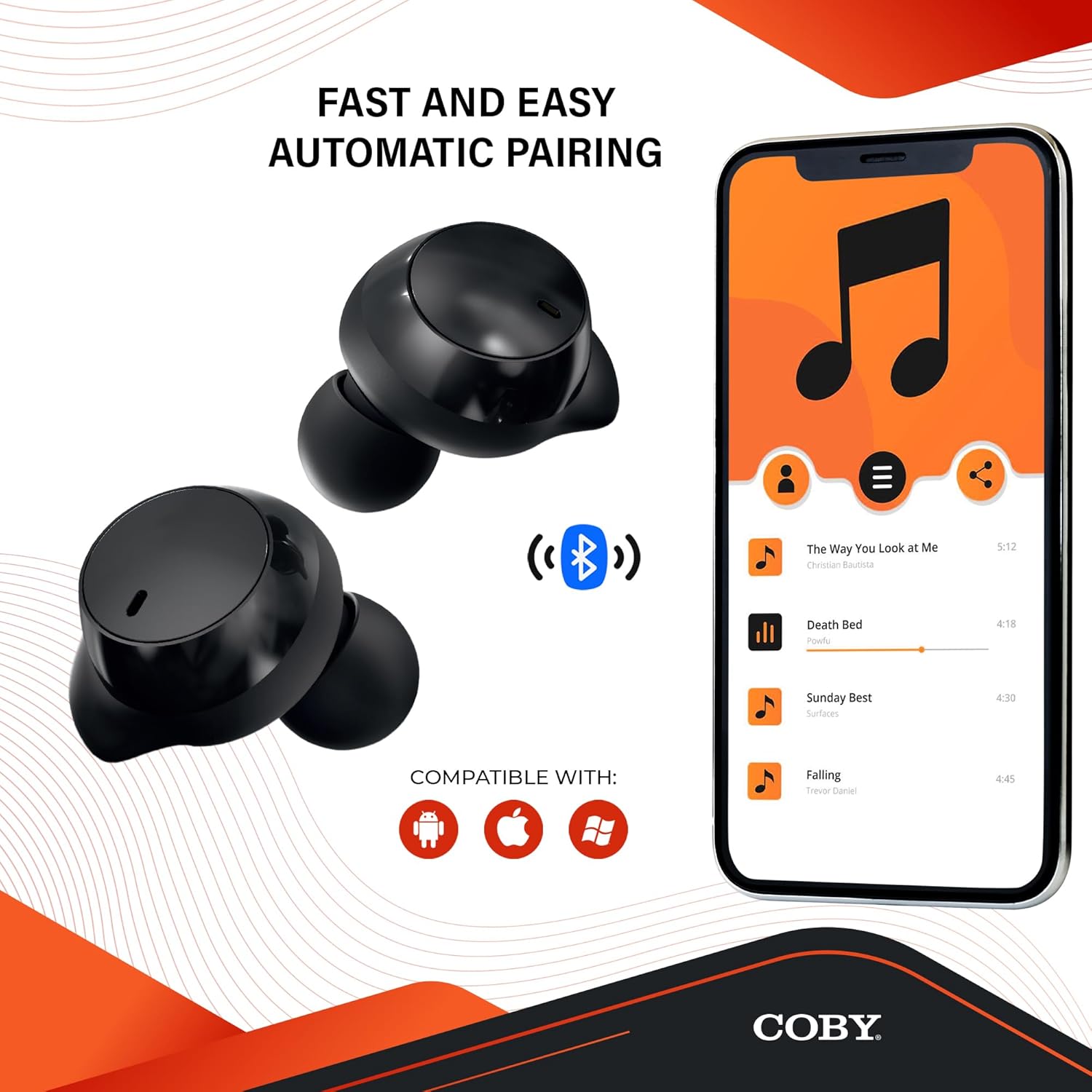
Image: The earbuds next to a smartphone displaying a music playlist, illustrating the fast and easy automatic pairing process and compatibility with Android, Apple, and Windows devices.
تعليمات التشغيل
تشغيل الصوت
Enjoy high-fidelity sound quality with dynamic audio and crystal-clear clarity for your music, podcasts, and audiobooks.
مكالمات بدون استخدام اليدين
The earbuds support hands-free calling, allowing you to take calls directly through the earbuds.
مساعد صوتي
Activate your preferred voice assistant (Siri or Google Assistant) with a quick voice command. This allows you to make calls, send texts, check notifications, and more without needing to access your phone.

Image: The earbuds with accompanying text emphasizing high-fidelity sound quality, sweat-resistant design, comfortable and secure fit, and compatibility with Siri and Google Assistant.

Image: The Coby Pro Fitness Earbuds displayed with logos indicating compatibility with Google Assistant and Siri.
الصيانة والعناية
لضمان طول عمر سماعات الأذن وأدائها الأمثل:
- Sweat Resistant Design: The earbuds are thoughtfully crafted to divert sweat and moisture, making them ideal for workouts. However, they are not fully waterproof; avoid submerging them in water.
- تنظيف: Regularly clean the earbuds and charging case with a soft, dry, lint-free cloth. Gently remove any earwax or debris from the eartips and speaker mesh using a small, soft brush or cotton swab.
- تخزين: عندما لا تكون قيد الاستخدام، قم بتخزين سماعات الأذن في علبة الشحن الخاصة بها لحمايتها والحفاظ عليها مشحونة.
- درجة حرارة: Avoid exposing the earbuds to extreme temperatures (hot or cold) or direct sunlight for extended periods.

Image: A person in athletic wear preparing to run, wearing the earbuds, illustrating the sweat-resistant design suitable for active use.

Image: Two individuals engaged in a workout, both wearing the earbuds, demonstrating their suitability for fitness activities.
استكشاف الأخطاء وإصلاحها
If you encounter any issues with your Coby Pro Fitness Earbuds, try the following steps:
- لا يوجد صوت:
- تأكد من شحن سماعات الأذن.
- تحقق من اتصال البلوتوث على جهازك.
- Increase volume on both earbuds and your device.
- سماعات الأذن لا تقترن:
- تأكد من تمكين البلوتوث على جهازك.
- Ensure earbuds are in pairing mode (open case).
- قم بحذف الجهاز من قائمة البلوتوث في هاتفك وحاول الاقتران مرة أخرى.
- تأكد من أن سماعات الأذن على بعد 10 أمتار من جهازك.
- مشاكل الشحن:
- تأكد من أن كابل الشحن ومصدر الطاقة يعملان.
- تأكد من تثبيت سماعات الأذن بشكل صحيح في علبة الشحن.
- قم بتنظيف نقاط التلامس الخاصة بالشحن على كل من سماعات الأذن والعلبة.
تحديد
| ميزة | التفاصيل |
|---|---|
| اسم الموديل | CETW553 |
| رقم موديل العنصر | COBY-CETW553 |
| تكنولوجيا الاتصال | لاسلكي (بلوتوث) |
| نسخة البلوتوث | 5.3 |
| مدى البلوتوث | 10 مترا |
| عمر البطارية (سماعات الأذن) | 15 ساعة |
| عمر بطارية حقيبة الحمل | 20 ساعة (إضافية) |
| مستوى مقاومة الماء | Water Resistant (Sweat Resistant) |
| التحكم في الضوضاء | عزل الصوت |
| نوع التحكم | Voice (Google Assistant, Siri Compatible) |
| نطاق التردد | 20 هرتز - 20,000 هرتز |
| وزن العنصر | 1.4 أونصة |
| أبعاد المنتج | 0.96 × 0.7 × 0.94 بوصة |
| مادة | Silicone (Eartips) |
| رمز المنتج الموحد | 643620020401 |
| الشركة المصنعة | ساميت للإلكترونيات ذ |
| بلد المنشأ | الصين |
الضمان والدعم
للحصول على معلومات الضمان ودعم العملاء، يرجى الرجوع إلى بطاقة الضمان المرفقة مع منتجك أو زيارة موقع كوبي الرسمي. webموقع.
You can also visit the Coby Store on Amazon for more information: Coby Amazon Store.


