مقدمة
The HyperDrive Next 10 Port USB-C Hub is a versatile connectivity solution designed to expand the capabilities of your Mac, PC, or Chromebook. This hub provides a comprehensive array of ports, including 4K60Hz HDMI, multiple USB-A and USB-C ports with 10Gbps data transfer, 140W Power Delivery, SD and microSD card readers, Gigabit Ethernet, and a 3.5mm audio jack. It is engineered to enhance productivity, streamline workflows, and offer robust connectivity for various devices and peripherals.
محتويات الحزمة
- HyperDrive Next 10 Port USB-C Hub
- دليل المستخدم (هذا المستند)
أكثر من الموانئview
The HyperDrive Next 10 Port USB-C Hub features a comprehensive set of ports to meet diverse connectivity needs. Understanding each port's function is essential for optimal use.

وصف الصورة: A detailed diagram illustrating the layout and labeling of all 10 ports on the HyperDrive Next USB-C Hub. This includes USB-A 10Gbps, USB-A 5Gbps, 2x USB-C 10Gbps, SD 312MB/s, microSD 312MB/s, USB-C 140W PD 3.1, 4K60Hz HDMI, 3.5mm Audio Jack Combo, and Gigabit Ethernet.
- 4K60Hz HDMI Port: Connect an external monitor for extended display at up to 4K resolution at 60Hz.
- USB-A 10Gbps Port: لنقل البيانات بسرعة عالية باستخدام أجهزة USB-A.
- USB-A 5Gbps Port: For standard data transfer with USB-A devices.
- 2 x USB-C 10Gbps Ports: لنقل البيانات بسرعة عالية مع أجهزة USB-C.
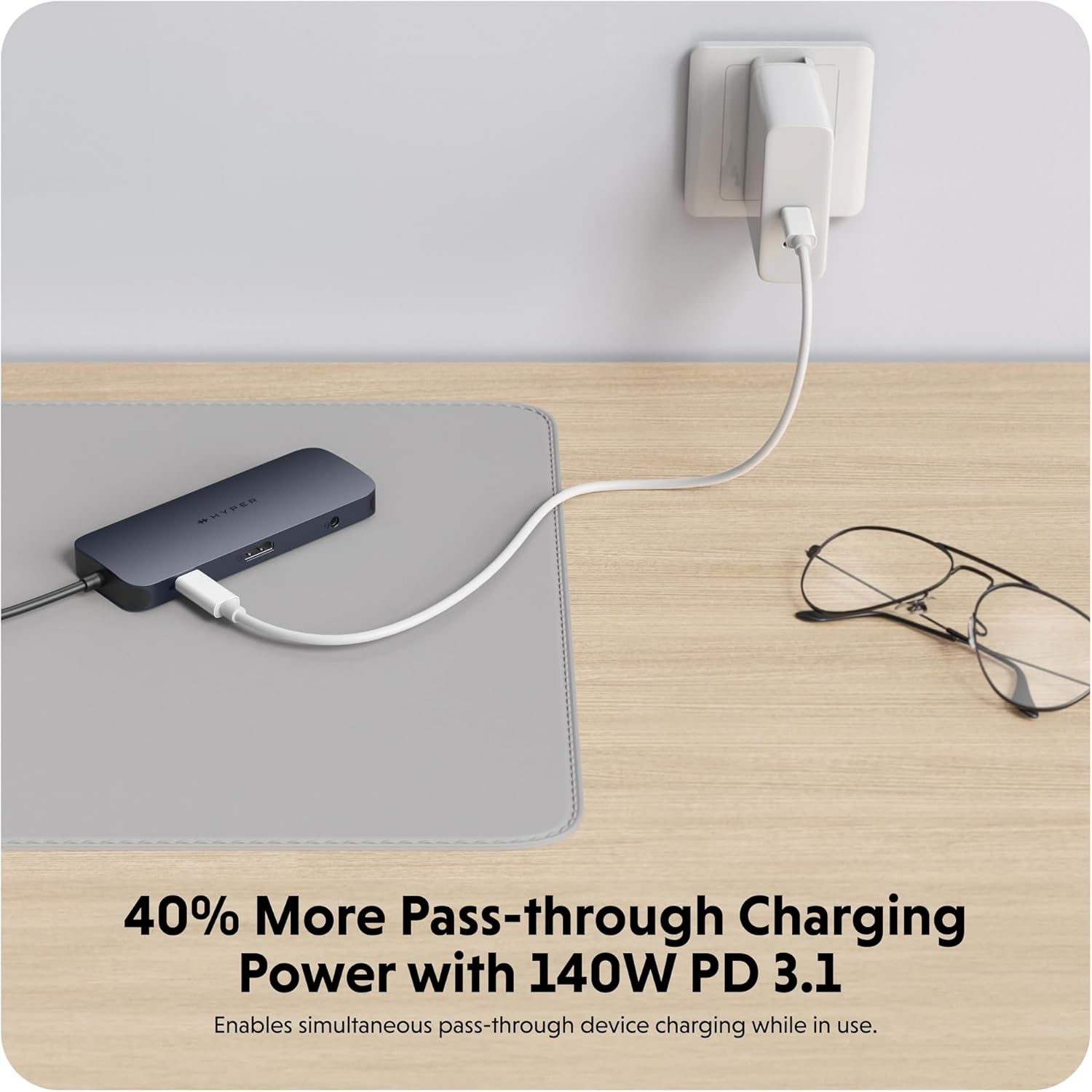
- USB-C 140W PD 3.1 Port: For power delivery to charge your host device (up to 125W) while using the hub. Requires a 140W PD 3.1 charger.
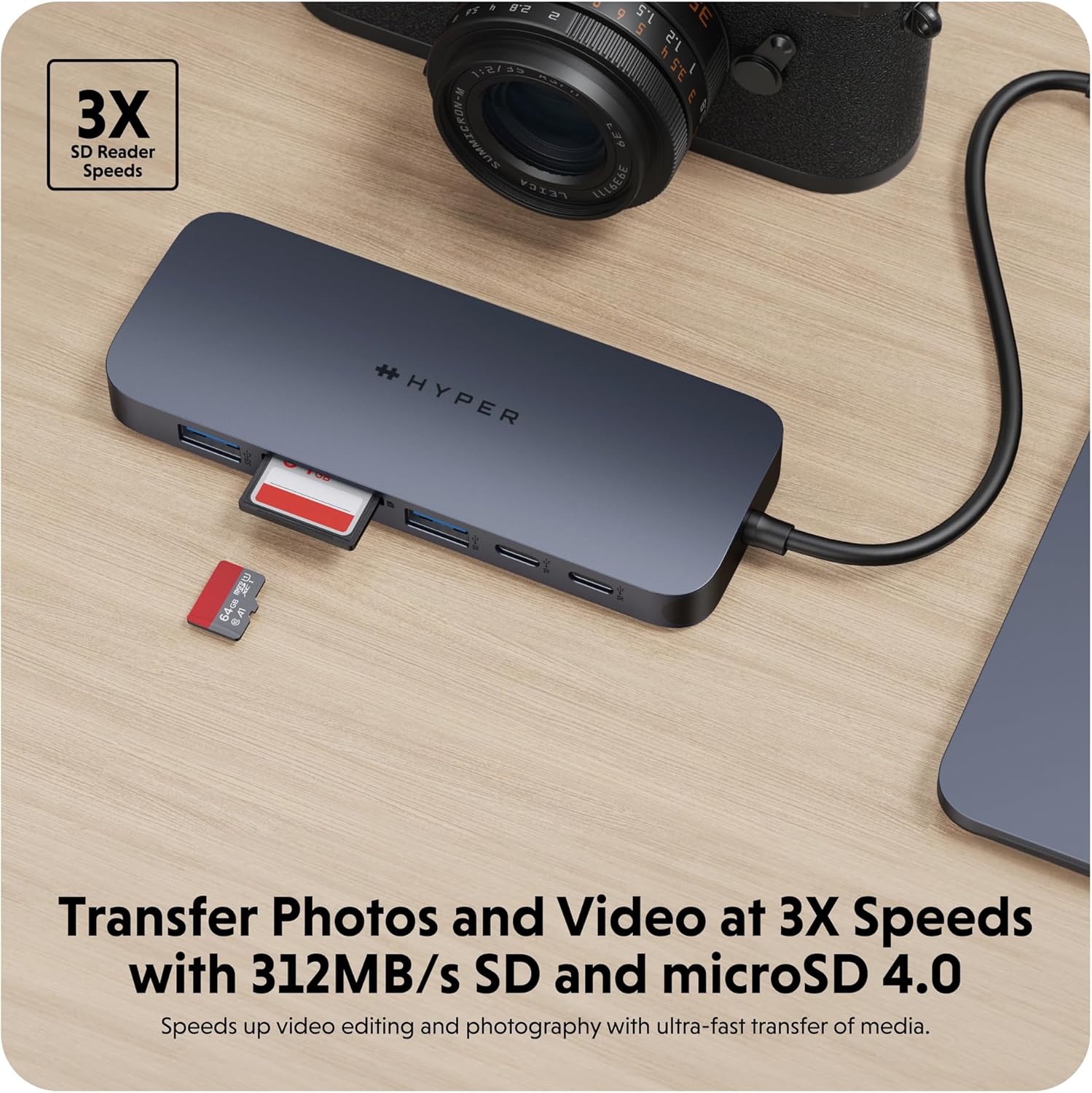
- SD Card Reader (312MB/s): For high-speed data transfer from SD memory cards.
- microSD Card Reader (312MB/s): For high-speed data transfer from microSD memory cards.
- منفذ جيجابت إيثرنت: يوفر اتصالاً سلكياً مستقراً وسريعاً بالإنترنت.
- 3.5mm Audio Jack Combo: لتوصيل سماعات الرأس أو الميكروفونات.
تعليمات الإعداد
- قم بتوصيل المحور بجهازك: Insert the integrated USB-C cable of the HyperDrive Next 10 Port USB-C Hub into an available USB-C port on your Mac, PC, or Chromebook.
- توصيل الطاقة (اختياري ولكن موصى به): For optimal performance and to charge your host device, connect a compatible USB-C Power Delivery charger (up to 140W PD 3.1) to the USB-C 140W PD 3.1 port on the hub. This allows pass-through charging up to 125W.
- توصيل الأجهزة الطرفية: Once the hub is connected, you can begin connecting your peripherals to the respective ports on the hub.
- For external displays, use the HDMI port.
- For USB devices (flash drives, external hard drives, keyboards, mice), use the USB-A or USB-C data ports.
- For memory cards, insert them into the SD or microSD card slots.
- بالنسبة للإنترنت السلكي، قم بتوصيل كابل Ethernet بمنفذ Gigabit Ethernet.
- For audio, plug your headphones or microphone into the 3.5mm audio jack.
- التوصيل والتشغيل: The HyperDrive Next hub is designed for plug-and-play functionality. No additional drivers or software installation are typically required for basic operation on compatible operating systems.

وصف الصورة: لقطة مقرّبة view of the HyperDrive Next 10 Port USB-C Hub, showcasing its compact design and the integrated USB-C cable ready for connection to a host device. This image highlights the hub's sleek appearance and port accessibility.
تعليمات التشغيل
مخرج العرض (HDMI)
Connect an HDMI cable from the hub's HDMI port to your external monitor. Your device should automatically detect the display. You may need to adjust display settings (resolution, mirroring/extending) in your operating system's display preferences.

وصف الصورة: A laptop connected to an external monitor through the HyperDrive Next USB-C Hub, demonstrating the extended display functionality. The image shows a workspace setup with the hub facilitating multi-monitor use.
Data Transfer (USB-A, USB-C, SD/microSD)
Insert your USB devices (flash drives, external hard drives) into the appropriate USB-A or USB-C data ports. For SD or microSD cards, insert them into the corresponding slots. Files can then be accessed and transferred via your computer's file المستكشف.
وصف الصورة: The HyperDrive Next USB-C Hub connected to an external hard drive, illustrating its capability for high-speed data transfer via USB 3.2. The image emphasizes the efficiency of moving large files.
وصف الصورة: The HyperDrive Next USB-C Hub with an SD card and a microSD card inserted into their respective slots, demonstrating the hub's fast media transfer capabilities for photographers and videographers.
Power Delivery (USB-C PD 3.1)
To charge your host device through the hub, connect a USB-C power adapter (140W PD 3.1 recommended) to the dedicated USB-C PD port on the hub. The hub will then pass through up to 125W of power to your connected laptop or device.

وصف الصورة: The HyperDrive Next USB-C Hub connected to a wall charger, illustrating its 140W Power Delivery 3.1 pass-through charging capability. This image shows the hub providing power to a connected device.
Network Connection (Gigabit Ethernet)
Plug an Ethernet cable from your router or modem into the Gigabit Ethernet port on the hub. Your device should automatically establish a wired network connection, providing stable and high-speed internet access.
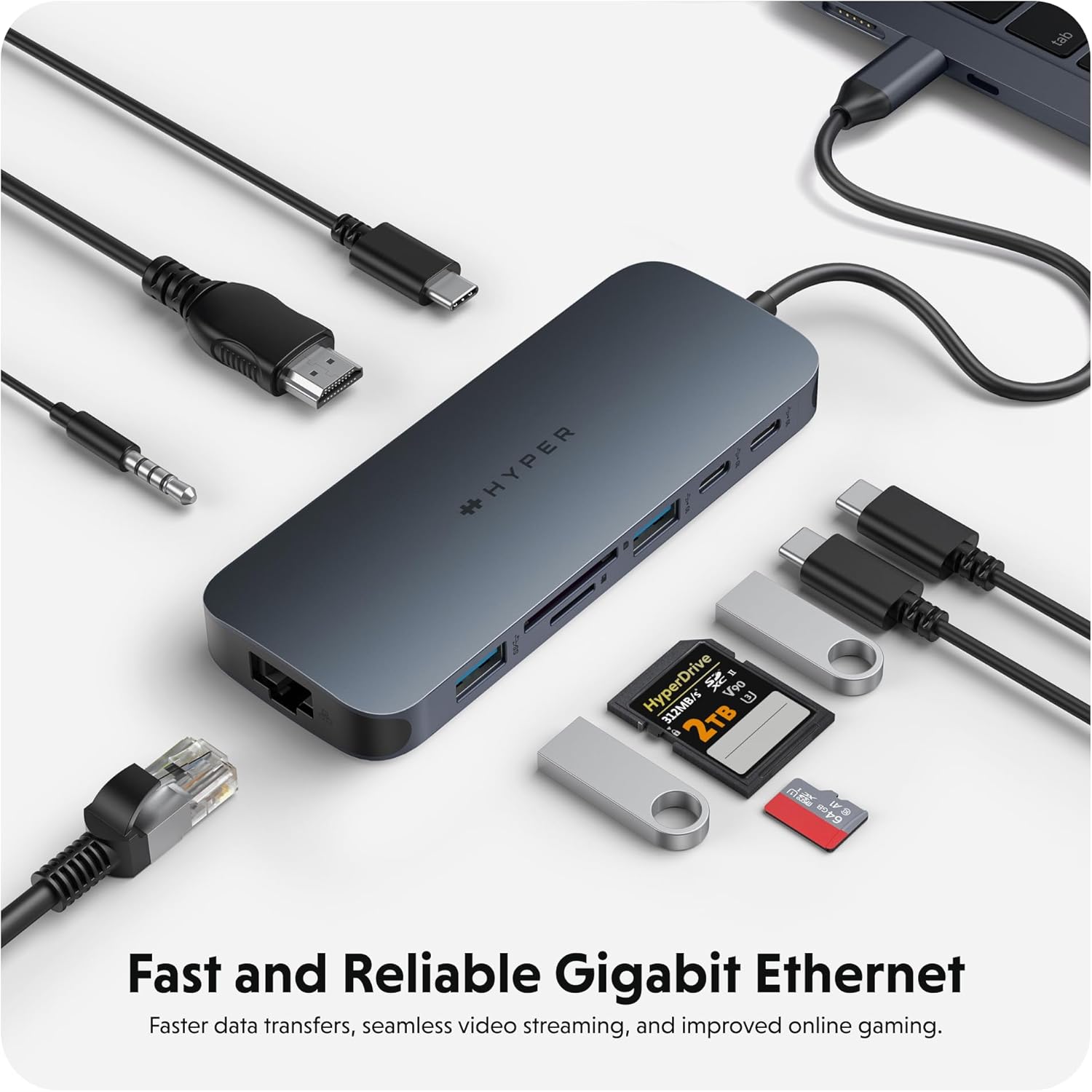
وصف الصورة: The HyperDrive Next USB-C Hub with an Ethernet cable connected, highlighting its Gigabit Ethernet port for fast and reliable wired internet access. The image also shows other cables and accessories, emphasizing the hub's comprehensive connectivity.
Audio Connection (3.5mm Audio Jack)
Connect your headphones or microphone to the 3.5mm audio jack. Ensure your device's audio output/input settings are configured to use the hub's audio port if it doesn't switch automatically.

وصف الصورة: A pair of headphones connected to the 3.5mm audio jack of the HyperDrive Next USB-C Hub, demonstrating its support for wired audio peripherals.
التوافق
The HyperDrive Next 10 Port USB-C Hub is compatible with a wide range of devices that feature a USB-C port with DisplayPort Alternate Mode (Alt Mode) and Power Delivery capabilities. This includes:
- ماك: MacBook Pro, MacBook Air, iMac, Mac mini, and other Mac models with USB-C/Thunderbolt 3/4 ports.
- كمبيوتر يعمل بنظام Windows: Laptops and desktops with USB-C ports supporting DisplayPort Alt Mode and Power Delivery.
- كروم بوك: Devices with USB-C ports supporting DisplayPort Alt Mode and Power Delivery.
For optimal performance, ensure your device's USB-C port supports the necessary features for video output and power delivery.
الصيانة والعناية
- تنظيف: استخدم قطعة قماش ناعمة وجافة لتنظيف سطح المحور. تجنب استخدام المنظفات السائلة أو البخاخات.
- تخزين: قم بتخزين المحور في مكان بارد وجاف بعيدًا عن أشعة الشمس المباشرة ودرجات الحرارة القصوى.
- التعامل: تجنب إسقاط الجهاز أو تعريضه لصدمات قوية. لا تحاول تفكيك الجهاز.
- حماية المنفذ: When not in use, consider using port covers (if available) to prevent dust and debris from entering the ports.
استكشاف الأخطاء وإصلاحها
- لا يوجد مخرج عرض عبر منفذ HDMI:
- تأكد من أن منفذ USB-C الخاص بجهازك المضيف يدعم وضع DisplayPort البديل.
- تحقق من توصيل كابل HDMI في كل من الموزع والشاشة.
- حاول استخدام كابل HDMI أو شاشة أخرى إذا كان ذلك ممكنًا.
- أعد تشغيل جهاز المضيف الخاص بك.
- Adjust display settings in your operating system.
- لم يتم اكتشاف أجهزة USB:
- تأكد من أن المحور متصل بشكل آمن بجهازك المضيف.
- حاول توصيل جهاز USB مباشرة بجهازك المضيف للتأكد من أنه يعمل بشكل صحيح.
- If using a high-power USB device (e.g., external hard drive), ensure the hub is connected to a power source via the PD port.
- جرب منفذ USB مختلفًا على الموزع.
- سرعات نقل البيانات البطيئة:
- Ensure you are using the correct USB 3.2 (10Gbps) ports for maximum speed.
- تعتمد السرعة أيضًا على إمكانيات الجهاز المتصل.
- تجنب نقل ملفات كبيرة متعددة files simultaneously if performance is critical.
- Host Device Not Charging via PD Port:
- Ensure your USB-C power adapter is connected to the hub's 140W PD 3.1 port.
- تأكد من أن محول الطاقة الخاص بك يعمل بشكل صحيح ويوفر طاقة كافية.tage (140W recommended for full pass-through).
- تأكد من أن جهازك المضيف يدعم تقنية توصيل الطاقة عبر منفذ USB-C.
تحديد
| ميزة | التفاصيل |
|---|---|
| رقم الموديل | 5785587 |
| الموانئ | 1x 4K60Hz HDMI, 1x USB-A 10Gbps, 1x USB-A 5Gbps, 2x USB-C 10Gbps, 1x USB-C 140W PD 3.1, 1x SD Card Reader (312MB/s), 1x microSD Card Reader (312MB/s), 1x Gigabit Ethernet, 1x 3.5mm Audio Jack Combo |
| مخرج HDMI | يصل إلى 4K @ 60Hz |
| سرعة نقل بيانات USB | تصل إلى 10 جيجابت في الثانية (USB 3.2) |
| توصيل الطاقة | 140W PD 3.1 pass-through (up to 125W to host) |
| سرعة قارئ البطاقات | 312MB/s (SD 4.0 and microSD 4.0) |
| إيثرنت | شبكة جيجابت إيثرنت (10/100/1000 ميجابت في الثانية) |
| الأجهزة المتوافقة | Mac, Windows PC, Chromebook with USB-C (DisplayPort Alt Mode & PD) |
| أبعاد | 7.83 × 4.06 × 1.42 بوصة |
| وزن العنصر | 5.7 أونصات |
| مادة | 100% Recycled Aluminum, 85% Recycled Plastic |
الضمان والدعم
Hyper products are designed with quality and reliability in mind. For information regarding warranty coverage, technical support, or to register your product, please visit the official Hyper webالموقع أو اتصل بخدمة العملاء الخاصة بهم مباشرة.
هايبر الرسمي Webموقع: www.hyper.com
For additional assistance, refer to the product's Amazon listing or contact Amazon customer support.


