مقدمة
This manual provides essential information for the setup, operation, and maintenance of your Casio LK-S450 Premium Keyboard Pack. This pack includes the portable keyboard, a dedicated stand, an AC adapter, and headphones. The LK-S450 features 61 full-size, touch-responsive keys with Casio’s Key Lighting system, an easy-to-read LCD display, and intuitive controls designed to enhance your musical experience.
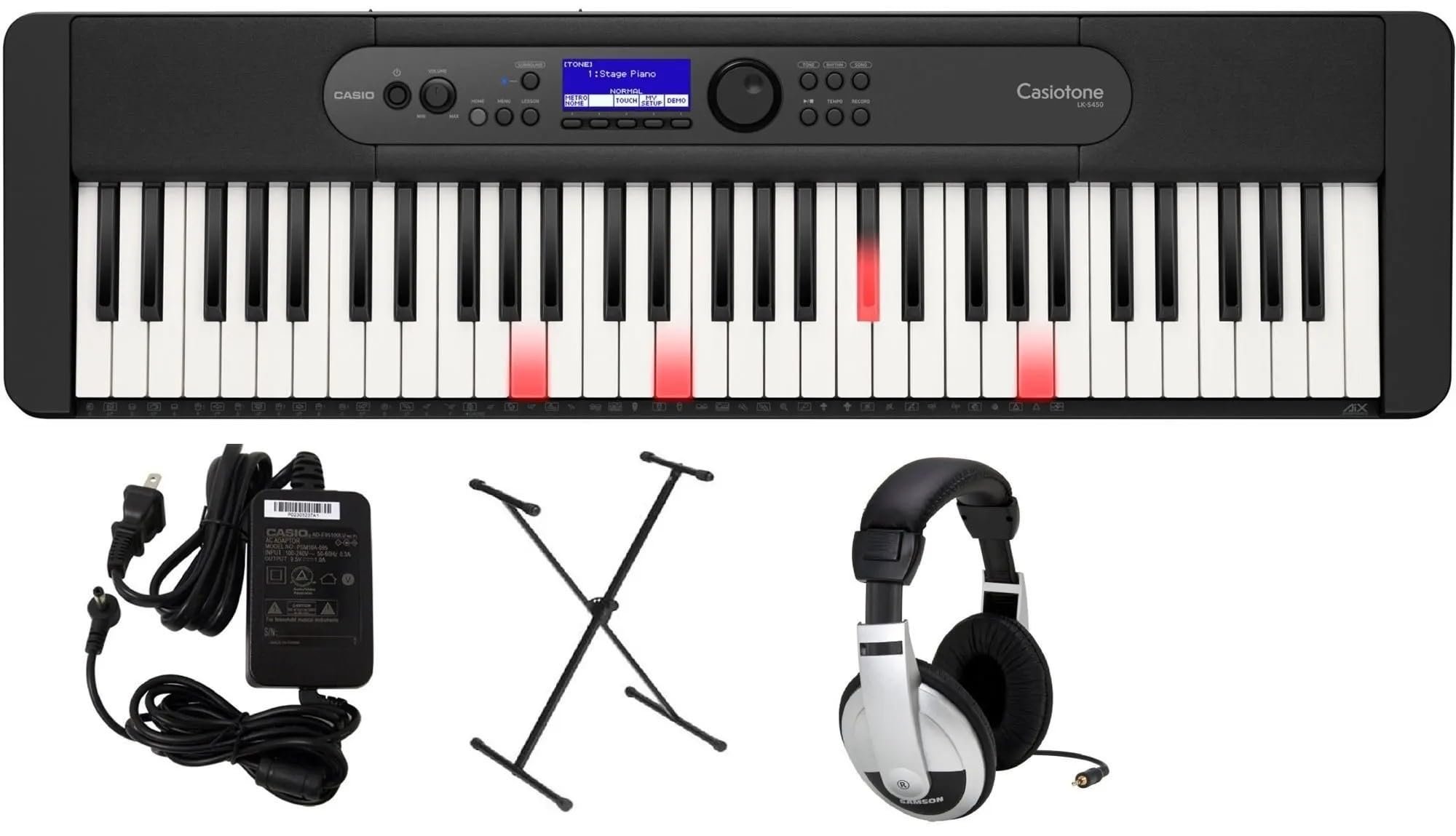
Image: Casio LK-S450 Portable Keyboard with lighted keys, showcasing the full keyboard layout and control panel.
محتويات الحزمة
تأكد من تضمين جميع العناصر المدرجة أدناه في الحزمة الخاصة بك:
- Casio LK-S450 Portable Keyboard
- حامل لوحة المفاتيح
- محول التيار المتردد
- سماعات الرأس
- Music Rest (often included with keyboard)
تعليمات الإعداد
- قم بتجميع حامل لوحة المفاتيح: Follow the instructions provided with the stand to ensure it is securely assembled. Adjust the height to a comfortable playing position.
- ضع لوحة المفاتيح: Carefully place the Casio LK-S450 keyboard onto the assembled stand, ensuring it is stable and centered.
- قم بتوصيل محول التيار المتردد: Insert the AC adapter plug into the DC 9.5V jack on the rear panel of the keyboard. Plug the other end into a standard wall outlet.
- توصيل سماعات الرأس (اختياري): For private practice, plug the included headphones into the 3.5mm Headphones Jack located on the rear panel.
- تشغيل الطاقة: Press and hold the Power button on the keyboard's control panel until the LCD display illuminates.

Image: A black X-style keyboard stand, ready for keyboard placement.

الصورة: الخلفية view of the Casio LK-S450 keyboard, highlighting the USB ports, audio jacks, and power input.

Image: A pair of over-ear headphones with silver and black components.
تعليمات التشغيل
تشغيل/إيقاف الطاقة
To turn on the keyboard, press and hold the قوة button. To turn off, press and hold the قوة button again until the display shuts down.
ضبط مستوى الصوت
استخدم حجم + و الصوت - buttons on the control panel to adjust the overall sound output level.
اختيار النغمات والإيقاعات
The LK-S450 features a wide variety of tones and rhythms. Use the rotary dial and corresponding buttons on the control panel to browse and select different instrument sounds (tones) and accompaniment patterns (rhythms). The LCD display will show your current selection.

الصورة: أعلى view of the Casio LK-S450 keyboard, highlighting the central control panel with its LCD screen, function buttons, and rotary dial for navigation.
Key Lighting System
The integrated Key Lighting system assists in learning by illuminating the keys to be played. Refer to the on-screen prompts and the user manual for specific lesson modes and how to utilize this feature effectively.
الاتصال
The MicroUSB port allows you to connect your LK-S450 to a PC, Mac, iOS, or Android device. This enables MIDI communication for use with music software like Casio Music Space, without requiring additional drivers or complex installation.
صيانة
- تنظيف: استخدم قطعة قماش ناعمة وجافة لمسح سطح لوحة المفاتيح. لإزالة الأوساخ المستعصية، افركها برفق.ampبللي قطعة القماش بالماء ومنظف لطيف غير كاشط. تجنبي الرطوبة الزائدة.
- تخزين: قم بتخزين لوحة المفاتيح في مكان بارد وجاف بعيدًا عن أشعة الشمس المباشرة ودرجات الحرارة القصوى والرطوبة العالية.
- التعامل: Avoid dropping the keyboard or subjecting it to strong impacts. Do not place heavy objects on the keys or control panel.
استكشاف الأخطاء وإصلاحها
- لا يوجد صوت: Check if the power is on and the volume is turned up. Ensure headphones are not plugged in if you intend to use the speakers.
- المفاتيح لا تستجيب: Verify the keyboard is powered on. If specific keys are unresponsive, contact customer support.
- مشاكل الاتصال: Ensure the MicroUSB cable is securely connected to both the keyboard and your device. Check device settings and software for proper MIDI input recognition.
- الصوت المشوه: Lower the volume. If using external speakers, check their connections and settings.
تحديد
- اسم الموديل: لكس450
- عدد المفاتيح: 61, touch-responsive
- الأبعاد (لوحة المفاتيح): 3.31"D x 10.16"W x 3.31"H (258 mm x 84 mm x 84 mm)
- وزن السلعة: Approximately 21.9 pounds (including accessories in pack)
- مصدر الطاقة: Corded Electric (AC Adapter included)
- تقنية الاتصال: USB (MicroUSB port to host, USB Type A to device)
- مقبس سماعات الرأس: مقبس 3.5 ملم
- البرامج المدعومة: Casio Music Space
- توافق نظام التشغيل: ويندوز، ماك، آي أو إس، أندرويد
- ميزة خاصة: Key Lighting System, Portable
الضمان والدعم
Your Casio LK-S450 Premium Keyboard Pack comes with a manufacturer's warranty. Please refer to the warranty card included in your package for specific terms and conditions. For technical support, service, or additional information, please visit the official Casio webالموقع الإلكتروني أو تواصل مع قسم خدمة العملاء. احتفظ بإيصال الشراء كإثبات للشراء في حال وجود أي مطالبات بالضمان.
الدعم عبر الإنترنت: تفضل بزيارة متجر كاسيو على أمازون


