1. المقدمة
Thank you for choosing the Mesqool CR1024 Projection Alarm Clock. This device combines a digital alarm clock with a time projector, displaying time on your wall or ceiling. It also features temperature and humidity monitoring, dual alarms, a night light, and USB charging ports. This manual will guide you through the setup, operation, and maintenance of your new alarm clock.
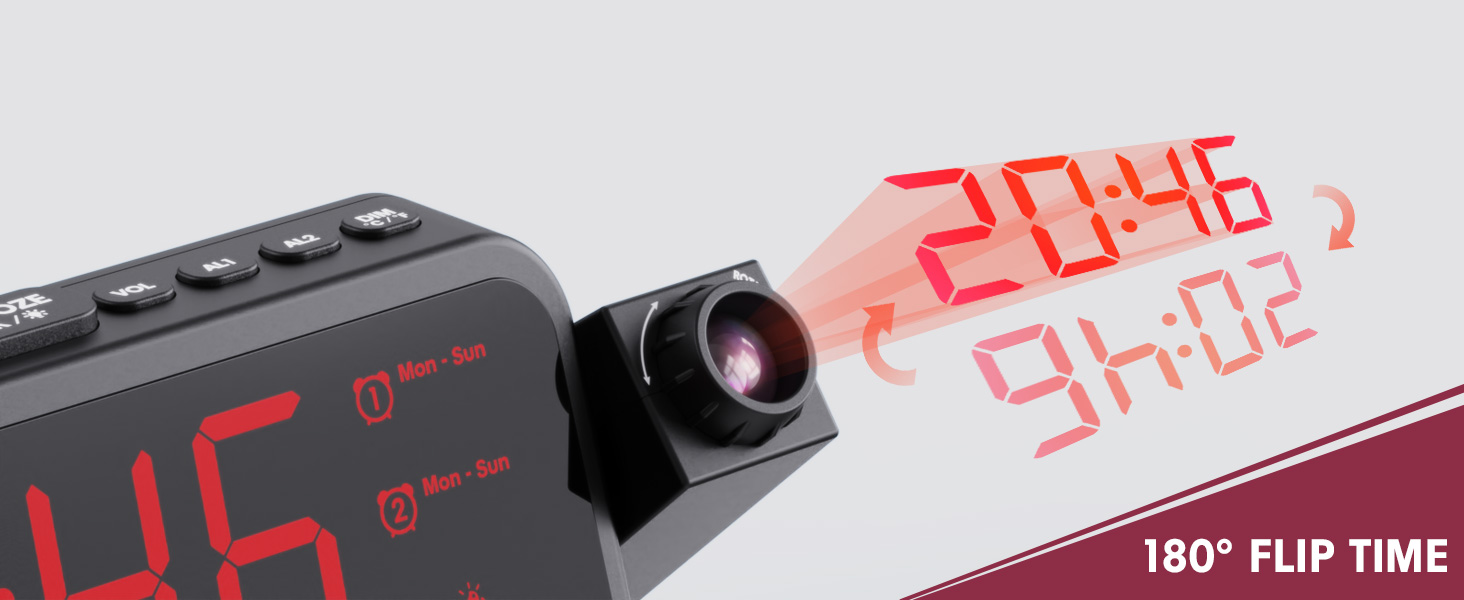
Image 1.1: Mesqool CR1024 Projection Alarm Clock with a smartphone connected for charging.
المميزات الرئيسية:
- 180° Swivel Projection with Adjustable Focus
- Large LED Display with Time, Date, Day, Temperature, and Humidity
- Dual Alarms with Weekday/Weekend/7-Day/One-time Modes
- 9-Minute Snooze Function
- Integrated Soft LED Night Light with Adjustable Brightness
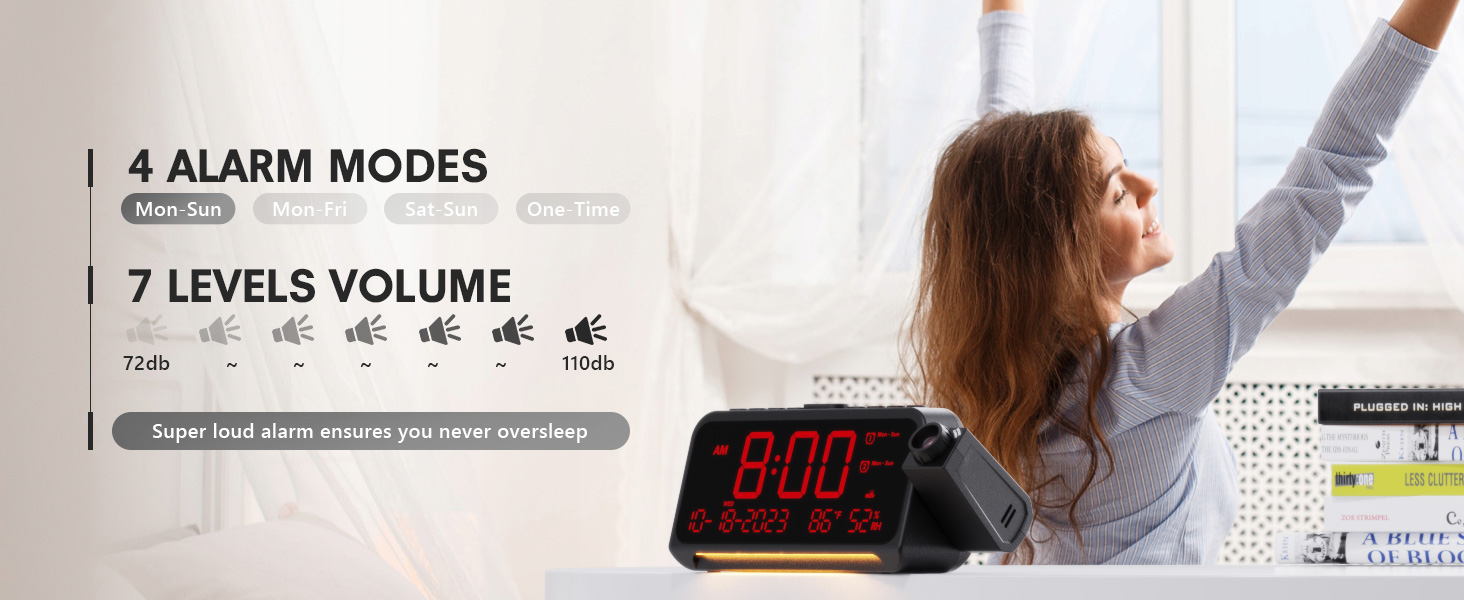
- 7-Level Adjustable Alarm Volume
- 5 مستويات عرض باهتة
- Memory Function (requires 2x AAA batteries, not included)
- Dual USB Charging Ports (Type-C and USB-A)
2. الإعداد
2.1 توصيل الطاقة
- Connect the provided power adapter to the DC IN port on the back of the alarm clock.
- قم بتوصيل محول الطاقة بمأخذ كهربائي عادي. ستضيء شاشة الساعة.
- للحصول على طاقة احتياطية أثناءtages, insert two AAA batteries (not included) into the battery compartment. This will preserve time and alarm settings.
2.2 ضبط الوقت والتاريخ الأولي
- اضغط مع الاستمرار على الوقت المحدد زر للدخول إلى وضع إعداد الوقت.
- استخدم + or - الأزرار لضبط الساعة. اضغط الوقت المحدد للتأكيد.
- كرر العملية لضبط الدقيقة والسنة والشهر واليوم.
- يضعط الوقت المحدد مرة أخرى للخروج من وضع الإعداد.
2.3 12/24 Hour Format and DST
- للتبديل بين تنسيق الوقت 12 ساعة و24 ساعة، اضغط على 12/24ساعة زر.
- To activate or deactivate Daylight Saving Time (DST), press the التوقيت الصيفي button. An indicator will appear on the display when DST is active.

Image 2.1: The clock displaying time in both 12-hour and 24-hour formats.
3. تعليمات التشغيل
3.1 ضبط المنبهات
تدعم الساعة منبهين مستقلين (AL1 و AL2).
- اضغط مع الاستمرار على ال1 or ال2 زر للدخول إلى وضع إعداد التنبيه.
- استخدم + or - buttons to adjust the alarm hour. Press the respective alarm button (ال1 or ال2) للتأكيد.
- Repeat to set the alarm minute.
- After setting the minute, use + or - to select the alarm mode: Mon-Sun, Mon-Fri, Sat-Sun, or One-time.
- Press the alarm button again to confirm and exit.
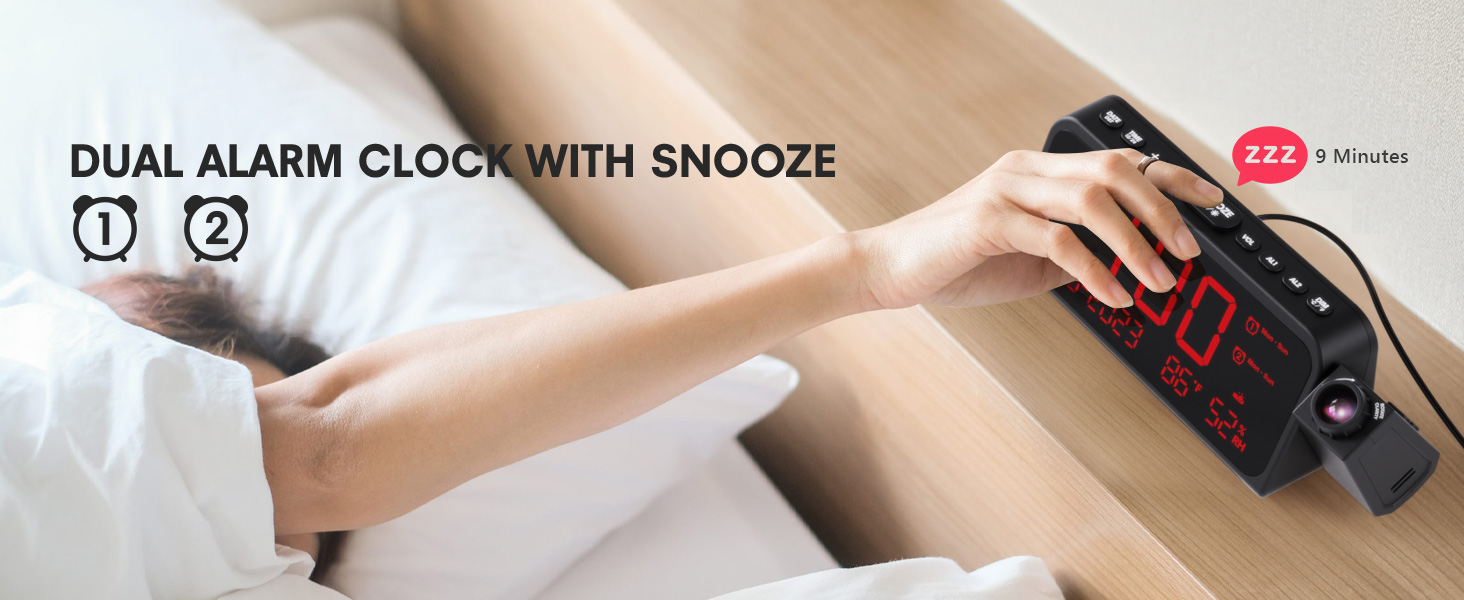
Image 3.1: The clock displaying dual alarm settings and snooze functionality.
3.2 وظيفة الغفوة
عند سماع صوت الإنذار، اضغط على الزر الكبير غفوة/موافق/* button to activate the snooze function. The alarm will pause for 9 minutes and then sound again.
3.3 Alarm Volume Adjustment
اضغط على المجلد button to cycle through 7 levels of alarm volume. Adjust to your preferred loudness.

Image 3.2: Visual representation of the 4 alarm modes and 7 adjustable volume levels.
3.4 إعدادات العرض
- تشغيل/إيقاف الإسقاط: اضغط على PROJECTION button to turn the projection on or off.
- سطوع الإسقاط: اضغط بشكل متكرر على PROJECTION button to cycle through 5 brightness levels (Dim, Low, Medium, High, Full).
- اتجاه العرض: The projector arm can swivel 180 degrees. Rotate the arm to direct the time display to your desired surface (wall or ceiling).
- ضبط التركيز: Use the focus ring on the projector lens to sharpen the projected image.
الصورة 3.3: تفصيلية view of the projection features, including distance, time flip, rotation, focus, and brightness levels.
3.5 باهتة العرض
اضغط على ديمر button to adjust the brightness of the main LED display. There are 5 levels of brightness to choose from, allowing you to customize it for comfort, especially at night.
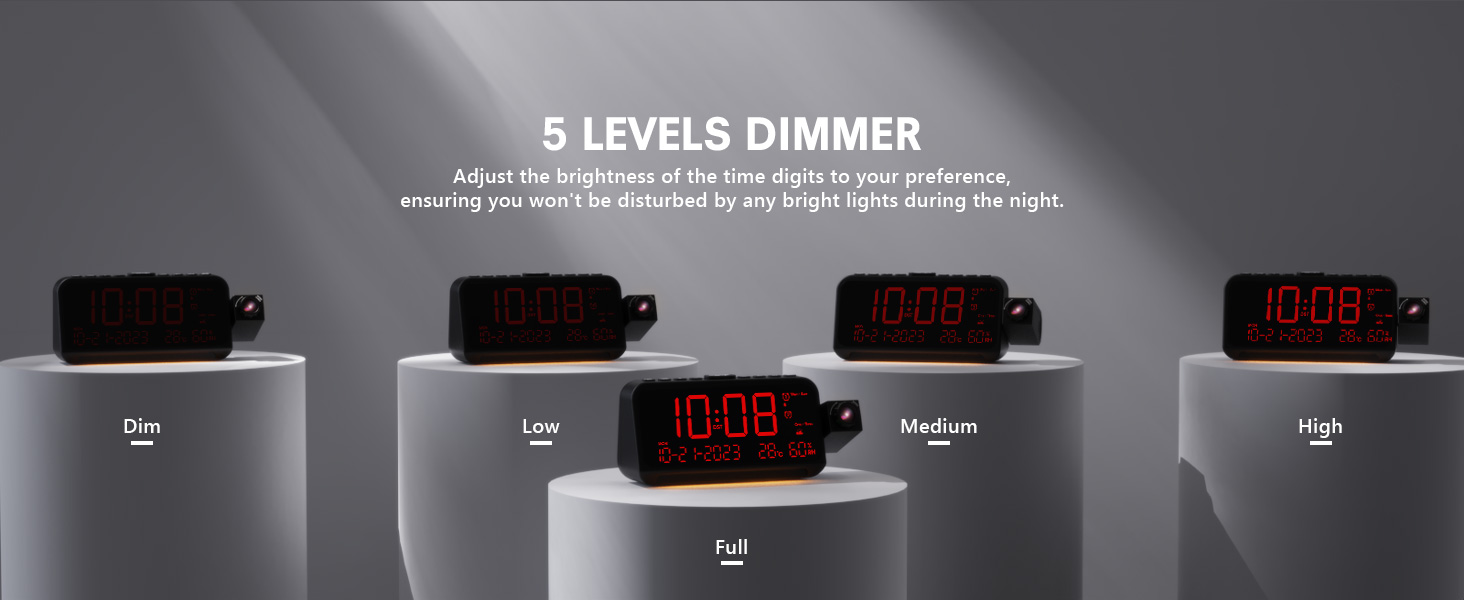
Image 3.4: The clock demonstrating its 5-level adjustable display dimmer.
3.6 ضوء ليلي
The clock features a soft LED night light located at the bottom. Press the ضوء button to cycle through Off, Medium, and Full brightness settings for the night light.
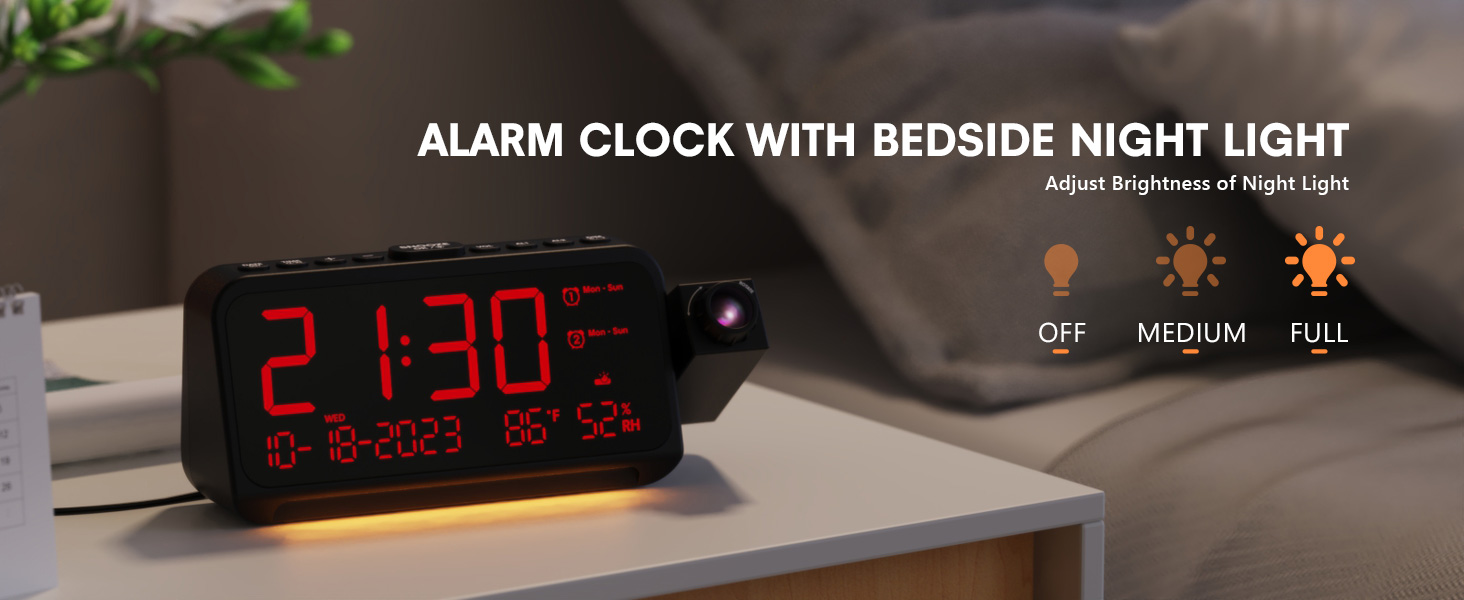
Image 3.5: The clock with its integrated night light, showing different brightness options.
عدد 3.7 منفذ شحن يو إس بى
The clock is equipped with a Type-C and a standard USB-A charging port on the back. You can use these ports to charge your mobile devices while the clock is powered.

Image 3.6: The back of the clock showing the Type-C and USB-A charging ports in use.
4. الصيانة
To ensure the longevity and optimal performance of your Mesqool CR1024 Projection Alarm Clock, follow these maintenance guidelines:
- تنظيف: Wipe the clock's surface with a soft, dry cloth. Avoid using abrasive cleaners, solvents, or chemical sprays, as these can damage the finish or electronic components.
- بيئة: Place the clock in a dry environment, away from direct sunlight, extreme temperatures, and high humidity.
- تهوية: تأكد من عدم انسداد فتحات التهوية لمنع ارتفاع درجة الحرارة.
- استبدال البطارية: If using AAA batteries for backup, replace them annually or when the low battery indicator appears to ensure settings are retained during power outagإِسْ
5. استكشاف الأخطاء وإصلاحها
If you encounter issues with your Mesqool CR1024 Projection Alarm Clock, please refer to the following common problems and solutions:
| مشكلة | السبب المحتمل | حل |
|---|---|---|
| الصورة المعروضة ضبابية أو غير واضحة. | Incorrect focus or projection distance. | Adjust the focus ring on the projector lens. Ensure the clock is within the optimal projection distance (4.92-9.84 ft). |
| لا يصدر جهاز الإنذار صوتاً أو صوته منخفض جداً. | Alarm not activated or volume set too low. | Ensure the alarm is enabled (AL1/AL2 indicator on display). Press the المجلد button to increase the alarm volume. |
| الشاشة ساطعة جداً أو خافتة جداً. | Display dimmer setting is not optimal. | اضغط على ديمر زر للتنقل بين مستويات السطوع الخمسة. |
| تتم إعادة ضبط الوقت/الإعدادات بعد انقطاع التيار الكهربائيtage. | No backup batteries or batteries are depleted. | Install two fresh AAA batteries (not included) in the battery compartment for memory backup. |
| Cannot change time format from 24-hour to 12-hour. | Incorrect button press or temporary glitch. | اضغط على 12/24ساعة button. If the issue persists, try unplugging the clock for a few minutes and then reconnecting power. |
6. المواصفات
| ميزة | التفاصيل |
|---|---|
| ماركة | مسقول |
| رقم الموديل | سي آر 1024 |
| نوع العرض | الصمام الرقمي |
| مصدر الطاقة | كهرباء سلكية |
| النسخ الاحتياطي للبطارية | 2 بطاريات AAA (غير متضمنة) |
| أبعاد المنتج | 7.87"W x 3.4"H (7.87x2.36x3.43 inch) |
| وزن العنصر | 12 أونصة (0.34 كجم) |
| مادة | أكريلونيتريل بوتادين ستايرين (ABS) |
| المميزات الخاصة | Projection, Dual Alarms, Snooze, Night Light, Temperature, Humidity, Calendar, DST, USB Charging |

Image 6.1: Dimensions of the Mesqool CR1024 Projection Alarm Clock.
7. الضمان والدعم
7.1 معلومات الضمان
This Mesqool CR1024 Projection Alarm Clock comes with a ضمان لمدة 24 شهرًا from the date of purchase. Mesqool also provides lifetime support for this product. Please retain your proof of purchase for warranty claims.
7.2 دعم العملاء
For any questions, technical assistance, or warranty inquiries, please contact Mesqool customer support through the retailer where you purchased the product or refer to the official Mesqool webموقع لمعلومات الاتصال.


