FREDEES Nightstand BL-9222-32 User Manual
Model: BL-9222-32
1. المقدمة
Welcome and thank you for choosing the FREDEES Nightstand. This manual provides essential information for the safe assembly, operation, and maintenance of your new nightstand. Please read it thoroughly before use and retain it for future reference.
2. معلومات السلامة
لضمان التشغيل الآمن ومنع التلف، يرجى مراعاة احتياطات السلامة التالية:
- Do not expose the nightstand to water or excessive moisture.
- Place the nightstand on a stable, level surface to prevent tipping.
- لا تقم بتحميل الأدراج أو الأرفف بشكل زائد.
- تأكد من أن جميع التوصيلات الكهربائية آمنة وتتوافق مع القوانين الكهربائية المحلية.
- Keep children and pets away from the nightstand during assembly.
- Unplug the nightstand from the power outlet before cleaning or moving.
3. محتويات العبوة
يرجى التأكد من وجود جميع المكونات المذكورة أدناه قبل البدء بالتجميع. في حال وجود أي أجزاء مفقودة أو تالفة، يرجى التواصل مع خدمة العملاء.
- Nightstand Panels (Top, Bottom, Sides, Back)
- Drawer Fronts, Sides, and Bottoms
- Drawer Slides and Handles
- أدوات التجميع (البراغي، والدبابيس، وأقفال الكامة، وما إلى ذلك).
- Power Adapter with USB/Type-C Ports and Wireless Charging Pad
- RGB LED Light Strips and Controller
- Human Sensor Module
- دليل التجميع
4. تعليمات التجميع
Follow these steps carefully for proper assembly. An illustrated assembly guide is included in your package. Installation videos may also be available from the manufacturer's website for visual assistance.
- قم بفك جميع المكونات ووضعها على سطح نظيف وناعم لمنع الخدوش.
- Identify all panels and hardware according to the assembly guide.
- Attach the side panels to the bottom panel using the provided hardware.
- Install the drawer slides onto the side panels and the drawer boxes.
- Assemble the three drawers and attach the handles.
- أدخل الأدراج المجمعة في إطار المنضدة الجانبية.
- Secure the back panel to the nightstand frame.
- Install the RGB LED light strips and human sensor module as per the guide.
- Connect the power adapter and charging station components.
الشكل 4.1: An illustration of the nightstand with drawers open, providing a general overview of its structure and components during assembly.
5. مواصفات المنتج
The FREDEES Nightstand is designed with several integrated features for convenience and modern living:
5.1. Wireless Charging Station
Located on the top surface, the wireless charging pad allows for convenient, cable-free charging of compatible smartphones and devices.
5.2. USB and Type-C Charging Ports
Integrated USB and Type-C ports provide versatile wired charging options for a wide range of electronic devices.

الشكل 5.1: عن قرب view of the nightstand's top surface, illustrating the wireless charging pad, USB, and Type-C ports in use with various devices.
5.3. RGB LED Lighting with Human Sensor
The nightstand features customizable RGB LED lighting with 20 distinct color options. It can be controlled manually or set to activate automatically via a human motion sensor.

الشكل 5.2: The nightstand displaying its RGB LED lighting, with an indication of 20 available light modes and adjustable brightness.
5.4. أدراج التخزين
Three spacious drawers and a convenient pull-out storage compartment provide ample space for organizing personal items.

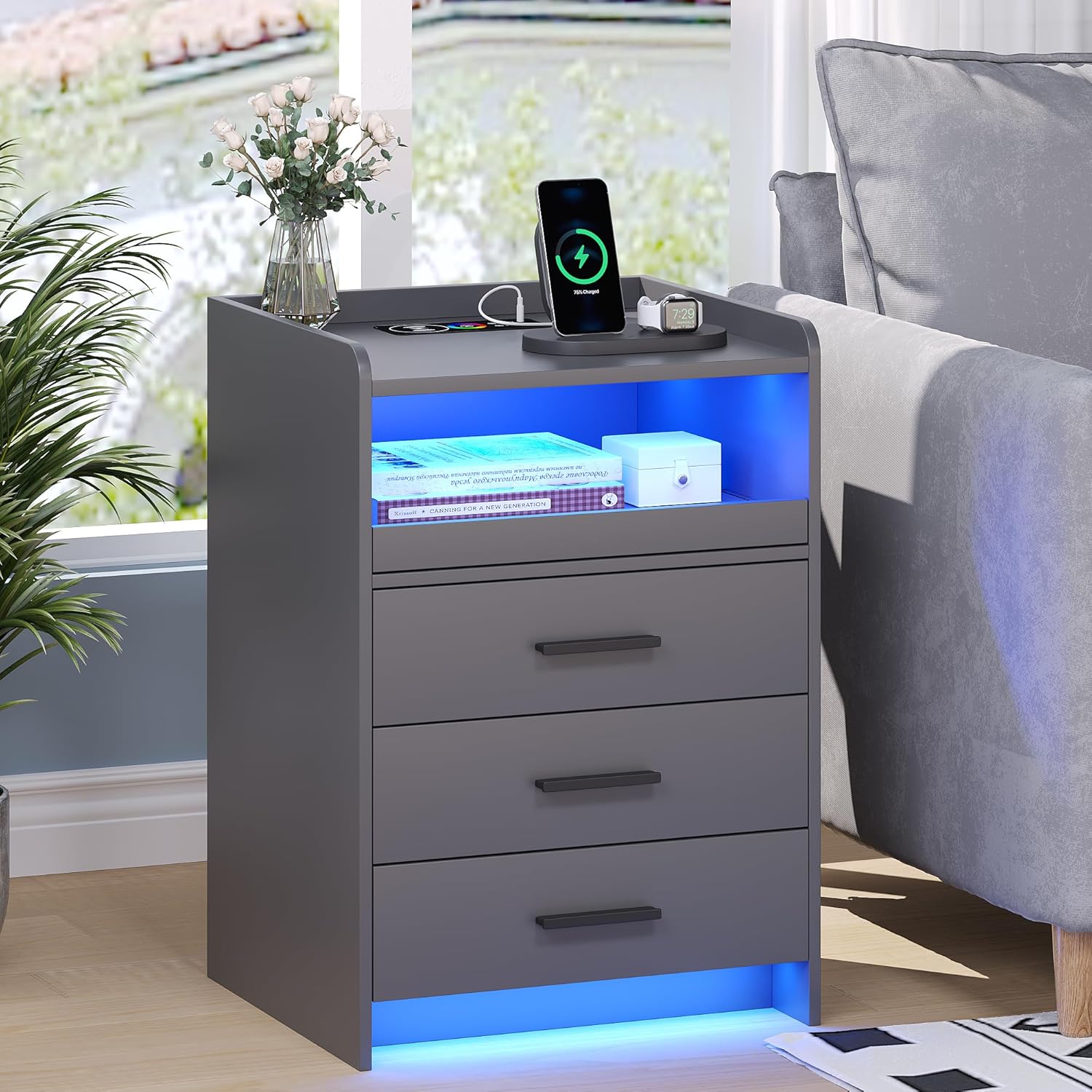
الشكل 5.3: The FREDEES Nightstand showcasing its wireless charging pad, LED lighting, and three storage drawers in a typical bedroom environment.
6. تعليمات التشغيل
6.1. توصيل الطاقة
After assembly, connect the nightstand's power adapter to a standard electrical outlet. Ensure the connection is secure.
6.2. استخدام محطة الشحن
6.2.1. الشحن اللاسلكي
Place your wireless charging compatible device (e.g., smartphone) directly onto the designated wireless charging pad on the top surface. Ensure the device is centered for optimal charging. A charging indicator (if present on your device) will confirm charging has begun.
6.2.2. USB/Type-C Charging
Connect your electronic device to the USB or Type-C port using an appropriate charging cable. These ports provide power for various devices.
6.3. التحكم في مصابيح LED RGB
The LED lights can be controlled via a dedicated control interface, typically located on the nightstand or via a remote control (if included).
6.3.1. التحكم اليدوي
Press the light control button to cycle through the 20 available color options. Additional buttons may allow for brightness adjustment or special effects.
6.3.2. Human Sensor Mode
Activate the human sensor mode using the designated button. In this mode, the LED lights will automatically turn on when motion is detected within a range of approximately 2-3 meters. The lights will turn off automatically after a period of no detected motion.

الشكل 6.1: An illustration demonstrating the human sensor functionality, where the nightstand's light activates upon detecting a person or pet nearby within its detection range.
7. الصيانة
Proper care and maintenance will extend the life of your FREDEES Nightstand:
- تنظيف: امسح الأسطح بقطعة قماش جافة وناعمة. للعلامات العنيدة، امسحها برفق بقطعة قماش ناعمة.amp cloth can be used, followed immediately by a dry cloth. Avoid abrasive cleaners, harsh chemicals, or excessive moisture.
- الغبار: Regularly dust all surfaces, including the charging area and LED strips, to maintain optimal performance and appearance.
- المكونات الكهربائية: Ensure all electrical connections remain dry and free from dust. Do not attempt to service the internal electrical components yourself.
8. استكشاف الأخطاء وإصلاحها
If you encounter issues with your nightstand, refer to the following common problems and solutions:
- No Power/Lights Not Turning On:
- Check if the power adapter is securely plugged into both the nightstand and the wall outlet.
- تأكد من أن مقبس الحائط يعمل عن طريق توصيل جهاز آخر.
- Ensure the LED light control is not set to 'off' or minimum brightness.
- الشحن اللاسلكي لا يعمل:
- Confirm your device is compatible with wireless charging (Qi standard).
- Ensure your device is centered on the charging pad.
- قم بإزالة أي أغطية سميكة للهاتف قد تعيق عملية الشحن.
- Check for any metallic objects between the phone and the charging pad.
- USB/Type-C Ports Not Charging:
- حاول استخدام كابل شحن مختلف.
- قم بالاختبار باستخدام جهاز مختلف لاستبعاد المشكلات الخاصة بالجهاز.
- Human Sensor Not Responding:
- Ensure the sensor mode is activated.
- Check for obstructions blocking the sensor's view.
- Verify the sensor is clean and free of dust.
If problems persist after attempting these solutions, please contact FREDEES customer support.
9. المواصفات

الشكل 9.1: Diagram illustrating the dimensions of the FREDEES Nightstand and icons representing its key features: wireless charging, 20 color lighting, lighting regulation, human induction, and USB/Type-C ports.
| ميزة | مواصفة |
|---|---|
| ماركة | فريديز |
| نموذج | بي ال-9222-32 |
| أبعاد المنتج | 39.88 x 44.96 x 64.01 cm (15.7D x 17.7W x 25.2H inches) |
| وزن العنصر | 18.14 كجم (39.99 رطل) |
| نوع المادة | الخشب الهندسي |
| لون | رمادي |
| المميزات الخاصة | RGB Light (20 colors), Wireless Charging, USB Port, Type-C Port, Human Sensor |
| عدد الأدراج | 3 |
| مصدر الطاقة | محول طاقة التيار المتردد (مرفق) |
10. الضمان والدعم
For warranty information, technical assistance, or to report missing/damaged parts, please refer to the contact details provided with your purchase documentation or visit the official FREDEES website. Our professional team is available to answer your questions and provide support.


