1. المقدمة
This manual provides essential information for the installation, operation, and maintenance of your Phillips MX7053 Digital Deadbolt PCD-360. Please read these instructions carefully before installation and use to ensure proper function and longevity of the product.
The Phillips MX7053 Digital Deadbolt is designed for interior wood or metal doors, offering secure keyless entry via a numeric keypad or traditional key access. It features a light indicator for status updates and supports up to 50 unique user codes.
2. مواصفات المنتج
- سهولة التركيب: Designed for straightforward installation using basic tools.
- تركيب متعدد الاستخدامات: Features an interior mounting plate that can be screwed or welded.
- المفاتيح العددية: Exterior keypad supports 4 to 10-digit codes for up to 50 users.
- مؤشر الحالة: Integrated light indicator shows lock/unlock status and alerts for incorrect code entries.
- الوصول المزدوج: Keyless entry via keypad or traditional high-security key access.
- يعمل بالبطارية: Requires 4 AA batteries (not included), eliminating the need for electrical wiring.
3. محتويات العبوة
تأكد من وجود كافة المكونات قبل البدء في التثبيت:
- Phillips MX7053 Digital Deadbolt (Exterior Keypad Unit)
- Interior Thumb Turn Unit
- لوحة التركيب
- High-Security Keys (Quantity may vary)
- Installation Screws and Hardware
- دليل التعليمات (هذا المستند)

الصورة 3.1: Packaging of the Phillips MX7053 Digital Deadbolt, illustrating the included components and highlighting the 1-year warranty.
4. المواصفات
| الشركة المصنعة | فيليبس |
| رقم الموديل | ام اكس 7053 |
| لون | أسود |
| ينهي | مصقول بالفرشاة |
| مادة | المعدن والبلاستيك |
| نوع القفل | ديدبولت |
| المميزات الخاصة | Touch keypad, Keyless entry |
| مصدر الطاقة | 4 بطاريات AA (غير مدرجة) |
| وزن | 1.12 كيلوغرام |
| الأبعاد (الطول × العرض × الارتفاع) | 21.01 × 11 × 23.01 سم |
5. معلومات السلامة
- Do not expose the lock to extreme temperatures or direct moisture.
- Use only specified AA alkaline batteries. Do not mix old and new batteries or different types of batteries.
- قم بإبقاء المفاتيح في مكان آمن بعيدًا عن القفل.
- Regularly check battery levels and replace batteries when indicated to prevent lock-out.
- تجنب استخدام المنظفات أو المذيبات الكاشطة على سطح القفل.
6. التثبيت
The Phillips MX7053 Digital Deadbolt is designed for surface-mount installation on interior wood or metal doors. It is compatible with both left and right-opening doors.
6.1 الأدوات المطلوبة
- مفك براغي (يوصى باستخدام رأس فيليبس)
- قم بالحفر (إذا لزم الأمر)
- شريط قياس أو مسطرة
- قلم رصاص
6.2 خطوات التثبيت
- جهز الباب: Ensure the door is clean and free of obstructions. If replacing an existing lock, remove it.
- قم بتركيب مزلاج القفل: Insert the deadbolt latch into the door edge. Ensure the latch is oriented correctly for your door's handing (left or right).
- Mount the Exterior Keypad: Position the exterior keypad unit on the outside of the door, aligning it with the deadbolt latch.
- تركيب لوحة التثبيت الداخلية: On the inside of the door, attach the interior mounting plate. Secure it with the provided screws. This plate can be screwed directly or welded for added security.
- Connect the Interior Unit: Connect the cable from the exterior keypad to the interior thumb turn unit. Carefully tuck any excess cable into the door cavity.
- Secure the Interior Unit: Attach the interior thumb turn unit to the mounting plate using the remaining screws. Ensure it is flush against the door.
- عملية الاختبار: Before closing the door, test the deadbolt's operation using both the thumb turn and the key. Ensure the deadbolt extends and retracts smoothly.
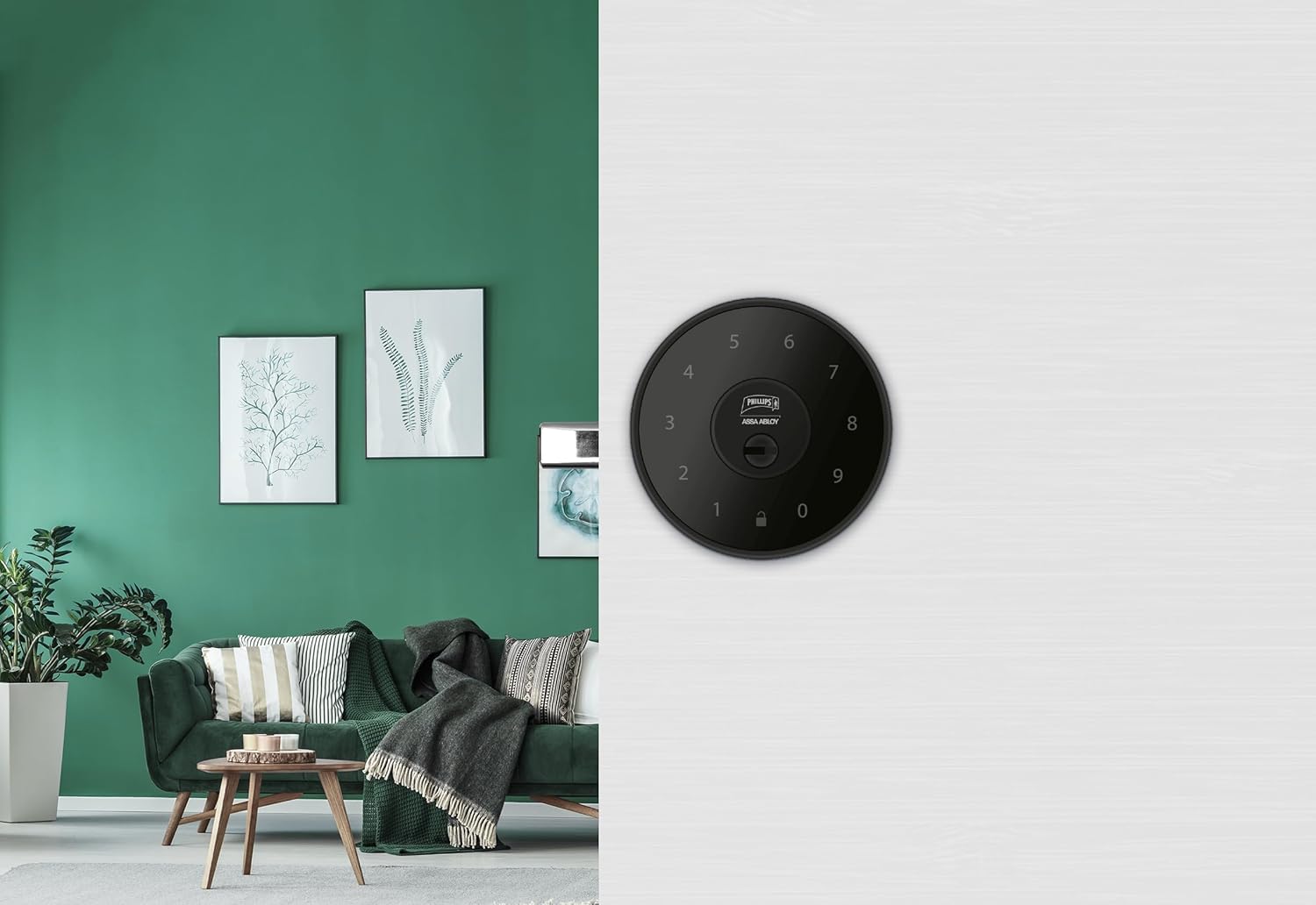
الصورة 6.1: An installed Phillips MX7053 Digital Deadbolt, showcasing its exterior keypad on a door.

الصورة 6.2: لقطة مقربة من الأمام view of the exterior keypad, highlighting the numeric interface and keyhole.
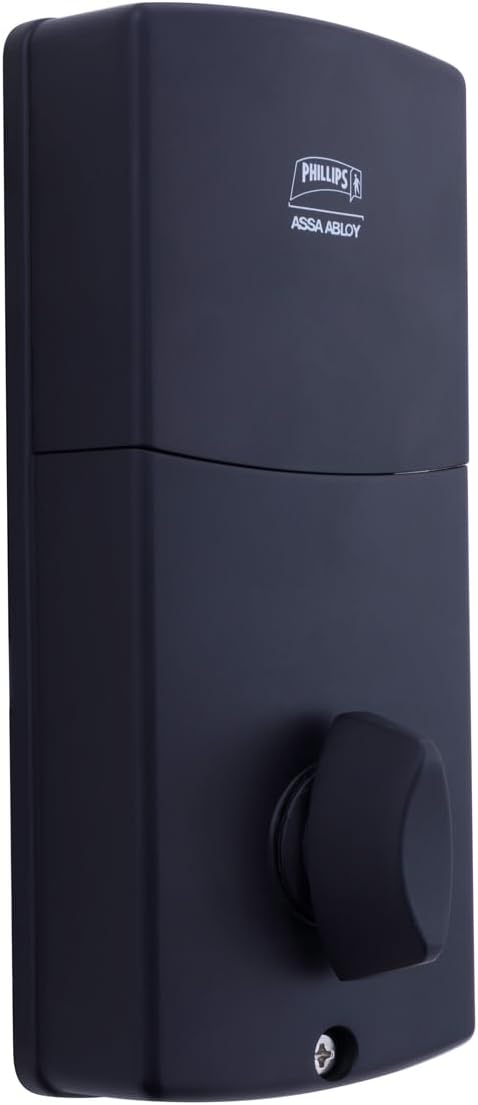
الصورة 6.3: مؤخرة view of the interior unit, which houses the battery compartment and the thumb turn for manual locking/unlocking.
7. تركيب البطارية واستبدالها
The Phillips MX7053 Digital Deadbolt requires 4 AA alkaline batteries for operation. Batteries are not included.
- الوصول إلى حجرة البطارية: Locate the battery cover on the interior thumb turn unit. Slide or unclip the cover to open the compartment.
- أدخل البطاريات: أدخل 4 بطاريات قلوية جديدة من نوع AA، مع التأكد من صحة القطبية (+/-) كما هو موضح داخل الحجرة.
- إغلاق المقصورة: Replace the battery cover, ensuring it is securely closed.
- امتحان: After installing batteries, the lock should emit a beep and the keypad lights may illuminate briefly, indicating power.
ملحوظة: Replace all four batteries simultaneously. Do not mix old and new batteries or different battery types. Low battery indication will typically be a series of beeps or a specific light pattern when operating the lock.
8. التشغيل
8.1 فتح الباب
- استخدام رمز: Enter your 4 to 10-digit user code on the exterior keypad. The light indicator will confirm successful entry, and the deadbolt will retract.
- استخدام المفتاح: Insert the high-security key into the keyhole on the exterior keypad and turn it to unlock the deadbolt.
- من الداخل: Turn the thumb turn on the interior unit to retract the deadbolt.
8.2 قفل الباب
- من الخارج: Press any key on the keypad or simply wait for the auto-lock feature (if enabled) to engage the deadbolt.
- استخدام المفتاح: Insert the high-security key into the keyhole on the exterior keypad and turn it to extend the deadbolt.
- من الداخل: Turn the thumb turn on the interior unit to extend the deadbolt.
9. برمجة أكواد المستخدم
The lock supports up to 50 unique user codes, each 4 to 10 digits long. Refer to the specific programming instructions included with your lock for detailed steps on adding, deleting, or modifying user codes. Generally, this involves entering a master code followed by a sequence of commands and the desired user code.
مهم: Keep your master code confidential and do not share it. It is essential for managing all other user codes.
10. الصيانة
- تنظيف: امسح سطح القفل بقطعة قماش ناعمة و...amp قماش. لا تستخدم مواد كيميائية قاسية أو منظفات كاشطة.
- فحص البطارية: استبدل البطاريات فور ظهور مؤشر انخفاض مستوى البطارية.
- الفحص الميكانيكي: Periodically check that all screws are tight and the lock operates smoothly. Lubricate the deadbolt mechanism with a silicone-based lubricant if necessary.
11. استكشاف الأخطاء وإصلاحها
- القفل لا يستجيب: Check battery installation and replace batteries if necessary. Ensure the keypad is clean and free of debris.
- قفل الباب لا يتمدد/ينكمش: Verify that the door frame strike plate is properly aligned with the deadbolt. Check for any obstructions in the door jamb.
- إدخال رمز غير صحيح: If the light indicator flashes or beeps after entering a code, re-enter the code carefully. Ensure you are using a valid, programmed user code.
- لوحة المفاتيح لا تضيء: This may indicate very low batteries or a power issue. Replace batteries.
12. الضمان والدعم
The Phillips MX7053 Digital Deadbolt PCD-360 comes with a ضمان لمدة 1 سنوات من تاريخ الشراء، مع تغطية عيوب التصنيع. يُرجى الاحتفاظ بإيصال الشراء للمطالبة بالضمان.
For technical assistance, troubleshooting beyond this manual, or warranty inquiries, please contact Phillips customer support. Refer to the contact information provided on the product packaging or Phillips' official webموقع.
Additional protection plans may be available from third-party providers for extended coverage.


