مقدمة
This manual provides comprehensive instructions for the setup, operation, and maintenance of your XUANZIT LED Digital Wall Clock. Please read this manual thoroughly before use to ensure proper functionality and longevity of your device.
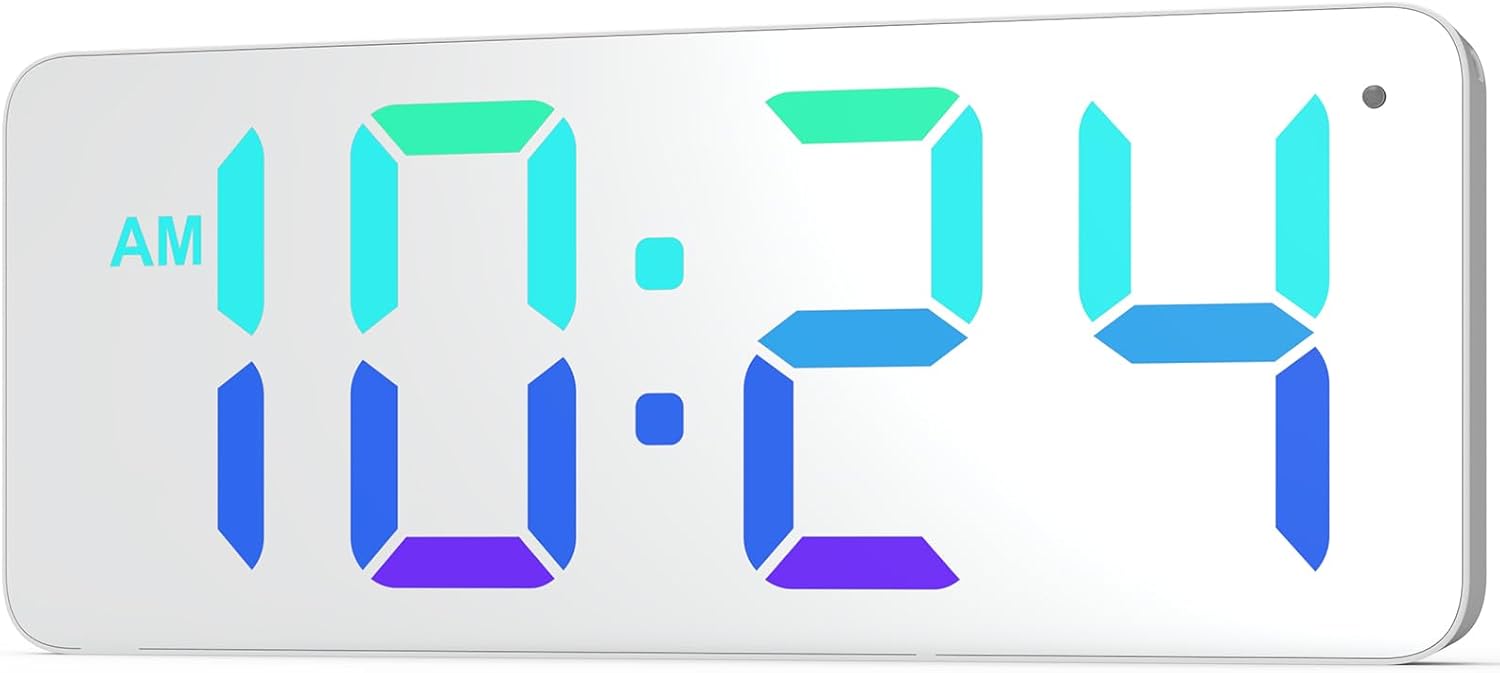
الصورة: الجبهة view of the XUANZIT LED Digital Wall Clock, showing its large, clear digital display with time 10:24 AM in vibrant RGB colors.
محتويات الحزمة
تأكد من تضمين جميع العناصر المدرجة أدناه في الحزمة الخاصة بك:
- ساعة حائط رقمية LED من XUANZIT
- كابل طاقة USB (10 قدم)
- محول طاقة USB (الخرج: تيار مستمر 5 فولت/1 أمبير)
- Plastic Anchors & Screws
- Adhesive Hooks (2)
- دليل المستخدم

Image: All components included in the product package, laid out on a surface. This includes the clock, USB cable, power adapter, mounting screws, and adhesive hooks.
مميزات المنتج
- Dynamic RGB Display: Features a unique dynamic RGB color-changing display.
- Modern Mirror Surface: Enhances aesthetic appeal and blends with modern decor.
- أرقام كبيرة: 2.8-inch digits for clear visibility from a distance.
- Proper Font Spacing: Designed for optimal readability.
- 3-Level Auto-Brightness: Adjusts brightness automatically based on ambient light (High, Medium, Low).
- تصميم سهل التعليق: Two positioning pins on the back for simple installation.
- كابل طاقة USB بطول 10 أقدام: يوفر المرونة في التنسيب.
- تنسيق الوقت 12/24 ساعة: Easily switch between formats.

Image: Diagram illustrating the clock's ability to display time in various static and dynamic RGB colors, including red, emerald-green, white, sky-blue, and flowing RGB patterns.

الصورة: عن قرب view of the clock highlighting the 2.8-inch digit size and the overall 9-inch screen size, along with the ambient light sensor.

Image: Three panels showing the clock in different brightness levels (high, medium, low) to illustrate the 3-level auto-brightness feature in varying room light conditions.
يثبت
توصيل الطاقة
- Connect the small end of the USB power cable to the concealed power jack on the back of the clock.
- Plug the large end of the USB power cable into the provided USB power adapter.
- Insert the USB power adapter into a standard electrical outlet.
- ستعمل الساعة وستعرض الوقت.
Note: This is a plug-in digital wall clock and is not battery-operated for primary function. A CR2032 battery (included) is for backup only to retain settings during power outagإِسْ
تعليمات التركيب
تتميز الساعة بتصميم سهل التعليق مع دبوسين للتثبيت في الخلف للمساعدة في التركيب.
- Press the entire clock against the desired wall location to mark where the nails or screws should go. The positioning pins will leave small indentations.
- For drywall, hammer the nails directly into the marked spots. For plaster or concrete, drill a small pilot hole and insert the plastic anchors before screwing in the screws.
- Hang the wall clock onto the installed nails or screws using the hanging holes on the back.

الصورة: الخلفية view of the XUANZIT clock, detailing the location of the hanging hole, positioning pins, easy-setting buttons, concealed power jack, and backup battery compartment.
تعليمات التشغيل
The clock has easy-setting buttons located on the back for time and display adjustments.
ضبط الوقت
- Locate the "SET" button on the back of the clock.
- اضغط باستمرار على زر "SET" حتى تبدأ أرقام الساعة بالوميض.
- استخدم زري "+" و "-" لضبط الساعة.
- Press "SET" again to move to the minute digits.
- استخدم زري "+" و "-" لضبط الدقائق.
- اضغط على زر "SET" مرة أخرى للتأكيد والخروج من وضع ضبط الوقت.
تغيير تنسيق 12/24 ساعة
للتبديل بين تنسيقات الوقت 12 ساعة و 24 ساعة:
- While in normal time display mode, press the "SET" button once briefly.
- The display will toggle between 12-hour (with AM/PM indicator) and 24-hour formats.
Image: Comparison of the clock displaying time in 12-hour format (10:24 PM) and 24-hour format (22:24), demonstrating the easy switching capability.
Adjusting Display Colors/Modes
The clock offers various RGB display options. Use the "MODE" button (or similar, if available, otherwise assume "+" or "-" button cycles through modes after a specific press of SET/MODE) to cycle through them.
- Press the "+" button (or designated color/mode button) briefly to cycle through available static colors (e.g., Red, Emerald-Green, White, Sky-Blue).
- Continue pressing the "+" button to cycle through dynamic color modes (e.g., RGB Flowing, RGB Changing, Random Color).
- The clock will automatically save the last selected display mode.
ميزة السطوع التلقائي
The clock is equipped with a built-in light sensor that automatically adjusts the display brightness to one of three levels (High, Medium, Low) based on ambient light conditions. No manual adjustment is required for this feature.
صيانة
To ensure the longevity and optimal performance of your XUANZIT LED Digital Wall Clock, follow these maintenance guidelines:
- تنظيف: Gently wipe the mirror surface and body with a soft, dry, lint-free cloth. Do not use abrasive cleaners, solvents, or chemical sprays, as these can damage the finish.
- قوة: Always use the provided USB power adapter and cable. Do not expose the clock to excessive moisture or extreme temperatures.
- بطارية احتياطية: The CR2032 backup battery is designed to retain time settings during brief power interruptions. If the clock frequently loses time after power outages, consider replacing the CR2032 battery.
استكشاف الأخطاء وإصلاحها
| مشكلة | السبب المحتمل | حل |
|---|---|---|
| الساعة لا تعمل. | لا يوجد مصدر للطاقة، اتصال فضفاض. | Ensure the USB cable is securely connected to the clock and the adapter. Verify the adapter is plugged into a working electrical outlet. |
| الوقت غير صحيح. | Time not set; power interruption. | Follow "Setting the Time" instructions. If power was interrupted, the backup battery might be low or depleted. |
| الشاشة ساطعة/خافتة للغاية. | Auto-brightness adjustment. | The clock features auto-brightness. Ensure the light sensor (small dot on the top right of the display) is not obstructed. The brightness adjusts automatically based on ambient light. |
| Cannot change display colors. | استخدام الزر بشكل خاطئ. | Ensure you are pressing the correct button (e.g., "+" or "MODE") to cycle through color options. Refer to "Adjusting Display Colors/Modes" section. |
تحديد
- ماركة: شوانزيت
- رقم الموديل: XZT74-CW
- لون: اللون الأحمر والأخضر والأزرق
- أبعاد المنتج: 8.89 x 3.81 x 2.9 cm (3.5 x 1.5 x 1.14 inches)
- وزن السلعة: 249 جرام (0.55 رطل)
- مادة: بلاستيك
- نوع العرض: الصمام الرقمي
- مدخلات الطاقة: DC 5V/1A (USB powered)
- المميزات الخاصة: 10Ft Long USB Cable, Built-in Light Sensor for Auto-Dimming, Dynamic RGB Display, Large Display
الضمان والدعم
For warranty information or technical support, please contact XUANZIT customer service through the retailer where the product was purchased or visit the official XUANZIT website. Please have your model number (XZT74-CW) and purchase details ready when contacting support.
For further assistance, you may refer to the product page on Amazon.ca: XUANZIT LED Digital Wall Clock on Amazon.ca


