مقدمة
This manual provides comprehensive instructions for the Staples 12-Digit Solar and Battery Basic Calculator (Model ST290-CCVS). Designed for everyday calculations, this calculator features a 12-digit display, dual power source (solar and battery), and essential functions for financial and tax calculations. Please read this manual thoroughly to ensure proper use and maintenance of your device.
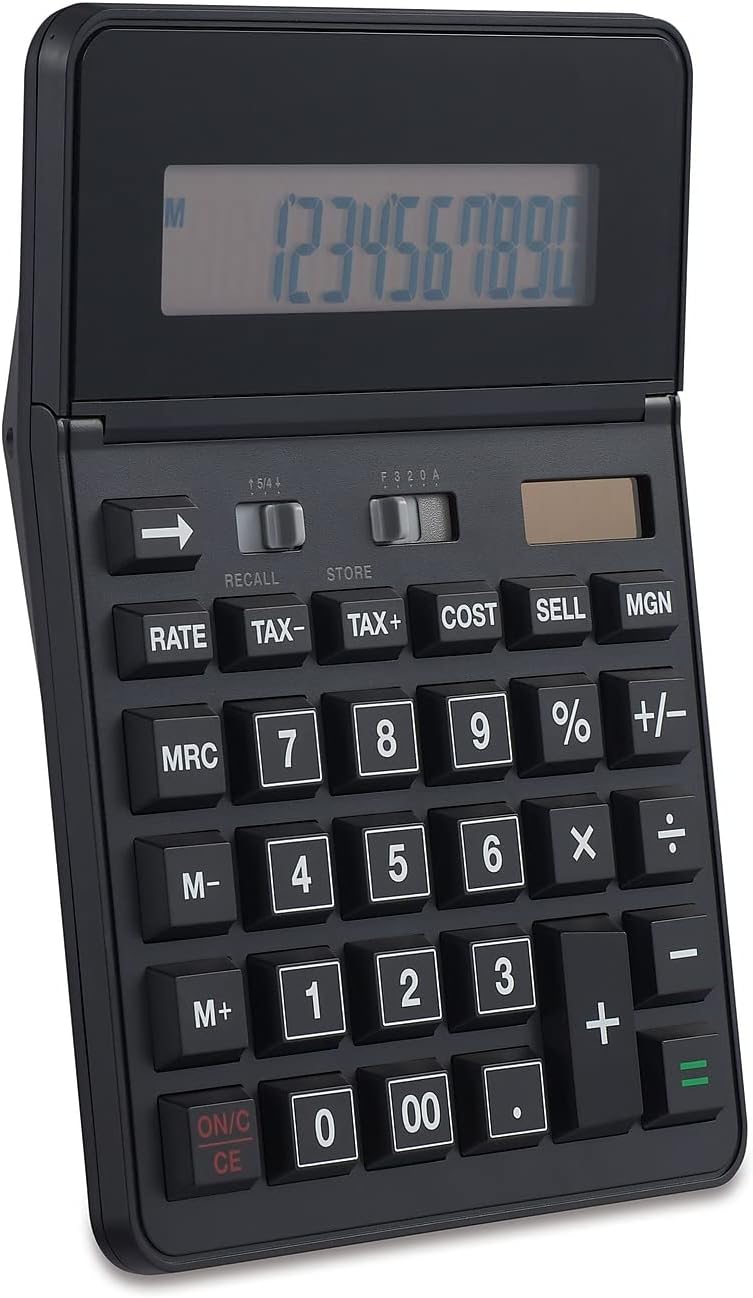
الشكل 1: الجبهة view of the Staples 12-Digit Solar and Battery Basic Calculator, showing the display and keypad.
يثبت
مصدر الطاقة
The Staples ST290-CCVS calculator operates on a dual power system: solar and battery. This ensures reliable operation in various lighting conditions.
- الطاقة الشمسية: The calculator is equipped with a solar panel located above the display. For optimal performance, ensure the solar panel is exposed to sufficient light. This is the primary power source in well-lit environments.
- طاقة البطارية: An internal battery provides power when light is insufficient or absent. The calculator automatically switches to battery power as needed. No user intervention is required for power source selection.
الاستخدام الأولي
Upon first use, or after prolonged storage, simply expose the calculator to light or press the ON/C CE button to activate the display. The calculator is ready for immediate use.

Figure 2: The calculator's 12-digit display, designed for clear readability of large numbers.
تعليمات التشغيل
This section details the functions and operations of your Staples calculator.
العمليات الأساسية
- ON/C CE: Press to turn the calculator on or to clear the current entry (CE) or all entries (C) if pressed twice.
- Number Keys (0-9, 00, .): Used for entering numerical values.
- Arithmetic Operators (+, -, ×, ÷): Standard addition, subtraction, multiplication, and division.
- = (يساوي): يُكمل عملية حسابية ويعرض النتيجة.
- +/- (تغيير الإشارة): يغير إشارة الرقم المعروض من موجب إلى سالب أو العكس.
- ← (Backspace): يحذف الرقم الأخير الذي تم إدخاله.
وظائف متقدمة
- النسبة المئوية (%): يستخدم لـ percentagالحسابات الإلكترونية. على سبيل المثالample, to calculate 10% of 200, enter 200 × 10 %.
- TAX+, TAX-: Used for adding or subtracting tax. The tax rate must be set beforehand (refer to specific tax rate setting instructions, if available on the device, otherwise assume a default or pre-set rate).
- COST, SELL, MGN (Margin): These keys are designed for business calculations.
- يكلف: Enter the cost of an item.
- SELL: Enter the selling price of an item.
- MGN: Calculates the profit margin based on cost and sell price, or determines one value if the other two are known.
- M+, M-, MRC (Memory Functions):
- م +: يضيف القيمة المعروضة إلى الذاكرة.
- م-: يطرح القيمة المعروضة من الذاكرة.
- مركز موارد المهاجرين: اضغط مرة واحدة لاستدعاء قيمة الذاكرة. اضغط مرتين لمسح الذاكرة.
- معدل: This button is typically used in conjunction with tax or currency conversion functions. Consult the calculator's specific markings for its exact application.
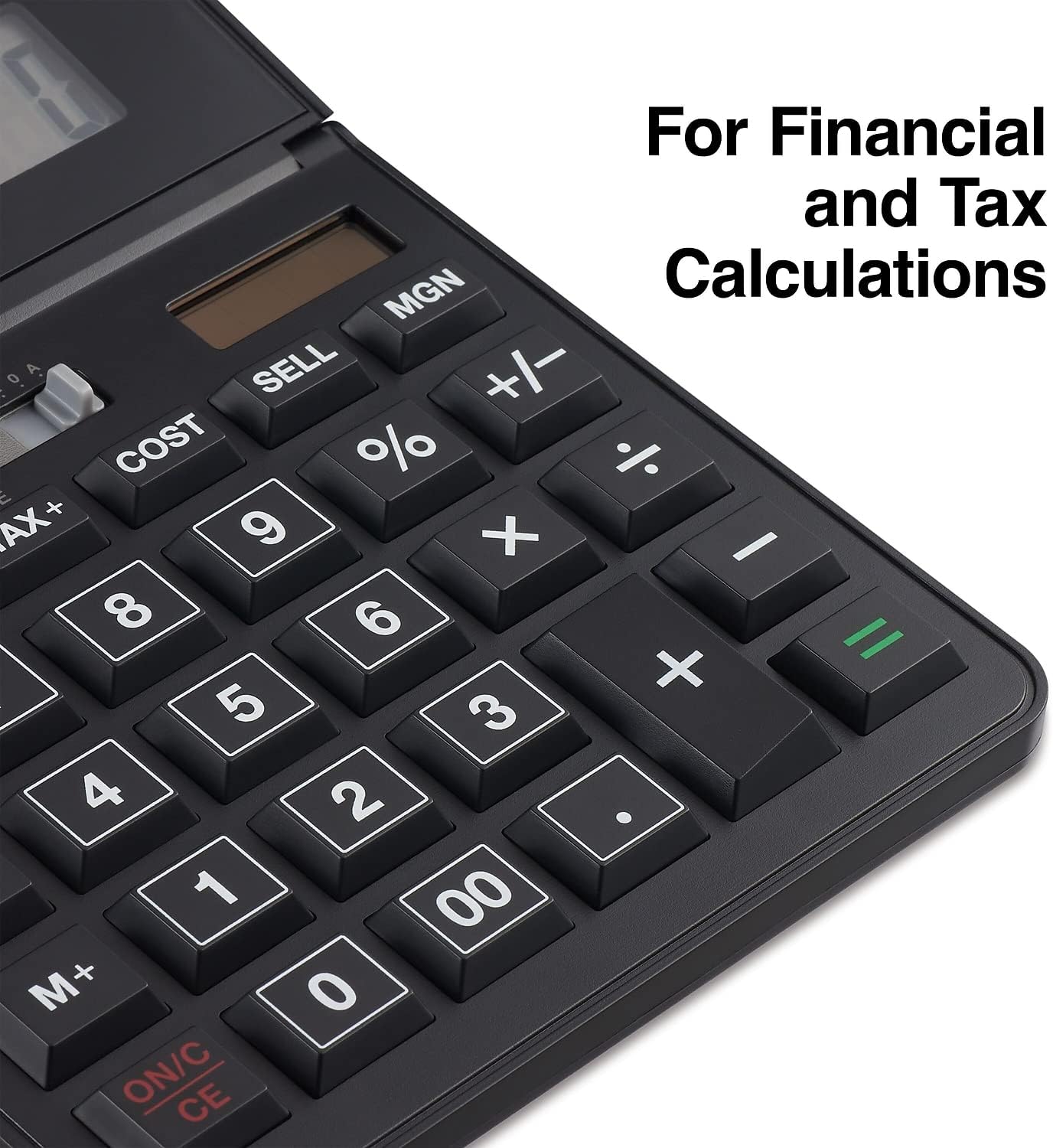
الشكل 3: مفصل view of the calculator's function keys, including TAX, COST, SELL, and MGN for financial and tax calculations.
صيانة
Proper care and maintenance will extend the life of your calculator.
- تنظيف: Use a soft, dry cloth to clean the calculator's surface. For stubborn dirt, slightly dampen the cloth with water or a mild, non-abrasive cleaner. Avoid using harsh chemicals, solvents, or abrasive materials, as these can damage the display or casing.
- تخزين: احفظ الآلة الحاسبة في مكان بارد وجاف بعيداً عن أشعة الشمس المباشرة ودرجات الحرارة القصوى. تجنب وضع أشياء ثقيلة فوق الآلة الحاسبة.
- بطارية: The calculator uses an internal battery that is designed for long-term use. If the display becomes dim or unresponsive in low light conditions, ensure the solar panel is exposed to bright light. If issues persist, the battery may need professional replacement, though this is rare for solar-assisted models.
استكشاف الأخطاء وإصلاحها
If you encounter issues with your calculator, refer to the following common problems and solutions:
| مشكلة | السبب المحتمل | حل |
|---|---|---|
| العرض فارغ أو خافت. | إضاءة غير كافية لتوليد الطاقة الشمسية؛ انخفاض مستوى البطارية. | Move the calculator to a brighter area. If the problem persists, the internal battery may be depleted. |
| نتائج حسابية غير صحيحة. | Incorrect entry; memory function active; previous calculation not cleared. | يضعط ON/C CE twice to clear all entries and memory. Re-enter the calculation carefully. Ensure no memory indicator (M) is displayed unless intended. |
| الأزرار لا تستجيب. | Calculator is off; temporary malfunction. | يضعط ON/C CE. If still unresponsive, try exposing it to bright light for a few minutes. |
إذا استمرت المشكلة بعد محاولة هذه الحلول، فيرجى الاتصال بدعم العملاء.
تحديد
| ميزة | التفاصيل |
|---|---|
| رقم الموديل | ST290-CCVS |
| عرض | 12-Digit LCD, Angled |
| مصدر الطاقة | Solar and Battery (Two-way power) |
| الأبعاد (العرض × العمق × الارتفاع) | 5.55 بوصة × 7.48 بوصة × 1.65 بوصة |
| وزن | 15.4 أونصات |
| لون | أسود |
| الوظائف | Basic arithmetic, Percent, Backspace, Tax+, Tax-, Cost, Sell, Margin, Memory (M+, M-, MRC) |

Figure 4: Product dimensions of the Staples 12-Digit Solar and Battery Basic Calculator.
الضمان والدعم
ضمان محدود
This Staples 12-Digit Solar and Battery Basic Calculator (Model ST290-CCVS) comes with a ضمان محدود لمدة عامين من تاريخ الشراء. يغطي هذا الضمان عيوب المواد والتصنيع في ظل الاستخدام العادي. ولا يغطي الأضرار الناجمة عن سوء الاستخدام، أو الحوادث، أو التعديلات غير المصرح بها، أو الأسباب الخارجية.
يرجى الاحتفاظ بإثبات الشراء الخاص بك لمطالبات الضمان.

Figure 5: Product packaging indicating the 1-Year Limited Warranty.
دعم العملاء
For technical assistance, warranty service, or general inquiries, please contact Staples customer support. Refer to the official Staples webللحصول على أحدث معلومات الاتصال، يرجى زيارة الموقع الإلكتروني أو الاطلاع على وثائق الشراء الخاصة بك.
الدعم عبر الإنترنت: Visit the official Staples webالموقع الخاص بالأسئلة الشائعة وتسجيل المنتج وموارد الدعم.
الدعم عبر الهاتف: Contact the customer service number provided on your product packaging or the Staples webموقع.


