مقدمة
This manual provides essential instructions for setting up, operating, maintaining, and troubleshooting your new Tesla 65-inch 4K UHD Smart TV (Model 65E635SUS). Please read this manual thoroughly before using the television to ensure proper operation and to maximize your viewتجربة جي. الحفاظ على هذا الخط للرجوع إليها في المستقبل.
معلومات هامة حول السلامة: اتبع دائمًا احتياطات السلامة الأساسية عند استخدام هذا المنتج لتقليل مخاطر الحريق والصدمات الكهربائية والإصابات. لا تحاول صيانة هذا المنتج بنفسك. قم بإحالة جميع أعمال الصيانة إلى فنيين مؤهلين.
1. الإعداد
1.1 فك التغليف وفحص المحتويات
أخرج التلفاز من عبوته بحرص. تأكد من وجود جميع المكونات:
- Tesla 65-inch 4K UHD Smart TV
- جهاز التحكم عن بعد
- بطاريات AAA للتحكم عن بعد
- حامل تلفزيون (قطعتين)
- براغي حامل التلفزيون
- سلك الطاقة
- دليل المستخدم (هذا المستند)

الصورة 1.1: الجبهة view of the Tesla 65-inch Smart TV with its stand.
1.2 تركيب حامل التلفزيون
- ضع التلفزيون على سطح ناعم ومسطح بحيث يكون وجهه لأسفل لمنع تلف الشاشة.
- قم بمحاذاة كل قطعة من الحامل مع الفتحات المقابلة لها في الجزء السفلي من التلفزيون.
- ثبّت كل قطعة من قطع الحامل باستخدام البراغي المرفقة. تأكد من إحكام ربطها جيداً.

الصورة 1.2: خلفي view of the TV, illustrating the stand attachment points.
ملحوظة: If you plan to wall-mount the TV, refer to the wall-mount kit instructions (sold separately) and skip this step. Ensure proper ventilation when wall-mounting.
1.3 توصيل الطاقة
قم بتوصيل سلك الطاقة بمدخل الطاقة الخاص بالتلفزيون، ثم بمأخذ الحائط. سيدخل التلفزيون في وضع الاستعداد.
1.4 الإعداد الأولي
عند تشغيل التلفزيون لأول مرة، سيرشدك خلال عملية الإعداد الأولية:
- اختيار اللغة: اختر لغتك المفضلة.
- إتصال شبكة: قم بالاتصال بشبكة Wi-Fi الخاصة بك أو استخدم كابل Ethernet للاتصال السلكي.
- تسجيل الدخول إلى حساب Google: Sign in with your Google account to access Google Play Store, Google Assistant, and other Android TV features.
- مسح القناة: Scan for available TV channels if you are using an antenna or cable connection.
- إعدادات الخصوصية: Review ويمكنك تعديل إعدادات الخصوصية حسب الرغبة.
2. تعليمات التشغيل
2.1 التحكم عن بعد أكثرview
The provided remote control allows you to navigate the TV's features. Insert the AAA batteries into the remote control before use.

Image 2.1: Bluetooth remote control for the Tesla Smart TV.
- زر الطاقة: يقوم بتشغيل أو إيقاف تشغيل التلفزيون (وضع الاستعداد).
- لوحة التنقل (أعلى/أسفل/يسار/يمين/موافق): يتنقل بين القوائم ويختار العناصر.
- زر الرجوع: العودة إلى الشاشة السابقة.
- زر الصفحة الرئيسة: الوصول إلى الشاشة الرئيسية لجهاز Android TV.
- رفع/خفض الصوت: ضبط مستوى الصوت.
- زر كتم الصوت: كتم الصوت أو إلغاء كتمه.
- زر مساعد جوجل: تفعيل التحكم الصوتي.
- أزرار اختصار التطبيق: Direct access to popular streaming services (e.g., Netflix, YouTube).
2.2 Android TV 11 Interface Navigation
The Android TV 11 interface provides access to apps, settings, and content. Use the navigation pad on your remote to move through the home screen.
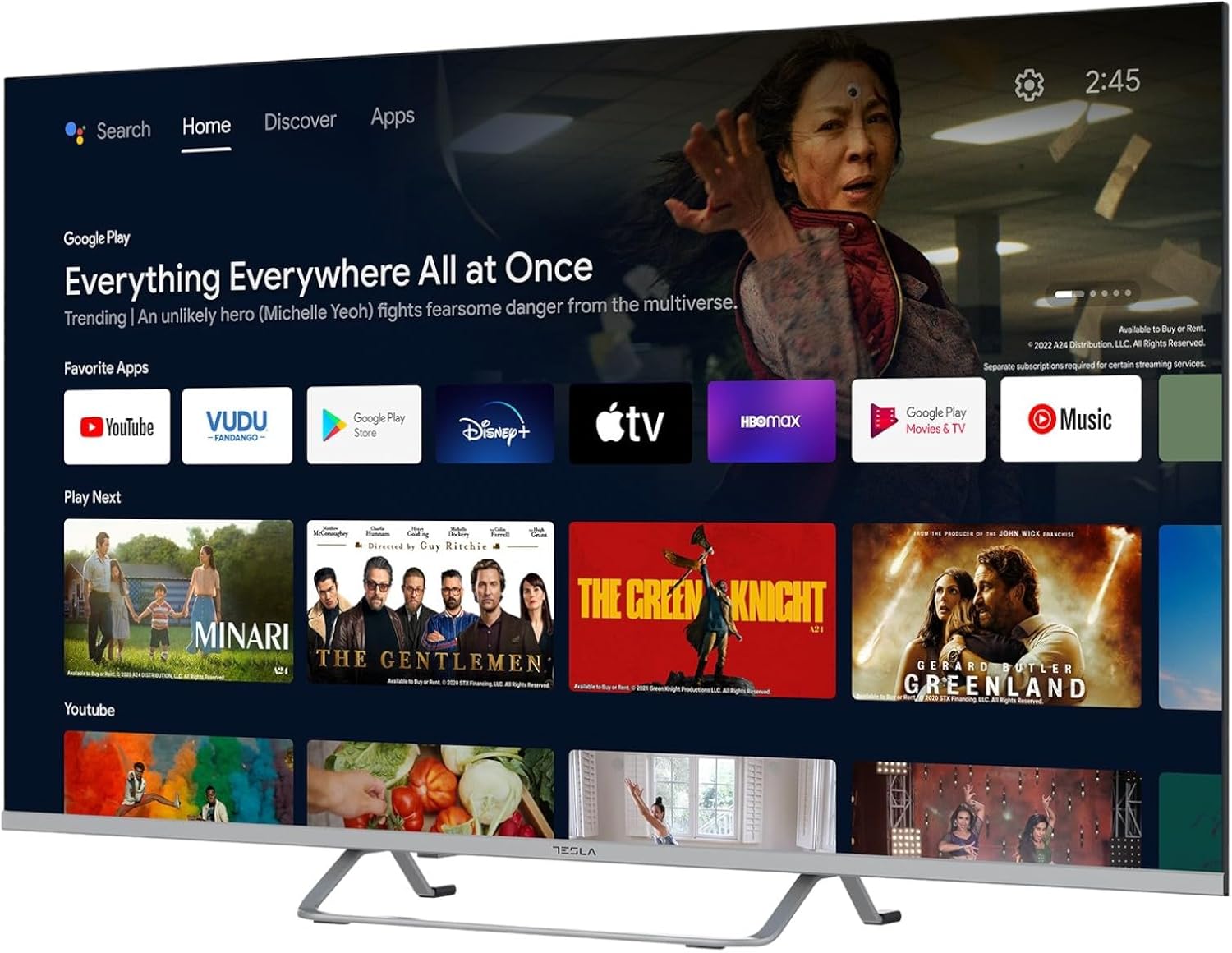
Image 2.2: The Android TV 11 home screen, displaying various applications and content suggestions.
- الشاشة الرئيسية: يعرض المحتوى الموصى به والتطبيقات المثبتة ومصادر الإدخال.
- Apps Section: الوصول إلى جميع التطبيقات المثبتة.
- إعدادات: Configure TV settings, network, accounts, and device preferences.
2.3 استخدام مساعد جوجل
Press the Google Assistant button on your remote and speak into the microphone to control your TV, search for content, get information, and more.
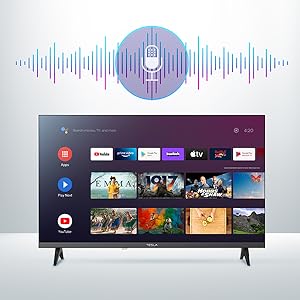
Image 2.3: Visual representation of Google Assistant activation on the TV screen.
Exampعدد الأوامر:
- "افتح نتفليكس"
- "بحث عن أفلام الحركة
- "ما هو حال الطقس؟"
- "Turn up the volume"
2.4 جهاز Chromecast المدمج
Use Chromecast built-in to cast content from your compatible smartphone, tablet, or computer directly to your TV. Ensure your device is connected to the same Wi-Fi network as the TV.

Image 2.4: A smartphone casting content to the TV via Chromecast.
2.5 توصيل الأجهزة الخارجية
Your TV offers multiple connectivity options:
- منافذ HDMI (x4): قم بتوصيل مشغلات Blu-ray وأجهزة الألعاب وأجهزة الاستقبال الرقمية وما إلى ذلك.
- منافذ USB (x2): Connect USB drives for media playback or external keyboards/mice.
- إيثرنت (LAN): للاتصال بالإنترنت السلكي.
- واي فاي: للاتصال بالإنترنت اللاسلكي.
- بلوتوث: قم بتوصيل سماعات الرأس اللاسلكية أو مكبرات الصوت أو أجهزة البلوتوث الأخرى.

الصورة 2.5: الجانب المحترفfile of the TV, highlighting accessible ports.
2.6 إعدادات الصورة والصوت
Access the TV's settings menu to customize picture and sound options.
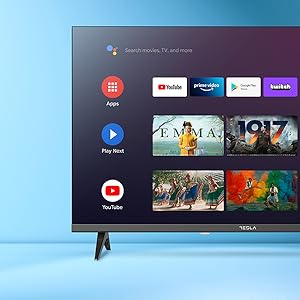
الصورة 2.6: مثالample of the TV's settings menu for customization.
- أوضاع الصورة: Select from Standard, Vivid, Sport, Movie, Game, or User (custom) modes. Adjust brightness, contrast, color, and sharpness.
- HDR10: The TV supports HDR10 for enhanced contrast and color with compatible content.
- أوضاع الصوت: Choose from Standard, Music, Movie, Sport, or User (custom) modes. Use the equalizer to fine-tune audio frequencies.
- المتحدثون: The TV features 2 x 12W speakers.
3. الصيانة
3.1 تنظيف التلفزيون
- شاشة: امسح الشاشة برفق بقطعة قماش ناعمة وخالية من الوبر. لإزالة البقع الصعبة، امسح برفقampاغسل قطعة القماش بالماء أو بمنظف شاشات متخصص. لا ترش المنظف مباشرةً على الشاشة.
- جسم: امسح هيكل التلفزيون بقطعة قماش ناعمة وجافة. تجنب استخدام المنظفات الكاشطة أو المذيبات.
- افصل دائمًا التلفزيون عن مأخذ الطاقة قبل التنظيف.
3.2 تحديثات البرامج
Your Tesla Smart TV may receive software updates to improve performance and add new features. Ensure your TV is connected to the internet to receive these updates automatically or check for them manually in the settings menu.
4. استكشاف الأخطاء وإصلاحها
قبل الاتصال بالدعم الفني، جرب الحلول التالية للمشاكل الشائعة:
| مشكلة | الحل المحتمل |
|---|---|
| لا يوجد طاقة | Check if the power cord is securely connected to the TV and the wall outlet. Ensure the outlet is working. |
| لا توجد صورة، ولكن الصوت موجود | تأكد من تحديد مصدر الإدخال الصحيح. تحقق من توصيلات الكابلات بالأجهزة الخارجية. حاول إعادة تشغيل التلفزيون. |
| لا يوجد صوت ولكن الصورة موجودة | Check the volume level and ensure the TV is not muted. Verify audio settings and external speaker connections if applicable. |
| جهاز التحكم عن بعد لا يعمل | Replace the batteries. Ensure there are no obstructions between the remote and the TV. Re-pair the Bluetooth remote if necessary (refer to TV settings). |
| مشاكل الاتصال بالشبكة | أعد تشغيل جهاز التوجيه والمودم. تحقق من كلمة مرور شبكة الواي فاي. جرب الاتصال السلكي عبر الإيثرنت إن أمكن. |
| التطبيقات بطيئة أو تتعطل | Close unused apps. Clear app cache (Settings > Apps > [App Name] > Clear cache). Restart the TV. |
5. المواصفات
| ميزة | التفاصيل |
|---|---|
| ماركة | تسلا |
| رقم الموديل | 65E635SUS |
| حجم الشاشة | 65 بوصة (165 سم) |
| تكنولوجيا العرض | قاد |
| دقة | 4K (3840 × 2160) |
| معدل التحديث | 60 هرتز |
| نظام التشغيل | أندرويد تي في 11 |
| المميزات الخاصة | High Dynamic Range (HDR10), Google Play, Chromecast Built-in, Google Assistant, Personalized Surround Sound |
| الاتصال | واي فاي، بلوتوث، إيثرنت (شبكة محلية) |
| منافذ HDMI | 4 |
| منافذ USB | 2 |
| مخرج الصوت | مكبرات صوت 2 × 12 واط |
| أبعاد المنتج (مع الحامل) | 25D x 25W x 144.5H cm (approximate) |
6. الضمان والدعم
For warranty information, please refer to the warranty card included with your product or visit the official Tesla webالموقع. احتفظ بإثبات الشراء الخاص بك لتقديم مطالبات الضمان.
For technical support or service inquiries, please contact Tesla customer service through their official channels. Contact details can typically be found on the manufacturer's webالموقع أو في عبوة المنتج.


