مقدمة
Thank you for choosing the ZEBRONICS Zeb-Rainbow 400 Multimedia Speaker. This manual provides essential information for the proper setup, operation, and maintenance of your speaker system. Please read it carefully before use and retain it for future reference.
تعليمات السلامة
- لا تعرض الجهاز للمطر أو الرطوبة لتجنب نشوب حريق أو التعرض لصدمة كهربائية.
- Do not open the speaker cabinet. Refer all servicing to qualified personnel.
- تأكد من وجود تهوية مناسبة حول الوحدة. لا تسد أي فتحات تهوية.
- حماية سلك الطاقة من أن يمشي عليه أحد أو يضغط عليه.
- افصل الوحدة أثناء العواصف الرعدية أو عند عدم استخدامها لفترات طويلة.
- احفظ المنتج بعيداً عن أشعة الشمس المباشرة ومصادر الحرارة والمجالات المغناطيسية القوية.
محتويات الحزمة
يرجى تحديد المربع للعناصر التالية:
- وحدة مضخم الصوت
- مكبرات صوت فضائية (وحدتان)
- جهاز التحكم عن بعد
- Audio Input Cable (3.5mm to RCA)
- دليل المستخدم
المنتج انتهىview
The ZEBRONICS Zeb-Rainbow 400 is a 4.1 channel multimedia speaker system designed for versatile audio playback. It features multiple connectivity options including Bluetooth, AUX, USB, and FM radio. The system includes a powerful subwoofer and four satellite speakers for an immersive audio experience, complemented by integrated RGB lighting.
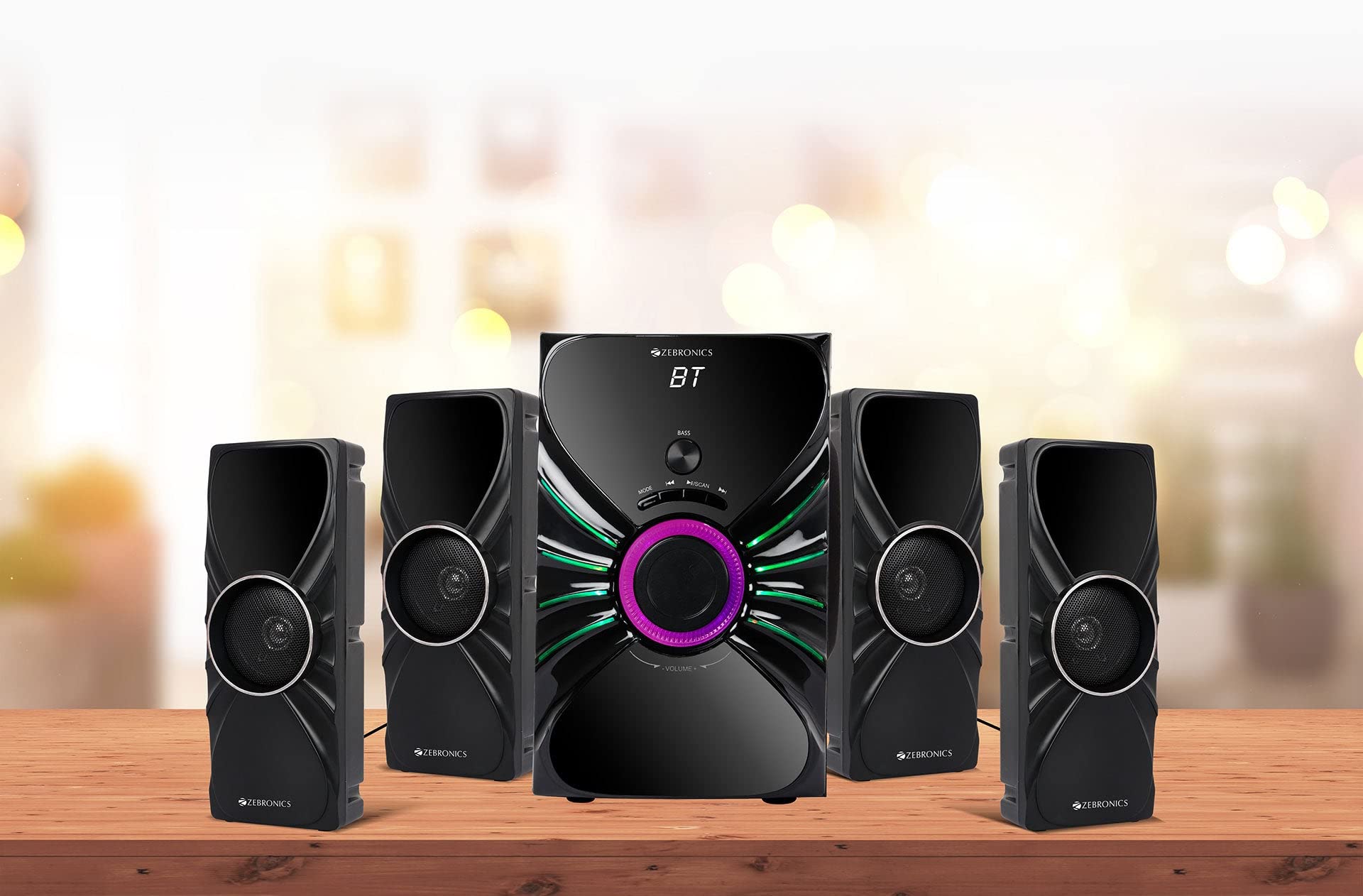
Image: The complete ZEBRONICS Zeb-Rainbow 400 multimedia speaker system, showing the subwoofer, four satellite speakers, and remote control.
يثبت
1. فك التعبئة
أزل جميع المكونات من العبوة بعناية. احتفظ بمواد التغليف للنقل أو التخزين مستقبلًا.
2. وضع مكبر الصوت
Place the subwoofer on a stable, flat surface, preferably on the floor for optimal bass response. Position the four satellite speakers around your listening area for a balanced sound field. Ensure adequate space for ventilation.

Image: A visual representation of the 4.1 speaker setup, illustrating the subwoofer and four satellite speakers.
3. Connecting Satellite Speakers
Connect each of the four satellite speakers to the corresponding output ports on the rear panel of the subwoofer unit. Ensure the connections are secure.
4. توصيل مصادر الصوت
- مدخلات AUX: Use the provided 3.5mm to RCA cable to connect your audio device (e.g., smartphone, tablet, PC) to the AUX input ports on the subwoofer.
- مدخل USB: أدخل محرك أقراص فلاش USB يحتوي على ملف صوتي MP3 files into the USB port on the subwoofer.
5. توصيل الطاقة
Connect the power cable to the subwoofer unit and then plug it into a standard AC power outlet.
تعليمات التشغيل
1. تشغيل/إيقاف التشغيل
Press the Power button on the front panel of the subwoofer or on the remote control to turn the speaker system on or off.
2. اختيار الوضع
Press the 'MODE' button on the front panel or remote control to cycle through the available input modes: Bluetooth (BT), AUX, USB, and FM Radio.

Image: Close-up of the subwoofer's front panel, showing the control buttons (Mode, Play/Pause, Next/Previous, Bass, Volume) and the integrated RGB lighting.
3. التحكم في مستوى الصوت
Rotate the 'VOLUME' knob on the front panel of the subwoofer or use the Volume Up/Down buttons on the remote control to adjust the overall sound level. The 'BASS' knob can be used to adjust the bass intensity.
4. وضع بلوتوث
- Switch the speaker to Bluetooth mode using the 'MODE' button. The display will show 'BT'.
- قم بتفعيل البلوتوث على جهازك المحمول أو جهاز الكمبيوتر.
- بحث عن available devices and select "Zeb-Rainbow 400" to pair.
- Once paired, you can play audio from your device through the speakers.
5. وضع AUX
Connect your audio source using the 3.5mm to RCA cable. Switch the speaker to AUX mode. Audio from your connected device will play automatically.
6. وضع USB
Insert a USB flash drive into the USB port. The speaker will automatically switch to USB mode and begin playing MP3 files from the drive. Use the Play/Pause, Next, and Previous buttons to control playback.
7. وضع راديو FM
- قم بتبديل السماعة إلى وضع FM.
- Press and hold the 'SCAN' button (often combined with Play/Pause) to automatically scan and save available FM stations.
- Use the Next/Previous buttons to navigate through the saved stations.
8. جهاز التحكم عن بعد
The included remote control provides full functionality for power, mode selection, volume, track control, and FM station tuning. Ensure the remote has working batteries and is pointed towards the subwoofer's sensor.

Image: The ZEBRONICS Zeb-Rainbow 400 subwoofer unit shown with its remote control, highlighting the main controls.
9. أضواء RGB
The subwoofer features integrated RGB lights. These lights typically cycle through various colors and patterns automatically. Refer to the remote control for any specific buttons to change light modes, if available.
صيانة
1. التنظيف
Wipe the speaker surfaces with a soft, dry cloth. Do not use abrasive cleaners, waxes, or solvents as they may damage the finish. Avoid spraying liquids directly onto the speakers.
2. التخزين
If storing the speakers for an extended period, unplug them from the power outlet and store them in a cool, dry place, away from direct sunlight and extreme temperatures.
استكشاف الأخطاء وإصلاحها
| مشكلة | السبب المحتمل | حل |
|---|---|---|
| لا يوجد طاقة | Power cable not connected; Power outlet faulty; Unit switched off | Ensure power cable is securely connected. Check power outlet with another device. Press the Power button. |
| لا يوجد صوت | Volume too low; Incorrect input mode; Audio cable loose/faulty; Device volume low | Increase volume. Select correct input mode. Check audio cable connections. Increase volume on connected device. |
| البلوتوث غير متصل | Speaker not in BT mode; Device not in pairing mode; Interference | Switch speaker to BT mode. Ensure device Bluetooth is on and searching. Move devices closer. Restart both devices. |
| جهاز التحكم عن بعد لا يعمل | Batteries depleted; Obstruction; Remote not pointed at sensor | Replace batteries. Remove any obstructions. Point remote directly at the subwoofer's IR sensor. |
| استقبال FM ضعيف | Weak signal; Antenna position | Adjust the position of the FM antenna. Rescan for stations. |
تحديد
| ميزة | مواصفة |
|---|---|
| ماركة | الزبرونيك |
| رقم الموديل | Zeb Rainbow 400 |
| أبعاد المنتج (الطول × العرض × الارتفاع) | 21 × 39 × 32 سنتيمتر |
| وزن العنصر | 9 كجم 350 جرام |
| تكنولوجيا الاتصال | مدخل إضافي، بلوتوث، منفذ USB، لاسلكي |
| مصدر الطاقة | AC |
| الأجهزة المتوافقة | الهاتف الذكي والكمبيوتر اللوحي |
| Subwoofer Drive Size | 16.51 سم |

Image: A visual highlighting the 16.51 cm subwoofer drive of the ZEBRONICS Zeb-Rainbow 400.
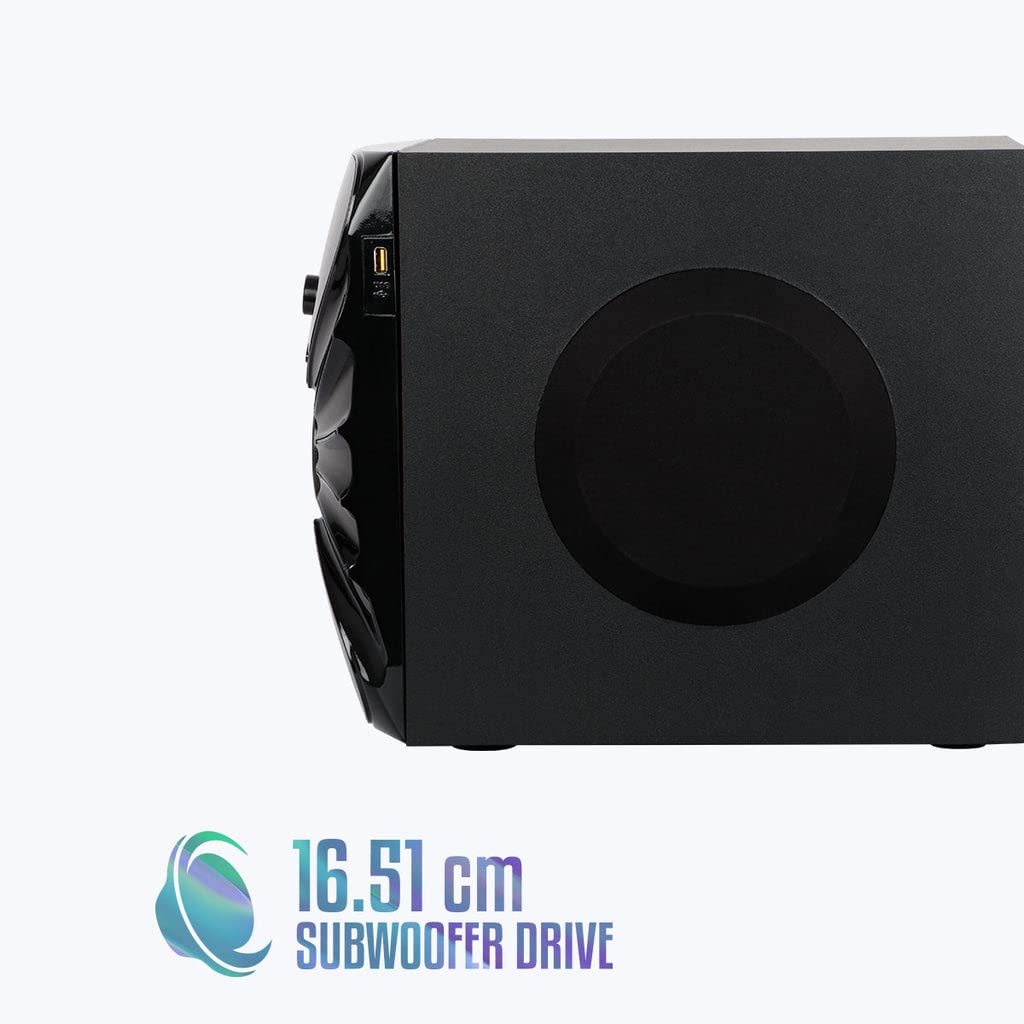
الصورة: الجانب view of the ZEBRONICS Zeb-Rainbow 400 subwoofer, showing the USB port and overall dimensions.
الضمان والدعم
This product comes with a minimum six-month seller warranty. For any issues or support, please contact your seller or refer to the official ZEBRONICS support channels. Keep your purchase receipt for warranty claims.


