1. المقدمة
The Qingping CO2 Monitor Thermometer Hygrometer is a versatile device designed to accurately measure indoor CO2 levels, temperature, and humidity. It features remote monitoring capabilities via the Qingping IoT app, providing real-time data and alert notifications to help maintain a healthy indoor environment. This manual provides detailed instructions for setting up, operating, and maintaining your device.

Figure 1.1: Qingping CO2 Monitor Thermometer Hygrometer
ماذا يوجد في الصندوق:
- Qingping CO2 & Temp & RH Monitor
- كابل يو اس بي
- ملصق حائط
- دليل المستخدم
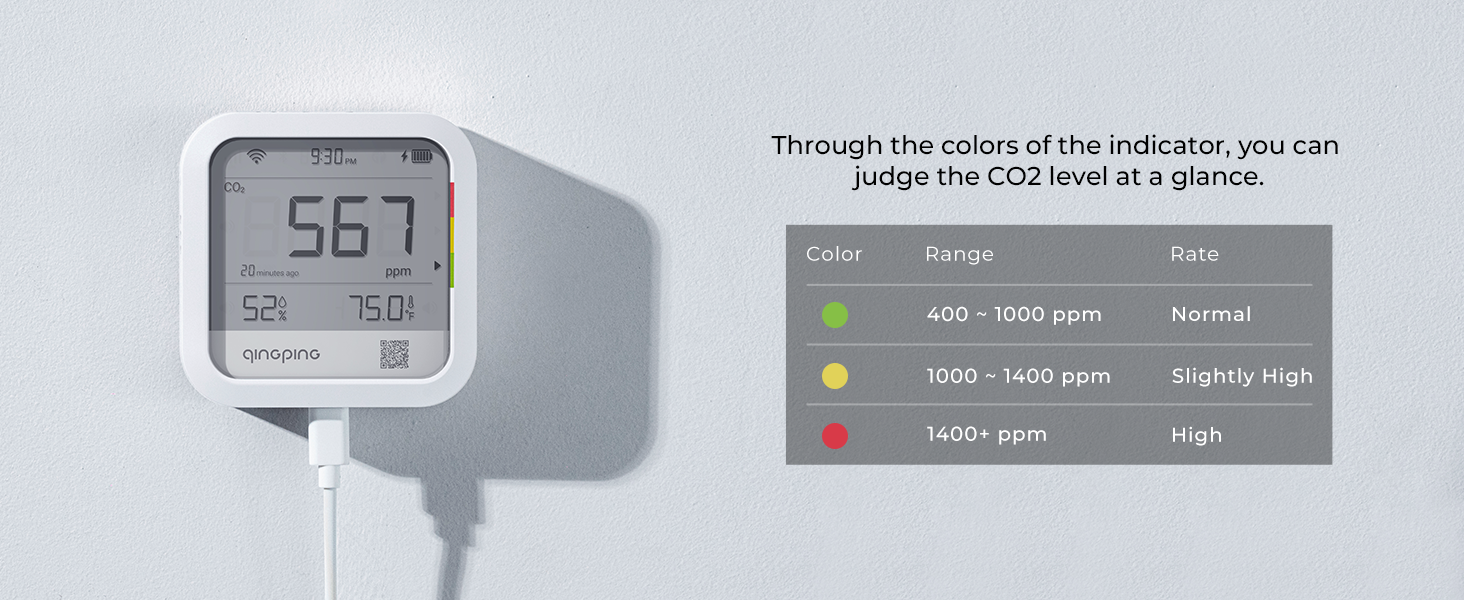
Figure 1.2: Product Packaging and Contents Overview
2. الميزات الرئيسية
- Accurate CO2 Monitoring: Equipped with a Swiss-made Sensirion CO2 sensor utilizing NDIR technology for precise and sensitive measurements.
- مراقبة درجة الحرارة والرطوبة: High-accuracy temperature and humidity sensor with a measurement range of -20~50°C (-4~122°F) and 0~99.9%RH.
- Wi-Fi Connectivity & Remote Monitoring: Supports Wi-Fi for remote data access via the Qingping IoT app or website, allowing device management and data sharing.
- Multiple Alert Methods: Features a built-in buzzer for over-limit alarms, with additional alerts available via app notifications, emails, and text messages.
- Historical Data & Export: View historical data graphics for the recent 24 hours and 30 days on Qingping IoT, with the option to export data as Excel files. The device can save up to 2,880 sets of readings locally.

Figure 2.1: CO2, Temperature, and Humidity Monitoring Capabilities

Figure 2.2: NDIR CO2 Sensing Technology Details
3. الإعداد
3.1 الشحن الأولي
Before first use, fully charge the device using the provided USB cable and a compatible USB power adapter (not included). The device can also be plugged into USB power continuously for operation.

الشكل 3.1: شحن الجهاز
3.2 Connecting to Qingping IoT App
- Download the "Qingping IoT" app from your device's app store or visit qingpingiot.com/app.
- Open the app and follow the on-screen instructions to create an account and add your device. Ensure your device's Wi-Fi is enabled and within range of your router.
- The app will guide you through connecting the monitor to your Wi-Fi network. This enables remote monitoring and data synchronization.

Figure 3.2: Device and App Interface
3.3 تركيب الجهاز
The monitor can be placed on a flat surface or mounted on a wall using the provided wall sticker and the hanging hole on the back of the device.

الشكل 3.3: خيارات التركيب
4. التشغيل
4.1 فهم العرض
The device's display shows real-time readings for CO2 concentration (ppm), relative humidity (RH%), and temperature (°C/°F). The colored indicator on the side provides a quick visual assessment of CO2 levels.
4.2 CO2 Level Interpretation
The colored indicator on the device provides an immediate visual cue for CO2 levels:
| لون | النطاق (جزء في المليون) | تفسير |
|---|---|---|
| أخضر | 400 ~ 1000 | طبيعي |
| أصفر | 1000 ~ 1400 | مرتفع قليلا |
| أحمر | 1400+ | عالي |

Figure 4.1: CO2 Level Indicator Guide
4.3 Alert Notifications
The device provides multiple ways to notify you when CO2, temperature, or humidity levels exceed set limits:
- صوت الجرس: A built-in buzzer will sound an alarm. This feature can be toggled on/off via the Qingping IoT app or webموقع.
- App Notification: Receive push notifications directly on your smartphone through the Qingping IoT app.
- بريد إلكتروني: Alerts can be sent to your registered email address.
- رسالة نصية: Receive text message alerts for critical events.

Figure 4.2: Over-limit Notification Methods
4.4 Viewإدخال وتصدير البيانات التاريخية
The Qingping IoT app and website allow you to view historical data trends and export them for analysis:
- Access historical data graphics for the past 24 hours and 30 days directly within the Qingping IoT platform.
- Data can be exported as Excel files for further review.
- The device stores up to 2,880 sets of readings locally, ensuring data is not lost during network interruptions and will be uploaded once the connection is restored.
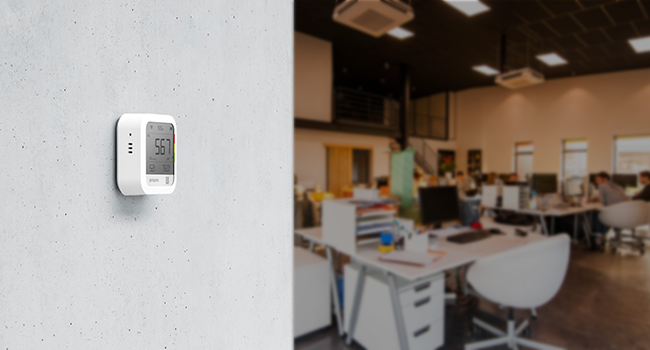
Figure 4.3: Qingping IoT Platform for Data Management
5. الصيانة
5.1 إدارة البطارية
The Qingping monitor is equipped with a rechargeable Lithium Ion battery. It offers a long standby time, and for continuous operation, it can be powered via the USB-C cable.
5.2 المعايرة
While the device is factory calibrated, environmental factors or prolonged use may affect accuracy. Manual calibration can be performed via the Qingping IoT app or website to ensure optimal performance. Refer to the app's settings for detailed calibration procedures.
6. استكشاف الأخطاء وإصلاحها
If you encounter issues with your Qingping CO2 Monitor, please refer to the following common problems and solutions:
- Device Not Connecting to Wi-Fi/App:
- Ensure your Wi-Fi network is 2.4GHz, as the device supports IEEE 802.11 b/g/n 2.4GHz.
- Verify that the device is within range of your Wi-Fi router.
- Restart the device and your Wi-Fi router.
- Check if the Qingping IoT app has necessary permissions on your smartphone.
- Confirm that you have created an account and logged into the Qingping IoT app, as it is required for full functionality and settings changes.
- Inaccurate CO2/Temperature/Humidity Readings:
- Perform a manual calibration through the Qingping IoT app.
- Ensure the device is placed in an area with good air circulation and away from direct heat sources, vents, or extreme humidity.
- Allow the device sufficient time (e.g., 20-30 minutes) to stabilize after initial setup or relocation.
- Device Not Charging or Low Battery Alert:
- تأكد من توصيل كابل USB-C بشكل آمن بالجهاز ومصدر الطاقة.
- جرب كابل USB أو محول طاقة مختلفًا.
- Restart the device. If the issue persists, the battery may require service.
For further assistance, please contact Qingping customer support.
7. المواصفات
| مواصفة | التفاصيل |
|---|---|
| أبعاد المنتج | 2 × 0.01 × 0.01 بوصة؛ 7.76 أونصة |
| رقم موديل العنصر | CGP22C |
| البطاريات | 1 بطارية ليثيوم أيون مطلوبة (مضمنة) |
| وصف البطارية | قابلة لإعادة الشحن |
| تاريخ أول توفر | 2 يونيو 2023 |
| الشركة المصنعة | تشينغ بينغ |
| نوع التركيب | حامل الحائط |
| رطوبة التشغيل | 0% to 99.9% RH (non-condensation environment) |
| تصنيف درجة الحرارة العليا | 122 درجة فهرنهايت (50 درجة مئوية) |
| واي فاي القياسية | IEEE 802.11 b / g / n 2.4GHz |
8. الضمان والدعم
Qingping products are manufactured with high standards of quality. For warranty information, please refer to the documentation included with your purchase or visit the official Qingping webموقع.
معلومات الاتصال:
- الشركة المصنعة: شركة Qingping Technology (Beijing) Co.، Ltd.
- Webموقع: qingpingiot.com
- دعم البريد الإلكتروني: support@qingping.co
For the latest app updates, FAQs, and additional support resources, please visit the Qingping IoT webموقع.


