1. انتهى المنتجview
The LENCENT 100W GaN3 Universal Travel Adapter is a versatile charging solution designed for international travel. It features a universal AC outlet, two USB-C ports, and two USB-A ports, allowing for simultaneous charging of multiple devices. Equipped with advanced GaN III technology, it offers efficient and fast charging in a compact form factor.

Image: LENCENT 100W GaN3 Universal Travel Adapter, showcasing its multiple ports and compact design.
2. معلومات هامة حول السلامة
تحذير: هذا المحول ليس محول صوتtagتحويل ه. لا يقوم بتحويل المجلدtagه. تأكد من أن أجهزتك متوافقة مع المجلد المحليtage (100-250V) before use. Failure to do so may damage your devices or the adapter.
- Do not exceed the maximum load of 2500W (at 250V) or 10A.
- Equipped with integrated double 10A fuses for overload protection.
- Features a safety valve to prevent accidental contact with live parts.
- Constructed from fire-resistant materials.
- يحفظ بعيدًا عن متناول الأطفال.
- Do not expose to liquids or extreme temperatures.
- لا تقم بتفكيك المحول أو محاولة إصلاحه.
3. الإعداد واختيار القابس
The LENCENT Universal Travel Adapter includes interchangeable plugs for various regions. To select the appropriate plug:
- Identify the required plug type for your destination (e.g., US, UK, EU, AUS).
- Slide the corresponding plug selector switch on the side of the adapter to extend the correct pins. Ensure the pins are fully extended and locked into place before use.
- To retract a plug, slide the selector switch back.

Image: Diagram illustrating the different international plug types (EU, UK, US, AUS) supported by the adapter.

Image: Visual representation of the universal AC socket, compatible with over 200 countries and various plug types (A, B, C, O, E/F, G, I, J, L, N).
4. تعليمات التشغيل
This adapter allows you to charge up to five devices simultaneously using its universal AC outlet, two USB-C ports, and two USB-A ports.
4.1 التوصيل بمأخذ التيار الكهربائي
- Ensure the correct plug type is extended for your destination.
- Insert the adapter firmly into the wall outlet.
4.2 أجهزة الشحن
- Universal AC Outlet: Plug in devices such as laptops, electric toothbrushes, shavers, or cameras. This outlet supports up to 2500W (at 250V).
- USB-C Ports (C1, C2): Connect USB-C compatible devices for fast charging. USB-C1 supports up to 100W Max. When both C1 and C2 are used, C1 provides 65W and C2 provides 35W.
- منافذ USB-A (A1، A2): Connect standard USB-A devices. Each USB-A port provides up to 18W.
The adapter intelligently identifies connected devices and delivers optimal charging current for fast and safe charging.

Image: The adapter connected to a wall outlet, fast charging a laptop via USB-C, demonstrating its 100W capability.

Image: The adapter in use, charging multiple devices (phone, laptop, landline phone base) simultaneously from a single wall outlet.
5. الصيانة
- Clean the adapter with a dry, soft cloth. Do not use liquid cleaners.
- قم بتخزين المحول في مكان بارد وجاف عند عدم استخدامه.
- تجنب إسقاط المحول أو تعريضه لصدمات قوية.
- The adapter includes a replaceable 10A fuse. If the adapter stops working, check and replace the fuse if necessary. A spare fuse is typically included.
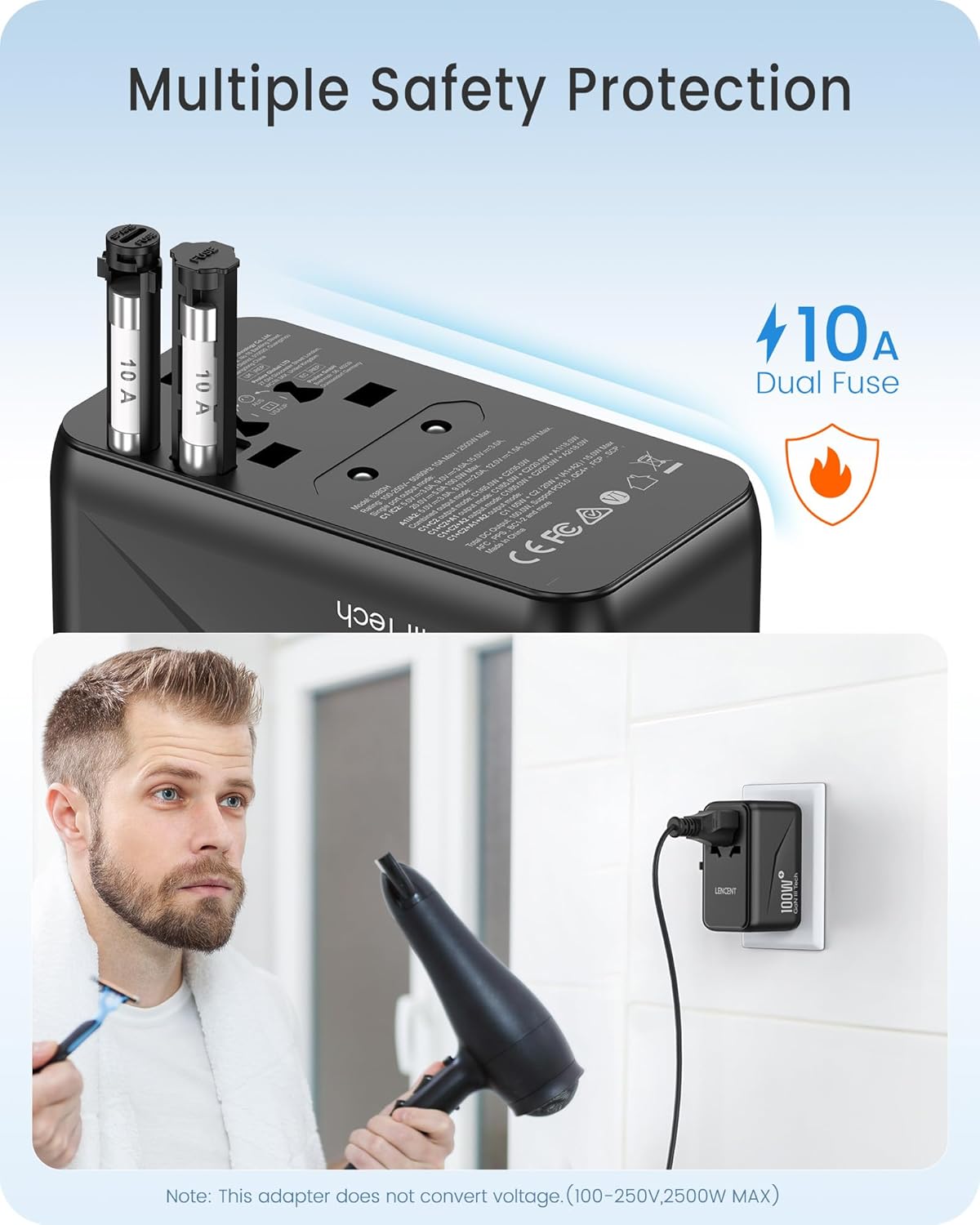
الصورة: عن قرب view of the adapter's side, highlighting the dual 10A fuses for safety and overload protection.
6. استكشاف الأخطاء وإصلاحها
- Adapter not working:
- تأكد من إدخال المحول بالكامل في مقبس الحائط.
- Verify that the correct plug pins are fully extended and locked.
- Check if the device connected to the adapter is functioning correctly.
- Inspect the fuse. If blown, replace it with a new 10A fuse.
- الجهاز لا يشحن أو يشحن ببطء:
- Ensure your device's charging cable is securely connected to both the adapter and the device.
- Confirm that your device is compatible with the adapter's output specifications (voltagه و واتtagهـ).
- If charging multiple devices, the total power output is shared. Disconnect some devices to see if charging speed improves for a specific device.
- ارتفاع درجة الحرارة:
- Disconnect all devices and unplug the adapter from the wall. Allow it to cool down.
- تأكد من إجمالي واتtage of connected devices does not exceed the adapter's maximum capacity (2500W).
- تأكد من وجود تهوية كافية حول المحول.
7. المواصفات
| رقم الموديل | 638DH |
| حجم الإدخالtage | 100-250 فولت ~ 50/60 هرتز |
| مخرج التيار المتردد | 100-250V ~ 10A Max, 2500W Max |
| خرج USB-C1 | 5 فولت/3 أمبير، 9 فولت/3 أمبير، 12 فولت/3 أمبير، 15 فولت/3 أمبير، 20 فولت/5 أمبير (100 واط كحد أقصى) |
| خرج USB-C2 | 5 فولت / 3 أمبير ، 9 فولت / 3 أمبير ، 12 فولت / 2.9 أمبير (35 واط كحد أقصى) |
| خرج USB-A1 / A2 | 5 فولت / 3 أمبير ، 9 فولت / 2 أمبير ، 12 فولت / 1.5 أمبير (18 واط كحد أقصى) |
| إجمالي الناتج USB | شنومكسو ماكس |
| الأبعاد (الطول × العرض × الارتفاع) | 3.62 × 2.13 × 2.09 بوصة (9.2 × 5.4 × 5.3 سم) |
| وزن العنصر | 9.5 أونصة (268 جرامًا) |
| تكنولوجيا | GaN III, PD 3.0, QC 4.0, PPS |
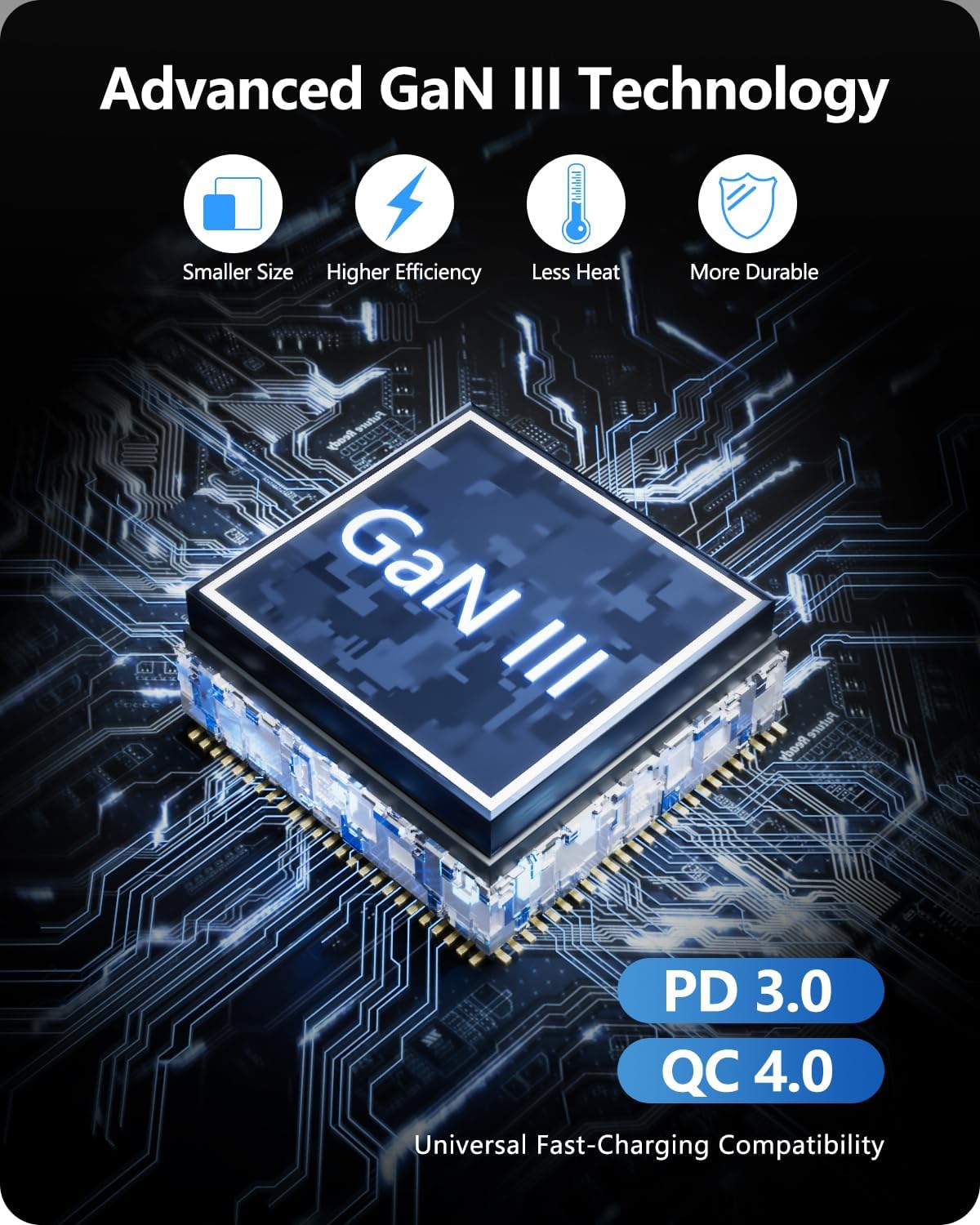
Image: Diagram illustrating the benefits of GaN III Technology: smaller size, higher efficiency, less heat, and increased durability.

Image: The adapter next to a smartphone, tablet, and smartwatch, emphasizing its compact size (2.05*3.62*2.09 inches).
8. الضمان والدعم
LENCENT products are manufactured with quality and reliability in mind. For warranty information or technical support, please refer to the official LENCENT webيمكنك زيارة الموقع الإلكتروني أو الاتصال بخدمة العملاء مباشرةً. يُرجى الاحتفاظ بإثبات الشراء لتقديم أي مطالبات تتعلق بالضمان.
الشركة المصنعة: LENCENT Technology Co.، Ltd.
لمزيد من المساعدة، قم بزيارة متجر LENCENT على أمازون.


